
Minimum Order Notice for WooCommerce
v1.1.0Sohan Zakaria · 2026年7月15日 上架
Display WooCommerce minimum order notices, progress bar, mini-cart alerts, and optionally block checkout until the minimum order is reached.
- 正在使用
- 10 以下
- 评分
- 5.0 / 5
- 累计下载
- 349
- 最近更新
- 2026年11月24日
1 条评价需要 WordPress 6.0+已测试到 7.1.5PHP 7.4+
贡献者
 Sohan Zakaria
截图

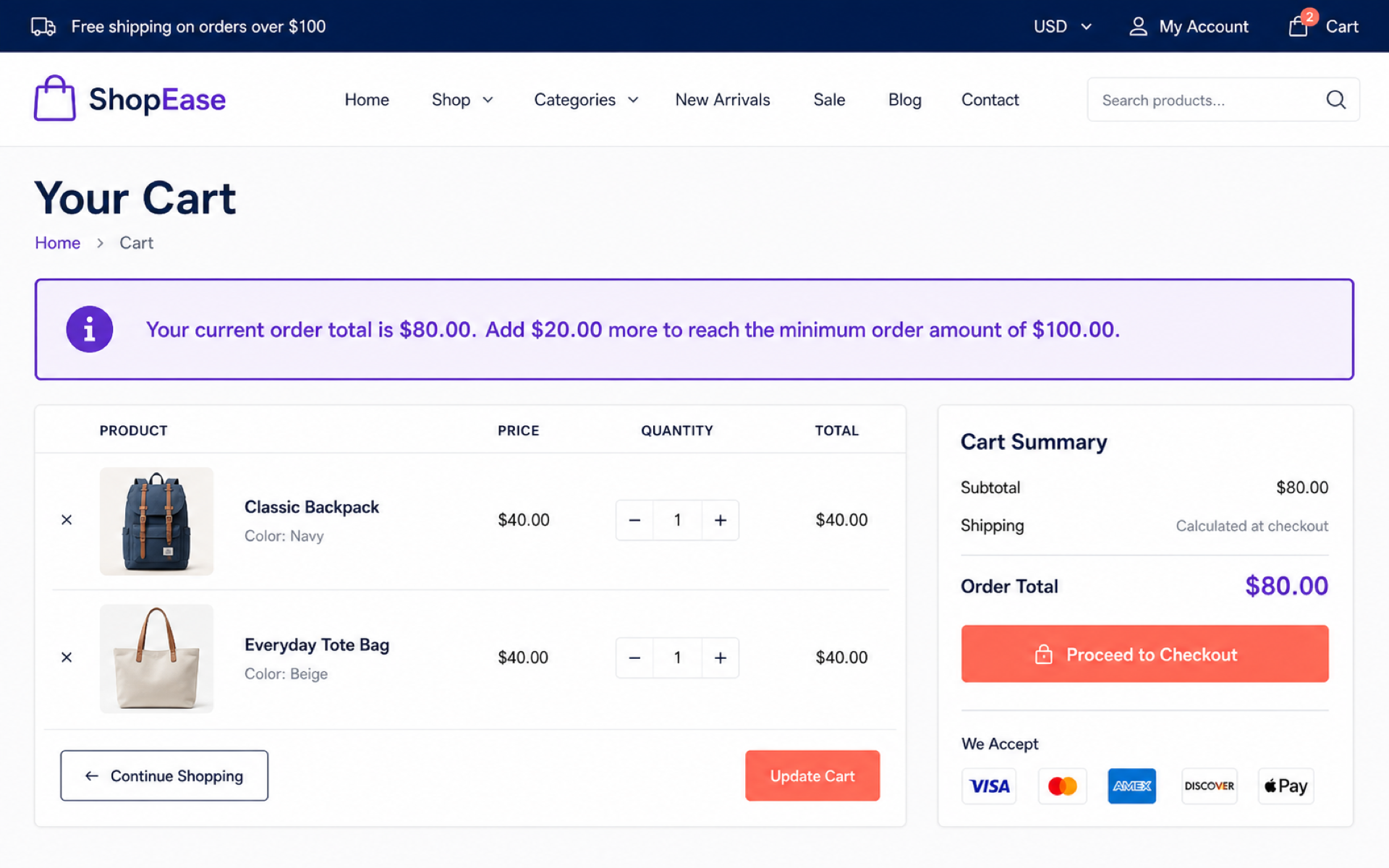
Minimum Order Notice for WooCommerce helps WooCommerce store owners communicate a minimum order requirement before customers reach the final checkout step.
You can set a minimum order amount, choose which cart value should be compared, customize notice texts, display an interactive progress bar, show notices in the mini-cart, exempt specific user roles or digital products, and decide whether checkout should be blocked while the cart is below the minimum.
Features
- Set a custom minimum order amount.
- Compare against cart subtotal, discounted subtotal, or cart total.
- Show a notice on the cart page (Classic & Cart Block).
- Optionally show a notice on the shop archive.
- Show a notice before the checkout form (Classic & Checkout Block).
- Dynamic Progress Bar: Display a visual progress bar below the notice showing customer progress toward the order minimum with customizable colors.
- Mini-Cart / Side-Cart Notice: Show the notice and progress bar directly inside the WooCommerce mini-cart widget.
- WooCommerce Cart & Checkout Blocks Support: Fully compatible with WooCommerce Blocks and Store API for modern block-based checkouts.
- User Role Exemptions: Select specific user roles (e.g., Wholesale, VIP, Administrator) to bypass the minimum order requirement.
- Virtual/Downloadable Products Bypass: Automatically bypass the minimum order rule if the cart contains only virtual or downloadable products.
- Optionally prevent checkout while the cart is below the minimum amount (works on both Classic Checkout and Block-based Checkout).
- Customize customer-facing notice and checkout error messages.
- Use dynamic placeholders for the cart total, remaining amount, and minimum amount.
- Developer friendly with extensibility filters:
smon_minimum_order_amountandsmon_bypass_minimum_order. - Compatible with WooCommerce High-Performance Order Storage (HPOS) and Cart/Checkout Blocks.
Message placeholders
You can use these placeholders in the notice fields:
{cart_total}– The current cart amount used for comparison.{remaining_amount}– The amount the customer still needs to add.{minimum_amount}– The configured minimum order amount.