
Softicon 3D Model Viewer – Interactive 3D & AR Product Viewer
v1.7.0SoftIcon · 2026年10月19日 上架
A 3D model viewer block for WordPress and WooCommerce. Visitors rotate and zoom your model, and place it in their own room with AR.
- 正在使用
- 10 以下
- 评分
- 暂无
- 累计下载
- 915
- 最近更新
- 2026年11月24日
贡献者
 SoftIcon
截图
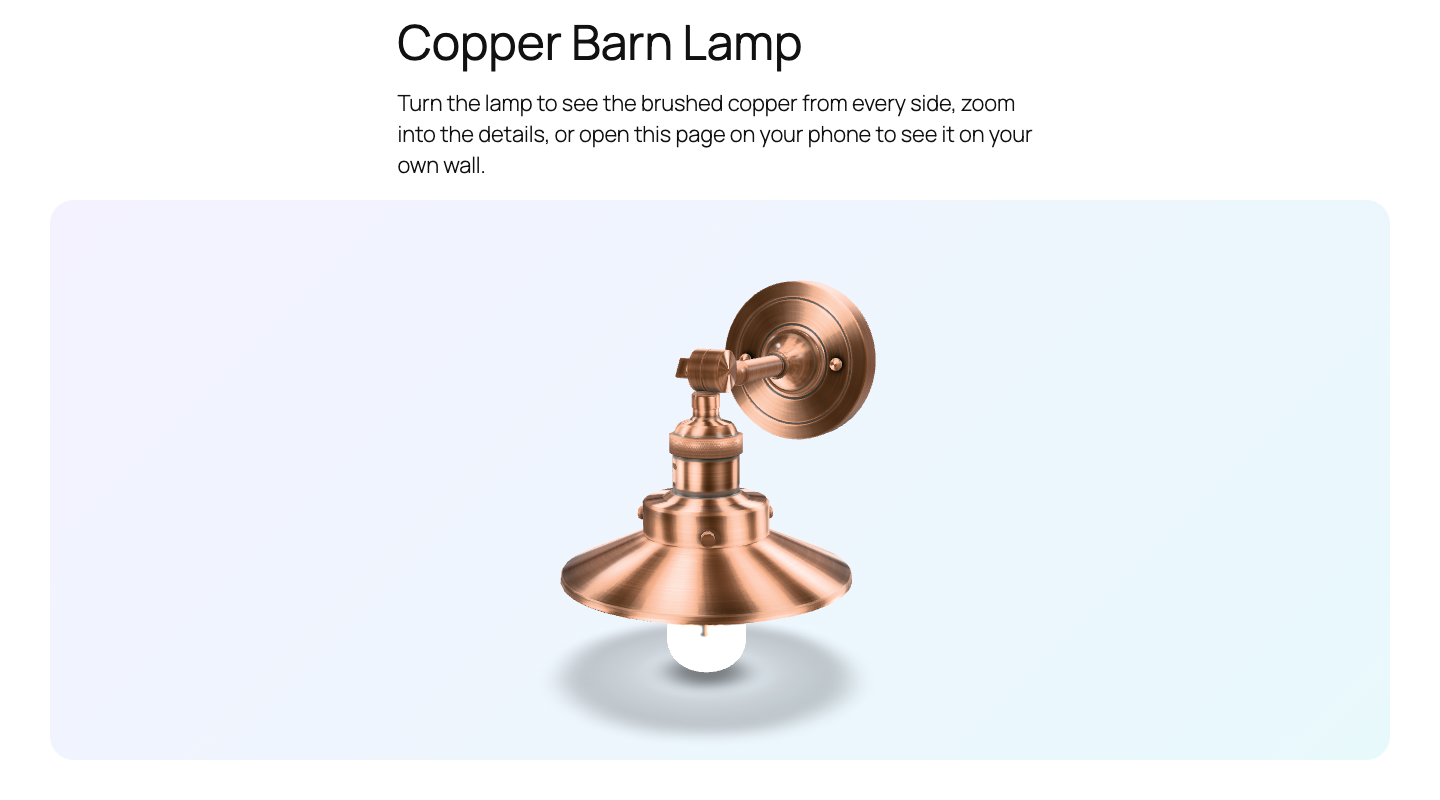
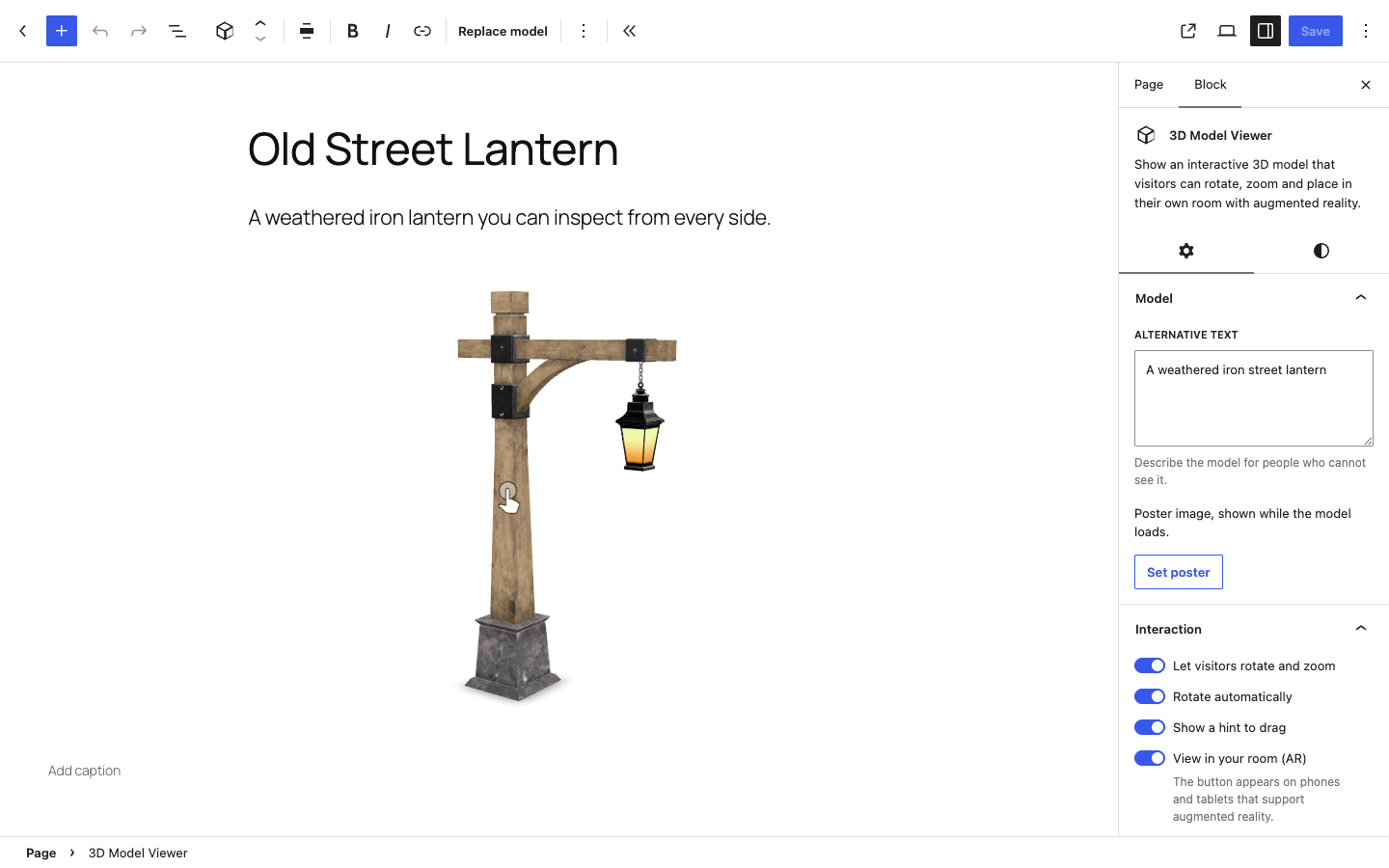
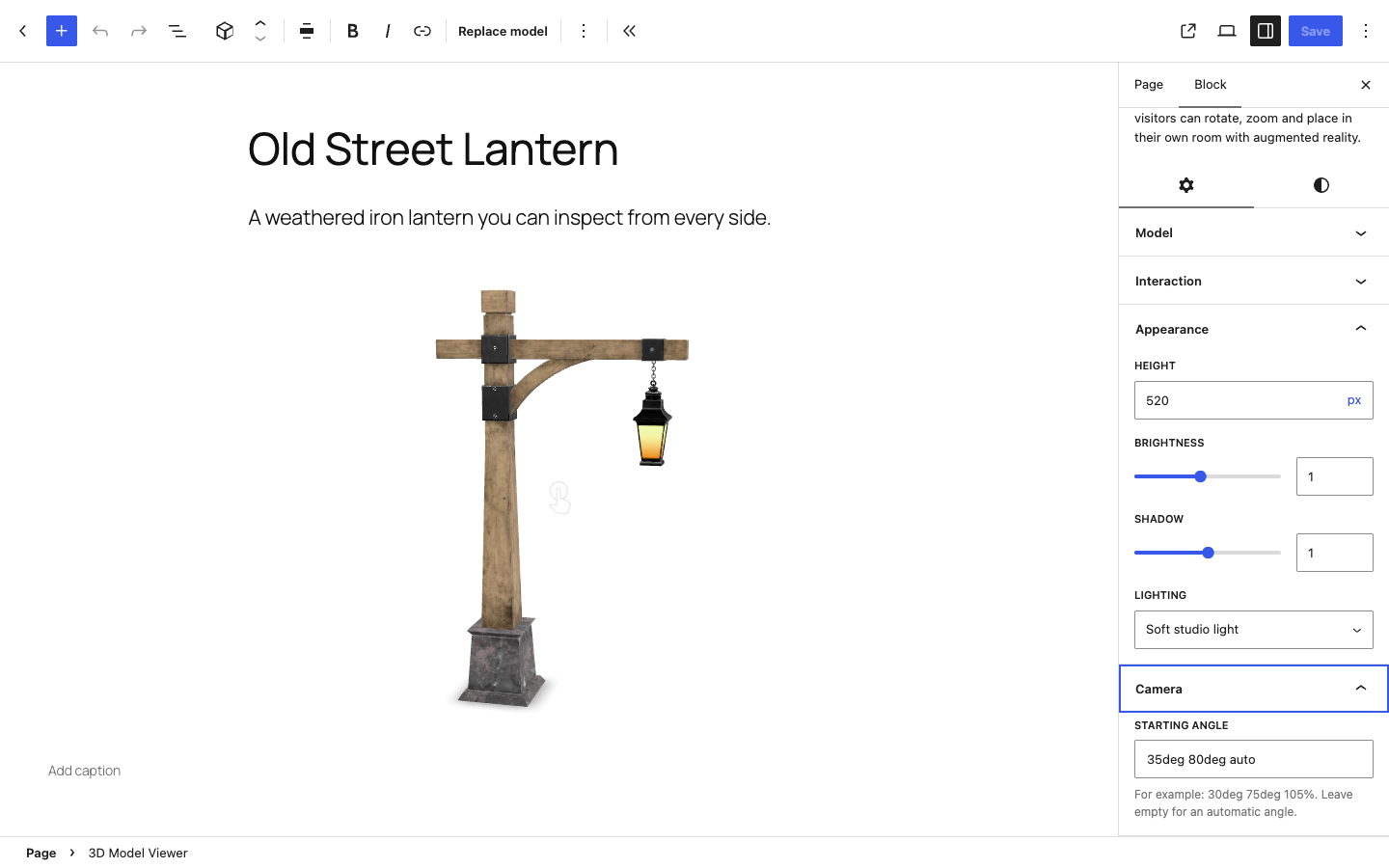
Let people see your product from every side, and then in their own room.
Documentation | Demo | Support
Softicon 3D Model Viewer adds one block, 3D Model Viewer, to the WordPress editor. Drop in a GLB or glTF file and your visitors can:
- Rotate the model and zoom into every detail.
- Watch it turn slowly on its own, or watch the model’s own animation play.
- Tap View in your room on a phone or tablet and place the model in their own space with augmented reality (Android Scene Viewer, iPhone and iPad Quick Look, and WebXR).
It is perfect for furniture, lighting, decor, fashion, art, products and anything people want to look at from every side. For the Classic Editor and page builders like Elementor, every saved model also has a shortcode.
New in 1.6: animations, the model in the product gallery, a 3D button on shop pages, and colors that follow the variation. See them in one minute:
Everything in one block
- Your model: upload a GLB or glTF file, pick one from the media library, or add one from a URL.
- Accessibility: alternative text, plus an optional poster image that shows while the model loads.
- Interaction: rotate and zoom (turn zoom or panning off if you like), automatic rotation with its speed and delay, a small hint that invites visitors to drag, and a full screen button.
- Animation: play the animations saved in your model (a door that opens, a walking character, a product demo). Pick one, play it automatically, once or in a loop, and add a play/pause button.
- Augmented reality: turn the “View in your room” button on or off, and write your own button text. On a computer the button opens a QR code: visitors scan it with their phone, the page opens there, and one tap places the model in their room.
- Colors and materials: when the model has material variants, choose the one it starts with and show a button for each, so visitors switch colors themselves.
- Appearance: height, brightness, shadow strength, and two lighting styles (soft studio or classic).
- Camera: choose the starting angle, or let the viewer pick one for you.
- Hotspots: click on the model to add numbered points, each with a label and a short text. They turn with the model, fade when they are behind it, and open their text on click.
- Design: caption, and wide or full width.
- Shortcode: for the Classic Editor, Elementor, Divi and widgets, save a model under Model Viewer All 3D Models and paste its shortcode, such as
[softicon_model_viewer id="123"].
3D for your WooCommerce products
Running a shop? Give any product its own 3D model:
- A 3D model tab on the product screen: pick a GLB or glTF file, an optional poster image, and turn “View in your room” on or off.
- A View in 3D button appears under the product images. It opens the model in a popup where shoppers turn it, zoom in and, on a phone, place it in their own room.
- Or show the model in the product gallery: a 3D thumbnail next to the photos, and the model first if you like.
- A 3D button on shop pages: shoppers open a product’s model right from the shop, categories and other product lists.
- Colors and materials in 3D: when a model has material variants, it follows the variation shoppers choose. A variant named like an option (such as “Oak”) shows for it, or pick one per variation.
Set it all up in two minutes, step by step:
https://www.youtube.com/watch?v=omqFTzv25oU
* Hotspots on the product’s model: name its parts right on a preview in the 3D model tab, and shoppers see them in the popup.
* The model loads only when it is shown, so your product pages stay fast. Products without a model are not changed at all.
* Works with block themes (like Twenty Twenty-Five) and classic themes (like Storefront).
Why you’ll like it
- A dashboard that sets you up. Under Model Viewer in the admin menu: a checklist that ticks itself as you add models, pages, products and hotspots, your 3D content at a glance, and the video tutorials. No account to create. Sharing usage data is optional and off until you allow it.
- Everything is free. Augmented reality, posters, lighting and every other setting are included. There is no Pro version.
- Fast pages. The 3D viewer only loads on pages that use the block, and the model is lazy-loaded. Draco and KTX2 compressed models work too, with the decoders included in the plugin.
- Works with any theme, and with the block editor you already know.
- Readable code. The full, readable source ships with the plugin, so it is easy to review and extend.
Video tutorial
See every step in about 80 seconds: installing the plugin, adding a 3D model to a WooCommerce product, and showing one on any page with the block.
For the product gallery, the shop button and colors in 3D, watch the WooCommerce tutorial (2 minutes). For everything new in 1.6, the what’s new video (1 minute).
Privacy
The 3D viewer on your pages sets no cookies and contacts no external service: models are loaded from your own media library or from the URL you enter.
In the admin, after activation, the plugin asks once if you want to share basic data with us through Freemius (wp.freemius.com, api.freemius.com). It is optional, and nothing about you or your site is sent unless you click “Allow & Continue”. See “Does the plugin collect any data?” below. Freemius terms and privacy policy.
Support
Need help, found a bug, or have an idea for a new feature? We are happy to help.
- Website: softiconai.com
- Email: softiconai@gmail.com
- Forum: open a topic in the support forum.
- Video tutorials: setup, WooCommerce and what’s new in 1.6 on YouTube
To help us answer faster, please include your WordPress version, your theme, and a link to the page (or the model file).
Third-party libraries
The block loads one bundled library, model-viewer by Google, from the plugin folder, plus a decoder from the same folder when a model is compressed. Nothing is loaded from a CDN or another server.
- @google/model-viewer 4.4.0, Apache License 2.0. Source: https://github.com/google/model-viewer/tree/v4.4.0
- It includes three.js r183 (MIT, https://github.com/mrdoob/three.js), Lit (BSD-3-Clause, https://github.com/lit/lit) and @monogrid/gainmap-js (MIT, https://github.com/MONOGRID/gainmap-js).
- For compressed models,
vendor/model-viewer/decoders/holds the Draco decoder (Apache License 2.0, https://github.com/google/draco) and the Basis Universal transcoder (Apache License 2.0, https://github.com/BinomialLLC/basis_universal), unmodified from three.js r183 (examples/jsm/libs/draco/gltf/andexamples/jsm/libs/basis/).assets/js/viewer-decoders.jspoints the viewer at them. - qrcode-generator 1.5.2 by Kazuhiko Arase, MIT License, https://github.com/kazuhikoarase/qrcode-generator. It makes the QR code for “View in your room” on computers, in the browser. It is bundled into
build/qrcode.js, which loads only when the QR code opens; its readable source is at the link above.
The minified file vendor/model-viewer/model-viewer.min.js is the unmodified dist/model-viewer-umd.min.js from the npm package. The readable, non-minified build of the same version is included next to it as vendor/model-viewer/model-viewer.js, together with the Apache license and a list of all bundled projects in vendor/model-viewer/THIRD-PARTY-NOTICES.txt.
Models in the screenshots and videos
The screenshots, banner and videos use sample models from the Khronos glTF Sample Assets (https://github.com/KhronosGroup/glTF-Sample-Assets): Anisotropy Barn Lamp by Eric Chadwick, © 2023 Wayfair LLC (CC BY 4.0), Diffuse Transmission Plant by Eric Chadwick (CC BY 4.0) and Rico Cilliers (CC0), and Lantern (CC0). The 1.6 videos use Fox by PixelMannen (CC0), rigged and animated by tomkranis (CC BY 4.0), glTF conversion by AsoboStudio and scurest (CC BY 4.0), and Materials Variants Shoe, © Shopify (CC BY 4.0). They are not included in the plugin.
Source code of this plugin
The plugin ships the readable source of the block next to the built files:
src/holds the source:src/index.jsandsrc/Components/(editor, in JSX),src/render.php(front end),src/block.json(block settings) and the SCSS files.src/vendor/softicon-tools/holds the shared settings panel components and styles.build/holds the files WordPress loads, made fromsrc/with@wordpress/scripts.
To build it yourself, run npm install and then npm run build in the plugin folder (see package.json).