
Reviews Widgets for Google & 50+ platforms by Repuso
v6.2.0Repuso · 2016年8月23日 上架
Show reviews from Google and 50+ platforms, let ChatGPT, Claude, Gemini and Perplexity read them, and see if AI recommends you or competitors.
- 正在使用
- 1,000+
- 评分
- 4.8 / 5
- 累计下载
- 8.3 万
- 最近更新
- 2026年11月16日
贡献者
 Repuso
截图


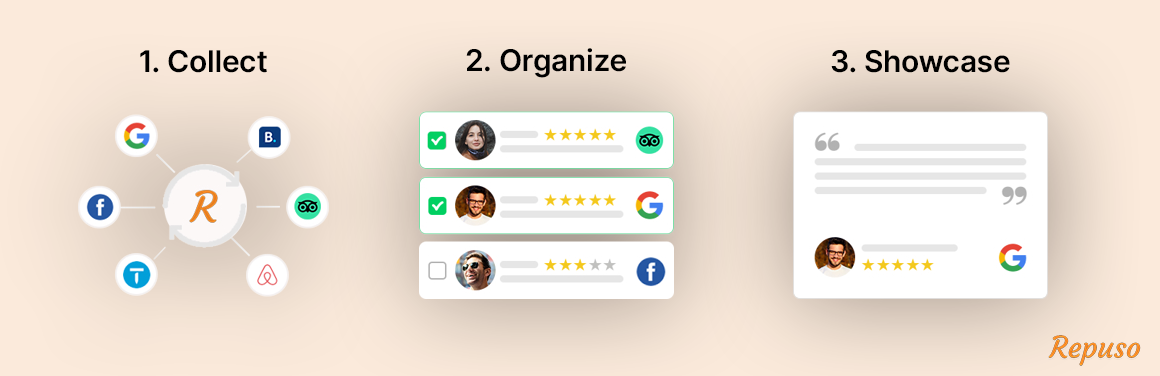
Repuso brings your reviews from Google, TripAdvisor, Facebook and 50+ other platforms into one place, shows them on your site with fast, good-looking widgets, and makes sure AI assistants can read them too.
Show your reviews on your website
Pick a widget, copy its shortcode, done. Grids, sliders, carousels, badges, a floating widget, masonry and media walls, image badges and email signatures. Choose which reviews appear, approve new ones, and match your site’s design. Social proof right where customers decide.
Does AI recommend you, or your competitors?
More customers now ask ChatGPT, Claude, Gemini, Perplexity and Google Maps “who’s the best near me?” before they search. AI Visibility shows how often these AI assistants name your business when customers ask for one like it, who they name instead, which sites they read, and what to fix first.
Run a free check right from WordPress (ChatGPT, Gemini and Google Maps), no account needed. Track it every week across all five assistants and see your score in your WordPress Dashboard.
Let AI read your reviews
Review widgets load with JavaScript, and AI crawlers like GPTBot (ChatGPT), ClaudeBot (Claude) and PerplexityBot don’t run it, so they never see your reviews. One setting adds your latest reviews to the page code for AI assistants and search engines, hidden from visitors. Your widgets look exactly the same. Structured review data (JSON-LD) follows your widget settings in Repuso.
Your public review page
A hosted page with all your reviews that AI assistants and search engines can read, always up to date. Link it from your site with one shortcode.
Ask your reviews anything in ChatGPT or Claude
Connect your Repuso account to ChatGPT or Claude with Repuso’s MCP connector and ask in plain language: “What do customers complain about this month?”, “Compare our Google and TripAdvisor ratings”, “Which reviews still need a reply?”. Developers can use the same MCP server in Claude Code, Cursor, VS Code, Windsurf, Zed, OpenAI Codex and Gemini CLI, or the Repuso API.
Reply to Google reviews from WordPress
Connect your Google Business Profile in Repuso and answer your Google reviews right from the Reviews page in your WordPress admin. Write a reply or start from an AI suggestion, edit it, and post it to Google in one click. Edit or delete replies later, and see which reviews are already answered.
Collect more reviews
Send review requests by email and SMS, share a review page or QR code, and collect text and video testimonials. Customers can record a video on any device, upload one, or share a YouTube or Vimeo link.
Dashboard and AI insights in WordPress
Average rating, total and new reviews, rating trends, platform breakdown, and AI insights on what customers love and what to improve, all inside your WordPress admin.
Supported review platforms
Google, Facebook, Instagram, TripAdvisor, Airbnb, Booking.com, Vrbo, Expedia, GetYourGuide, Viator, OpenTable, Fresha, Booksy, GlossGenius, Freetobook, Zillow, Realtor.com, Houzz, HomeAdvisor, Angi, Thumbtack, Bark, BBB, Yellow Pages, Yell, Healthgrades, Vitals, WebMD, Zocdoc, RateMDs, Justia, Avvo, The Knot, WeddingWire, Zola, Capterra, G2, GetApp, Product Hunt, AppSumo, Envato, Reviews.io, Zendesk, Delighted, App Store, Google Play, Chrome Web Store, Shopify Apps, WordPress.org plugins, Amazon, eBay, Etsy, Twitter and more.
Languages
The plugin is translated into English, French, Spanish, Portuguese, German and Italian. WordPress loads the right one from your site’s language.
More about the plugin: Repuso for WordPress
External services
This plugin connects to Repuso (https://repuso.com), the service that collects, stores and displays your reviews. It doesn’t work without a Repuso account, except for the free AI Visibility check link.
- Repuso API (api.repuso.com), from your WordPress admin: when you connect, and when you open the plugin’s pages, it sends your Repuso API key and the chosen sub-account to load and manage your account, reviews, review platforms, widgets, replies, the public review page and AI Visibility results. When you save “Let AI read your reviews”, it sends the setting and the date.
- Repuso API, from your public pages (server-side): for pages with a Repuso widget, when “Let AI read your reviews” is on, your server requests that widget’s public review data (widget ID only) at most once an hour per widget. The public review page link shortcode requests your page’s address the same way. No visitor data is sent.
- Repuso widget scripts (repuso.com/widgets/) and widget data, from your visitors’ browsers: on pages with a widget, the visitor’s browser loads the widget script and the widget’s reviews. Like any web request, this shares the visitor’s IP address, browser and the page address with Repuso.
- Image badges (w.revue.us): image badge widgets load a rating image from Repuso in the visitor’s browser.
- AI Visibility free check (repuso.com/ai-visibility/): only when you click a free check link, a new tab opens with your site’s address (and its title, when it looks like a business name) in the link.
- Crisp support chat (crisp.chat), on the plugin’s own admin pages only: loads the chat widget and shares the logged-in admin’s email, display name and the site name so Repuso support knows who is asking. Crisp terms: https://crisp.chat/en/terms/ and privacy policy: https://crisp.chat/en/privacy/
Repuso terms of use: https://repuso.com/terms-of-use/
Repuso privacy policy: https://repuso.com/privacy-policy/