

Smooth SMTP
v1.1.7Smmooth WP Plugins · 2025年2月10日 上架
SMTP configuration, email logging, failure alerts, and fallback sending for WordPress.
- 正在使用
- 100+
- 评分
- 4.7 / 5
- 累计下载
- 2,444
- 最近更新
- 2026年11月19日
 Smmooth WP Plugins
 Bryan Ho
截图
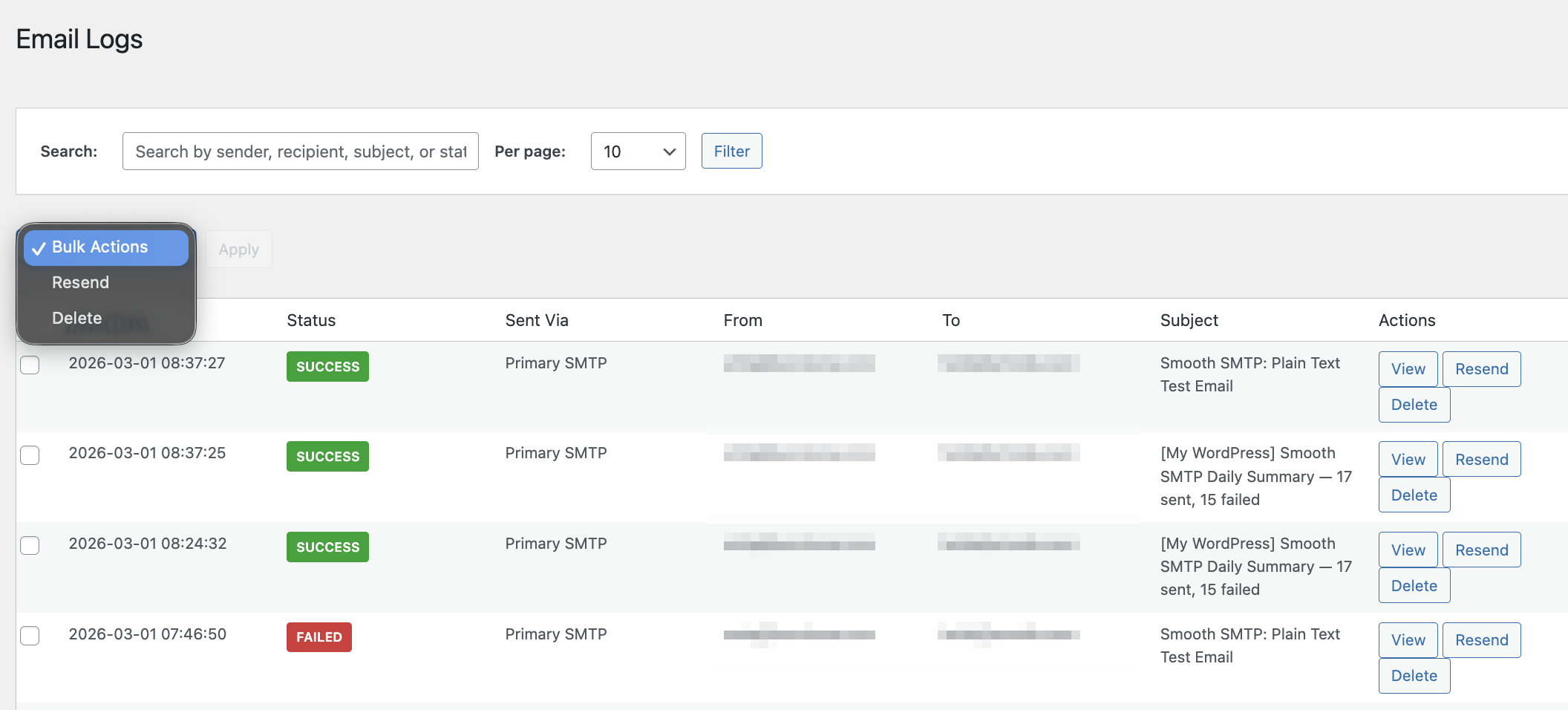
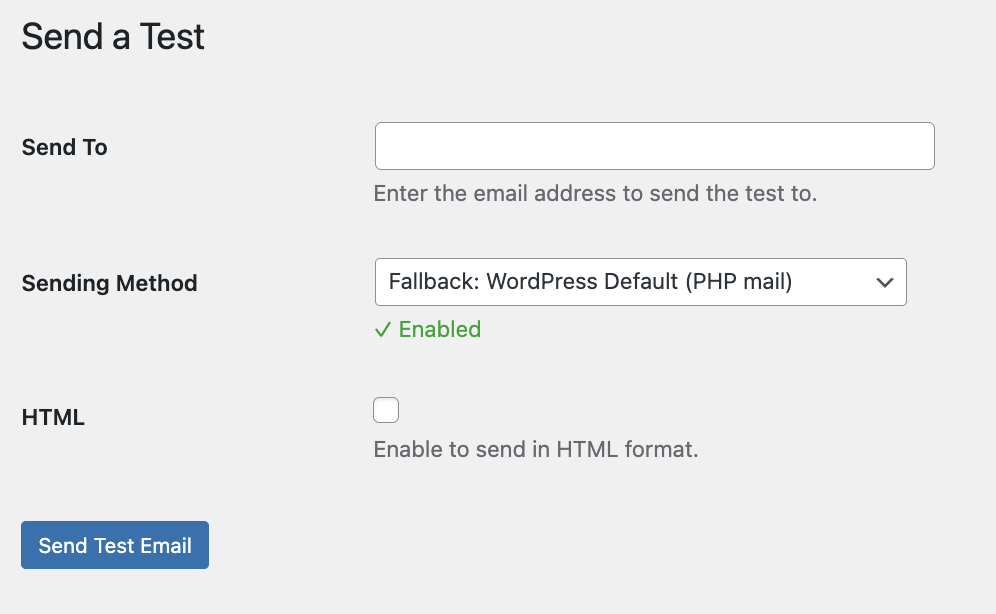
Smooth SMTP gives you full control over how WordPress sends email. Configure SMTP as your primary sending method, set up a fallback for when things go wrong, get notified through your preferred channels, and keep a detailed log of every email your site sends.
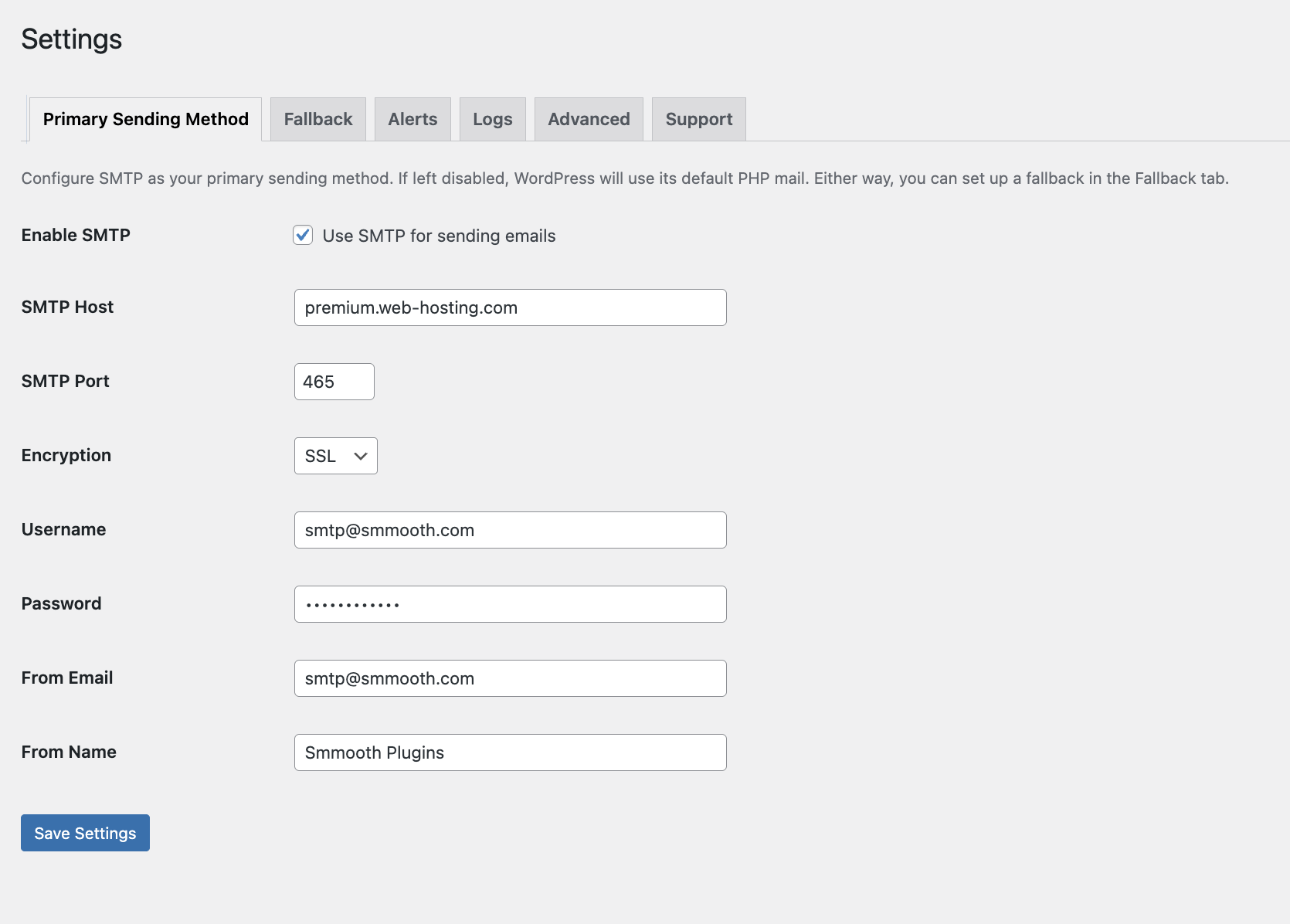
Primary Sending Method (SMTP)
Configure any SMTP provider as your primary sending method. If you leave SMTP disabled, WordPress will continue using its default PHP mail — either way, all other features still work.
- Works with any SMTP provider: Gmail, SendGrid, Amazon SES, Mailgun, and more
- Configurable host, port, encryption (SSL/TLS), username, password, from email, and from name
- Secure credential storage using WordPress’s built-in options API
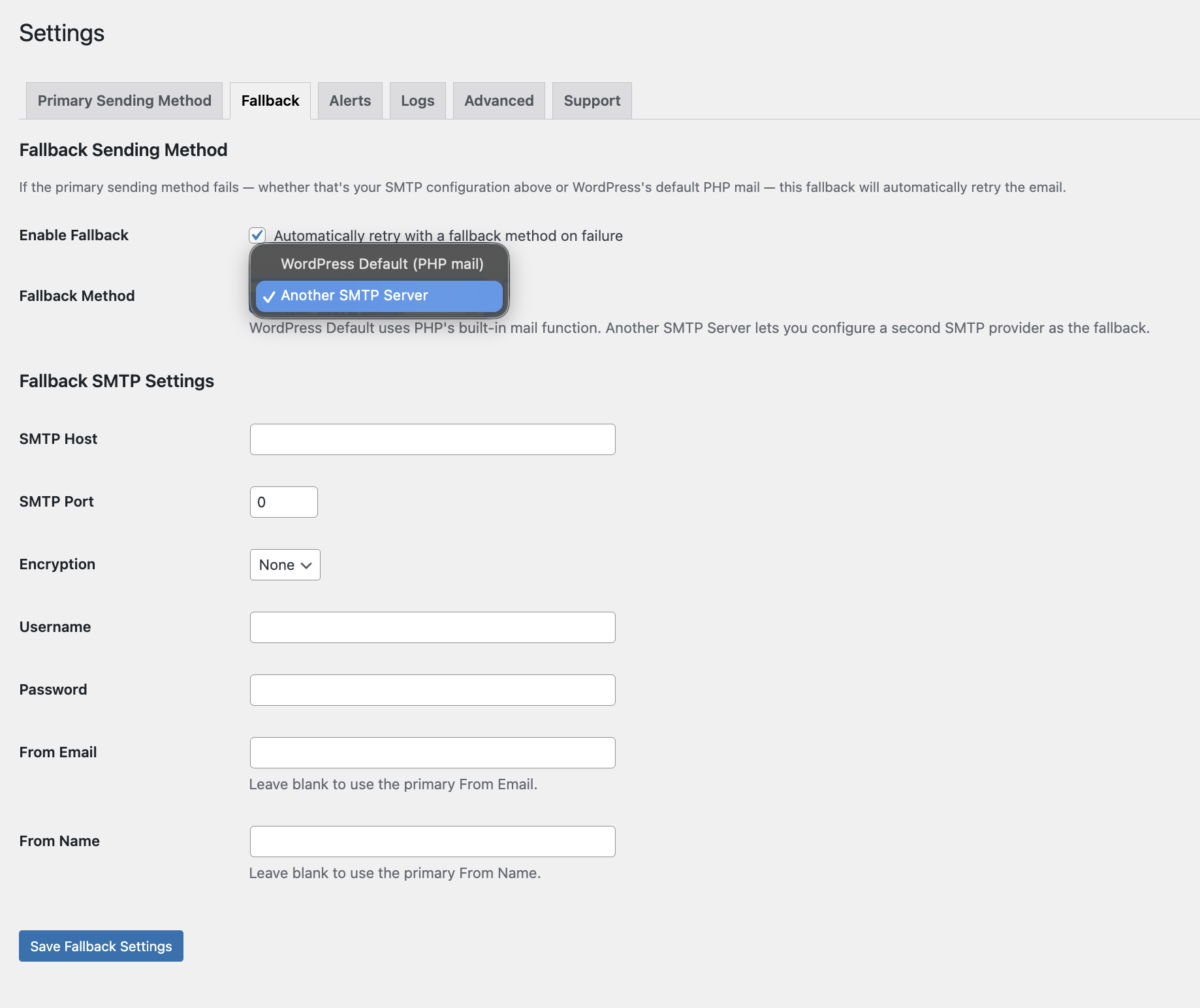
Fallback Sending Method
If the primary sending method fails, Smooth SMTP can automatically retry using a fallback. This works regardless of whether you’re using SMTP or WordPress’s default PHP mail as your primary.
- Fallback to WordPress Default (PHP mail) or a second SMTP server
- Full credential configuration for the fallback SMTP
- Logged separately so you can see exactly which method delivered each email
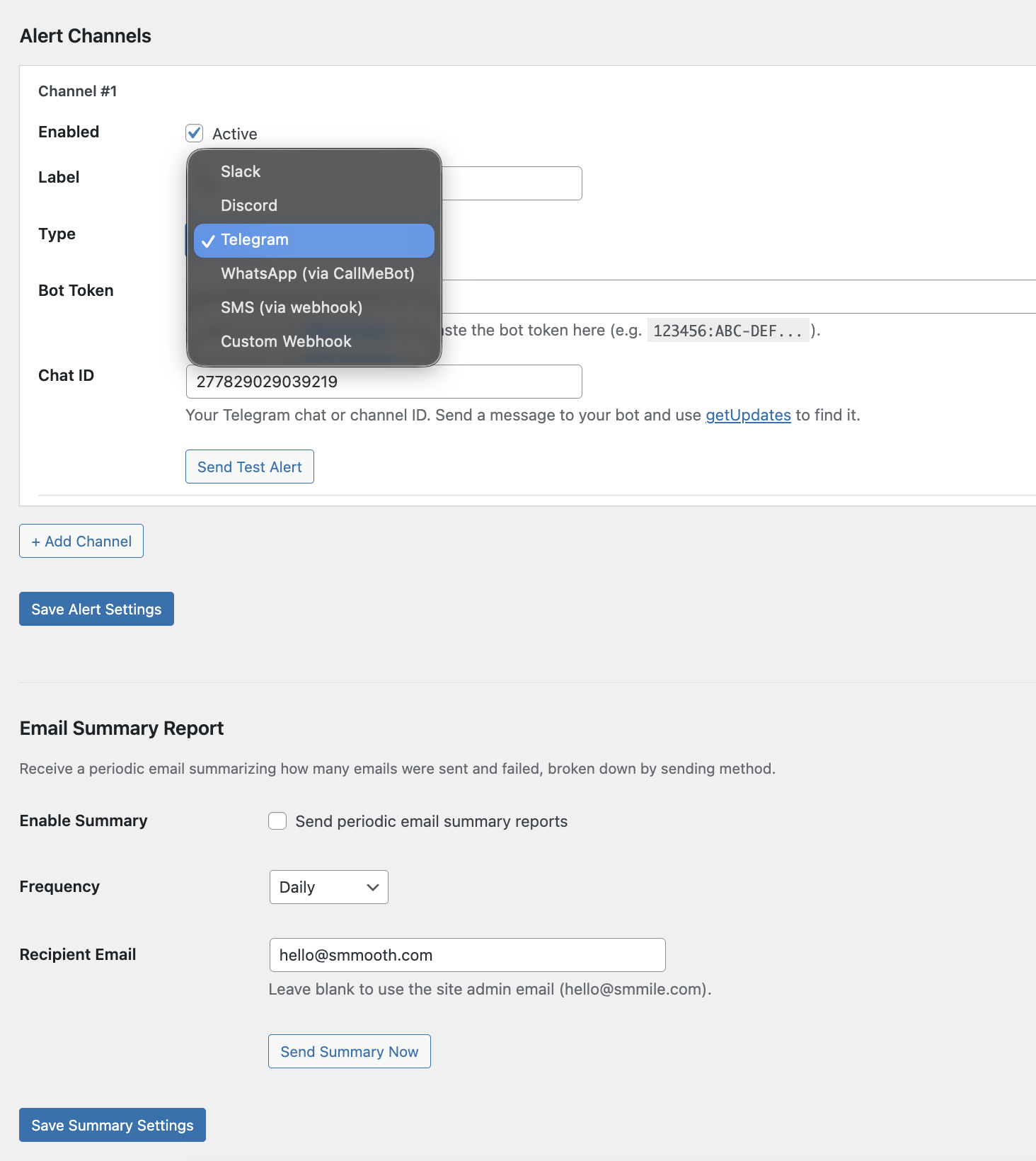
Failure Alert Channels
Get notified the moment an email fails — through the channels your team already uses.
- Slack, Discord
- Telegram (via Bot API — requires bot token and chat ID)
- WhatsApp (via CallMeBot webhook)
- SMS or any custom webhook endpoint
- Add multiple channels, enable/disable each independently
- Send Test Alert button per channel
- Alerts are throttled to at most one per 60 seconds to avoid flooding
Email Summary Reports
Receive a periodic HTML email summarising your site’s email activity.
- Hourly, daily, weekly, or monthly schedule
- Total sent and failed counts, breakdown by sending method, and recent failures
- Configurable recipient address
- Send Summary Now button for an instant preview
Email Logging
Every email your site sends is logged with full detail.
- Status (success / failed), sender, recipients, subject, message body
- Sent Via column showing which method delivered the email (Primary SMTP, Fallback SMTP, Fallback WordPress Default, etc.)
- Search, filter, and paginate logs from the admin dashboard
- View full email detail in a modal
- Bulk delete, bulk resend, and delete-all options
- Admin dashboard notice when the most recent email failed
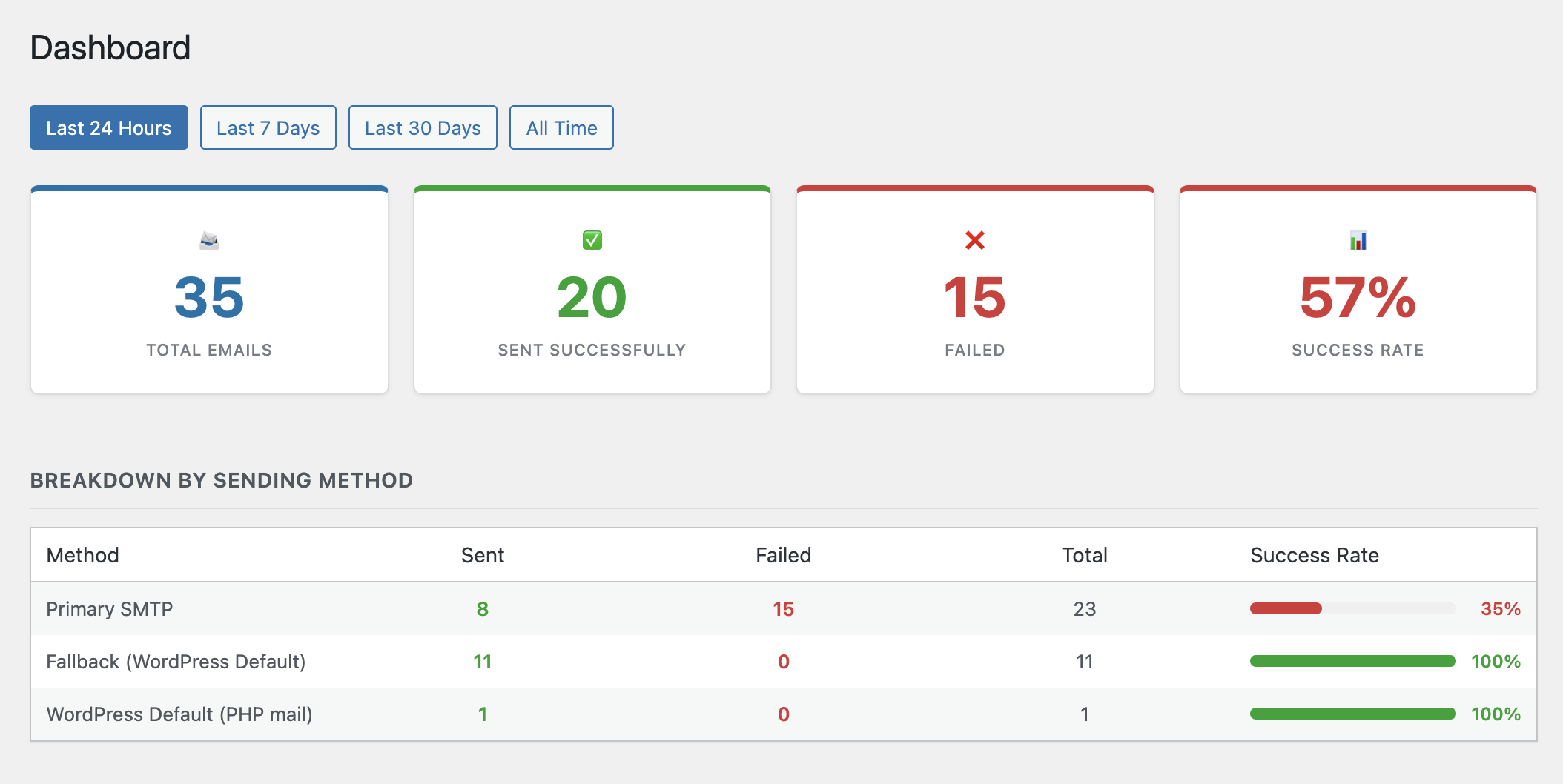
Dashboard
A at-a-glance overview of your site’s email activity.
- Total sent, failed, and success rate stat cards
- Breakdown by sending method with progress bars
- Recent failures table
- Filter by day, week, month, or all time
Test Email
Send a test email at any time to verify your configuration.
- Choose which sending method to test — primary or fallback — independently
- Send plain text or HTML test emails
- Specify any recipient address
- Always available regardless of whether SMTP is configured
Other
- One-click import of email logs from Post SMTP
- Option to keep logs and settings when the plugin is deleted
- Compatible with Post SMTP and WP Mail SMTP (Smooth SMTP acts as a fallback when another SMTP plugin is detected)
Privacy Policy
This plugin logs email metadata including sender address, recipient addresses, subject line, message body, and sending status. SMTP credentials are stored in your WordPress database. No data is transmitted to external services except through the alert channels and SMTP servers you explicitly configure.