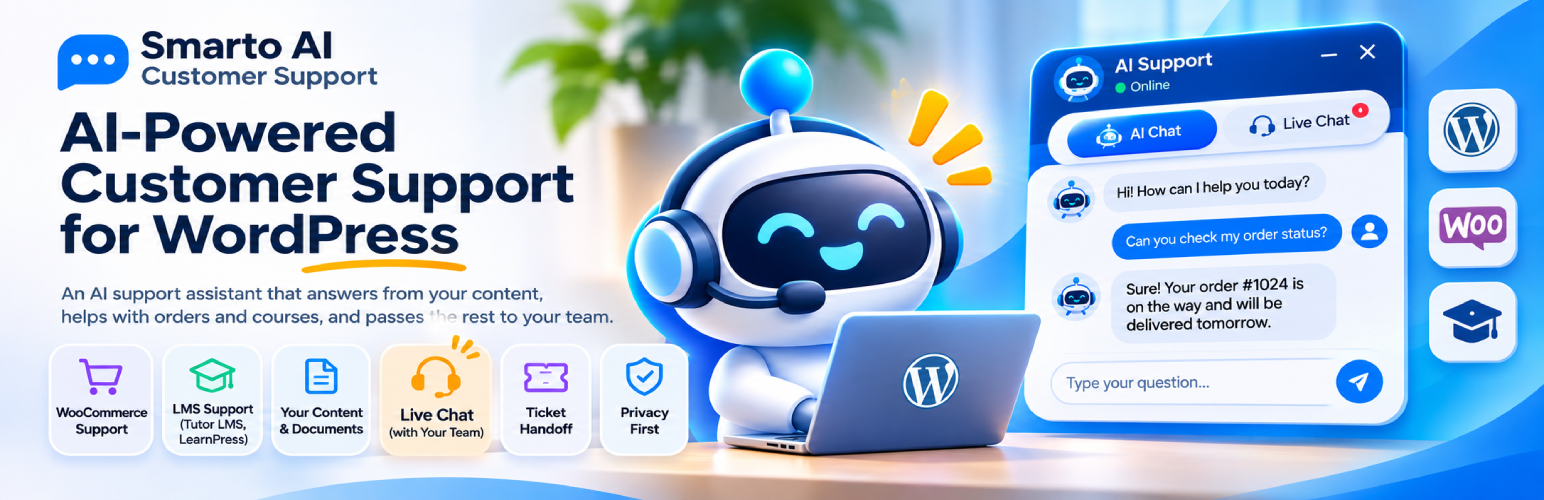

Smarto AI Customer Support Chatbot, Helpdesk & Support Tickets
v1.0.5Shahadat · 2026年11月3日 上架
AI chatbot for customer support that answers from your own content, helps WooCommerce customers, and turns the rest into helpdesk tickets.
- 正在使用
- 10 以下
- 评分
- 暂无
- 累计下载
- 814
- 最近更新
- 2026年11月15日
贡献者
 Shahadat
截图

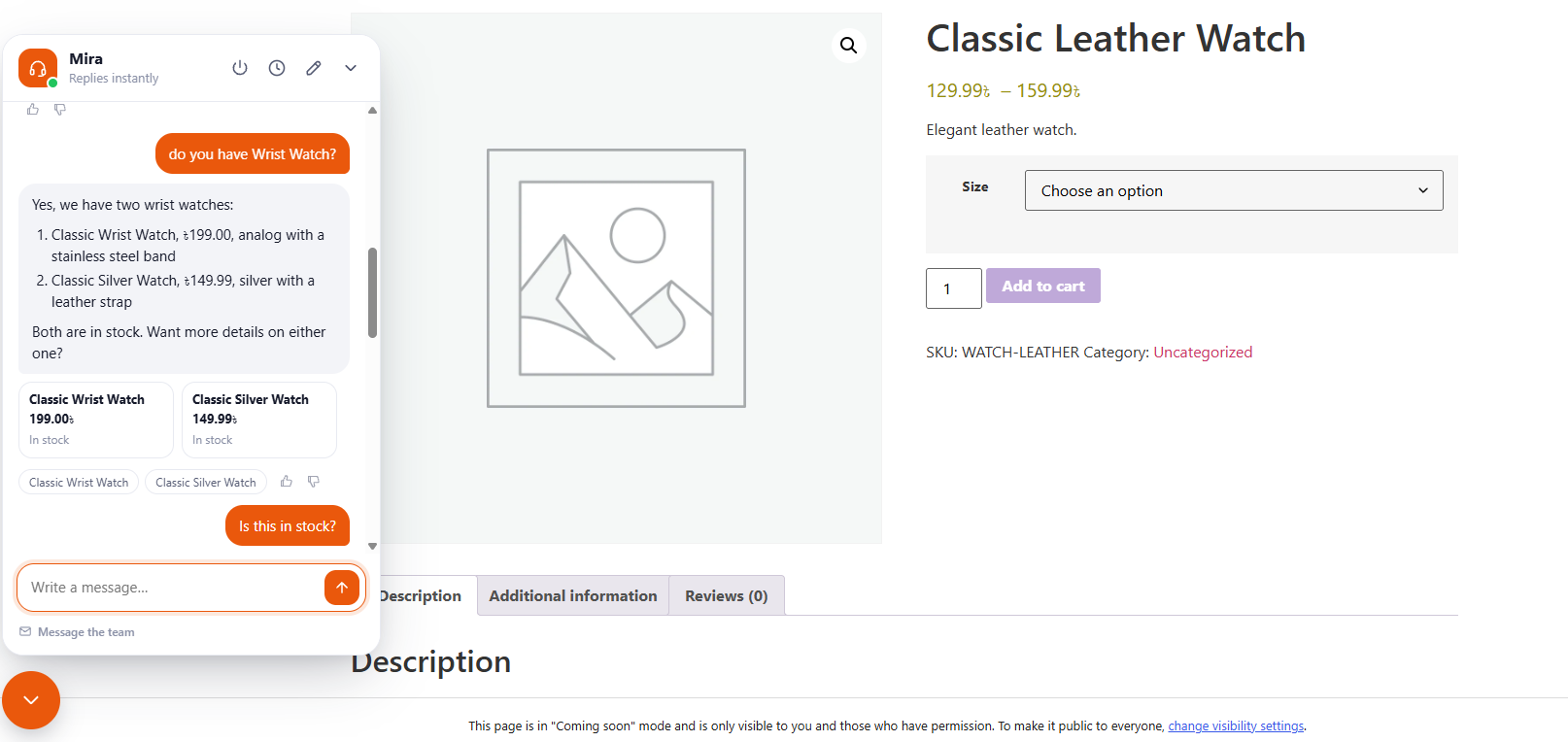


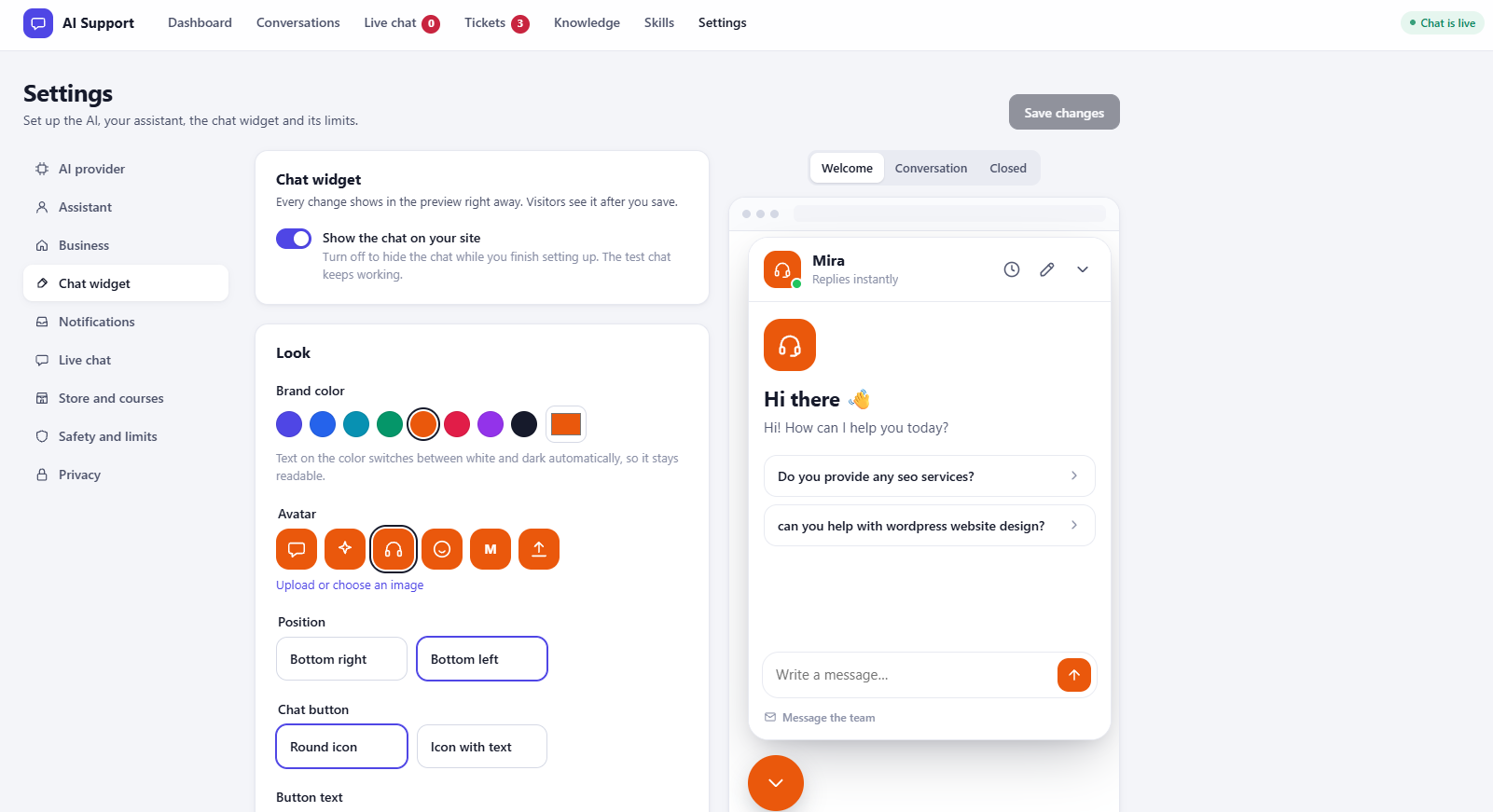


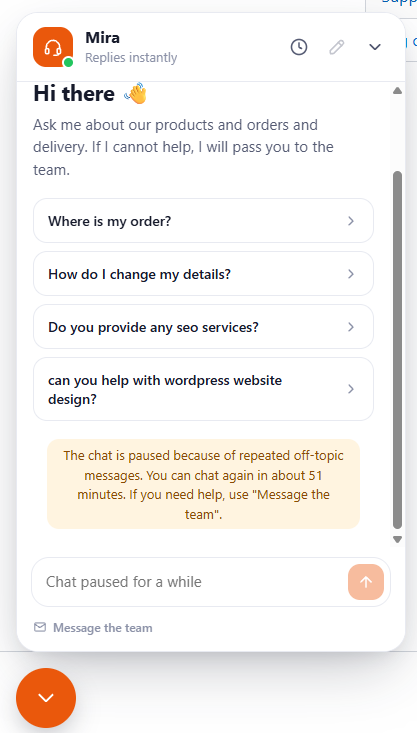
Smarto AI Customer Support adds an AI support chatbot to your WordPress site that knows your business. It answers visitors from your pages, posts, products, courses and the documents you add, any time of day and in their own language. When a question needs a person, it creates a support ticket for your team, so no customer is left without an answer.
It is a customer service chatbot and a helpdesk in one plugin, running on your own site with your own AI key. No account with us, no per-seat pricing, and your conversations stay in your WordPress database.
Setup guides, every setting explained and fixes for common problems: documentation.
Key features
- AI chatbot that answers only from your own content and says so when it does not know.
- Replies in the visitor’s language and writing style, with no translation plugin.
- WooCommerce help: live stock and prices, product cards, shipping, policies, the visitor’s cart, the customer’s own orders, and the store coupons you allow.
- Tutor LMS and LearnPress help: course search, course details and each student’s progress.
- Built-in helpdesk with support tickets, email replies, private notes and a private reply page for customers.
- Stays on topic: off-topic chat, homework and prompt tricks are refused, and misuse is paused.
- Visitor details and orders next to every conversation, so your team knows who they are helping.
- Works with OpenAI, Claude, Gemini, OpenRouter or any OpenAI-compatible server.
- Guided setup in a few minutes, with a live preview of the chat widget, and opening hours for the whole week in one step.
- Fill from my website: the AI reads your home, About and Contact pages and fills your business profile and opening hours for you to check.
It is built for every kind of WordPress site. It reads what your site offers, so a shop never talks about courses and a blog never talks about shipping.
Online stores (WooCommerce)
“Is this in stock?”, “Where is my order?” and “How much is shipping?” get an accurate answer in seconds: products, live prices and stock, variations, shipping options, store policies, the visitor’s own cart, and the customer’s own orders and tracking. Private order details stay protected.
Asked about discounts, it shares only the store coupons you allow (none, all active ones, or the ones you pick), explains the conditions such as minimum spend, expiry and sale items, and checks whether a coupon works for the product the visitor is looking at. Coupon descriptions stay private, so you can keep internal notes there.
This short video shows a store assistant answering stock, order and shipping questions:
Service businesses
Services, published prices, opening hours (“are you open now?”), location, service area, and quote or booking requests that reach your team as tickets.
See it on a service business site:
Course sites (Tutor LMS, LearnPress)
The course catalog, what a course covers, and a logged-in student’s own enrollment and progress. Lesson content and quiz answers are never shared.
Watch how it helps students without giving away quiz answers:
Blogs, documentation and membership sites
Answers from your published content, with links to the source pages, and account help for logged-in members.
Speaks your visitors’ language
The assistant replies in the language each visitor writes in, even when your content is in another language. It also follows mixed styles, such as Bangla or Hindi typed in English letters. There is nothing to set up and no translation plugin to install.
Support only, by design
The assistant only helps with questions about your business. It politely refuses coding help, homework, essays, general knowledge questions and attempts to change its rules, so nobody can use your AI budget as a free chatbot.
- A quick scope check labels each message and refuses off-topic requests before the full answer is written, which also saves AI tokens.
- Repeated misuse ends the chat.
- Message length, messages per minute, chats per day, and daily or monthly token limits.
- A built-in scope tester runs common misuse prompts against your settings.
Private data stays private
- Visitors only see public information or their own data. Who the visitor is comes from WordPress (their login), never from what the AI says.
- Guests can check an order with the order number, the billing email and a one-time code sent to that email.
- Order details shared with the AI never include addresses, phone numbers, emails or payment details.
- Lesson and quiz content is never used, and the assistant never gives quiz or exam answers.
- The assistant never shares staff details, other customers’ data or how your site is built.
- It can only read pages of your own site, never other websites.
Knowledge
- Choose which post types are used: all, only the ones you tick in the editor, or none.
- Upload Markdown, text, CSV, HTML or Word (.docx) files. Only the text is kept.
- Paste text or add questions and answers.
- Learns what to add next: every question the assistant could not answer is collected in one list, so you answer each one once and the knowledge gap closes for good.
- Content is re-indexed automatically when you save a post.
Your team stays in control
The assistant covers nights and weekends. Anything it cannot answer waits for your team as a ticket, with the full chat attached, so you start the morning knowing exactly what customers need.
- A ticket inbox: open, waiting on customer and closed views, search, filters and bulk actions.
- Reply to customers by email right from the ticket, and keep private notes for your team.
- Email addresses with a typo in the domain are caught before the ticket is sent, and the ticket shows when replies cannot reach the customer, with a similar account to check and a way to correct the address.
- Customers get a reference number, a confirmation email and a private page to answer you; your team gets an email for each new ticket.
- Full transcripts that show which tools the assistant used, on a clear screen with the visitor, the conversation, tickets and orders in separate cards.
- Smart chat names: the AI names each chat after what the visitor needs, such as “Refund for a damaged watch”, instead of “Hi”. Rename any chat yourself.
- Visitor details on each chat: country, local time, browser, system, device and language.
- WooCommerce orders next to the chat, only for a logged-in customer or an order confirmed with the emailed code.
- Dashboard with conversations, handoffs, ratings, helpful votes, blocked misuse and AI usage.
- An optional “AI + human support. AI can make mistakes.” note under the chat, which opens the Message the team form.
- Buttons for other ways to reach you: WhatsApp, Telegram, Messenger, phone, email or any link. They are plain links, nothing is tracked.
- Skills: step by step instructions in plain language, such as how to handle returns or quote requests. Edit the built-in ones or write your own.
A chat widget your visitors will use
- Brand color, left or right position, avatar styles or your own image, and an icon or labeled button, with a live preview before you save.
- Welcome message and suggested questions written for your kind of site, or your own.
- Product and course cards in the chat, linked to the page.
- Visitors can read and continue their past conversations, rate a chat and end it.
- A Message the team form that is always one tap away.
- Optional consent before chatting, and an “AI + human support” note.
- Full screen on phones, keyboard friendly, with screen reader labels.
- Drawn in its own isolated layer, so your theme or page builder cannot break it.
- Hide it on chosen post types or pages, show it to logged-in users only, or place it inside a page with a shortcode.
AI providers
Bring your own API key from OpenAI, Anthropic (Claude), Google Gemini, OpenRouter, or any OpenAI-compatible server. You pay the provider directly, and daily or monthly token limits keep usage under your control. Keys are stored encrypted. A searchable model list shows every model your key can use.
Pro
Smarto AI Customer Support Pro is a separate, optional plugin sold on wpsmarto.com. It adds live chat with your team (with files, product and coupon sharing, and the visitor’s cart), conversation tags, customer email replies and files into tickets, saved replies, ticket assignment and response times, team reports, CSV export, page greetings, opening hours for the chat button and custom widget text. This plugin works fully without it, with no account, license or time limit.
External services
Smarto AI Customer Support connects to a third-party AI service only after you add your own API key, and only to the provider you select. Your API keys are stored encrypted on your site and are sent only to that provider.
AI providers
The assistant needs an AI provider to write its replies. You choose one in Settings, AI provider. Nothing is sent until you add an API key and either turn on the chat widget or use the test chat.
What is sent and when:
- Each time a visitor sends a chat message: the conversation so far, the assistant’s instructions, your business profile, the parts of your knowledge that match the question, the list of tools the assistant can use, and the results of those tools (for example product details, or an order status without addresses, phone numbers, emails or payment details).
- When the scope check is on: the visitor’s latest message and a few earlier ones, in a short separate request that checks the message is about your business.
- To name a chat: after one of the visitor’s first five messages, a short separate request with the chat so far, so the team sees a name such as “Refund for a damaged watch”. It stops once the chat has a name.
- When an administrator clicks Fill from my website (Settings, Business, or the setup guide): the site name and tagline, the WooCommerce store address if set, and the text of the home page and up to five public pages such as About and Contact, to suggest the business profile. Nothing is sent until the button is clicked.
- When you click Test connection or load the model list in Settings: your API key, to read the provider’s model list and send a short test prompt.
Supported providers:
- OpenAI (api.openai.com): Services agreement, Terms of use, Privacy policy
- Anthropic (Claude) (api.anthropic.com): Commercial terms, Privacy policy
- Google Gemini API (generativelanguage.googleapis.com): Gemini API terms, Privacy policy
- OpenRouter (openrouter.ai): Terms of service, Privacy policy. Your site address is also sent as the referrer and the plugin name as the app title, as OpenRouter asks apps to do.
- Custom provider: if you enter the address of your own OpenAI-compatible server, the same data is sent to that address. Its terms and privacy policy are set by whoever runs that server.
Emails
New tickets, confirmations to customers and your replies are sent through your site’s own email setup (wp_mail). The plugin does not contact any email service itself. To catch typos before a ticket is created, it checks that the domain of an email address typed by a visitor has a mail server, with a normal DNS lookup through your own server.
Contact buttons
If you add WhatsApp, Telegram, Messenger, phone, email or other links in Settings, Chat widget, they show as plain links. The plugin sends nothing to those services. A visitor who taps one leaves for that app or site, and its own terms and privacy policy apply.
Visitor country
The country shown on a conversation comes from a header your CDN adds (such as Cloudflare) or from WooCommerce’s own location lookup, with its outside lookups turned off. The plugin does not call any location service.
WP Smarto
The plugin does not send any data to WP Smarto, the plugin author, and has no tracking or analytics. Links to wpsmarto.com on the Settings screen are plain links that open in your browser.