

Smart Contact Card
v1.1.3Md Abul Bashar · 2025年12月26日 上架
Shareable contact cards with QR codes and vCard via shortcode, Gutenberg block, and Elementor widget.
- 正在使用
- 100+
- 评分
- 暂无
- 累计下载
- 1,811
- 最近更新
- 2026年10月11日
贡献者
 Md Abul Bashar
截图
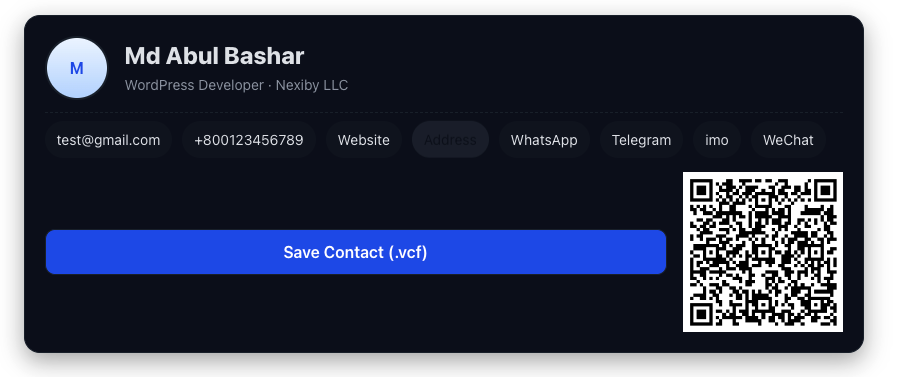
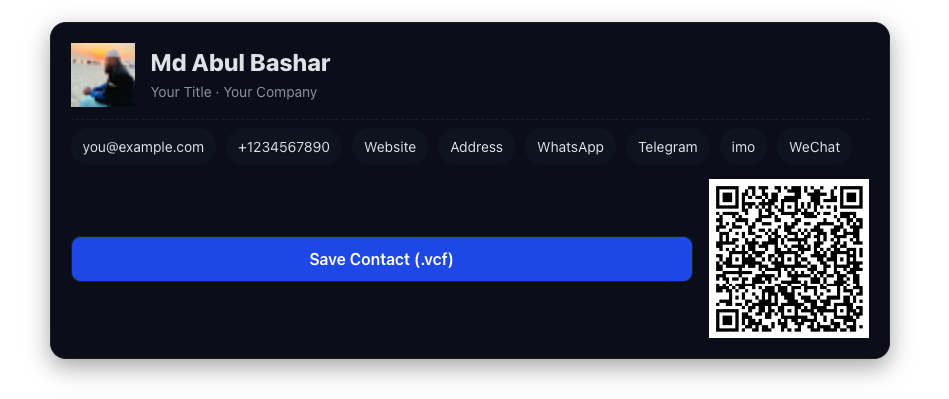
Smart Contact Card allows you to create professional, shareable contact cards on your WordPress site. Display contact information beautifully with QR codes and downloadable vCard files.
Features:
- 📇 Professional contact card display
- 📱 QR code generation for easy sharing
- 💾 Downloadable vCard (.vcf) files
- 🎨 Multiple design options (default and minimal)
- 🔧 Easy implementation via shortcode
- 🎛️ Elementor widget support
- 📞 Support for multiple contact methods (Phone, Email, WhatsApp, Telegram, IMO, Skype, WeChat)
- 🌐 Schema.org markup for better SEO
- 📱 Fully responsive design
How to Use
Shortcode Usage:
Add a contact card anywhere using the shortcode:
[smartcc_contact name="John Doe" title="CEO" org="Company Name" phone="+1234567890" email="john@example.com" website="https://example.com"]
Available Shortcode Parameters:
- Identity: name, title, org, avatar
- Contacts: phone, email, website, address
- Messaging Apps: whatsapp, telegram, imo, skype, wechat
- Display: button, design (default/minimal_qr)
- QR Options: qr_for (vcard/mecard/whatsapp/telegram/imo/skype/wechat/url), qr_url, qr_text
Elementor Widget Usage:
- Edit your page with Elementor.
- Search for “Smart Contact Card” in the widget panel.
- Drag the widget into your layout.
- Fill in the contact details and customize the design using the widget controls.
Design Options:
design="default"(full card with all details)design="minimal_qr"(minimal card with avatar, name, phone, email, and custom QR)
QR Code Options:
You can customize what the QR code encodes:
* vCard (default) – Full contact QR with name, title, company, phone, email, website (best for iPhone)
* MeCard – Compact legacy payload for older Android scanners
* WhatsApp – Direct WhatsApp chat link
* Telegram – Telegram profile link
* IMO – IMO messaging link
* Skype – Skype profile link
* WeChat – WeChat contact link
* URL – Custom URL or website
Developer Friendly:
The plugin uses modern PHP practices with PSR-4 autoloading and is built with extensibility in mind. Developers can easily customize and extend functionality.
Third-Party Services
This plugin uses QuickChart.io (https://quickchart.io) for QR code generation. When a QR code is displayed, the contact information is sent to QuickChart.io to generate the QR code image. By using this plugin, you acknowledge:
- QuickChart.io Terms of Service: https://quickchart.io/documentation/
- QuickChart.io Privacy: https://quickchart.io/privacy/
No data is stored on external servers, and QR codes are generated on-the-fly when pages are viewed.