
SlideShowPro Director Connector
v1.0.4brdp · 2008年10月15日 上架
SlideShowPro Director Connector integrates images and videos from Slideshow Pro Director into your WordPress blog.
- 正在使用
- 10+
- 评分
- 5.0 / 5
- 累计下载
- 1.1 万
- 最近更新
- 2009年8月8日
贡献者
 rdp
截图
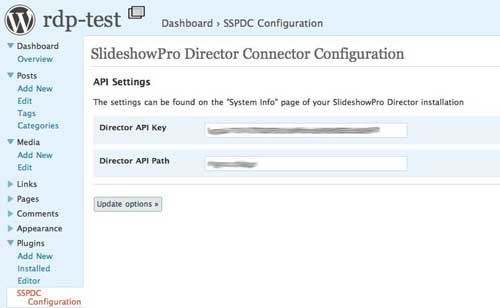


This WordPress plugin helps you to add pictures and albums from SlideShowPro Director to your WordPress blog by either choosing them from the media tab or by inserting some shortcode directly into your post. The images are served from Director, so no image is saved or loaded into your Blog.
Features:
- Media tab for comfortable album and image browsing.
- Add one or more images to your post.
- Supports video with included JW Player.
- Show album with one preview image and the others as in lightbox.
- Show album in matrix mode. All images on a page or post.
- Add a photostrip as template tag.
- Widget for displaying thumbnail in your sidebar.
- Uses the Lightview-Plus plugin by Puzich or Lightbox 2 plugin by Rupert Morris for displaying ‘fullsize’ images.
- Admin interface for easy setup.
- Uses WordPresses’ easy and fast shortcode API.
- Official Director API from SlideShowPro included.
Known Issues:
- I should write a decent documentation some day, especially for shortcodes…
- The plugin’s CSS file is not overriden by the theme as it is loaded aferwards. For now you’ll have make appearance changes to the plugin’s css file. Be careful. The file will be overwritten by the next update.
Shortcodes
= Add one image by its director content id =
[sspdc content=(content_id) link=(default:lightbox|post|director|url:) format=(format_name|default:post)]
BETA(be careful): Pass flashvars to mediaplayer
If your content_id is a movie you can pass flashvars by adding the mediaplayer shortcode:
[sspdc content=(content_id) mediaplayer=”autostart=false&backcolor=#000″]
You can get a list of valid flashvars at longtailvideo
Add one album
[sspdc album=(album_id) style=(default:matrix|preview) description=default:false|true]
Photostrip
A photostrip can be added to your theme by using a template tag:
Where’album_id’ is the SlideShowPro Director album number and ‘image_count’ how many images should be shown.
Additional notes
Thanx to Alex Rabe & the NextGEN DEV-Team: their NextGEN Gallery Code helped me understand many aspects of the WordPress API. Checkout the best WordPress gallery plugin.