

SkyServers EAN Barcode Finder
v1.3.2skyservers · 2026年4月16日 上架
Automatically search and assign EAN/GTIN barcodes to WooCommerce products using free barcode databases.
- 正在使用
- 10+
- 评分
- 暂无
- 累计下载
- 550
- 最近更新
- 2026年8月19日
贡献者
 skyservers
截图
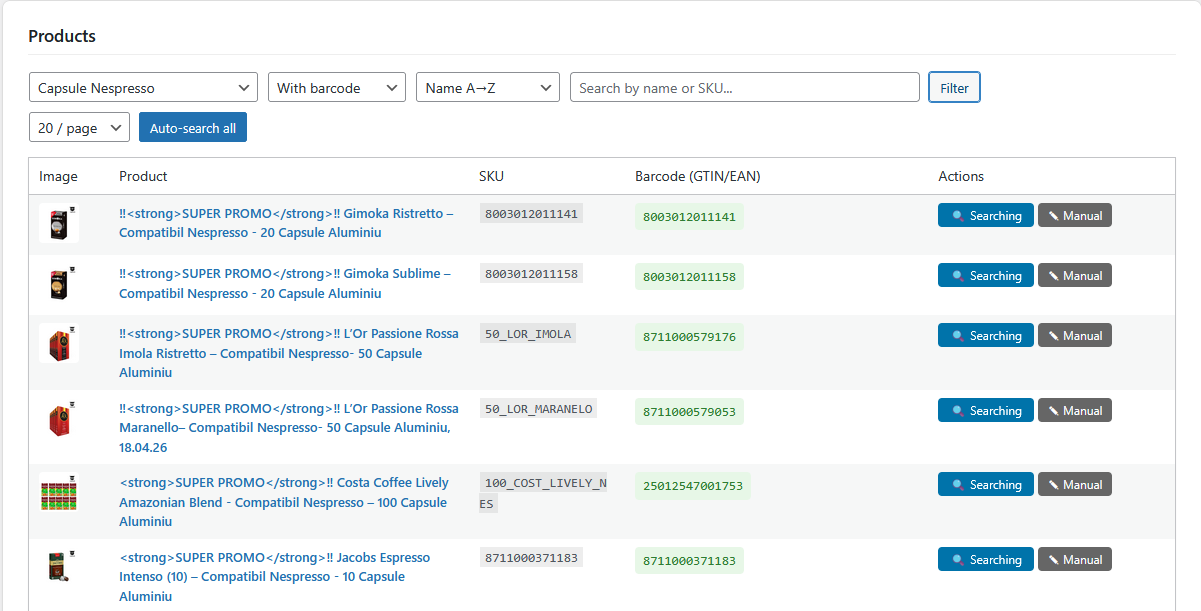
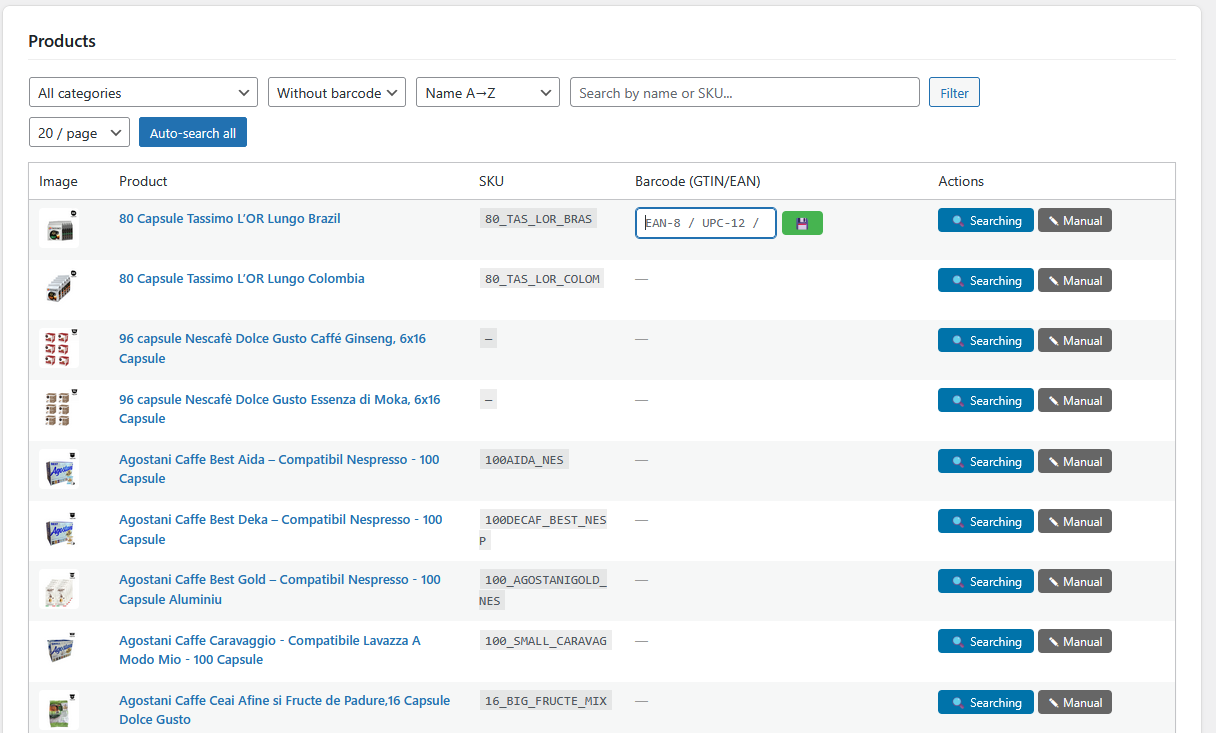
SkyServers EAN Barcode Finder helps you quickly find and assign EAN-13, EAN-8, and UPC barcodes to your WooCommerce products by searching barcode databases using the product name.
This plugin is completely free to use. It connects to external barcode databases to search for product barcodes. Some of these databases offer free access tiers, while others may require a free registration to obtain an API key (see External Services below for full details).
Perfect for store owners who need to add barcodes to hundreds of products without manually looking up each one.
Features
- Automatic barcode search by product name across multiple databases
- Bulk search — process all products without barcodes automatically
- Individual search — search for each product one by one
- Manual entry — enter barcodes manually when not found in databases
- Barcode validation — verifies EAN-8, UPC-12, and EAN-13 checksum
- Advanced filtering — filter by category, barcode status, search by name or SKU
- Flexible sorting — sort by name or SKU (alphabetic or numeric)
- Pagination controls — adjustable products per page (20/50/100/200) with jump-to-page
- Progress tracking — real-time progress bar and activity log for bulk operations
- Native WooCommerce field — saves to the built-in GTIN/EAN field in WooCommerce
- Statistics dashboard — see how many products have barcodes at a glance
- HPOS compatible — fully compatible with WooCommerce High-Performance Order Storage
External Services
This plugin connects to third-party barcode databases to look up product barcodes by name. Only the product name is sent as a search query. No personal, customer, or order data is ever transmitted.
1. Open Food Facts — Free, no registration required
- Website: https://world.openfoodfacts.org/
- Used automatically to search for product barcodes by name
- Open-source, community-maintained database (primarily food products)
- No API key required, no usage limits for reasonable use
- Privacy Policy | Terms of Use
2. UPCitemdb — Free tier available, registration required for API key
- Website: https://www.upcitemdb.com/
- Used as an optional additional barcode search source
- Free tier: 100 API requests per day (sufficient for most stores)
- Requires free registration at upcitemdb.com to obtain an API key
- The plugin works without this API key — it is entirely optional but improves search coverage
- Privacy Policy
Note: The plugin is fully functional using only Open Food Facts (no registration needed). Adding the optional UPCitemdb API key expands the barcode database coverage to non-food products.
How It Works
- Go to WooCommerce Barcode Finder
- Browse products without barcodes
- Click “Search” next to a product to find its barcode
- Select the correct result or enter the barcode manually
- Or use “Auto-search all” to process everything at once
Tips for Better Results
- Ensure product names include the brand and exact product name
- Products with English names have higher chances of being found
- For local or niche products, manual entry may be required
- A USB barcode scanner (~$10-15) can speed up manual entry significantly