

Simple ParsPal Shopping Cart
vv1.0.0mobinco · 2012年8月29日 上架
Very easy to use Simple WordPress ParsPal Shopping Cart Plugin. Great for selling products online in one click from your WordPress site.
- 正在使用
- 10+
- 评分
- 5.0 / 5
- 累计下载
- 7,671
- 最近更新
- 2013年4月23日
贡献者
 mobinco
截图
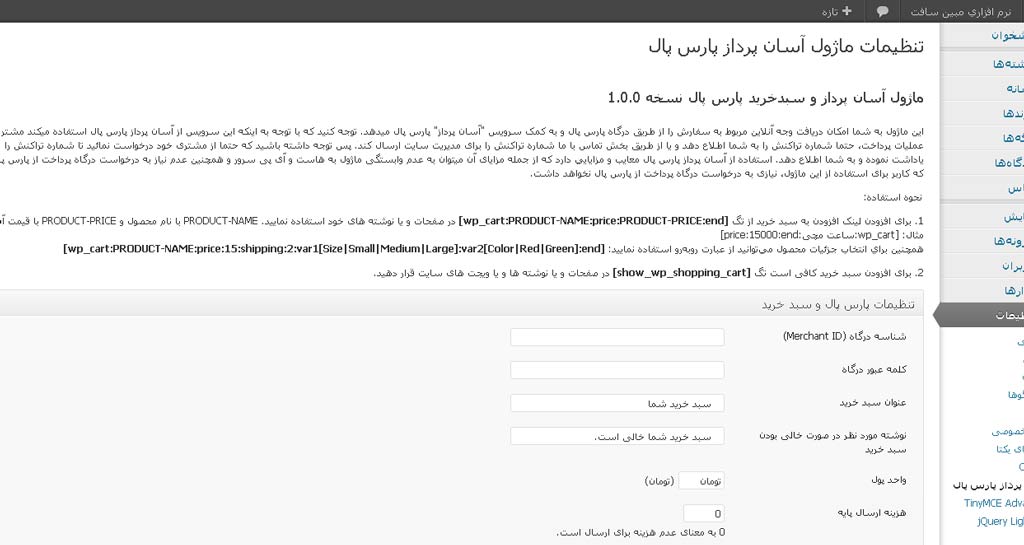

Simple ParsPal Shopping Cart allows you to add an ‘Add to Cart’ button on any posts or pages and your customers can pay product price with parspal service. It also allows you to add/display the shopping cart on any post or page or sidebar easily. The shopping cart shows the user what they currently have in the cart and allows them to remove the items. It can be easily integrated with the NextGen Photo Gallery plugin too.
Usage
- To add the ‘Add to Cart’ button simply add the trigger text [wp_cart:PRODUCT-NAME:price:PRODUCT-PRICE:end] to a post or page next to the product. Replace PRODUCT-NAME and PRODUCT-PRICE with the actual name and price.
- To add the ‘Add to Cart’ button on the sidebar or from other template files use the following function:
Replace PRODUCT-NAME and PRODUCT-PRICE with the actual name and price.
- To add the shopping cart to a post or page (eg. checkout page) simply add the shortcode [show_wp_shopping_cart] to a post or page or use the sidebar widget to add the shopping cart to the sidebar. The shopping cart will only be visible in a post or page when a customer adds a product.
Using Shipping
1. To use shipping cost use the following trigger text
[wp_cart:PRODUCT-NAME:price:PRODUCT-PRICE:shipping:SHIPPING-COST:end]
or use the following php function from your wordpress template files
Using Variation Control
1. To use variation control use the following trigger text
eg. [wp_cart:Demo Product 1:price:15:var1[Size|Small|Medium|Large]:end]
-
To use variation control with shipping use the following trigger text:
eg. [wp_cart:Demo Product 1:price:15:shipping:2:var1[Size|Small|Medium|Large]:end] -
To use multiple variation option use the following trigger text:
eg. [wp_cart:Demo Product 1:price:15:shipping:2:var1[Size|Small|Medium|Large]:var2[Color|Red|Green]:end]