

Simple Login Custom
v1.8.1Thomas Lloancy · 2024年6月21日 上架
An easy plugin to customize login and registration forms via shortcodes in WordPress.
- 正在使用
- 10+
- 评分
- 5.0 / 5
- 累计下载
- 2,206
- 最近更新
- 2026年11月18日
贡献者
 Thomas Lloancy
截图

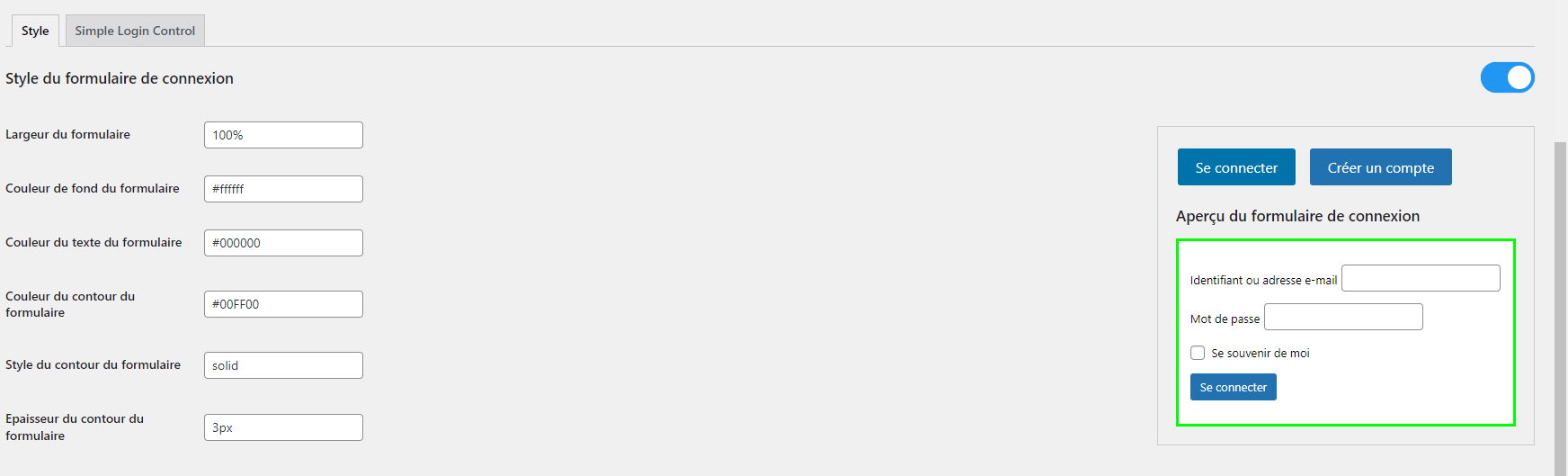
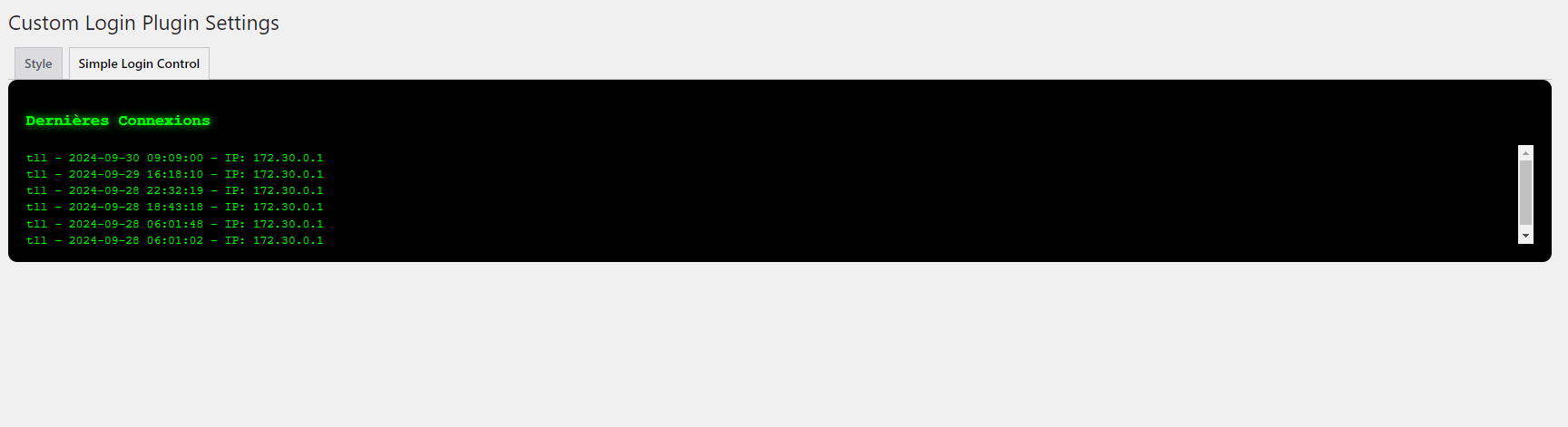
Simple Login Custom lets you drop a custom login and registration form on any page with shortcodes, then style it from Settings Custom Login Settings. No page builder required.
Key Features:
- Custom Login Form: Display a login form with
[customlogin_form]and match it to your site colors, width, and border. - Live preview (1.8.0): The Style tab shows the form and the login link as you type. Nothing is saved until you click the matching Save button. The preview never submits a real login.
- Custom Login Link:
[customlogin_link]prints a sentence with a styled link that can scroll to the form. - Style Customization: Colors use the native WordPress color picker. Width, padding, and border values accept CSS lengths only (for example
400pxor1em). - Recent Login Tracking: From version 1.5.0, administrators can review the ten most recent successful logins (user, time, IP, user agent).
- Built-in Registration: Optional registration on the same shortcode, with a client-side password strength meter (1.7.0).
- SIRET/DUNS Verification: Optional company checks during registration. SIRET uses the INSEE Sirene API key (from 1.6.7). DUNS is a local match against the number you stored in settings.
- Welcome Banner and Email: After a successful registration, a banner is shown and a plain-text welcome email is sent.
- Anti-Viral Mode (WP 7.0): From version 1.7.0, optional self-deprecating reminders in the admin for whoever installed the plugin — not shown to visitors.
How It Works:
- Go to Settings Custom Login Settings to style the form, edit the login-link sentence, enable registration, and configure SIRET/DUNS.
- Place
[customlogin_form]on any page or post. - Place
[customlogin_link]where you want a “please log in” sentence.
Installation:
- Install from Plugins Add New, or copy the plugin folder to
/wp-content/plugins/. - Activate Simple Login Custom.
- Open Settings Custom Login Settings. Adjust the live preview, then save.
Credits
Maintained by Thomas Lloancy (WordPress.org: tlloancy).
External services
This plugin can contact one external service, only when SIRET verification is enabled:
- INSEE Sirene API (
https://api.insee.fr/api-sirene/), operated by INSEE. When a visitor registers with a SIRET number, or an administrator uses the Test button, the 14-digit SIRET is sent together with your INSEE API key to check that the company exists. Results are cached for one hour on your site. INSEE API terms
No fonts, scripts or other assets are loaded from third-party servers.
Privacy
- Administrators can see the ten most recent successful logins (user, time, IP address, user agent). Entries are overwritten automatically; they are included in WordPress’ personal data export and erasure tools.
- SIRET or DUNS, company name and phone number entered at registration are stored in the user profile and are covered by the same tools.
- A suggested privacy policy text is added to Settings Privacy Policy Guide.
- Behind a reverse proxy or CDN, use the
customlogin_client_ipfilter to log the real visitor IP.
Recommended Plugins
To improve user experience and the ergonomics of your site, here are plugins we recommend for their synergy with Simple Login Custom:
-
Page Scroll to ID: This plugin is perfect for creating smooth and intuitive navigation on your site. It allows users to click links to scroll the page to a specific element, which is ideal for content-heavy pages or single-page sites. Compatibility with Simple Login Custom ensures that even after a login or redirect, users can still navigate effectively.
-
LoginWP (Formerly Peter’s Login Redirect): Designed to manage redirects after login or logout, LoginWP is essential for customizing the login experience. You can redirect users to different pages based on their roles, capabilities, or even specific rules. This strengthens security by preventing unauthorized access to sections of the site and integrates perfectly with Simple Login Custom for a smooth and secure login experience.
Why these plugins?
- Ease of Use: Both plugins are known for their intuitive interface and ease of integration with WordPress, making customization accessible even to users without in-depth development knowledge.
- Improved User Experience: Page Scroll to ID improves navigation on your site and ensures an optimal user experience.