

- 正在使用
- 200+
- 评分
- 4.9 / 5
- 累计下载
- 9,284
- 最近更新
- 2020年1月8日
贡献者
 sumapress
 pablocianes
截图
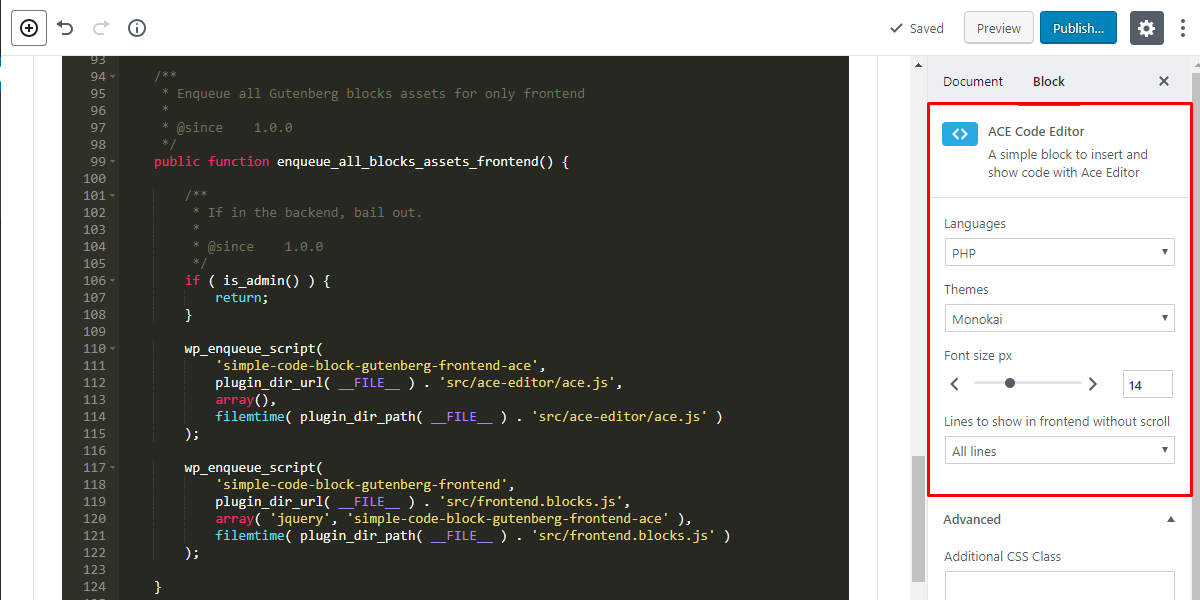

A simple block to the new WordPress editor Gutenberg to insert and show code with Ace Editor.
Now is very easy to share code in your own web with Gutenberg and this simple code block with the power of Ace: the successor of the Mozilla Skywriter (Bespin) project.
Ace is an embeddable code editor written in JavaScript with the features and performance of native editors such as Sublime, Vim and TextMate.
For each block you can choose many languages and styles:
- Lot of languages avalaibles: html, php, css, javascript, python,…
- Syntax highlighting with more than 20 themes to choose.
- Other options to select the font size of the code and lines to show without scroll.
What You See in the backend with Gutenberg editor Is What You Get! and the plugin only enqueue the selected assets to highlighting your code with your own selected options.
1.1.0
- Add option: show copy button
- Add option: show or hide lines numbers
- Improve Safari Browser compatibility
- Add Bash/Shell language
1.2.0
- Allow working without use of <?php tag
- Improve WPO with better enqueue
Feedback and support
I would be happy to receive your feedback to improve this plugin.
Please let me know through support forums if you like it and please be sure to leave a review..
Also you can contact me on my personal page Pablo Cianes or even visit Github of Simple Code Block where you can find all the development code of this plugin.
I hope it is useful for you and look forward to reading your reviews! 😉 Thanks!