

Sidebar Login
v3.1.0Mike Jolley · 2008年8月2日 上架
Easily add an ajax-enhanced login widget to your WordPress site sidebar.
- 正在使用
- 9,000+
- 评分
- 4.5 / 5
- 累计下载
- 106 万
- 最近更新
- 2026年10月12日
贡献者
 Mike Jolley
截图

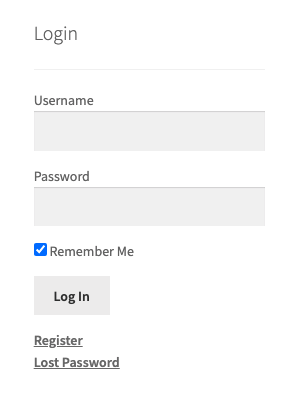

Sidebar Login adds a useful login widget which you can use to login from in the sidebar of your WordPress powered blog.
Once a user logs in they are redirected back to the page they logged in from, rather than the admin panel (this is configurable).
If you’d like to contribute code to the plugin you can do so via GitHub.
If you’d like to contribute a translation, the project is hosted on WordPress.org.
Usage
Simply go to Appearance > Widgets and drag “sidebar login” to the sidebar of your choice. Within the widget are several options you can use for changing the titles or the links displayed to the user.
To use this widget in a template, call the_widget() with the Sidebar_Login_Widget class, for example the_widget( 'Sidebar_Login_Widget' );.
Tags for titles + links
These tags can be used in the widget settings for titles + links and will be replaced at runtime.
%username%– logged in users display name%userid%– logged in users ID%firstname%– logged in users firstname%lastname%– logged in users lastname%name%– logged in users firstname + lastname%nicename%– user nice name%site_url%– url of your site%admin_url%– url to WP admin%logout_url%– logout url%buddypress_profile_url%– BuddyPress Profile URL%bbpress_profile_url%– bbPress Profile URL%avatar%– User Avatar
Filter Reference
sidebar_login_include_css– return false to not include the CSS stylesheetsidebar_login_widget_logged_in_links– An array of links shown when logged in.sidebar_login_widget_logged_out_links– An array of links shown when logged out.sidebar_login_widget_display– Return false to hide the widget.sidebar_login_widget_logged_in_title– The widget title shown when logged in.sidebar_login_widget_avatar_size– The avatar size – defaulted to 48 (thats in px)sidebar_login_widget_logged_out_title– The widget title shown when logged out.sidebar_login_widget_form_args– Arguments for the wp_login_form function.sidebar_login_widget_login_redirect– Redirect URL after login.sidebar_login_widget_logout_redirect– the redirect after logging out.sidebar_login_widget_register_url– The URL for registration links.sidebar_login_widget_lost_password_url– The URL for lost password links.sidebar_login_widget_wp_login_form– The HTML of the Login form.
Action Reference
sidebar_login_widget_start– Fired before the widget.sidebar_login_widget_{logged_in || logged_out}_content_start– Fired before the widget content.sidebar_login_widget_before_{logged_in || logged_out}_links– Fired before the links.sidebar_login_widget_after_{logged_in || logged_out}_links– Fire after the links.sidebar_login_widget_{logged_in || logged_out}_content_end– Fired after the widget content.sidebar_login_widget_end– Fired after the widget.
Notes
- After logging in, users are only redirected to pages on your site. To allow other hosts, use the
allowed_redirect_hostsfilter. - Due to AJAX not working across different domains (see same_origin_policy), AJAX logins will be disabled if your site it non-SSL, but the FORCE_SSL_ADMIN constant is set to true. Instead it will fallback to a traditional POST.