

Shrikant Social Post Builder
v1.0.3Shri Kant Gaur · 2026年7月21日 上架
Generates ready-to-share social media messages from WordPress posts in one click.
- 正在使用
- 10 以下
- 评分
- 暂无
- 累计下载
- 411
- 最近更新
- 2026年8月4日
贡献者
 Shri Kant Gaur
截图
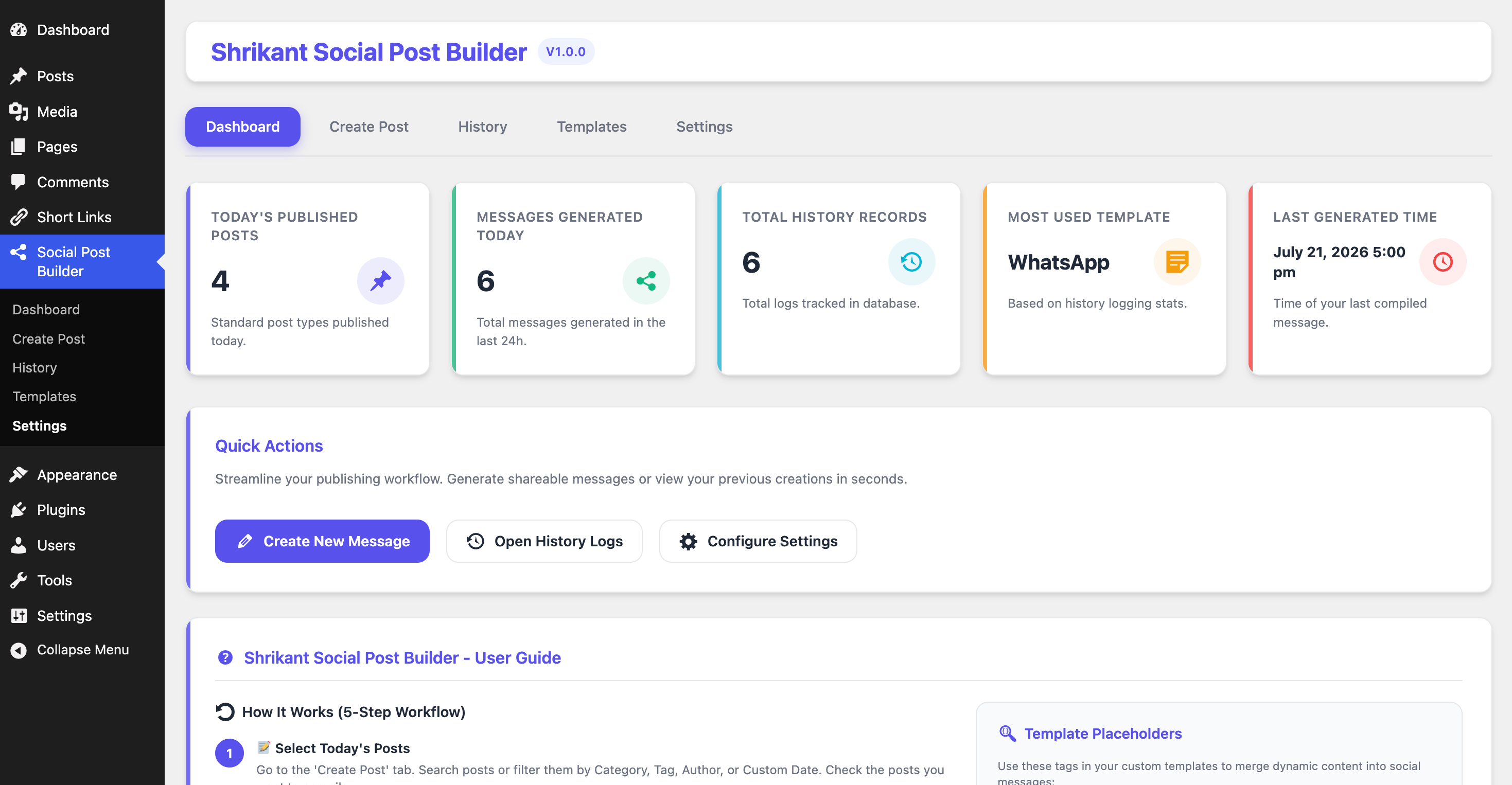
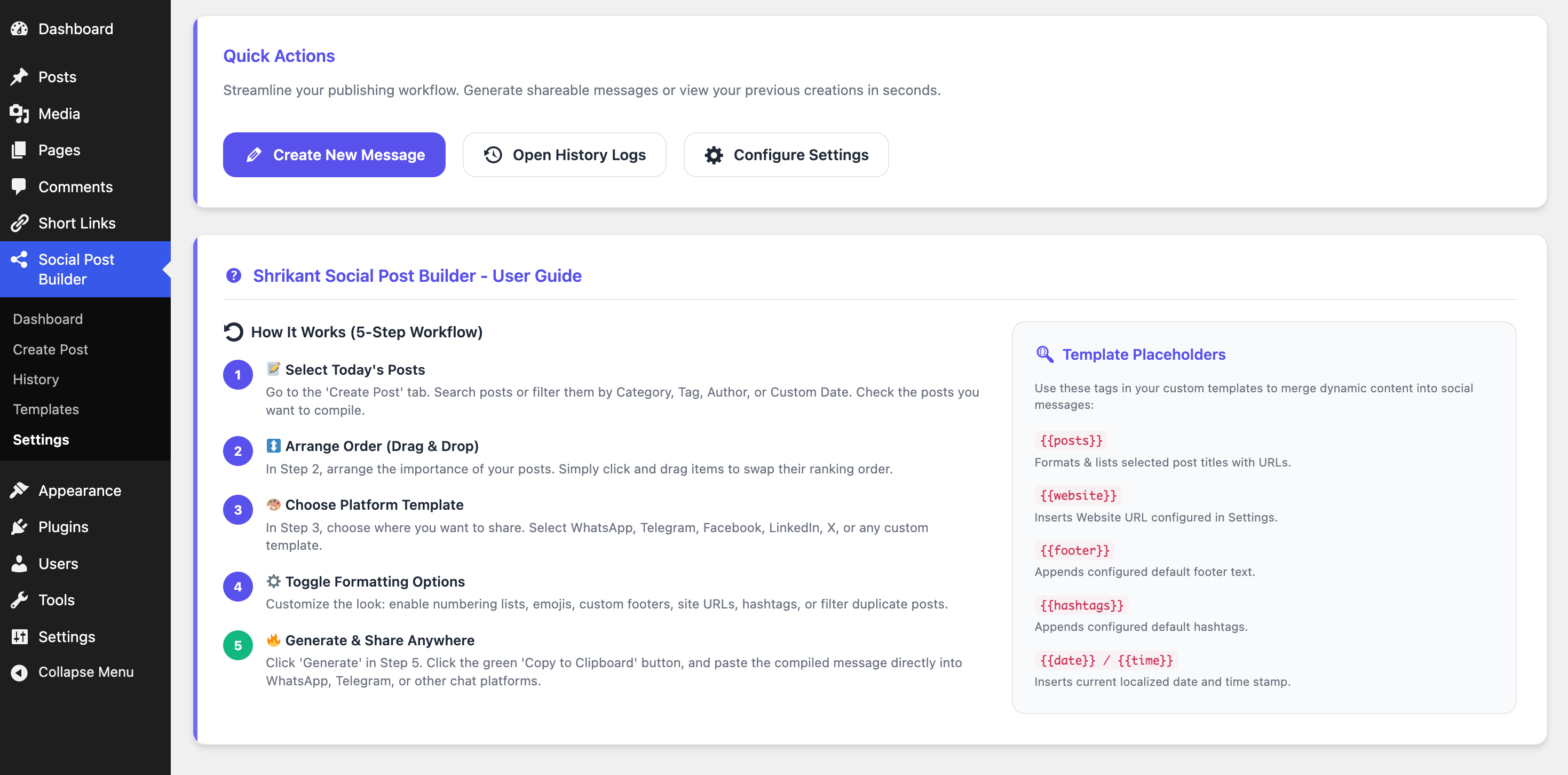
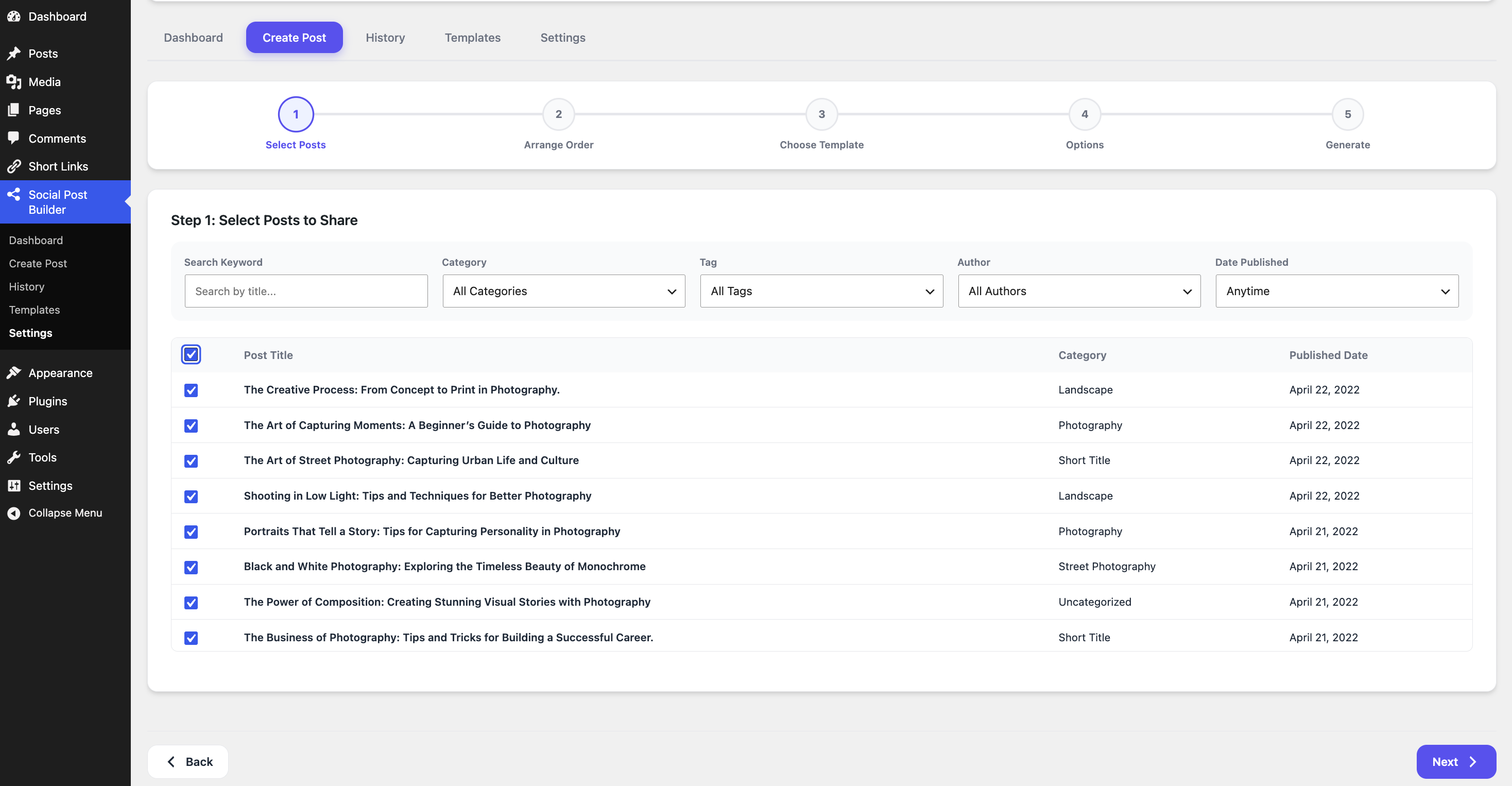
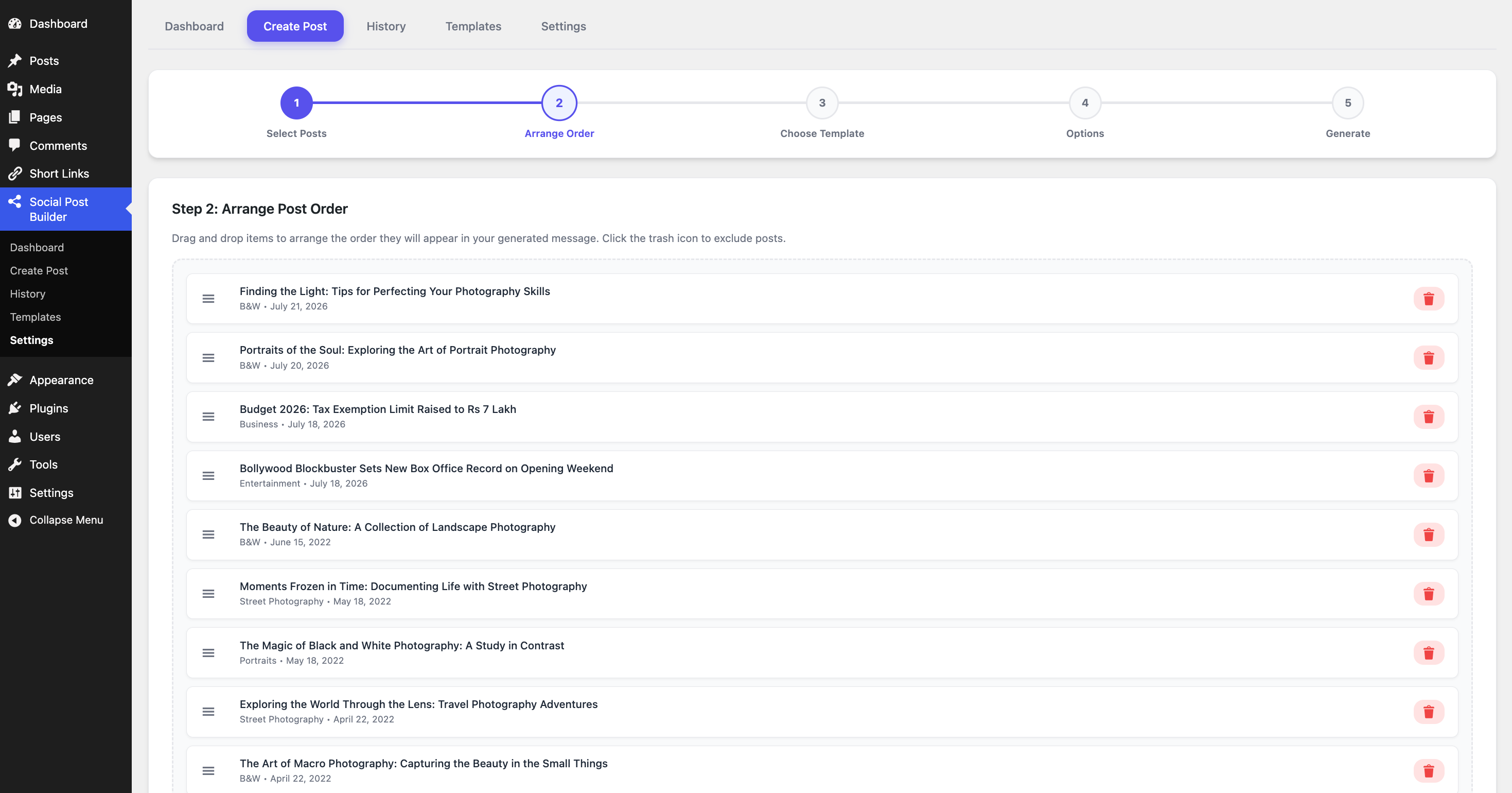
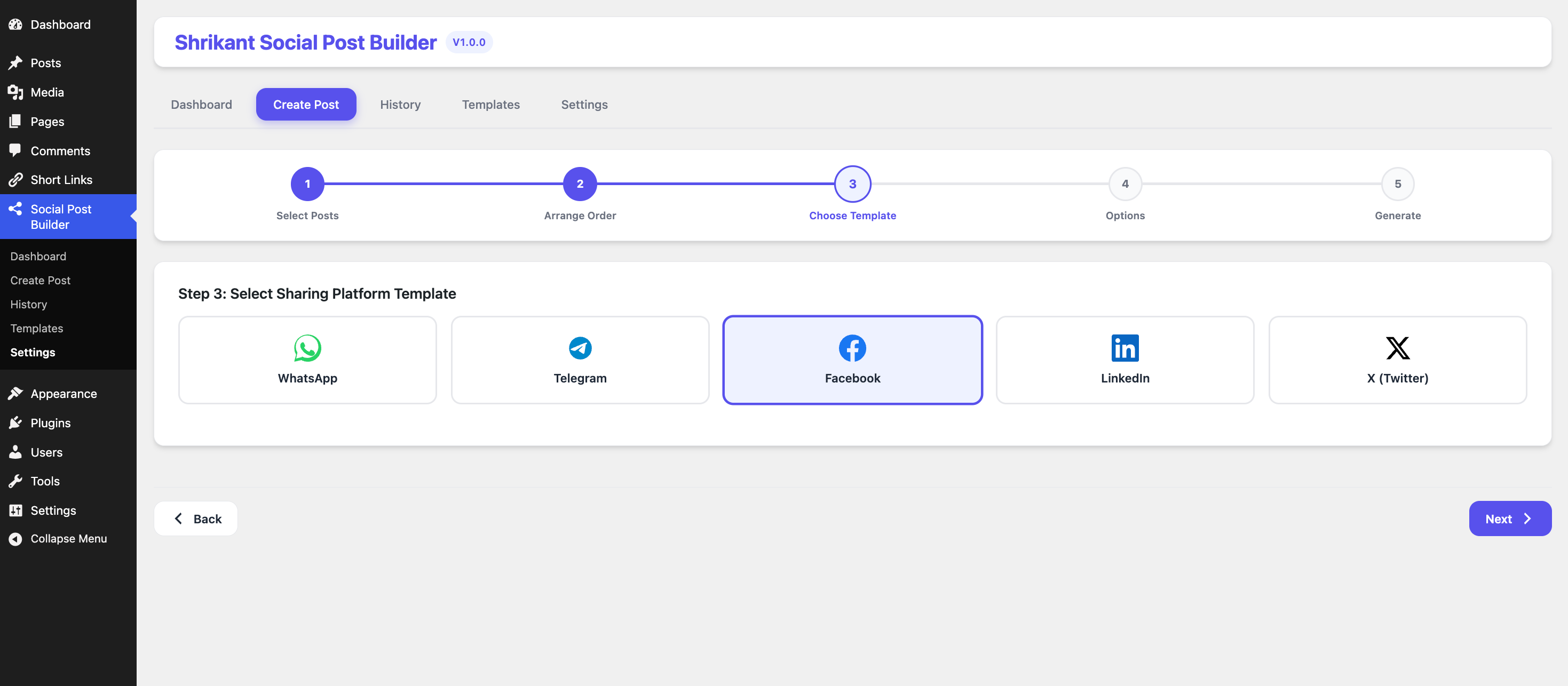
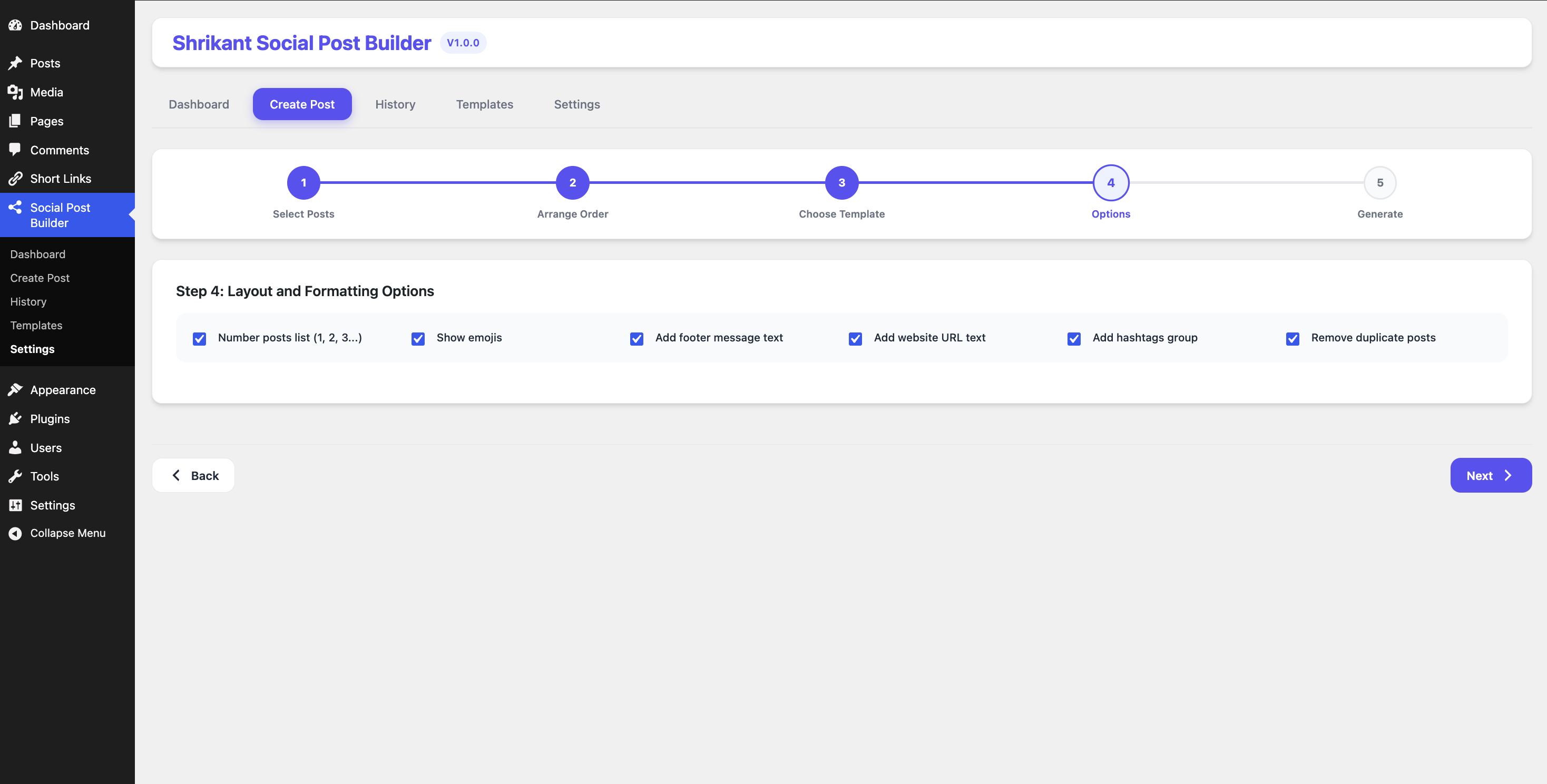
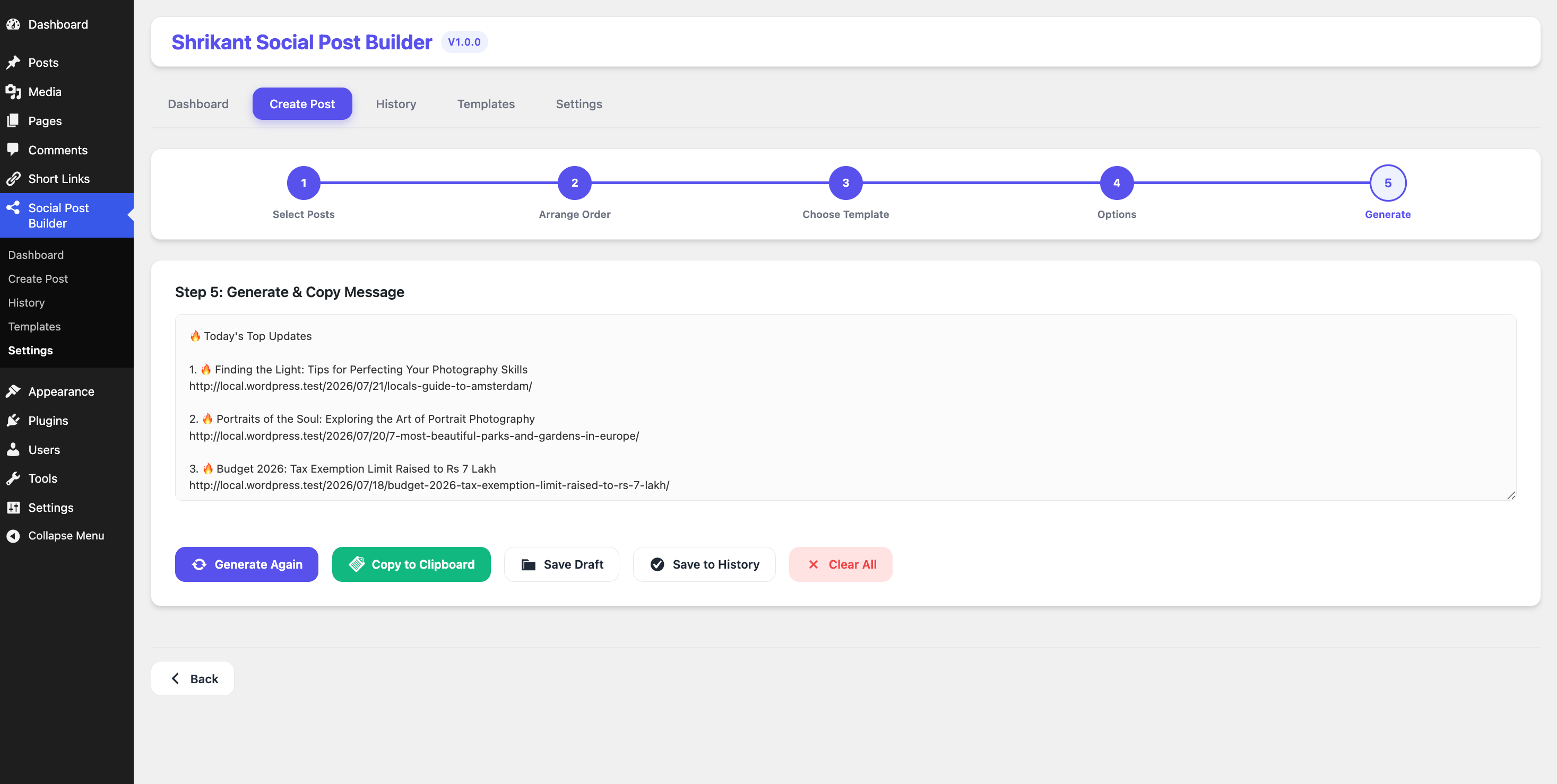
Publishers publish multiple posts daily. To share on social networks like WhatsApp, Telegram, Facebook, LinkedIn, X (Twitter), Viber, or Signal, they manually copy titles and links. This plugin streamlines the process down to a few clicks: select posts, arrange drag-and-drop order, choose a formatting template, and generate ready-to-share text compiled instantly! Optimize your social media marketing and automated publishing flow with this lightweight social post generator helper.
Key Features
- Multi-Post Selection: Find posts easily using category, tag, author, publication date, or keyword search.
- Drag-and-Drop Reordering: Rearrange the sequence of selected posts to list them exactly as you want.
- Ready-Made Social Templates: Built-in template designs for WhatsApp, Telegram, Facebook, LinkedIn, and X.
- Custom Template Creator: Create your own dynamic templates with custom formatting tags.
- Formatting Options: Auto-number posts list, toggle emojis, append website URL, default footer message, or default hashtags.
- Instant Clipboard Copy: Copy generated text in one click to paste anywhere.
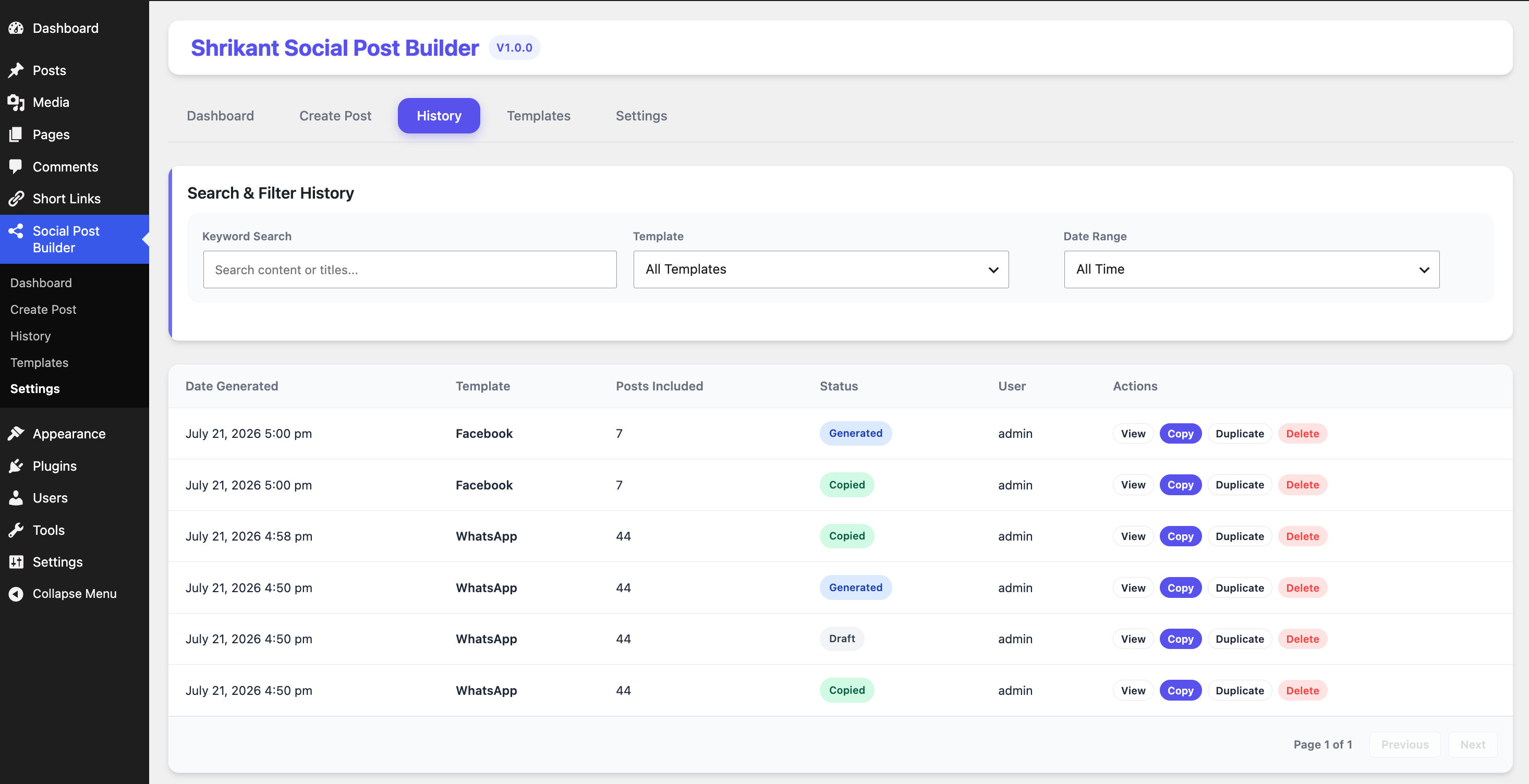
- Audit & Compilation History: Logs compiled messages in a database with full trace details and quick duplicate options.
- Retention Cleanup Settings: Automated tools to clear logs older than X days or limit total history entries.
Supported Template Placeholders
Build custom templates using these dynamic tag placeholders:
* {{title}} – The title of the WordPress post.
* {{url}} – The permalink of the post.
* {{excerpt}} – The post excerpt or snippet.
* {{date}} – The publication date.
* {{author}} – The author’s display name.
* {{website}} – Custom site link defined in plugin settings.
* {{footer}} – Default footer message text.
* {{hashtags}} – Group of default hashtags.
How to Use
- Select Posts: Go to the ‘Create Post’ tab. Use the search input or category, tag, author, or custom date range filters to find the posts you want to compile. Check the boxes next to the posts you wish to include.
- Arrange Order: Go to Step 2 (‘Arrange Order’) and use the drag-and-drop handles to order the posts exactly as you want them to appear in the message.
- Choose Template: In Step 3, choose the platform format template (e.g. WhatsApp, Telegram, Facebook, LinkedIn, X, or your own Custom template).
- Configure Options: Toggle formatting preferences in Step 4, such as prepending list numbers, showing emojis, and appending website URL, default footer, or hashtags.
- Generate & Share: In Step 5, click ‘Generate’ to compile your message. You can copy the generated text to your clipboard with a single click, and paste it directly into any app or platform.