
跳到内容

Shortcode in Menus

v3.5.1

Gagan Deep Singh · 2013年9月13日 上架

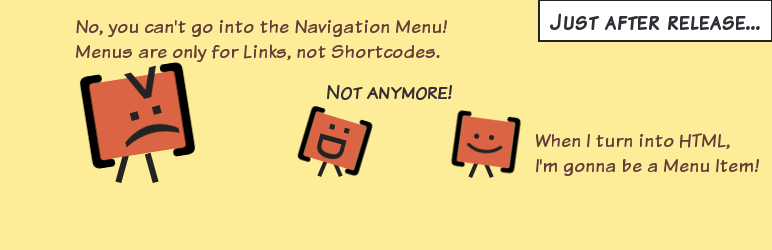
Allows you to add shortcodes in WordPress Navigation Menus.

正在使用
5 万+
评分
4.7 / 5
累计下载
51 万
最近更新
2026年2月10日
82 条评价需要 WordPress 3.6+已测试到 6.9.12PHP 5.6+

截图

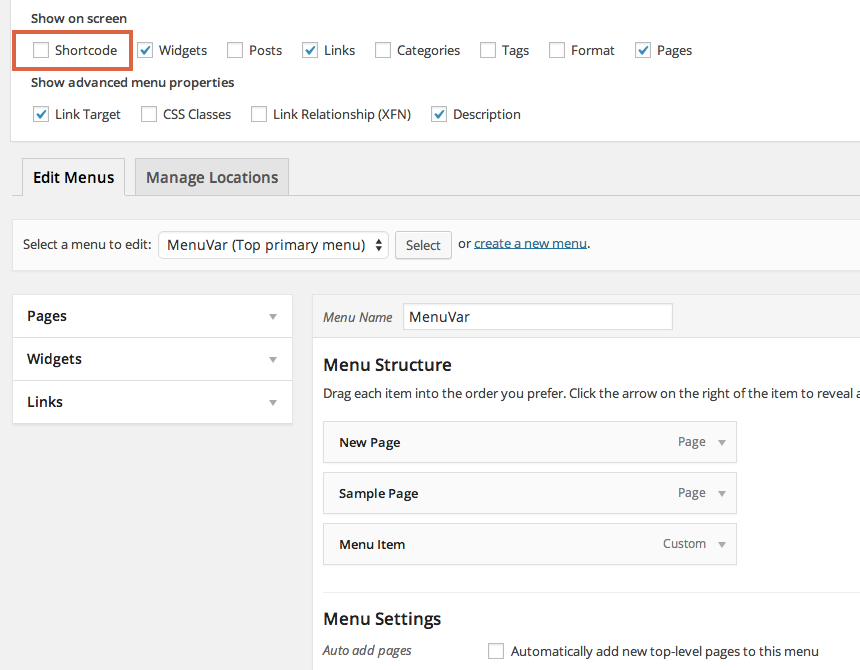
Check the screen options, if you don't see the Shortcode box.
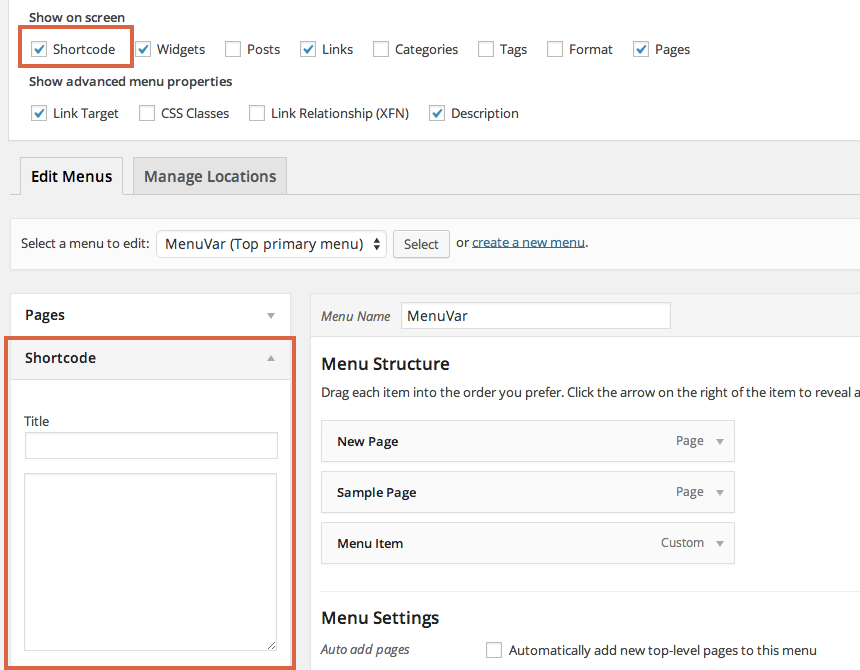
Check the Shortcode option to see the new Shortcode box.
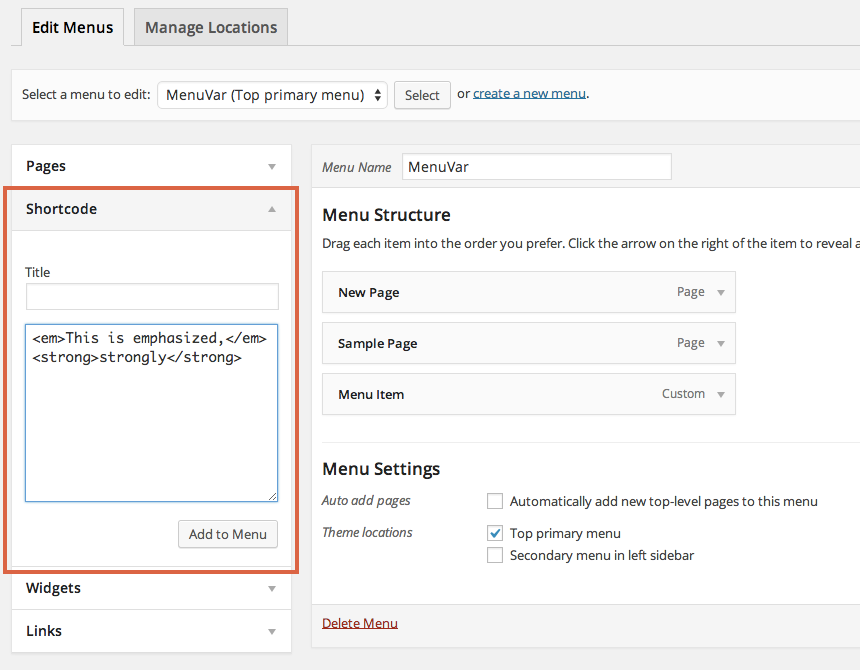
Add your shortcode/HTML to the text area (not a link, in the screenshot). Optionally, add a title.
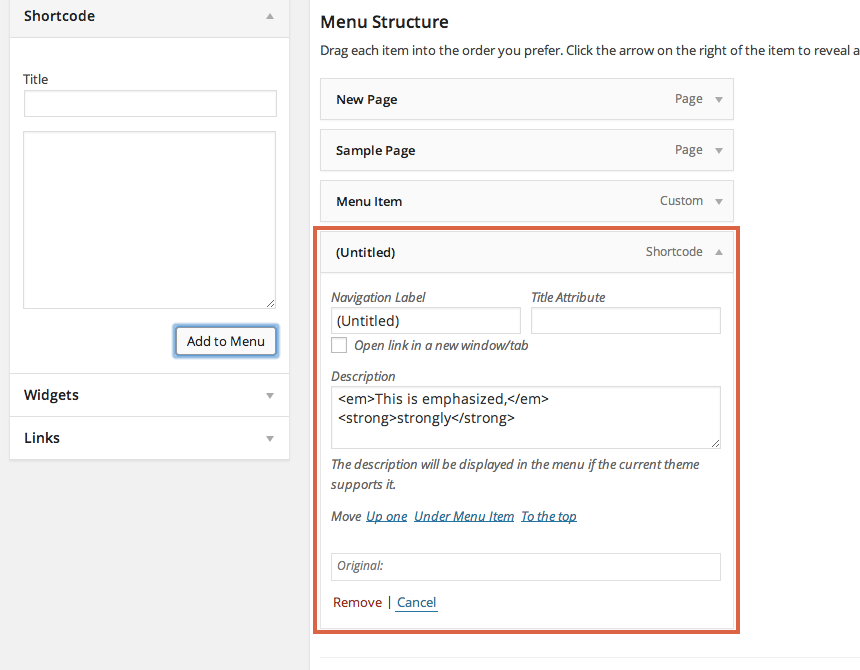
The menu item is saved.
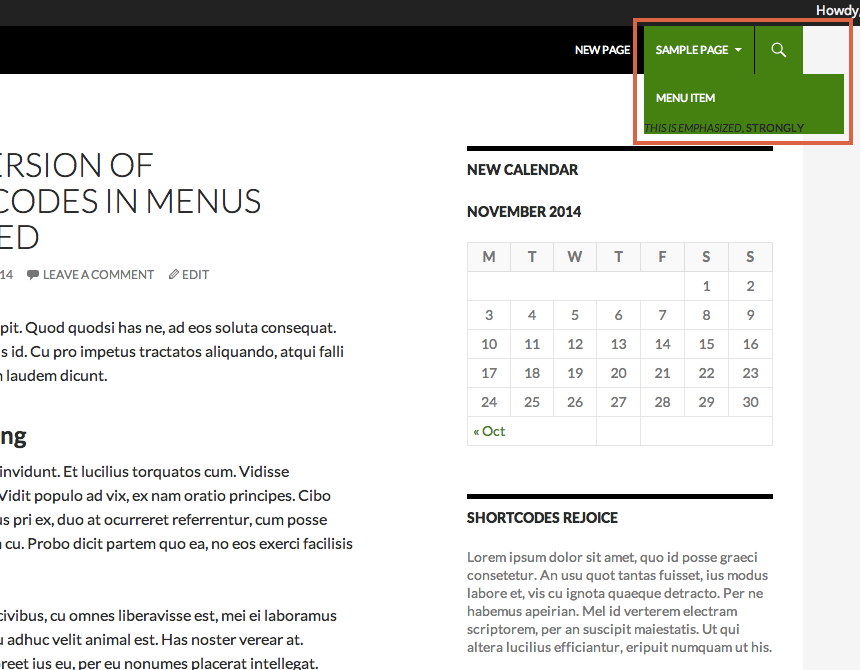
The html is displayed.
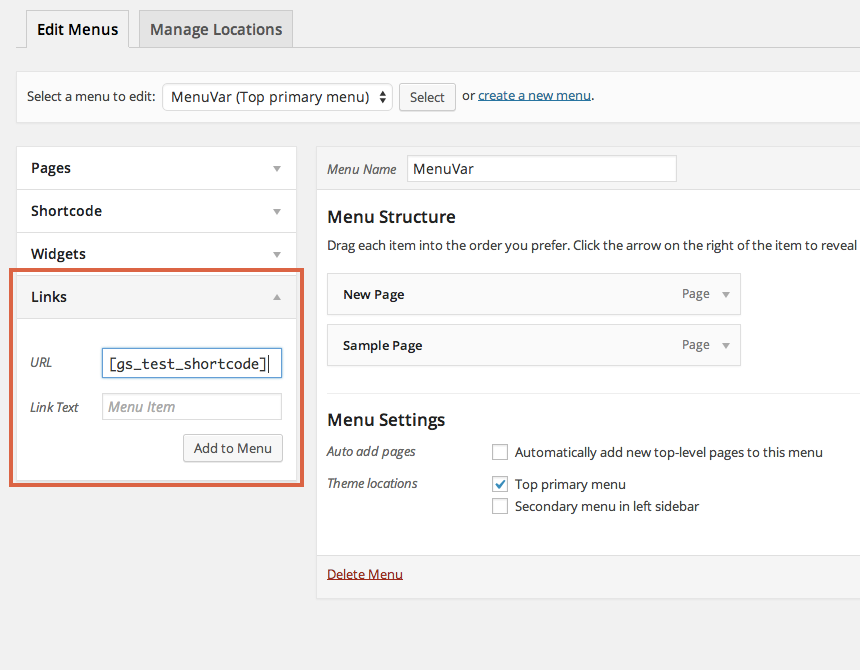
Old Method: In the Links box, add your shortcode in the URL field.
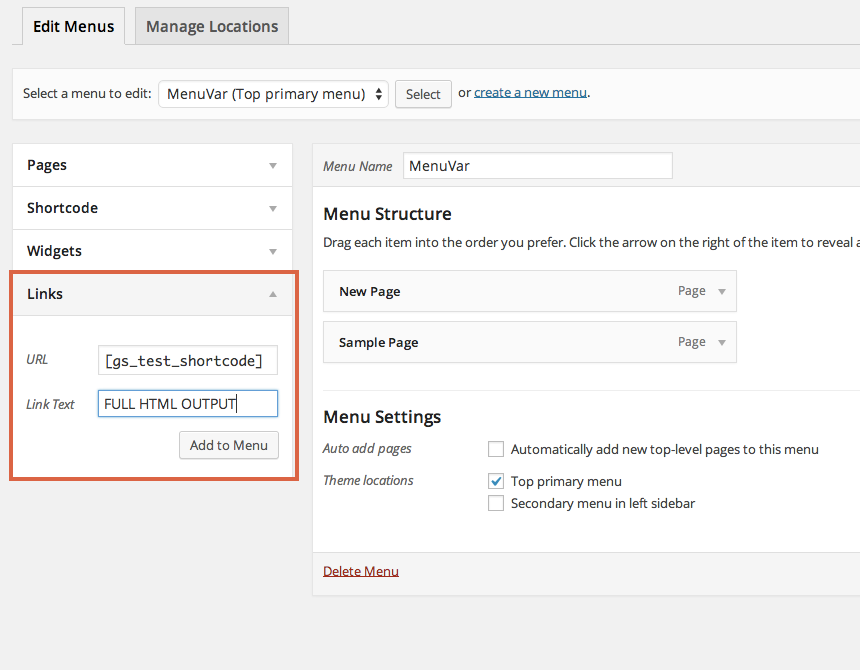
Old Method: If you want to use a shortcode that outputs not just the URL, but complete HTML sections, write FULL HTML OUTPUT in the Link Text option for that link and it will output the complete HTML without breaking your site.
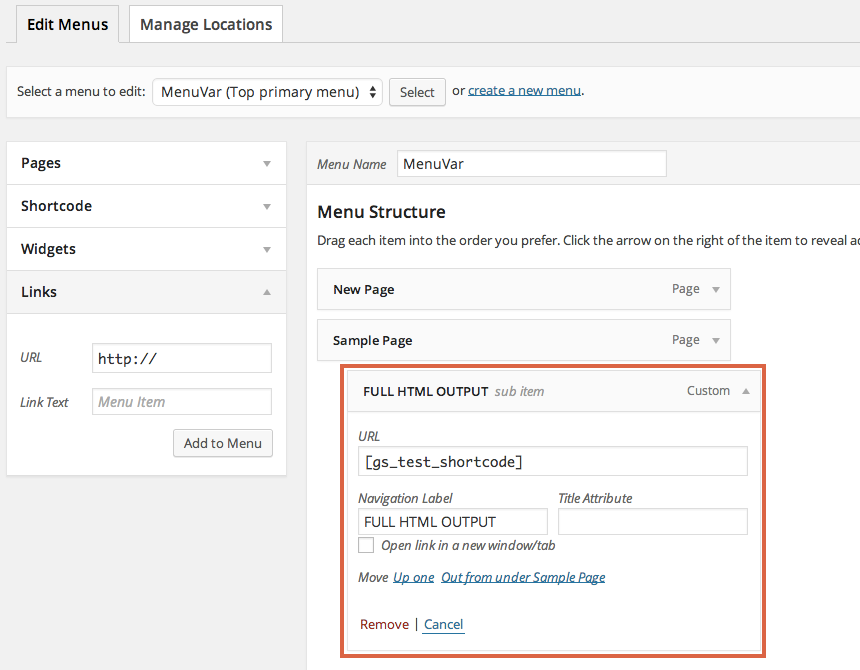
Old Method: The menu item is saved.

Allows you to add shortcodes in WordPress Navigation Menus so that you can generate links dynamically. Also allows you to add full fledged HTML sections to navigation menus.

Usage

See the screenshots.

Also, see a great tutorial by Aurovrata Venet

Special Thanks To

Plums

按场景查找 WordPress 插件。安装量、评分和兼容版本来自官方目录。

导航

说明

WordPress 是 WordPress Foundation 的商标。本站与 WordPress Foundation、Automattic 没有隶属关系。这里不托管插件文件,下载和安装以 WordPress.org 上的页面为准。

© 2026 Plums