
Shop Page WP
v1.3.3leonmagee · 2017年3月22日 上架
Create an affiliate shop page on your website. Simple to setup and add products to start making money from affiliate links on your blog.
- 正在使用
- 2,000+
- 评分
- 5.0 / 5
- 累计下载
- 13 万
- 最近更新
- 2026年8月5日
 leonmagee
 Justin McChesney-Wachs
截图

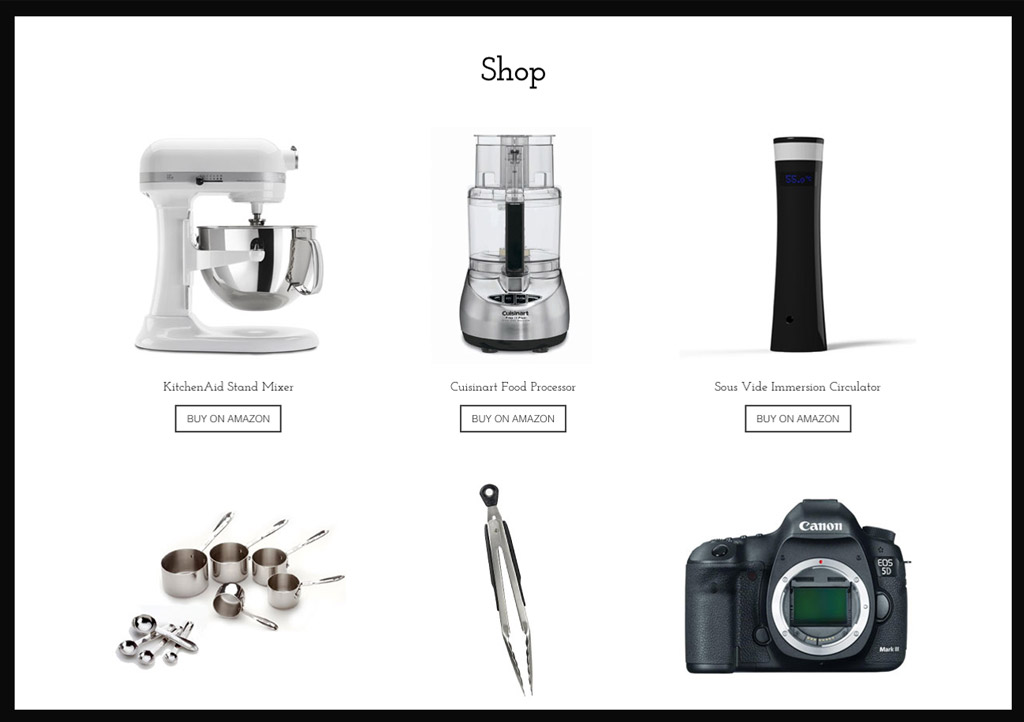
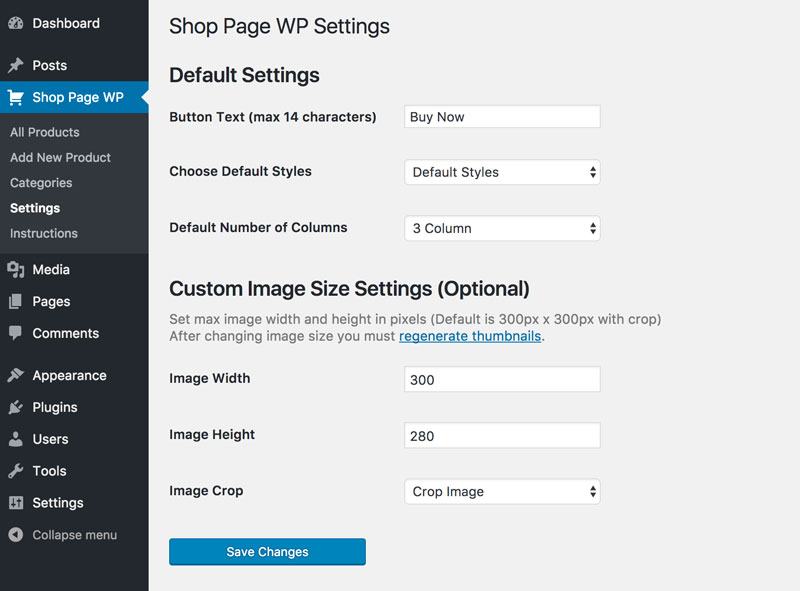
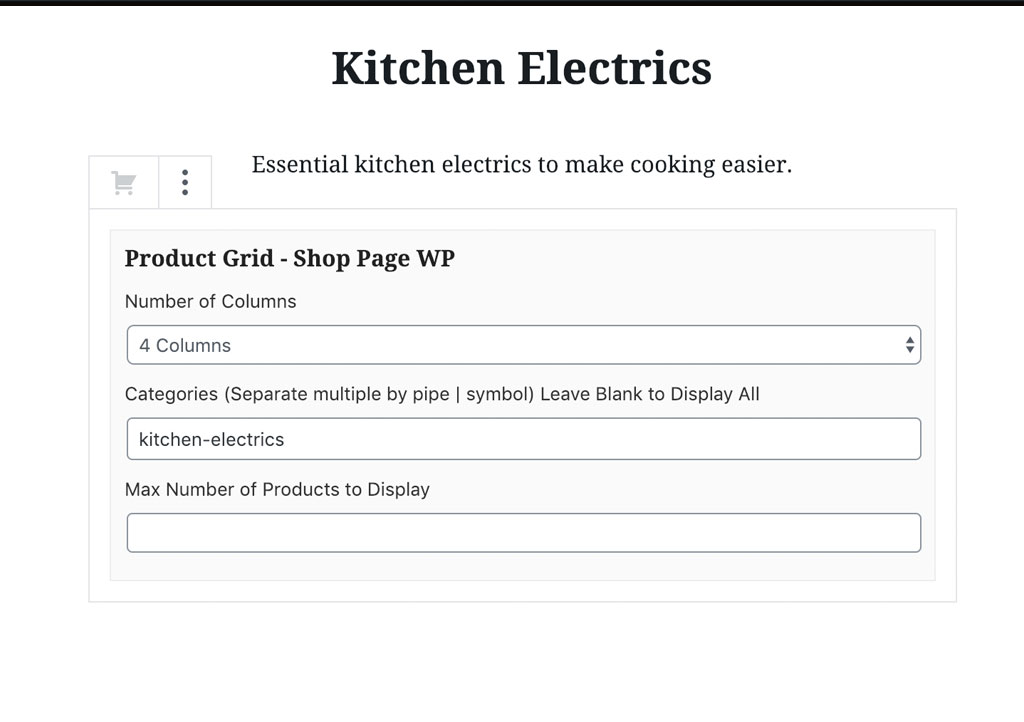
Shop Page WP is the affiliate shop page plugin for your WordPress website that everyone can easily setup and use. It’s super easy to create a shop page and start adding products immediately. No technical or special skills required. Output a beautiful grid of products and place it on a shop page, or insert specific products to a blog post.
Have you ever wanted to add a shop page to your website but didn’t want to build it manually or use a plugin that is overkill for what you are trying to do? Shop Page WP is the simple solution for creating an affiliate shop page on your blog.
Features
- Create a simple shop page on your website with a grid of products.
- Simple fields: Just add the product title, optional description, affiliate link, upload a product image as the featured image and specify a category.
- The plugin will automatically resize and or crop your product images to a specified size.
- Choose between a 1, 2, 3 or 4 column product grid.
- Customize the ‘Buy Now’ button text for individual products.
- Categorize Products.
- Add affiliate products to your page, post or sidebar by category or product ID.
- Add affiliate products to your page or sidebar by category
- Use any affiliate link (Amazon, ShareASale, RewardStyle, Ebay, CJ, etc.).
- Product links open in a new tab and are set as rel=nofollow.
- Customize the product image size in the plugin settings.
- Gutenberg block for adding a product grid to pages and posts with the ability to specify categories, columns, and maximum number of products to display or even specific products.
- Simple shortcodes available for adding the affiliate product shop to any page or post on your website.
- Custom shortcodes for adding specific categories or products to a shop page section.
- Option to remove CSS styling if you wish to style it yourself.
- Responsive and mobile friendly.
Insert Products with Gutenberg
From the Gutenberg editor; click Add Block then either search for Shop Page WP or scroll to the Widgets category and click “Shop Page WP.”
Insert Products by Shortcode
Default Shortcode
[shop-page-wp]
Specify Product Category
[shop-page-wp category='food']
Specify Multiple Categories (separated by comma)
[shop-page-wp category='food,electronics']
Specify Product ID (will override categories)
[shop-page-wp id='17']
Specify Multiple IDs (separated by comma)
[shop-page-wp id='17,18']
Specify Grid Size (will override default settings)
[shop-page-wp grid='3']
Changing Image Sizes
This plugin sets a custom image size of 300 x 300 pixels. After installing this plugin (or after changing the image size in settings) you must regenerate thumbnails to create appropriately sized thumbnails for each of your product images. This will not be necessary for new images you upload while the plugin is installed and active.
*** if you are using already uploaded images, you will need to regenerate thumbnails
This plugin is in active development. Feel free to contact us with any feature requests or ideas.