
Shoot My File
v1.0.0samsereni · 2025年11月18日 上架
A private file transfer. Share files with users, collaborators or clients, directly from your WordPress site with a unique, time-limited link
- 正在使用
- 10 以下
- 评分
- 暂无
- 累计下载
- 444
- 最近更新
- 2025年11月18日
贡献者
 samsereni
截图
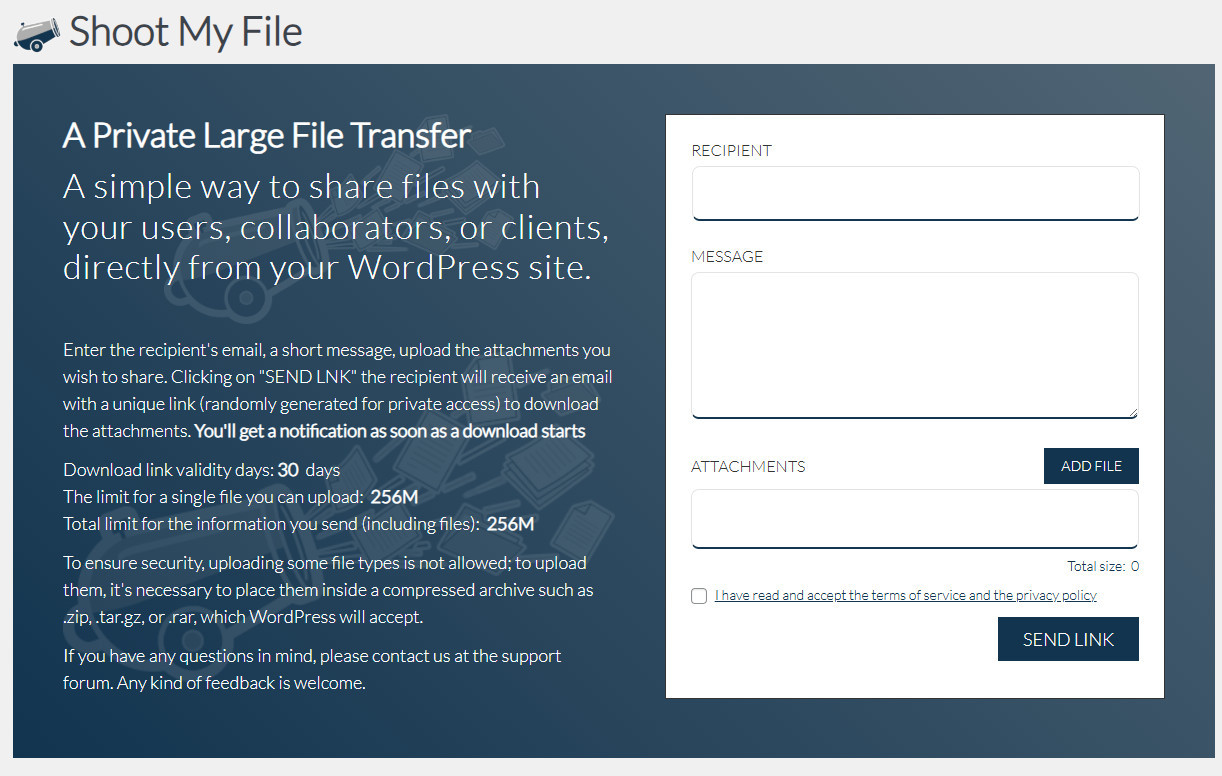
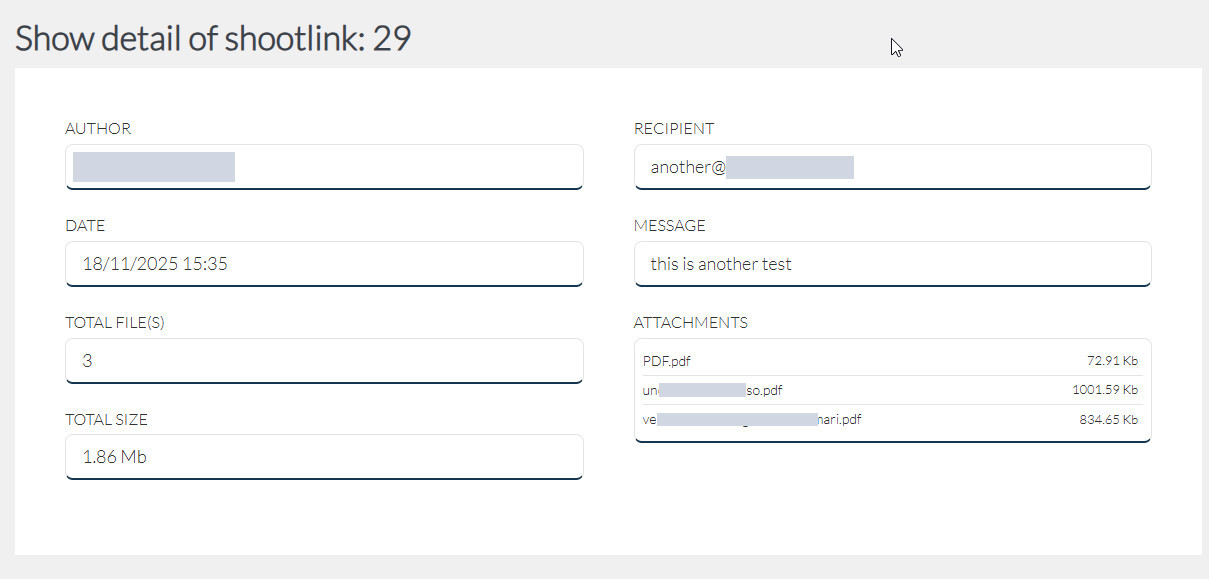
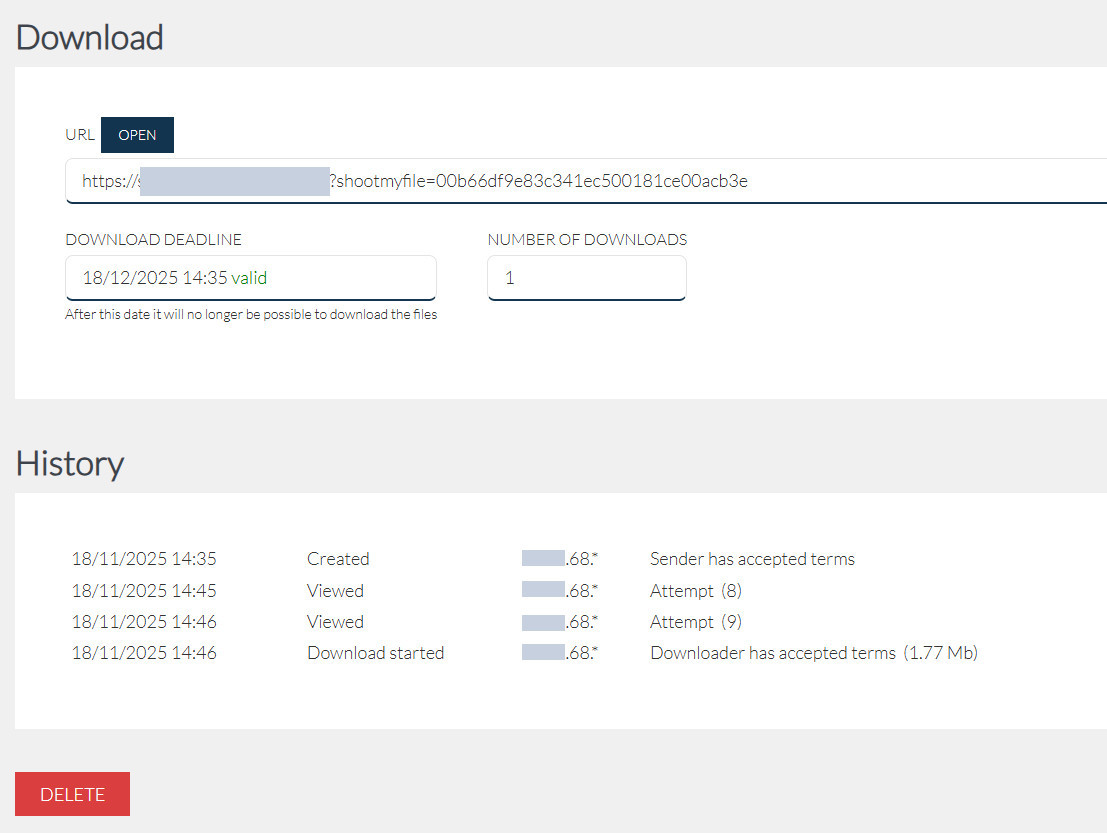
Upload your files and send the download link to whoever you want.
Designed to be intuitive and powerful, this plugin allows you to upload files and send a unique download link to your recipients with just a few clicks. It is ideal for web agencies, freelancers, and businesses that need a reliable system for exchanging documents.
Some features
- Unique, time-limited download links.
- Intuitive interface directly within WordPress.
- Automatic compression of files into a .zip format.
- Logs of access and downloads, with notifications to the sender.
- Centralized management of all active shares.
How It Works
Once your files are uploaded, you can enter the recipient’s email and a personalized message. The recipient will receive an email notification with a secure, randomly generated link. Clicking the link directs them to a public page that verifies the link’s validity and allows them to download the files. For convenience, all sent files are automatically compressed into a single zip file before download. You’ll get a notification as soon as a download starts.
After this period, the download link will no longer be valid, but the files will remain saved on the server until the sender or an administrator deletes them manually, using the “delete” button in the list or in the details.
User Guide
- After installation, you will find a new menu item in the WordPress backend. Click on Shoot My File to access the sending form.
- Use the form to select and upload the files you want to share.
- Type in the email address of the recipient to whom you want to send the link.
- Include a short accompanying message that will be included in the email notification.
- Click the send button and the plugin will generate a unique link and send the email to the recipient.
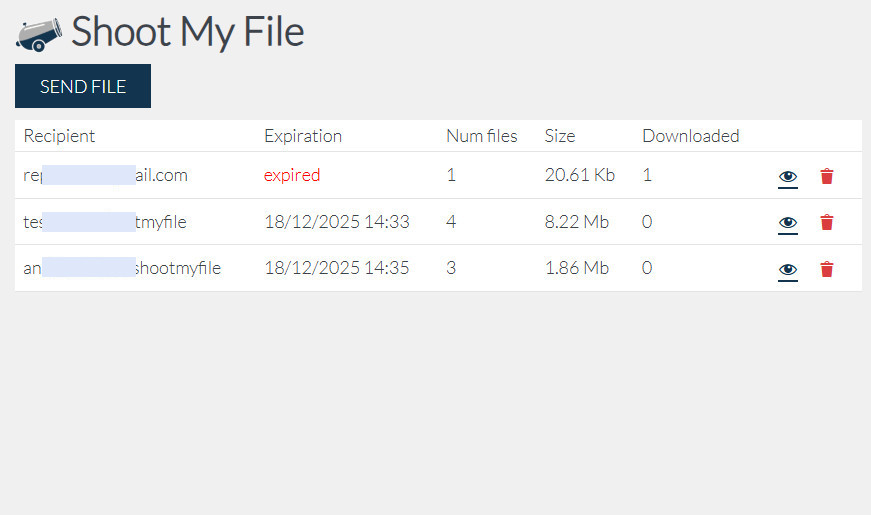
- After sending, you can check the status of your files and monitor download requests from the details page.
- When a recipient starts the download, you will receive a notification via email.
- There is a second menu item that allows you to view a list of all active shares. From here, you can check the expiration date, the number of downloads, and view the details of each individual share, including download logs.
Privacy Consent Configuration
To help you ensure your site is compliant with privacy regulations, we have integrated an informed consent checkbox on the plugin’s public download page.
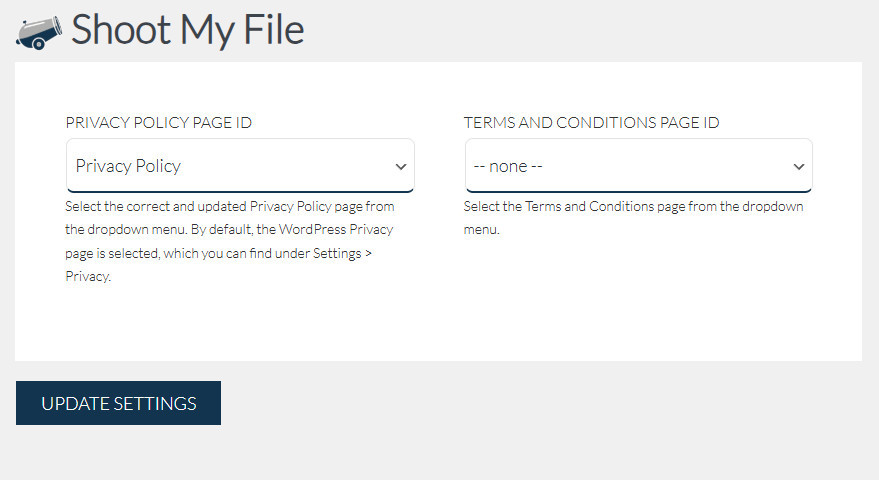
For this consent system to work correctly, you need to set your Privacy Policy page (by default, it’s the WordPress one) and, if you consider it necessary, also your Terms and Conditions page (by default, it’s set to none).
Once configured, an obligatory acceptance checkbox will be displayed on the download page with direct links to your legal documents. Remember that the Privacy Policy page must also be integrated with the data processing information specified by the plugin. The checkbox will only be visible if you set at least one of the two pages. If both are set to “none,” the checkbox will not be visible, and the plugin will function without requiring user acceptance.
Email configuration
The sender email address that appears to the recipient depends on the default WordPress configuration.
To ensure correct email delivery and prevent them from ending up in the spam folder, we strongly recommend you configure an SMTP (Simple Mail Transfer Protocol) service.
Using a dedicated SMTP plugin is the best way to make sure emails from our plugin and WordPress are delivered reliably.