

Shipping Zones by Drawing for WooCommerce
v3.5.1Arosoft · 2019年2月18日 上架
Draw local delivery zones on a map or set a radius around your store, and give each WooCommerce delivery area its own shipping price.
- 正在使用
- 500+
- 评分
- 4.1 / 5
- 累计下载
- 8.4 万
- 最近更新
- 2026年11月24日
贡献者
 Arosoft
截图
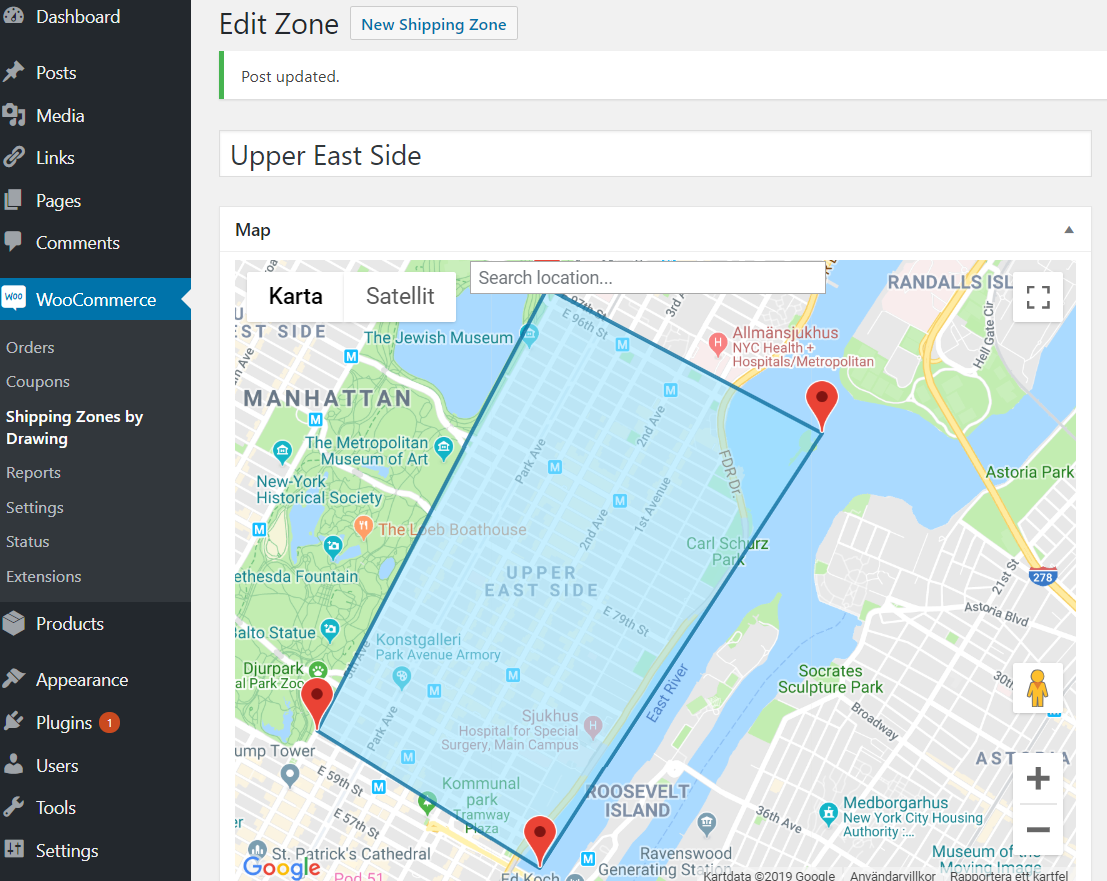
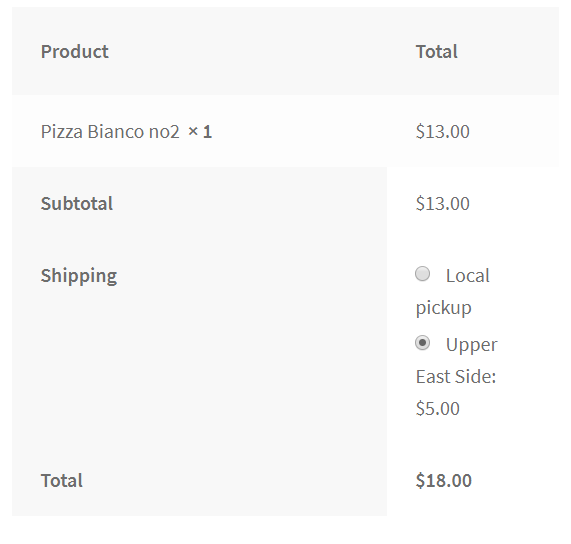
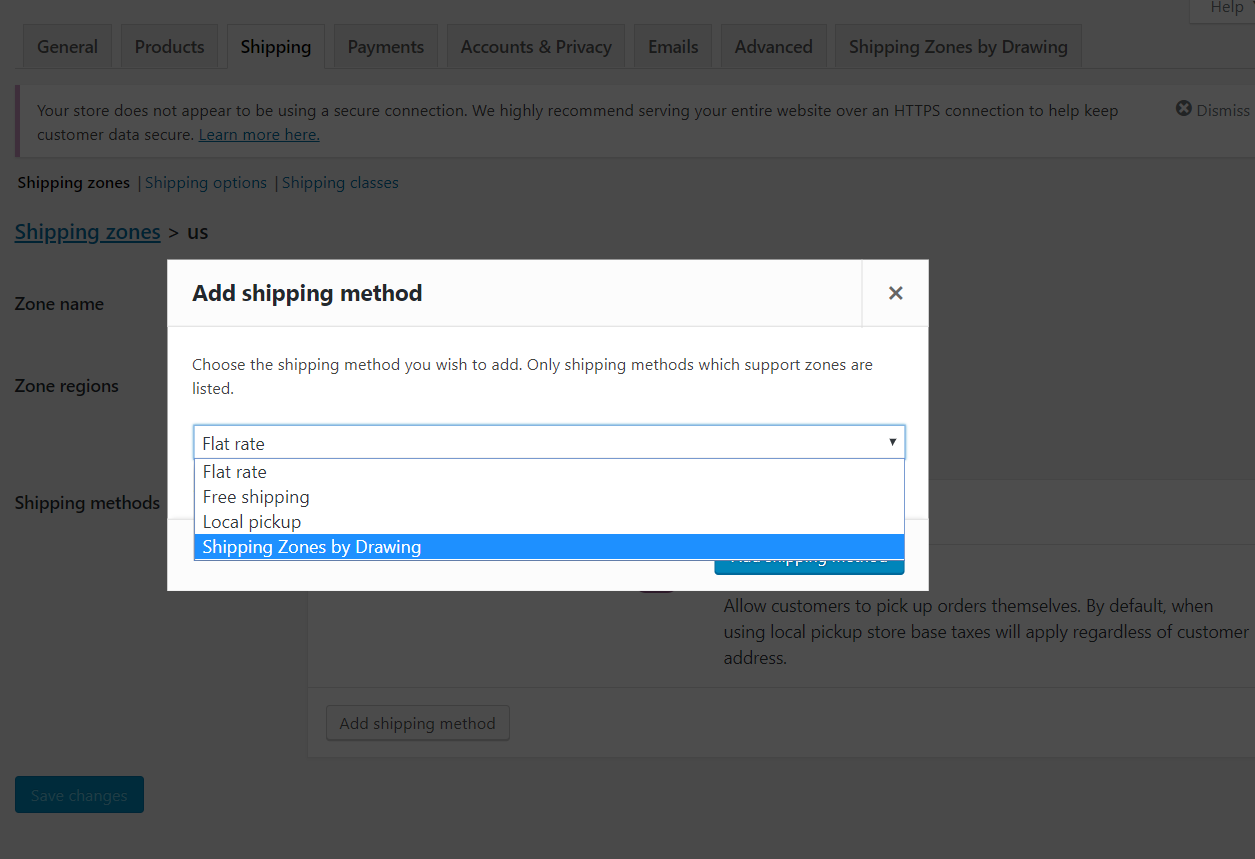
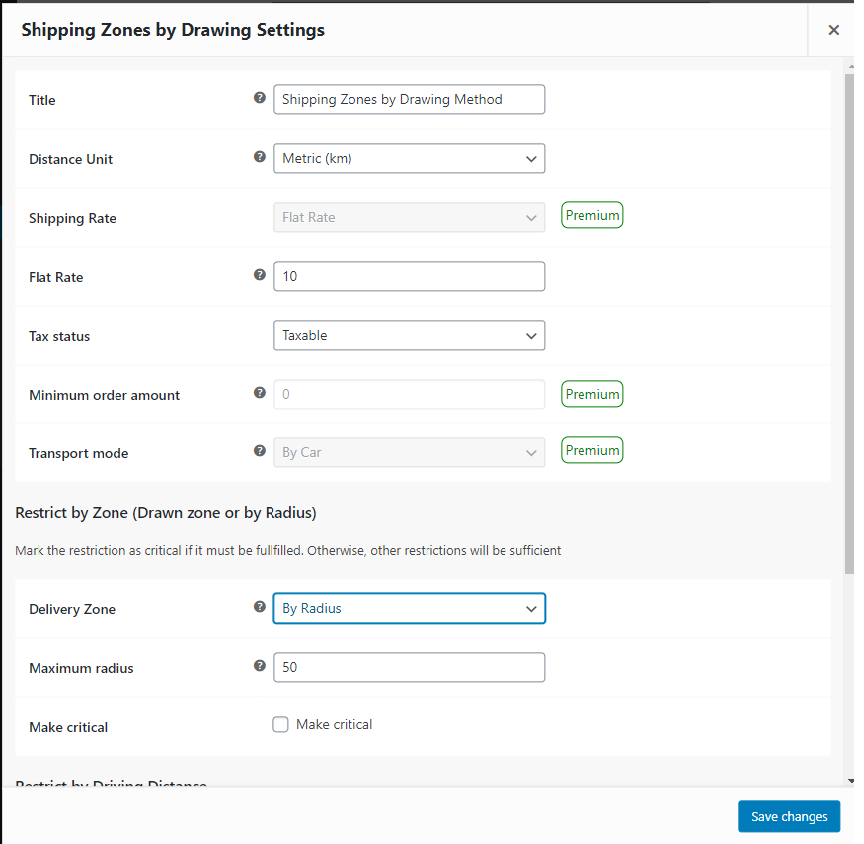
Postcodes are a blunt tool. One postcode can cover the street around the corner and a village 30 minutes away. Shipping Zones by Drawing lets you draw the exact area you deliver to on a Google map and use it as a shipping method in WooCommerce. Only addresses inside your zones can choose delivery, and each zone can have its own price.
It is made for local delivery: restaurants and takeaway, grocery and farm shops, florists, bakeries and stores with more than one location.
Works with both the classic checkout and the WooCommerce block checkout.
Key features
- Draw your own delivery zones on a map, following rivers, coastlines or highways instead of postcodes
- Radius zones around your store location
- Import zones from a KML polygon
- Flat rates with WooCommerce formulas ([qty], [cost], [weight], [fee]) and shipping class costs
- Restrict shipping methods by product categories
- Checkout map where customers can pick the precise delivery point, and a Google Plus Code field for places without a street address (free version: shown when Google can’t find the address)
- Choose road map, satellite or hybrid, and style the checkout map with your own Google Map ID
- Show your delivery zones and radius circles on any page with the [szbd] shortcode
- The picked delivery location is saved with the order, with a link that opens it in Google Maps
- Server mode for robust shipping filtering, required for the block checkout
- Integrations with Check My Address, Check My PostCode and Food Online
Free vs Premium
The free version on WordPress.org includes:
- Up to 5 drawn delivery zones
- Radius zones around your store
- KML import
- Flat rates and shipping class costs
- Restriction by product category
- Checkout map and Plus Code when Google can’t find the address
- [szbd] delivery map shortcode
- Classic and block checkout
Premium includes everything in the free version, plus:
- Unlimited drawn delivery zones
- Shipping cost by driving distance, or a fixed rate plus a distance charge
- A fixed rate inside an included radius, plus a charge per kilometre or mile beyond it
- Limit a method by real driving distance or time, by car or by bike
- Minimum order amount and coupon free shipping per method
- Multiple shipping origins, so each method starts from the right store or warehouse
- Show only the lowest cost shipping method at checkout
- Checkout map and Plus Code always available at checkout
- Map marker on the geolocated address and on returning customers’ saved location
To learn how WooCommerce shipping zones and methods work, see the WooCommerce Shipping Zones Documentation. Remember that drawn shipping areas are added as shipping methods in WooCommerce.
Works with our other plugins
Shipping Zones by Drawing works together with these plugins from Arosoft:
- Food Online for WooCommerce – turn your store into a food ordering site with delivery and pickup.
- Check My Address for WooCommerce – let customers check if their address is inside your delivery zones before they order.
- Check My Postcode for WooCommerce – let customers check if their postcode is within your delivery area.