

SherloQ API Form Feeds
v2.2.0sherloq · 2019年12月19日 上架
Sends contents of form submissions to the SherloQ API. Supports Contact Form 7 and Gravity Forms.
- 正在使用
- 80+
- 评分
- 暂无
- 累计下载
- 3,883
- 最近更新
- 2026年6月19日
 Christina
 Carol
 Mike
 chrishilliard26
截图
SherloQ powered by IBM Watson
The SherloQ plugin allows you to send leads directly from third-party form plugins to SherloQTM.
Currently supports:
* Contact Form 7
* Gravity Forms
Your form submissions will be displayed in the SherloQ app, Dashboard, or custom CRM in real time.
SherloQ powered by IBM Watson provides actionable intelligence for paid and organic search advertising as well as advanced machine learning and automation that feed back into Google Adwords and other advertising platforms, dramatically improving both ad and website performance.
Features:
- Filters out Javascript and HTML that may be present in form submissions.
- Parses Google query strings
- Includes log visibility to assist you with any issues that may arise.
Download the SherloQ app from Google Play or the App Store and create an account in order to begin, or if you are working on behalf of a client, fill out the developers request form here:
https://www.sherloq.app/developers
Your username is the email address used in registration.
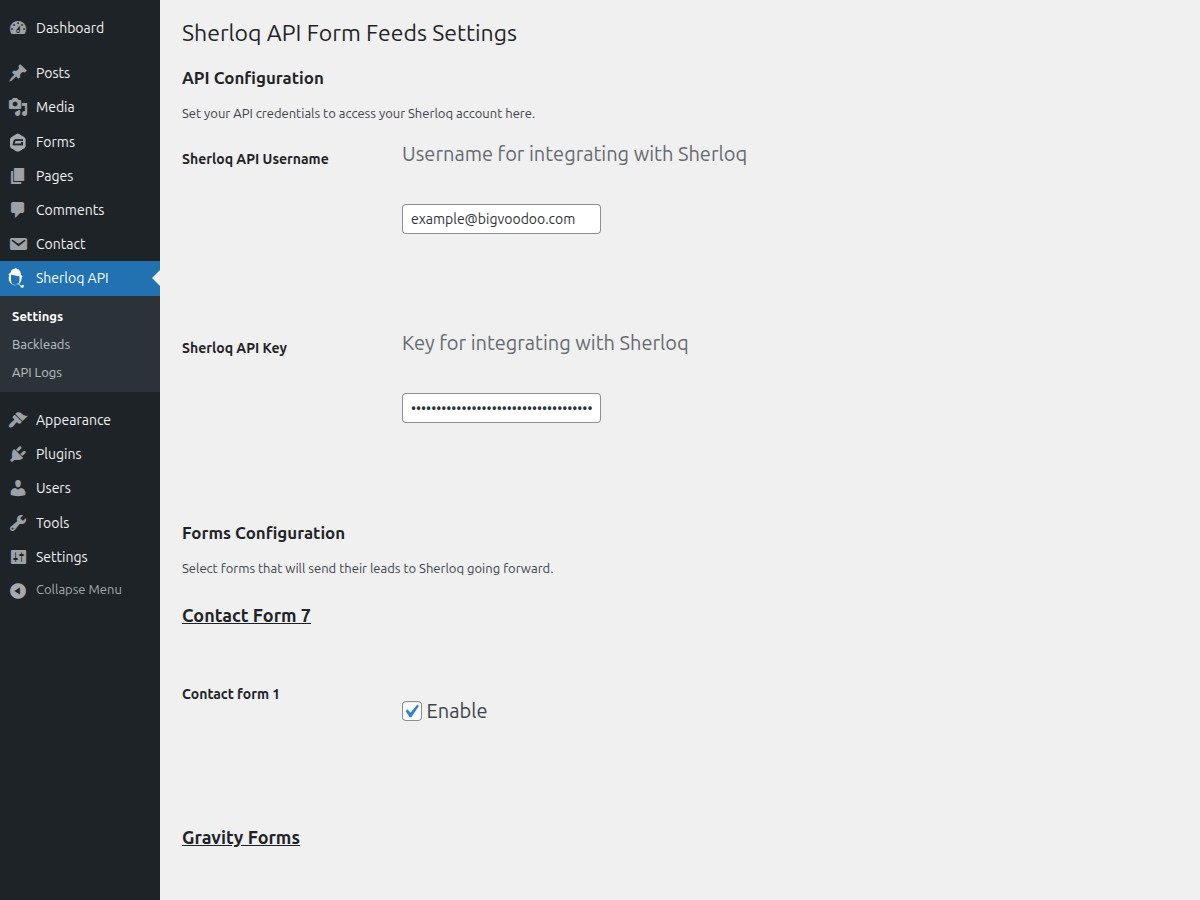
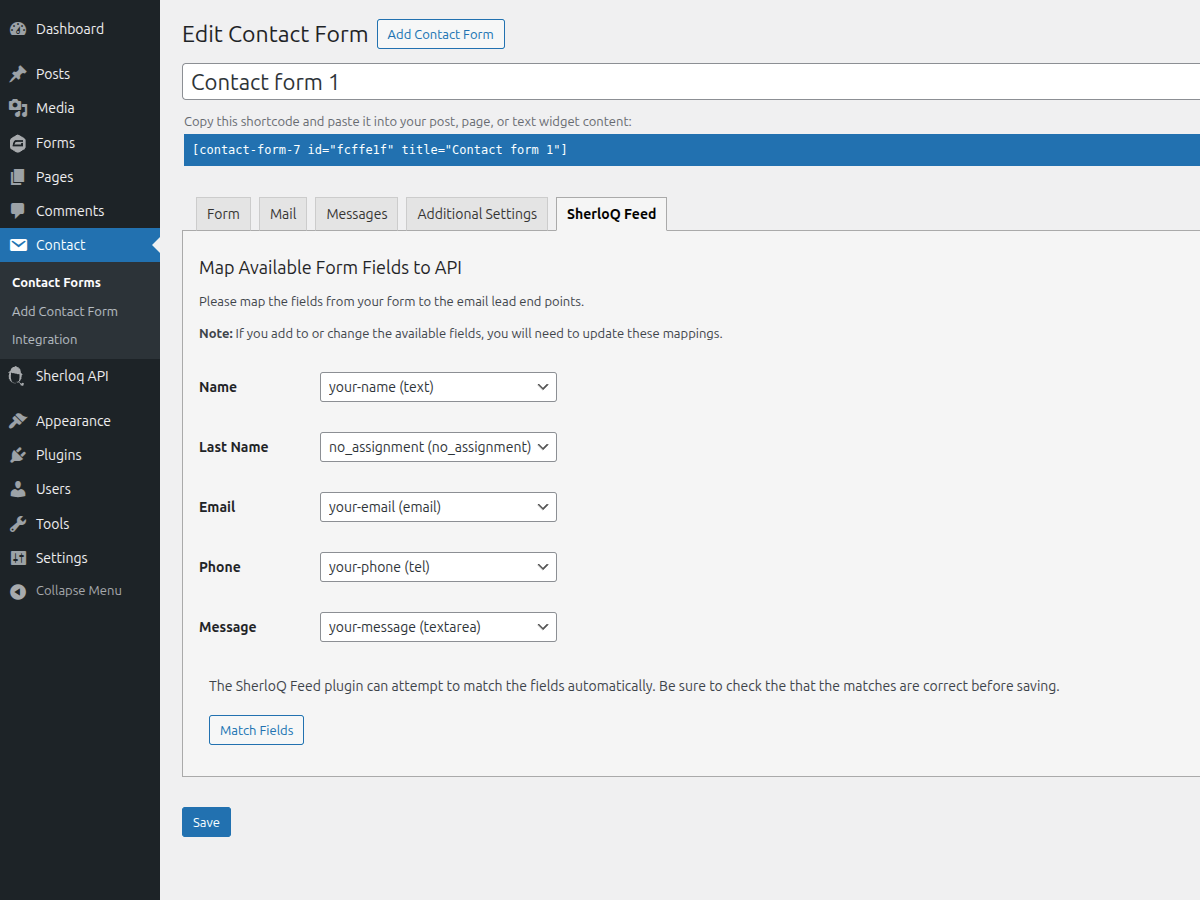
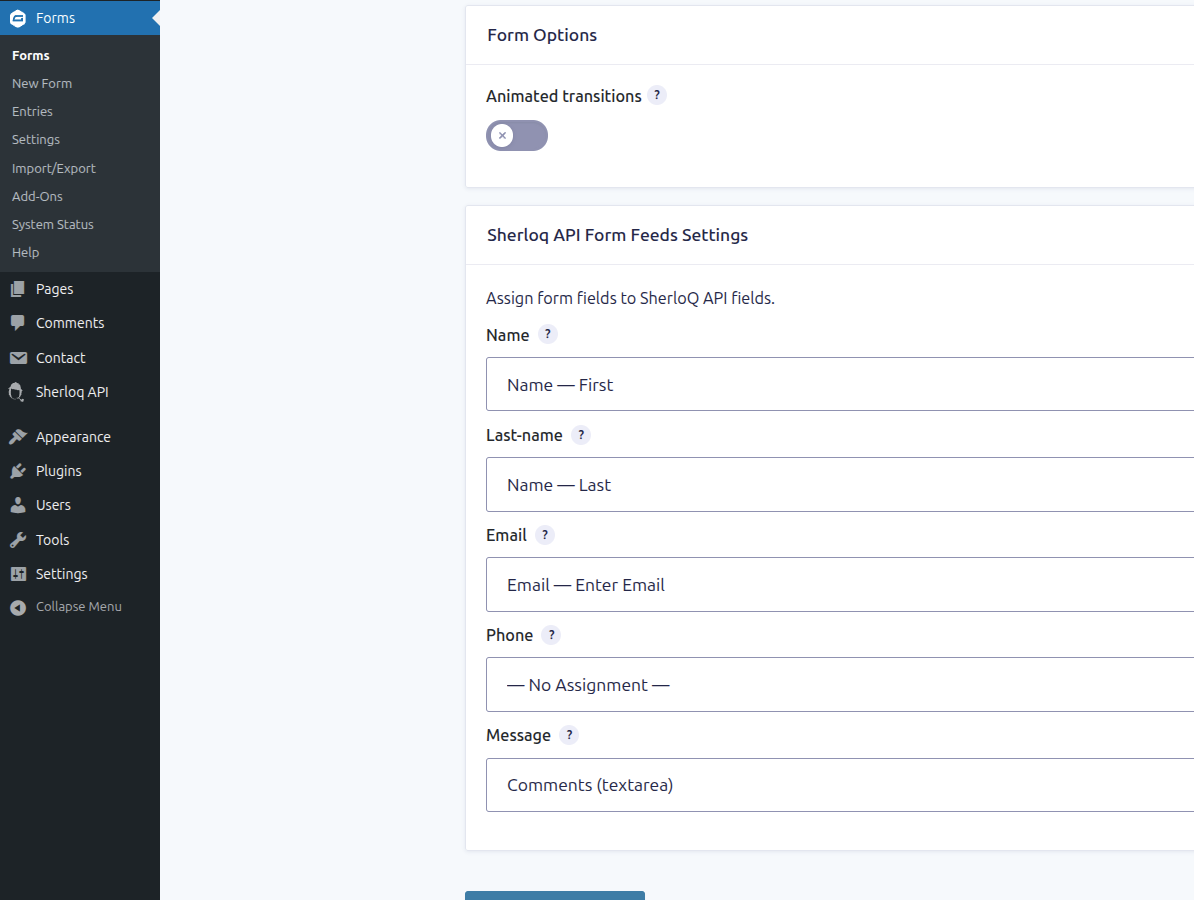
Once your account has been created, a SherloQ customer support representative will contact you to provide a free API key. Your username and API key will be required during plugin setup. Then, simply select the form(s) you want to link to SherloQ on the SherloQ Integration page in the WordPress admin, and map your form fields to SherloQ’s field names in Contact Form 7’s form settings tab. That’s all there is to it.
Requirements:
- Registration with the SherloQ app
- A username, created during registration
- An API Key, provided by SherloQ customer support, after registration.