
Shabnam Tornado Database Maintenance
v2.5.0SHABNAM · 2026年8月14日 上架
Inspect, back up, clean, and repair WordPress databases with safe cleanup, extension detection, and controlled reindexing.
- 正在使用
- 10 以下
- 评分
- 暂无
- 累计下载
- 432
- 最近更新
- 2026年11月13日
贡献者
 SHABNAM
截图
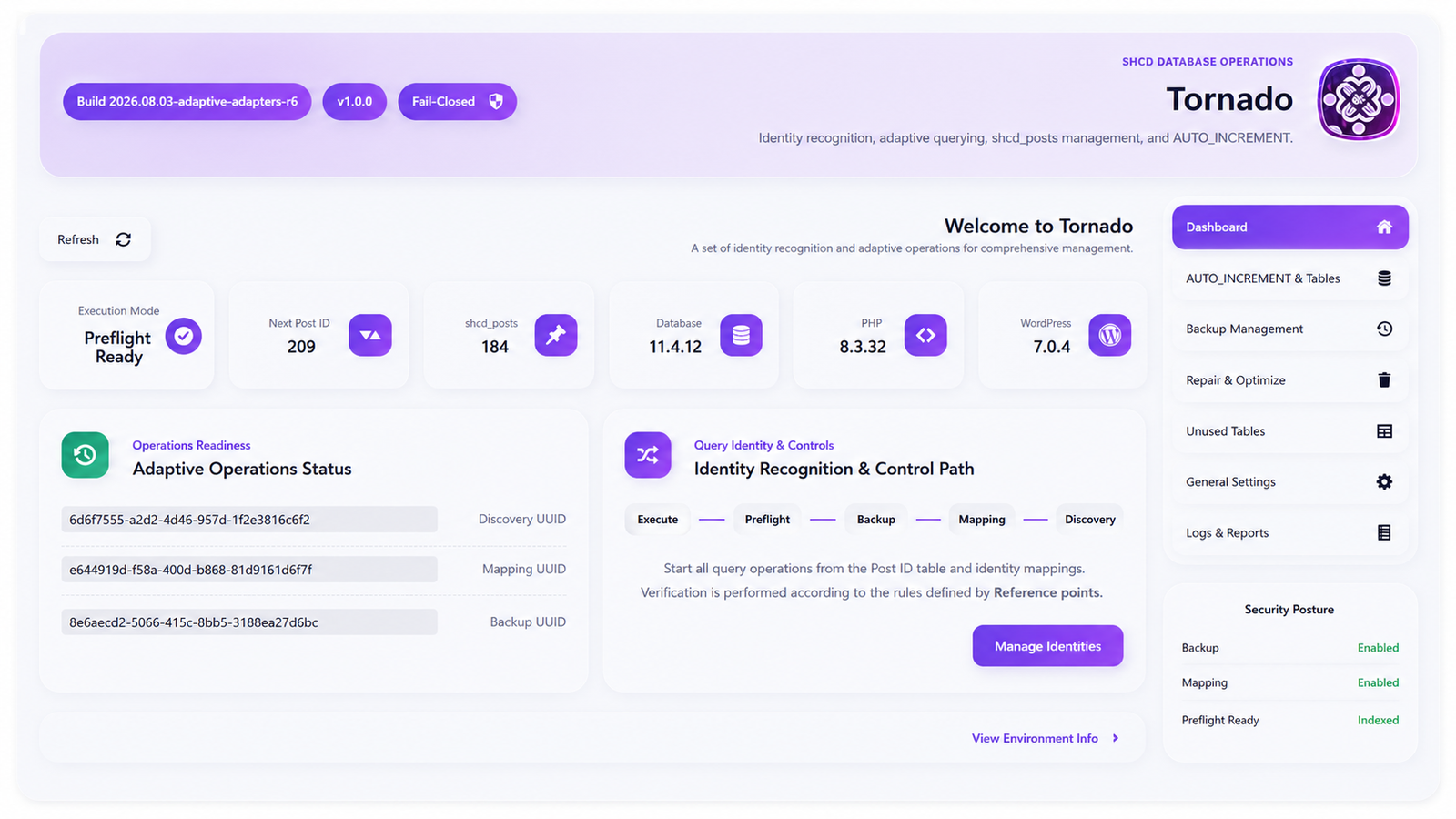
Shabnam Tornado Database Maintenance is a WordPress database inspection, cleanup, backup, integrity, and recovery toolkit. It combines routine database housekeeping with advanced maintenance engines, while protecting destructive actions with previews, verified backups, ownership evidence, and live dependency checks.
Tornado reads active table names through $wpdb and supports custom database prefixes, including shcd_. It does not assume the default wp_ prefix. This readme documents version 2.5.0.
Administration Languages
Tornado follows the language of the current WordPress administration user. Persian, English, and Arabic translations are included. Change the Language field in your WordPress user profile to select the administration language; Tornado has no separate language setting. When the profile uses the site default, WordPress supplies that language. Other locales fall back to English.
English uses a left-to-right layout. Persian and Arabic use right-to-left layouts. Interface labels, cleanup controls, supported report messages, errors, and number formatting follow the selected administration locale. Content titles, table names, option keys, UUIDs, confirmation tokens, and numeric form values retain their original values.
Translations are bundled as compact, request-local PHP catalogs. Canonical English gettext calls remain available to WordPress translation tools and installed language packs. Persian uses its original source text plus a small set of overrides; Arabic shares the English message order instead of repeating source keys. Editing and build formats are excluded from the installable package. Language selection does not create an additional database table or send text to an external service. Only JavaScript labels and formatted-error fallbacks are included in the browser configuration.
Database Discovery
Tornado inspects tables, columns, indexes, storage engines, and available foreign-key metadata through INFORMATION_SCHEMA. Its inventory considers active and inactive plugins, must-use plugins, drop-ins, themes, WordPress Core tables, and other database tables. Ownership assessment combines installed paths, recognized namespaces, table families, runtime signals, and independent evidence where available. A table-name match alone is not proof of ownership. Unknown ownership or unreadable dependency metadata is treated conservatively; unfamiliar tables are not automatically considered unused.
Intelligent Maintenance Engines
The 2.x architecture includes coordinated components built into the plugin, not separate add-ons or external services.
- Extension Inventory Engine (ExtensionInventoryEngine): Inventories installed extensions, themes, Core tables, and database tables, then classifies protected owners, forensic candidates, and unknown tables.
- Ownership Evidence Engine (OwnershipEvidenceEngine): Assesses ownership using installed paths, namespaces, table families, runtime signals, and independent witnesses. A name match alone never authorizes deletion.
- Extension Forensics Engine (ForensicCleanupEngine, ExtensionCleanupService): Provides forensic inventory and bounded static ZIP inspection for removed-plugin and removed-theme residue. PHP source is inspected without execution.
- Residue Evidence Service (ResidueEvidenceService): Correlates historical theme identities, table ownership, private option/meta namespaces, and unregistered content to identify likely legacy residue.
- Smart Cleanup Orchestration Engine (SmartCleanupService): Coordinates verified backups, guarded migration, cleanup, extension-residue processing, table checks, uploads scanning, and final audit/compaction under a lock.
- Uploads Residue Scanner (UploadsResidueScanner): Checks removed-extension paths and database references, rejects unsafe trees and symlinks, applies size limits, and verifies moved files with SHA-256. Eligible files enter reversible private quarantine with a restore manifest.
- Adaptive Structured Reference Engine (AdaptiveStructuredReferenceEngine): Previews and transforms supported Post ID references in extension tables, including semantic ID columns, ID/type pairs, strict lists, and supported JSON or serialized structures. Unresolved references remain blocking.
- Table Dependency Inspector (TableDependencyInspector): Checks incoming foreign keys, views, attached triggers, and readable trigger-body references. Incomplete dependency metadata keeps a candidate protected.
- Database Audit and Compaction Services (DatabaseAuditService, DatabaseCompactionService): Compare row counts and allocated-size estimates, then optimize eligible tables under engine, size, and free-space rules. Skipped and failed tables are reported separately.
- Semantic Builder Assignment Engine (BuilderAssignment, BuilderRegistryService): Uses one policy for builder-reference discovery and repair. Matching numbers alone are not references; prices, stock, quantities, ratings, dimensions, counters, and cache values are excluded unless a supported field path proves an assignment.
Together, the engines provide a staged maintenance model: inventory and evidence identify likely ownership; forensic checks establish whether residue is attributable to a removed extension; backup and dependency checks gate destructive actions; and the audit records what changed. These components are built into Tornado and are not independently installed services.
Preview-first Cleanup
Preview-first cleanup supports WordPress and WooCommerce maintenance categories such as revisions, auto drafts, trash, autosaves, expired transients, orphaned metadata, broken relationships, selected order-related records, and eligible Action Scheduler data. Administrators can review candidate counts before deletion. Candidate ID sets are fingerprinted and checked again under the cleanup lock immediately before mutation.
Cleanup runs in bounded batches. If a query fails, a candidate changes, a parent record cannot be verified, or the preview no longer matches, the affected deletion stops. An incomplete check is never treated as proof that a record is safe to remove. Generic option/meta keys and ambiguous serialized references are not deleted based on a name match alone. High-risk candidates require review and are not preselected. Full revision purges, pending editorial revisions, and media-plugin-specific trash are excluded from unattended Smart Cleanup.
Smart Cleanup and Extension Forensics
Preview-first cleanup identifies supported WordPress and WooCommerce candidates before deletion. Categories include revisions, auto drafts, trash, autosaves, expired transients, orphaned metadata and relationships, and selected WooCommerce or Action Scheduler records. Candidate ID sets are fingerprinted and revalidated under the cleanup lock. Failed queries or changed candidates stop the affected deletion.
Smart Cleanup coordinates inventory, preview, verified private backup, eligible cleanup, extension-residue analysis, dependency checks, uploads scanning, final compaction, and before/after reporting. An orchestration lock prevents incompatible destructive workflows from running concurrently. Required backup, baseline-audit, ownership, and dependency checks fail closed when they cannot be completed. Sub-services defer compaction so Smart Cleanup can run one final eligible optimization pass. Installed extensions, shared data, commerce records, ambiguous ownership, and unresolved dependencies remain protected. Full revision purges, pending editorial revisions, and media-plugin-specific trash are excluded from unattended cleanup.
Extension Forensics investigates residue left by removed plugins and themes. It correlates WordPress deletion records, installed-extension inventory, historical theme identities, table namespaces and families, option/meta keys, independent row-level ownership evidence, custom post types, taxonomies, WP-Cron, Action Scheduler, theme CSS/templates, and supported plugin registry data. Optional ZIP inspection is static and bounded: archive size and paths are limited, path traversal and symlinks are checked, and PHP source is parsed without execution. ZIP inspection is optional because database inventory, removal manifests, table-family evidence, and ownership witnesses can also support a finding. A table-name match or inactive status alone never authorizes deletion. Eligible tables require a fresh checksum-verified backup and successful live dependency checks. Automatic residue cleanup is skipped on Multisite when shared ownership is unclear.
Uploads, Audits, and Backups
The uploads scanner checks exact top-level paths associated with removed extensions and searches supported database locations for references, including Options, Posts, Post Meta, User Meta, Comment Meta, Term Meta, WooCommerce HPOS order meta, and supported legacy order-item metadata. Paths still referenced by database records are preserved. The scanner rejects unsafe trees and symlinks, applies file-count and size limits, and verifies moved files with SHA-256. Eligible files are moved to reversible private quarantine beside the verified backup and recorded in a restore manifest; uploads are not permanently deleted. WooCommerce download/invoice paths, referenced, ambiguous, unmatched, and other protected business-data paths remain untouched. Quarantine is skipped if private writable storage cannot be verified.
Database audits compare table counts, exact COUNT(*) row totals where readable, and INFORMATION_SCHEMA estimates for allocated data and index space. A complete baseline is required before supported destructive manual cleanup. Incomplete scans are marked partial and unknown counts are not reported as zero; confirmed dropped tables are reported as zero rows after deletion, including tables that were already empty. Allocation figures are estimates, not the full physical database-directory footprint, and concurrent site activity can affect deltas. OPTIMIZE TABLE is limited to eligible changed tables under engine, size, and free-space rules. Smart Cleanup defers sub-service compaction and performs one final eligible pass.
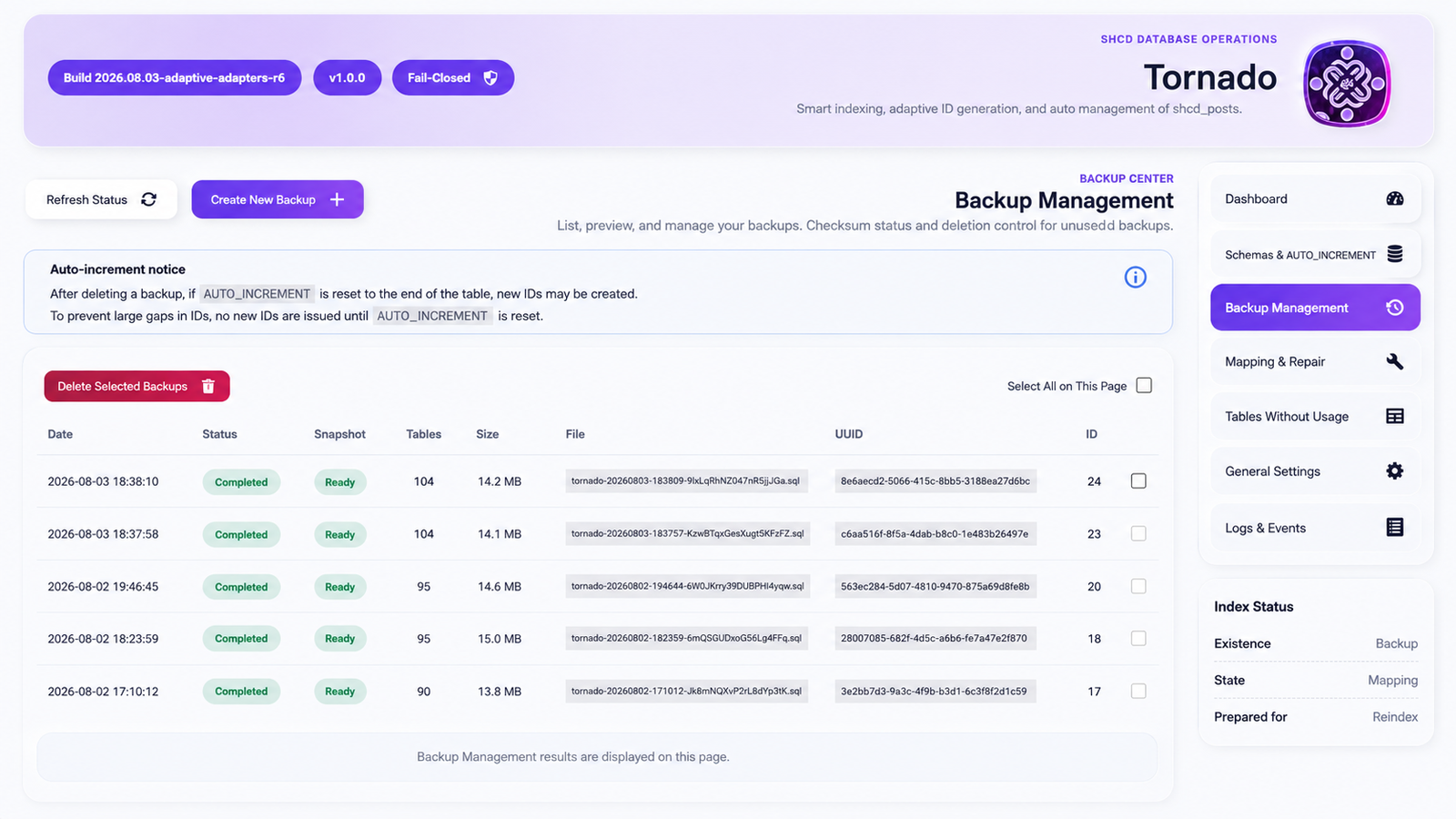
Logical SQL backups are stored locally and verified with SHA-256. The default location is a protected Tornado-owned directory below wp_upload_dir(), with a persisted random storage token, restrictive access controls, and server deny files. Administrators can configure SHCD_TORNADO_DBM_BACKUP_DIR for custom storage. Backup records include schema and Posts ID fingerprints, consistency status, and storage classification. Reindex accepts a backup only when the required snapshot and protected-storage checks pass. Full database restore is provided through WP-CLI rather than a browser request to reduce timeout and connection-loss risks. Backups may contain the complete database and must be treated as sensitive data.
Revision Archive and ID Maintenance
The independent revision archive stores supported snapshots in Tornado’s typed records store. Depending on policy, it can capture final Elementor editor and metadata saves, deduplicate snapshots, apply per-post retention, and remove eligible orphan snapshots after permanent post deletion. It excludes derived CSS and cache data and does not replace Elementor’s complete editor history or a full site backup.
Generic AUTO_INCREMENT normalization does not lower counters. Explicit counter repair can set supported Core and WooCommerce counters to MAX(ID)+1 after a fresh private backup and live verification. It does not change existing row IDs or fill interior gaps, but deleted tail IDs may become reusable.
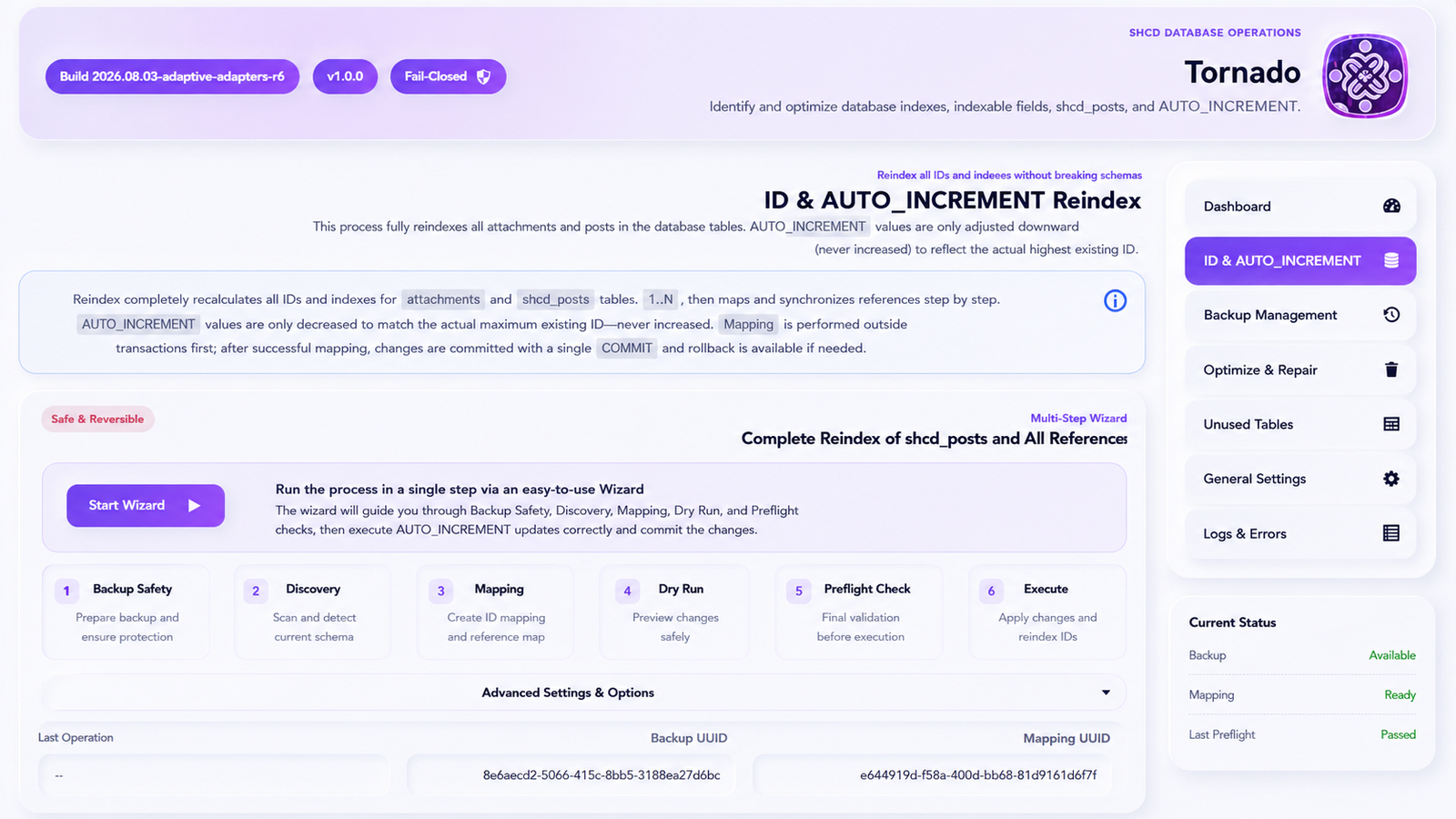
The optional Post ID Reindex workflow creates a dense 1..N sequence for the active $wpdb->posts table. Mapping priority is pages, posts, products, variations, other content, attachments, then revisions, preserving ascending old-ID order within each group. The Posts table is the source of truth for the sequence; adapters synchronize registered references but do not choose new IDs. An immutable Old ID to Temporary ID to Final ID mapping moves primary keys and supported references in two phases to avoid collisions. Execution requires matching Discovery, Mapping, and Backup fingerprints, supported transactional tables, successful Preflight, administrator capability, a session-bound one-time authorization, and explicit confirmation. The workflow checks row counts, reference parity, sequence boundaries, zero gaps, and the final AUTO_INCREMENT value. Reindexing is disabled by default and is not needed for ordinary cleanup, backups, revision retention, orphan checks, integrity reporting, or counter maintenance.
Compatibility, Storage, and Safeguards
Tornado combines dedicated adapters with conservative adaptive detection. It evaluates semantic ID columns, ID/type pairs, strict ID lists, supported JSON or PHP-serialized paths, and explicit foreign keys to the active Posts table. Detection considers column type and name, mapping intersection, row resolution, table scope, and compatible post types. Structured handling covers selected WordPress Core, WooCommerce, Elementor, Gutenberg, and Rank Math relationships. Unsupported, proprietary, remote, encrypted, binary, free-text, or ambiguous references are not guessed; unresolved references remain visible for review and can block Reindex. A registration hook supports site-specific adapters. The 2.4.1 builder policy excludes unrelated numeric values unless a supported field path establishes a genuine assignment.
After verified legacy migration, Tornado uses three operational tables based on the active prefix: shcd_tornado_jobs for job state, shcd_tornado_mappings for Reindex mappings, and shcd_tornado_records for typed discoveries, backups, logs, reports, and supported revision snapshots. These are three separate tables, not one shcd_tornado table.
Destructive operations use applicable previews, candidate fingerprints, backup verification, capability checks, nonces, one-time authorization, typed confirmation, locks, ownership revalidation, and live dependency checks. Tornado sends no site data to an external service and includes no telemetry. Operational records, backups, and quarantined uploads stay local and may contain sensitive data.
Tornado requires WordPress 7.0 or later and PHP 8.3 or later. Network-wide Multisite Reindexing and WooCommerce HPOS order-ID reindexing are unsupported. Automatic extension-residue cleanup is skipped where Multisite ownership is unclear. IDs stored outside the current WordPress database cannot be discovered reliably. Test Smart Cleanup, table removal, counter repair, and Reindexing on staging before production use.