

ShapeBlock – Powerful Gutenberg Blocks to Build Better Websites Faster
v1.1.1ShapeKode · 2026年10月11日 上架
80+ Gutenberg blocks with Pro - sliders, grids, tabs, counters and more - plus a Header & Footer Builder, with per-device controls.
- 正在使用
- 10+
- 评分
- 暂无
- 累计下载
- 1,070
- 最近更新
- 2026年11月22日
贡献者
 ShapeKode
截图
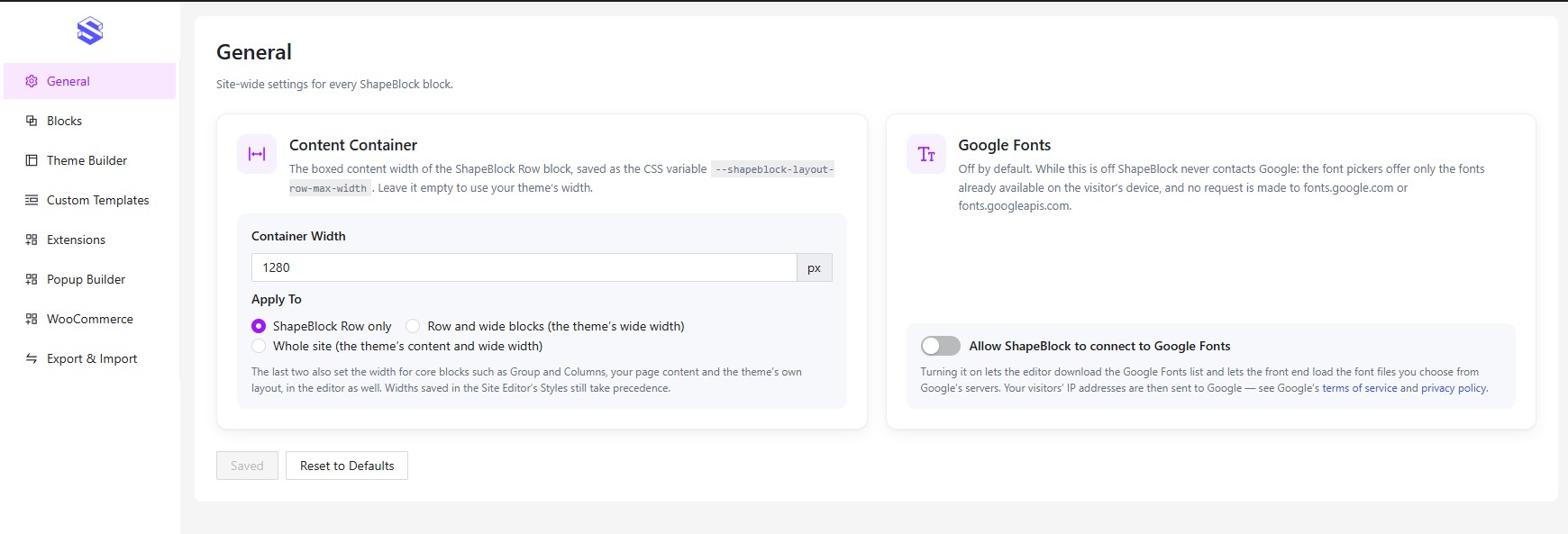
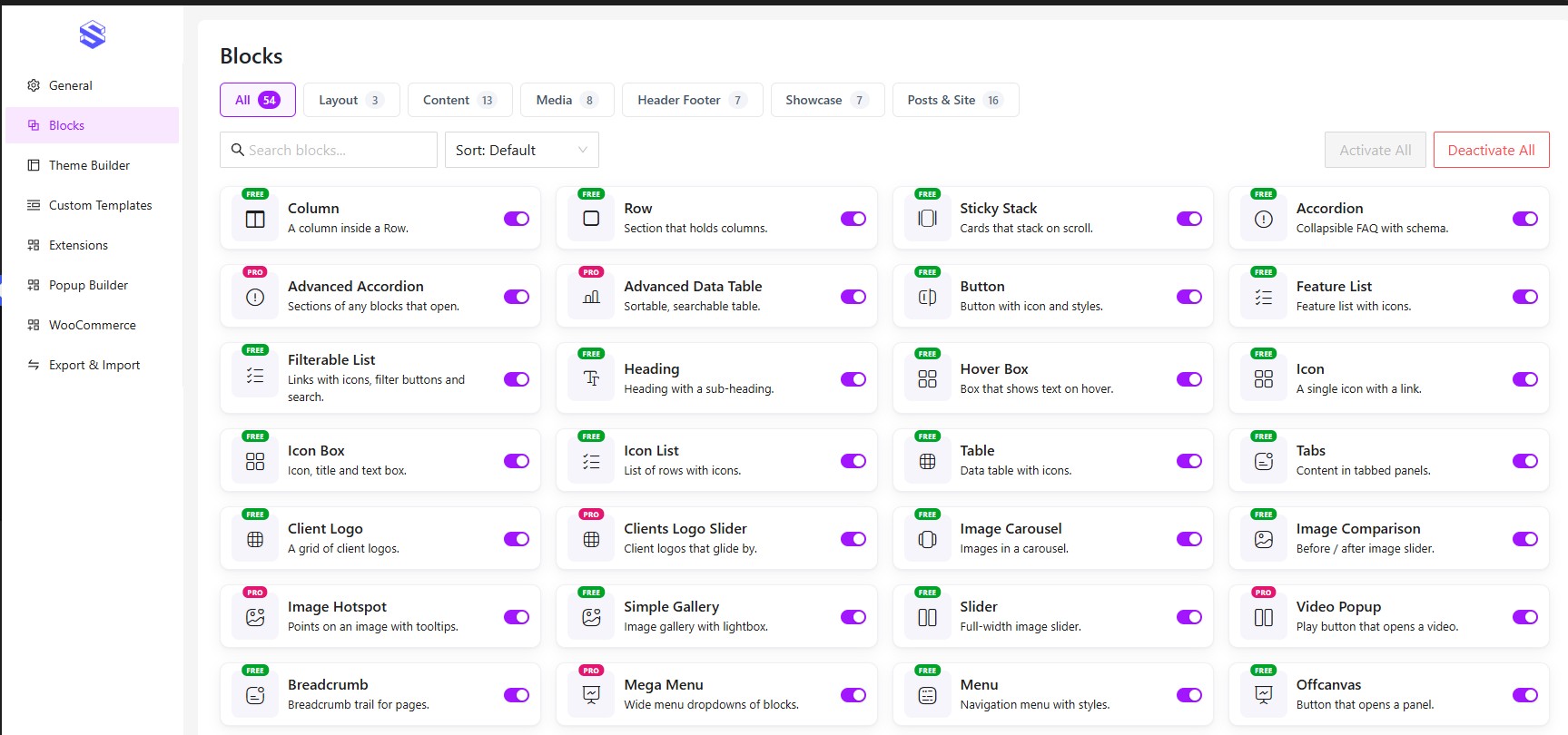
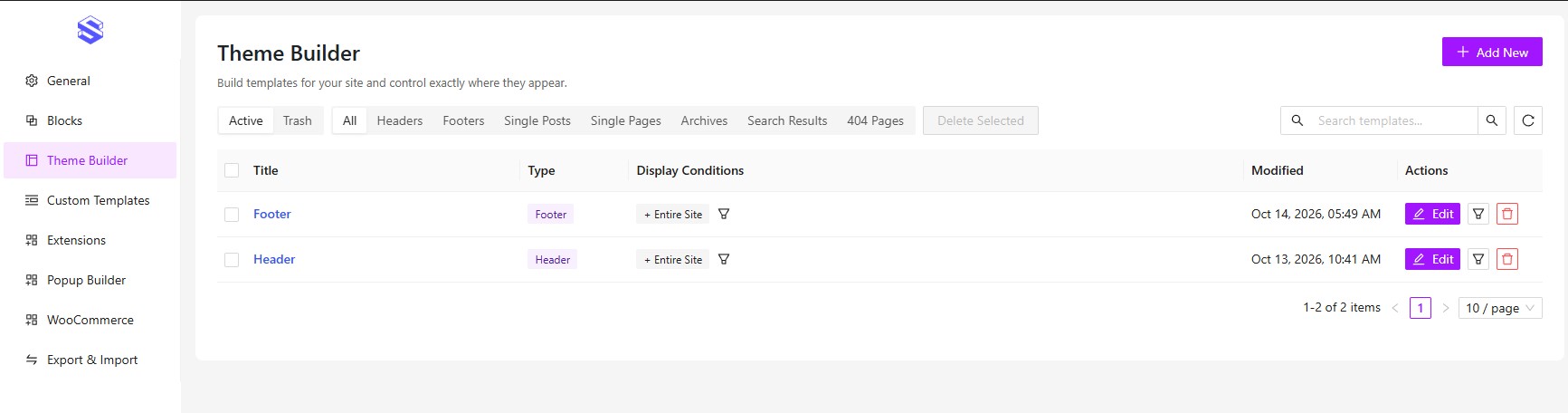
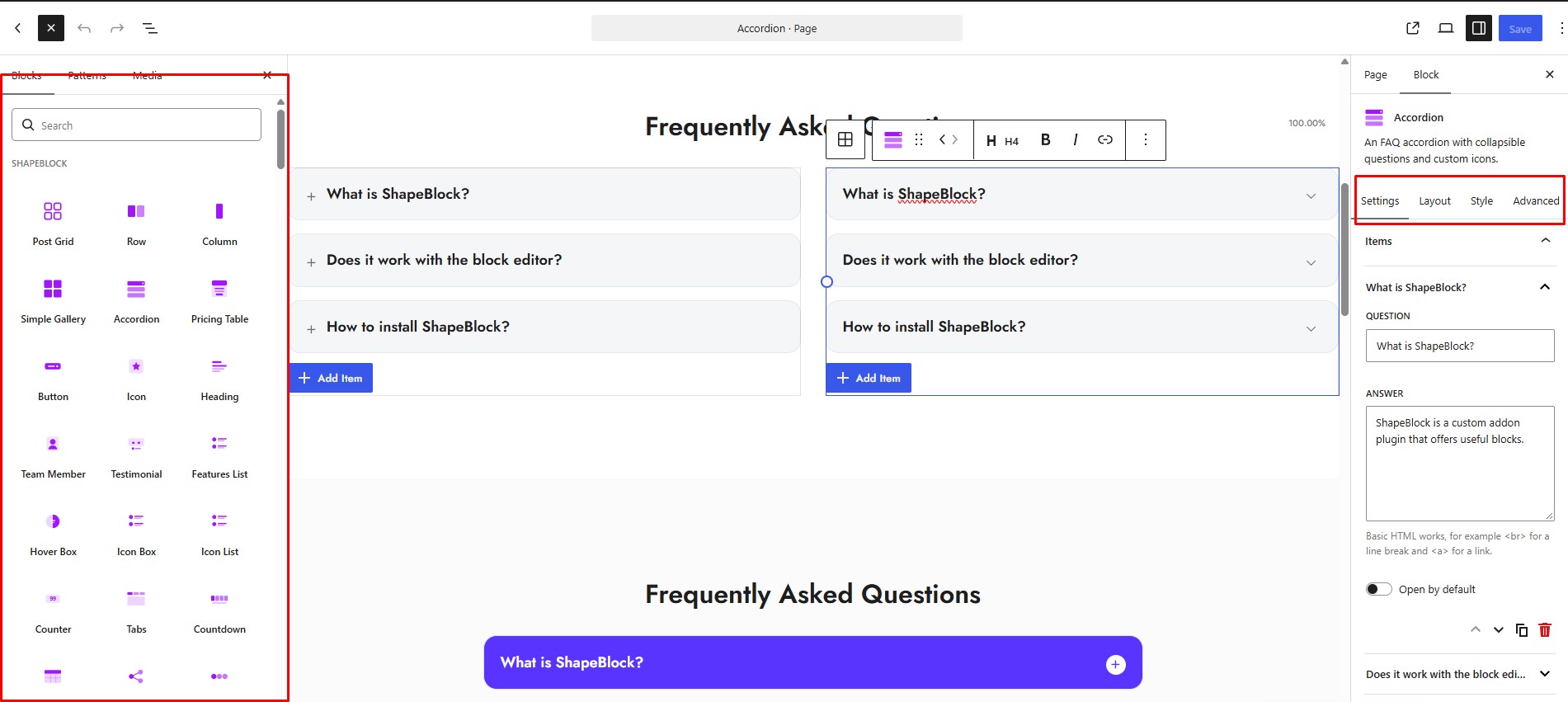
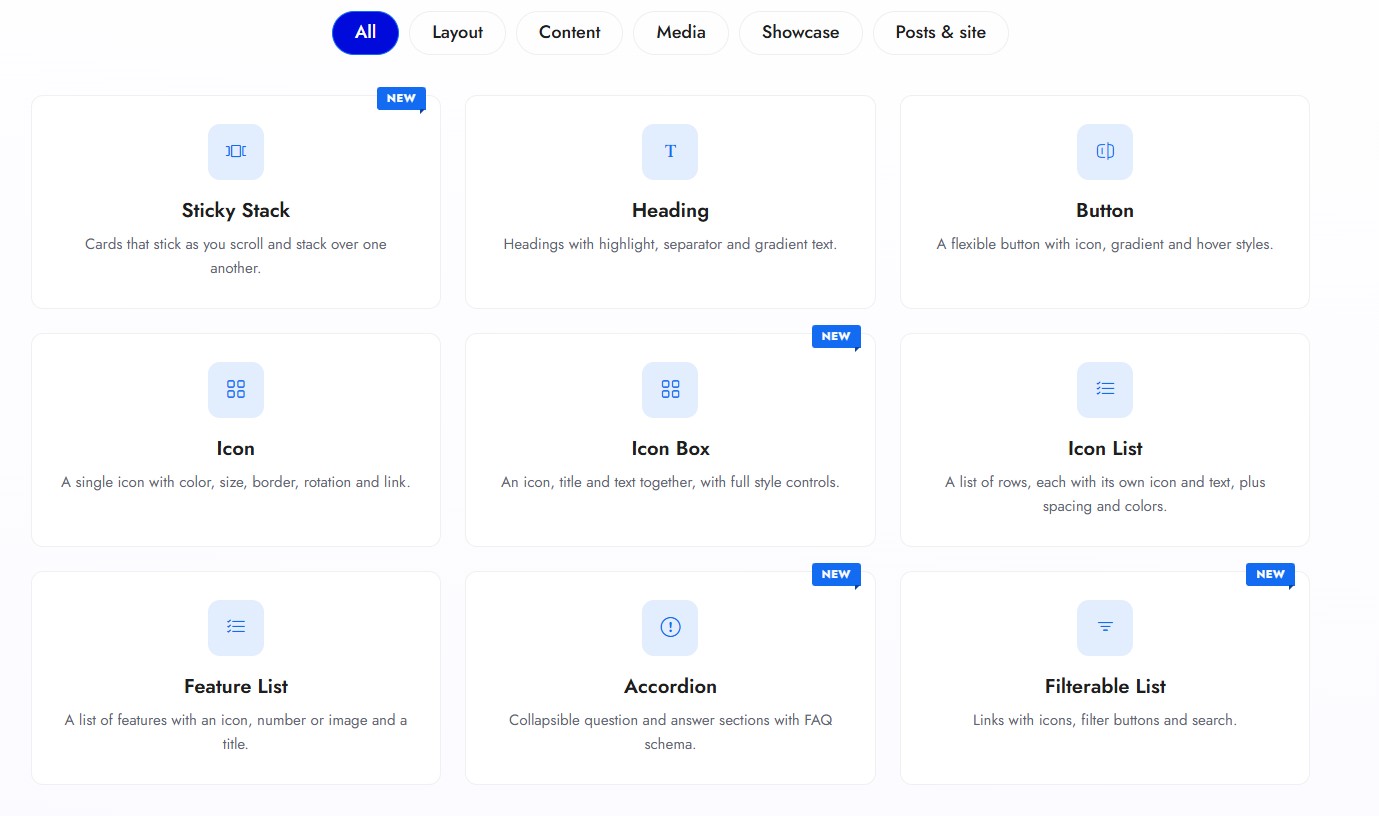
ShapeBlock adds 80+ blocks with ShapeBlock Pro to the WordPress block editor, plus a Header & Footer Builder.
Every block has the same three tabs: Settings for the content, Layout for columns, alignment and spacing, and Style for colours, typography, borders, shadows and hover effects. Sizes, spacing and columns can be set separately for desktop, tablet and mobile.
Demo | Docs | Roadmap | Upgrade to Pro
Starter Templates
Import a complete website – pages, header, footer, menu and images – in a few clicks from ShapeBlock > Templates, or add a single page, section, header or footer from the Templates button in the block editor. Preview each template on desktop, tablet and phone first. See how it works, step by step:
Key Features
- 80+ blocks with Pro for layouts, content, media, navigation and marketing.
- Starter Templates – import a complete website or a single ready-made page in a few clicks.
- Header & Footer Builder with Include and Exclude display conditions, for classic and block themes.
- Fully responsive – separate desktop, tablet and mobile values, and hide any block per device.
- Full design control – typography, gradients, borders, shadows, spacing and a built-in icon picker.
- Custom Templates – build a layout once and reuse it anywhere with a shortcode.
- Lightweight – each block loads its files only on pages that use it, and unused blocks can be switched off.
- Export & Import – move your settings and templates between sites in one file.
- Privacy friendly – no tracking unless you opt in, no CDN, and Google Fonts stays off until you turn it on.
Want more? Upgrade to ShapeBlock Pro
ShapeBlock Pro adds 42+ more blocks (80+ blocks with the free ones): 32 Pro blocks, 8 animation blocks and 3 WooCommerce blocks, plus 2 builders and 9+ extensions:
- Theme Builder – design single posts, pages, archives, search results and the 404 page with 13 dynamic blocks.
- Popup Builder – popups built with blocks, opened on page load, on scroll, on exit intent or on a click.
- Mega Menu – wide dropdown panels built from any blocks.
- WooCommerce Builder – your own product, shop, cart and checkout pages, plus Product Grid and Product Carousel.
- Motion Effects – entrance, scroll and mouse animations for any block.
- 8 animation blocks – Animation Title, Typewriter, Rotating Text, Scroll Text, Horizontal Scroll and more.
- Display Conditions – show or hide any block by user, role, date, time, page or device.
- Custom Code – Google Analytics, Tag Manager, a pixel or a live chat in your header or footer, without editing a theme file.
- Marquee, Table of Contents, Image Hotspot, Flip Box, Hero Slider, Timeline, Advanced Data Table and more Pro blocks.
Free Blocks
- Accordion – Collapsible question and answer sections.
- Breadcrumb – Shows visitors where they are on the site.
- Business Hours – Opening hours for each day, with today highlighted and an Open now or Closed now badge that follows the site time.
- Button – Buttons with icons, sizes and hover styles.
- Client Logo – A grid of client or partner logos with links, grayscale and hover-swap.
- Column – A column inside a Row, with its own width per device.
- Contact Info – Phone, email, address and more, each linked to the right app.
- Countdown – Counts down to a date and time.
- Counter – Animated number counters.
- Divider – Lines between sections, with text or an icon in them.
- Drop Caps – A paragraph that opens with a large first letter, in four styles, with optional columns.
- Features List – Feature lists with icons.
- Filterable List – A list of links with icons, filter buttons, badges and a search box.
- Google Map – A Google map of one place or several, with a list of the places, directions links and a gray, dark or warm look.
- Heading – Headings with typography, gradient and highlight options.
- Hover Box – An image or icon in a circle or square that shows a title and description on hover.
- Icon Box – Icon, heading and text together, in several layouts, with an optional button (text, icon or icon only).
- Icon List – A list where each item gets its own icon.
- Icon – A single icon with colour, size and link.
- Image Carousel – Several images at once, with centred slides and continuous scrolling.
- Image Comparison – Before / after images with a draggable handle, labels and several handle styles.
- Isotope Filter – A filterable grid with category buttons and an optional search box.
- Menu – Shows a WordPress navigation menu with layout, alignment and colour options.
- Offcanvas – Slide-in panels for menus, sidebars or extra content.
- Paragraph – Text with its own colour, typography per device, alignment and highlighted words.
- Post Grid – Posts in grid layouts, with pagination.
- Pricing Table – Pricing plans with features, badges and a button.
- Progress Bar – Animated progress and skill bars.
- Row – A responsive row that holds Column blocks, boxed, full width or a custom width.
- Scroll Top – A back-to-top button.
- Search – A search field you can put anywhere.
- Simple Gallery – An image gallery with spacing and column controls, and a popup with a choice of animations.
- Slider – A full-width image slider with arrows, dots and autoplay.
- Social Icon – Linked social icons, coloured all together or one by one.
- Social Share – Share buttons for the current page.
- Sticky Stack – Cards that stick as you scroll and stack over one another.
- Table – Tables with styled headers, rows and cells.
- Tabs – Tabbed content with icons and a few tab styles to pick from.
- Team Member – Team members with photo, role and social links.
- Testimonial – Testimonials in three styles, with ratings, quote icons and logos.
Header & Footer Builder
Build your header and footer in the block editor – no child theme and no PHP. Then pick where each one shows up with display conditions: Entire Site, Front Page, All Pages, All Posts, All Archives, Search Results, 404 Page, or specific pages and posts. Any condition can be set to Include or Exclude.
It works with classic and block themes. Pages that match none of your conditions keep the theme’s own header and footer. There’s also a Custom Block type you can place anywhere with the [shapeblock_builder] shortcode.
ShapeBlock Pro
Everything above is free and stays free. ShapeBlock Pro is a separate add-on that works on top of this plugin. It adds 42+ blocks (32 Pro blocks, 8 animation blocks and 3 WooCommerce blocks), 2 builders and 9+ extensions.
Pro Blocks (32)
- Advanced Accordion – sections that hold any blocks.
- Advanced Button – buttons with eight hover animations.
- Advanced Data Table – sort, search and page through a table.
- Clients Logo Slider – logos in a carousel or endless marquee.
- Comparison Table – plans side by side with ticks and prices.
- Flip Box – a box that turns over on hover.
- Hero Slider – full-width slides with heading and buttons.
- Image Hotspot – markers on an image that open popups.
- Marquee – text, logos, icons or any blocks moving in an endless line.
- Masonry Gallery – photos packed into tight columns.
- Mega Menu – wide dropdown panels built from blocks.
- Post Carousel – posts as cards in a slider.
- Price Menu – names, prices and short descriptions.
- Rating – stars, a score and a short note.
- Table of Contents – a list of the page headings that marks the section on screen.
- Team Member Carousel – your team in a sliding row.
- Testimonial Slider – customer reviews with stars, photos and logos, in four layouts.
- Timeline – a story step by step along a line.
- Video Player – YouTube, Vimeo or your own video, inline or popup.
- Post Title – the title of every post (Theme Builder).
- Featured Image – the featured image of every post (Theme Builder).
- Post Content – the text and blocks of every post (Theme Builder).
- Post Excerpt – a short summary of every post (Theme Builder).
- Post Meta – author, date, categories and comments (Theme Builder).
- Post Categories / Tags – the terms of every post (Theme Builder).
- Author Box – the author with photo and bio (Theme Builder).
- Post Pagination – links to the previous and next post (Theme Builder).
- Post Comments – comments and the comment form (Theme Builder).
- Related Posts – more posts from the same category (Theme Builder).
- Archive Title – the title of blog and category pages (Theme Builder).
- Archive Description – the description of a category or tag (Theme Builder).
- Archive Posts – the posts of a blog, category or search page (Theme Builder).
Animation Blocks (8)
- Animation Title – rotating words, drawn highlights and entrance effects.
- Animation Text – text that comes in letter by letter.
- Typewriter Effect – words that type themselves.
- Rotating Text – text turning in a circle.
- Scroll Text – big text that slides as you scroll.
- Image Reveal Effect – an image uncovered by a curtain.
- Image Scroll Trigger – an image that zooms or moves on scroll.
- Horizontal Scroll – a row that moves sideways on scroll.
WooCommerce Blocks (3) – need WooCommerce
- Product Grid – your products in a grid.
- Product Carousel – your products in a slider.
- WooCommerce Builder – product, shop, cart and checkout pages from 15 blocks.
Builders & Extensions (11)
- Theme Builder – Single Post, Page, Archive, Search and 404 templates.
- Popup Builder – popups built with blocks, on load, scroll, exit or click.
- Motion Effects – entrance, scroll and mouse animations for any block.
- Display Conditions – show or hide blocks by user, date, page or device.
- Parallax Background – a row background that moves slower than the page.
- Copy Style – copy one block’s look and paste it on others.
- Preloader – a loading screen, with your own logo.
- Scroll to Top – a back-to-top button on every page.
- Smooth Scrolling – gliding scroll and a styled scrollbar.
- Custom Cursor – a dot and ring that follow the mouse.
- Custom Code – code in the header, after the opening body tag or in the footer, such as Google Analytics or a live chat.
Also in Pro: Post Grid Filter adds category tabs, Load More and infinite scroll to the free Post Grid.
Get ShapeBlock Pro
External services
ShapeBlock connects to an outside service only in the cases below.
Google Fonts (optional, off by default)
Only after you turn it on under ShapeBlock > General: font files load from Google (fonts.googleapis.com and fonts.gstatic.com), which receives the visitor’s IP address, and the editor’s font list is fetched once a week from fonts.google.com by your server. By Google LLC: Terms of Service, Privacy Policy.
Appsero (only if you allow it)
Only if you click Allow: once a week your site sends api.appsero.com its URL and name, the admin email, first and last name, the WordPress, PHP and MySQL versions, locale, theme, the number of users and of active and inactive plugins, and the server IP (looked up from icanhazip.com). Without Allow nothing is sent, except a deactivation reason you type, and only when you click Submit & Deactivate. Appsero Privacy Policy, icanhazip FAQ.
ShapeBlock template library (only when you open it)
Only when you open Templates in the block editor or ShapeBlock > Templates: your site asks the ShapeBlock template server (https://shapekode.com/product/shapeblock/demo-template/) for the list of templates and their preview images and, when you insert or import one, its block content. Importing a whole template can also download its demo content file (blog posts, media, menus) and its settings from the same server. The requests are made by your server and send your site’s address (as the request origin). If Copy images to Media Library is ticked, the template’s images are downloaded from the same server. Live previews open the template’s demo site in your browser. By ShapeKode: Terms of Service, Privacy Policy.
Gravatar (Post Grid author picture)
When a Post Grid shows the author picture, it loads from Gravatar, which receives the visitor’s IP. By Automattic Inc.: Terms of Service, Privacy Policy.
Google Maps (Google Map block)
On a page with a Google Map block, the map loads from Google Maps, which receives the visitor’s IP (with Load on Click, only after the visitor clicks). By Google LLC: Terms of Service, Privacy Policy.
Social Share and Social Icon links
Plain links to Facebook, X (Twitter), LinkedIn, Pinterest, WhatsApp, Telegram, Reddit and the other networks you add; nothing is sent until a visitor clicks one, and then that network receives the page address and title.
Source code and build process
Every compiled file in the plugin ships with its readable source right beside it, except the Menu block, which is written by hand and has no build step:
- Blocks:
includes/public/blocks/<block>/src/, built into thebuild/folder next to it. The Menu block is hand-written inincludes/public/blocks/menu/build/and has no build step. - Admin dashboard:
src/in the plugin root, built intobuild/. - Stylesheets:
assets/css/style.scss,includes/public/assets/css/public.scssandassets/lib/bootstrap/bootstrap-grid.scss, each built beside its source.
Built with @wordpress/scripts and Dart Sass. To rebuild: npm install, then npm run build and npm run build:<block> (all script names are in package.json).
Credits
ShapeBlock is licensed GPLv2 or later and includes these MIT-licensed libraries:
- Swiper 12.0.3 (https://swiperjs.com) –
assets/lib/swiper/LICENSE, unmodified release files. - Bootstrap 5.3 grid (https://getbootstrap.com) –
assets/lib/bootstrap/LICENSE, only the grid, recompiled with ashapeblock-prefix. - Ant Design 6 and Ant Design Icons (https://ant.design) –
assets/lib/antd/LICENSE, used only in the admin dashboard. - Bootstrap Icons 1.13.1 (https://icons.getbootstrap.com) –
includes/public/assets/font/bootstrap-icons-LICENSE.txt, the icons of the built-in icon picker. - Appsero Client 2.0 (https://github.com/Appsero/client) –
includes/appsero/LICENSE, the opt-in usage data client described under External services.
The icon fonts were made with Fontello (https://fontello.com). Our own icons are GPLv2 or later; three come from Font Awesome 4.7 and Elusive Icons under the SIL Open Font License 1.1 (https://openfontlicense.org), listed in includes/public/assets/icon/config.json, with the licence and notices in includes/public/assets/font/OFL-LICENSE.txt.