

Server IP Dashboard
v1.0.1Md Fahad · 2025年9月21日 上架
Show your server’s internal IP and external/public IP on the WordPress admin dashboard with a simple, secure widget.
- 正在使用
- 70+
- 评分
- 暂无
- 累计下载
- 833
- 最近更新
- 2025年12月22日
贡献者
 Md Fahad
截图
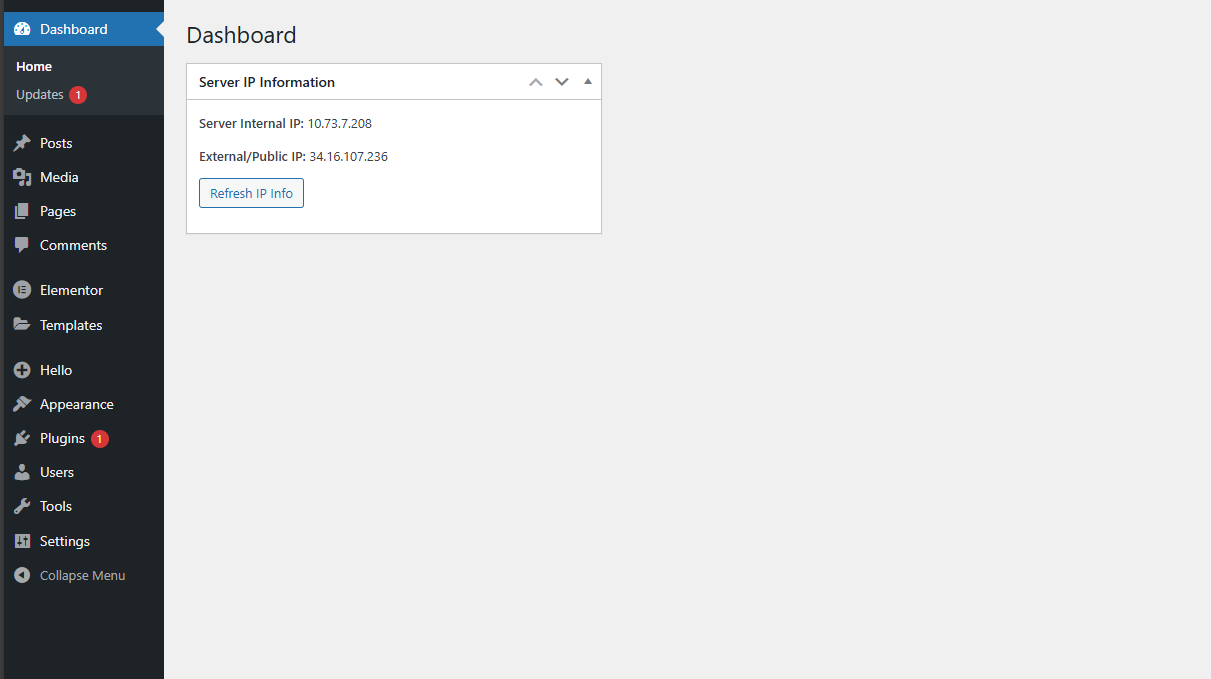
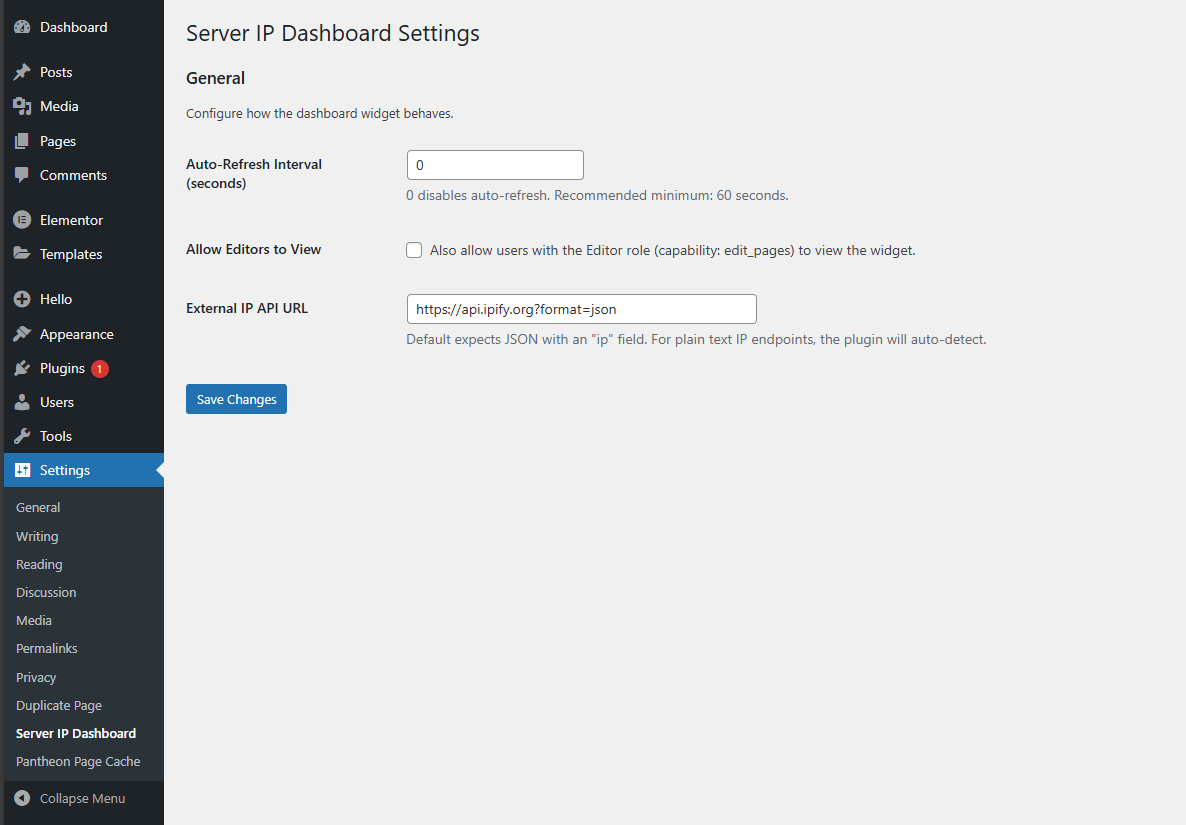
Server IP Dashboard displays your server’s Internal IP and External/Public IP directly on the WordPress admin dashboard.
Useful for administrators who need quick access to server IP information for debugging, firewall whitelists, or connectivity checks.
Features
- Shows Internal Server IP (from the PHP server environment)
- Shows External/Public IP (via ipify or a custom API)
- Dashboard widget with AJAX refresh (manual or auto)
- Settings page:
- Auto-refresh interval
- Optionally allow Editors to view
- Custom external API URL
- Admin-only by default, secure with capability checks and nonces
- Lightweight, no front-end output, no personal data stored
External Services
This plugin retrieves the site’s External/Public IP by making a server-side HTTP request to an external service.
- Default service: ipify
- API endpoint:
https://api.ipify.org?format=json - What data is sent: No request body is sent. Only standard HTTP headers (such as User-Agent) are included automatically by WordPress. The service sees the server’s public IP as the source of the request.
- When data is sent: Every time the dashboard widget refreshes (manually or on auto-refresh), or when you load the settings page if testing the API.
- Terms and Privacy:
- Terms of Service: https://geo.ipify.org/terms-of-service
- Privacy Policy: https://geo.ipify.org/privacy-policy
You may configure a different endpoint in Settings Server IP Dashboard. If you do, the terms and privacy policy of your chosen provider will apply.
Privacy
This plugin does not collect, store, or share any personal data. The only data transmitted externally is your server’s public IP address (and standard HTTP headers) to the configured external service (default: ipify) in order to retrieve the external/public IP.