

Serve Markdown
v1.0Azey · 2026年3月15日 上架
Serve Markdown versions of your posts and pages to AI agents and crawlers. Content negotiation, .md URLs, auto-discovery, and crawler logging.
- 正在使用
- 90+
- 评分
- 暂无
- 累计下载
- 2,270
- 最近更新
- 2026年3月15日
贡献者
 Azey
截图
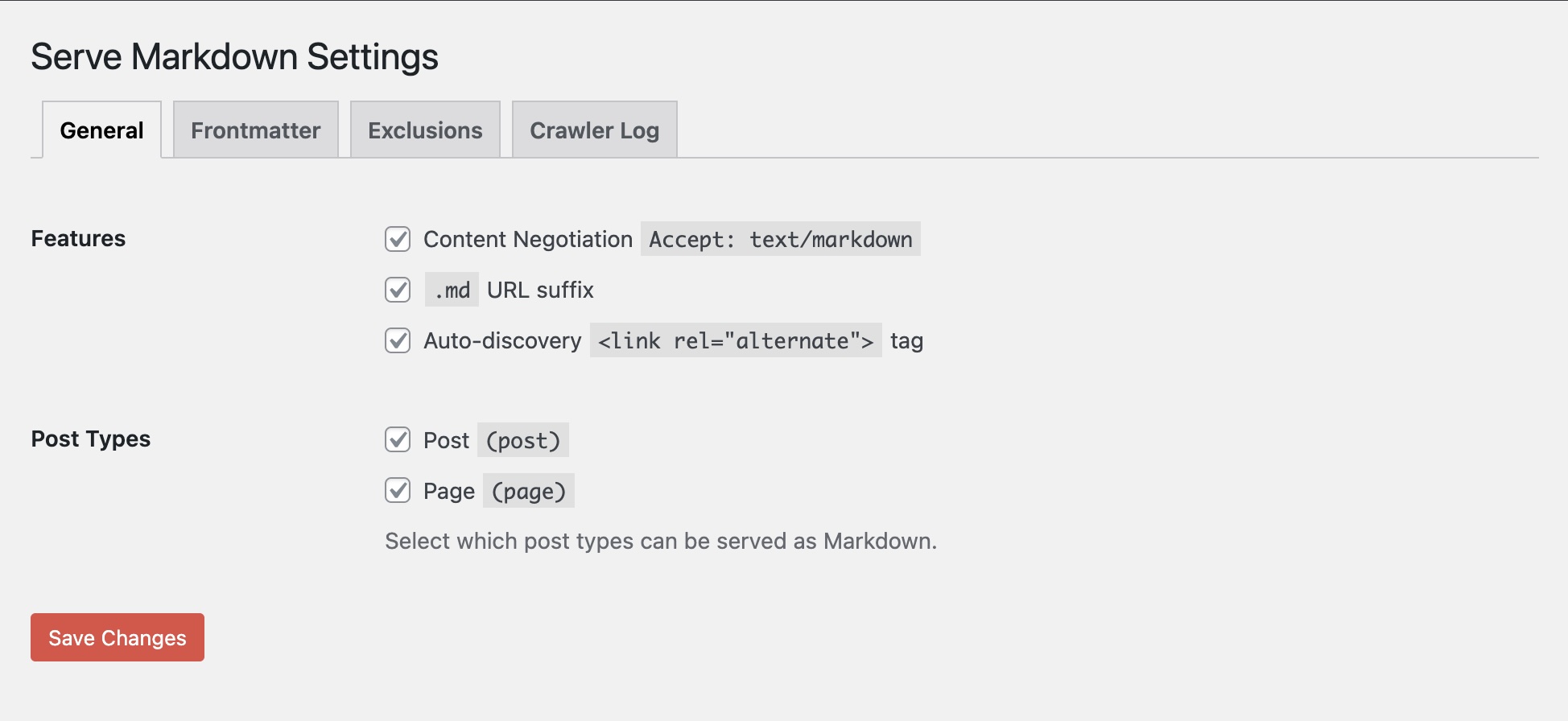
AI agents from ChatGPT, Claude, Perplexity, and others read your content to generate answers — but they parse through HTML, JavaScript, and navigation just to reach it. Serve Markdown gives them a direct path: clean Markdown with structured metadata. When a crawler requests it — via an Accept: text/markdown header or a .md URL — your site responds instantly. No noise, no guesswork.
How It Works
Serve Markdown adds three capabilities to your WordPress site:
1. Content Negotiation
When an AI crawler sends Accept: text/markdown, your site returns Markdown instead of HTML — no URL changes needed.
2. .md URL Suffix
Append .md to any post or page URL (e.g. example.com/my-article.md) to get the Markdown version directly.
3. Markdown Auto-Discovery
Every page includes a <link rel="alternate" type="text/markdown"> tag in the HTML head so crawlers can find your Markdown automatically.
What the Markdown Output Looks Like
Every Markdown response includes YAML frontmatter with structured metadata followed by your post content. Here is a real example:
---
url: 'https://akumarjain.com/textexpander-year-in-review-2025/'
title: TextExpander Year in Review 2025
author:
  name: Ajay
  url: 'https://akumarjain.com/author/akumarjain/'
date: '2026-01-05T09:05:00+05:30'
modified: '2026-01-10T14:30:06+05:30'
type: post
categories:
  - 2025
  - Year in Review
tags:
  - '#ToolsIUse'
  - Productivity
  - Remote Work
image: 'https://akumarjain.com/wp-content/uploads/text-expander-year-in-review-2025.webp'
published: true
---

# TextExpander Year in Review 2025

In my daily work, I need to type the same words and phrases repeatedly...
Features
Content Serving
- Content negotiation via
Accept: text/markdownheader .mdURL suffix on any post or page- Auto-discovery
<link rel="alternate">tag in page head - Each feature can be toggled independently
- Choose which post types are exposed (posts, pages, custom post types)
Frontmatter and Metadata
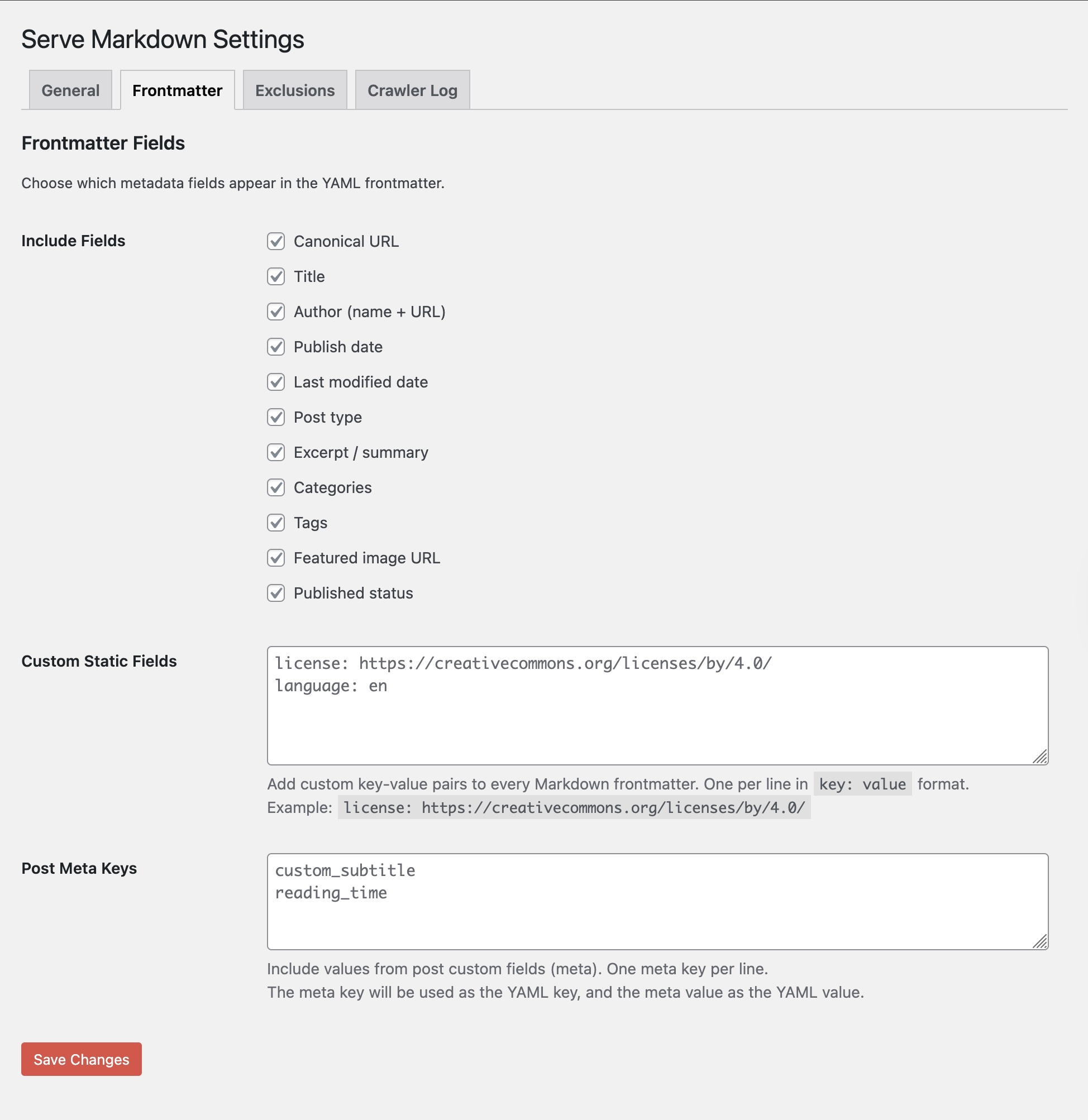
- YAML frontmatter with title, author, date, categories, tags, featured image, and more
- Toggle individual metadata fields on or off
- Add custom static key-value pairs (e.g.,
license,language) - Map WordPress custom fields (post meta) into the frontmatter
Access Control
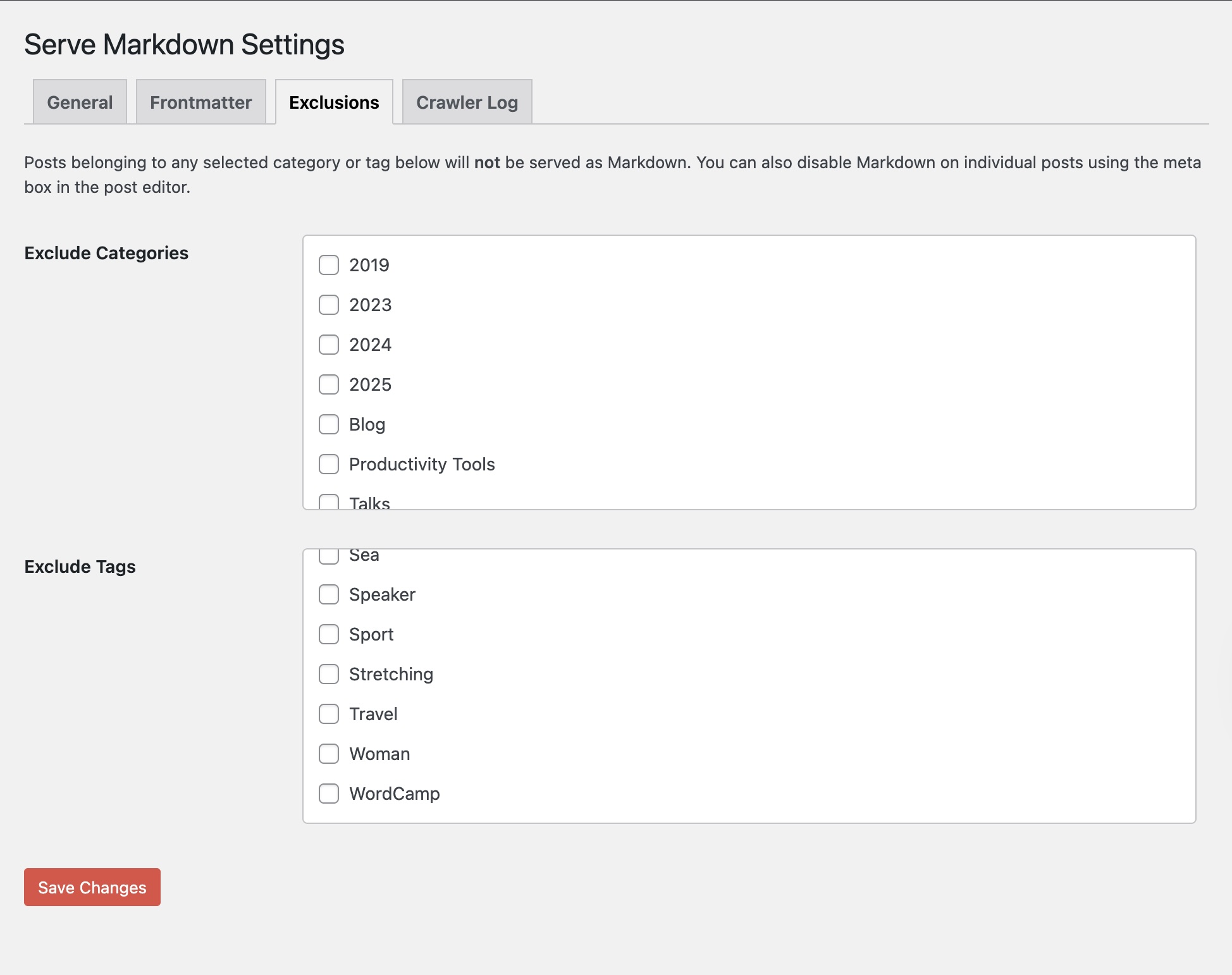
- Per-post opt-out via a sidebar checkbox in the editor
- Exclude entire categories from Markdown serving
- Exclude entire tags from Markdown serving
- Only published posts are served — drafts and private posts are never exposed
Crawler Insights
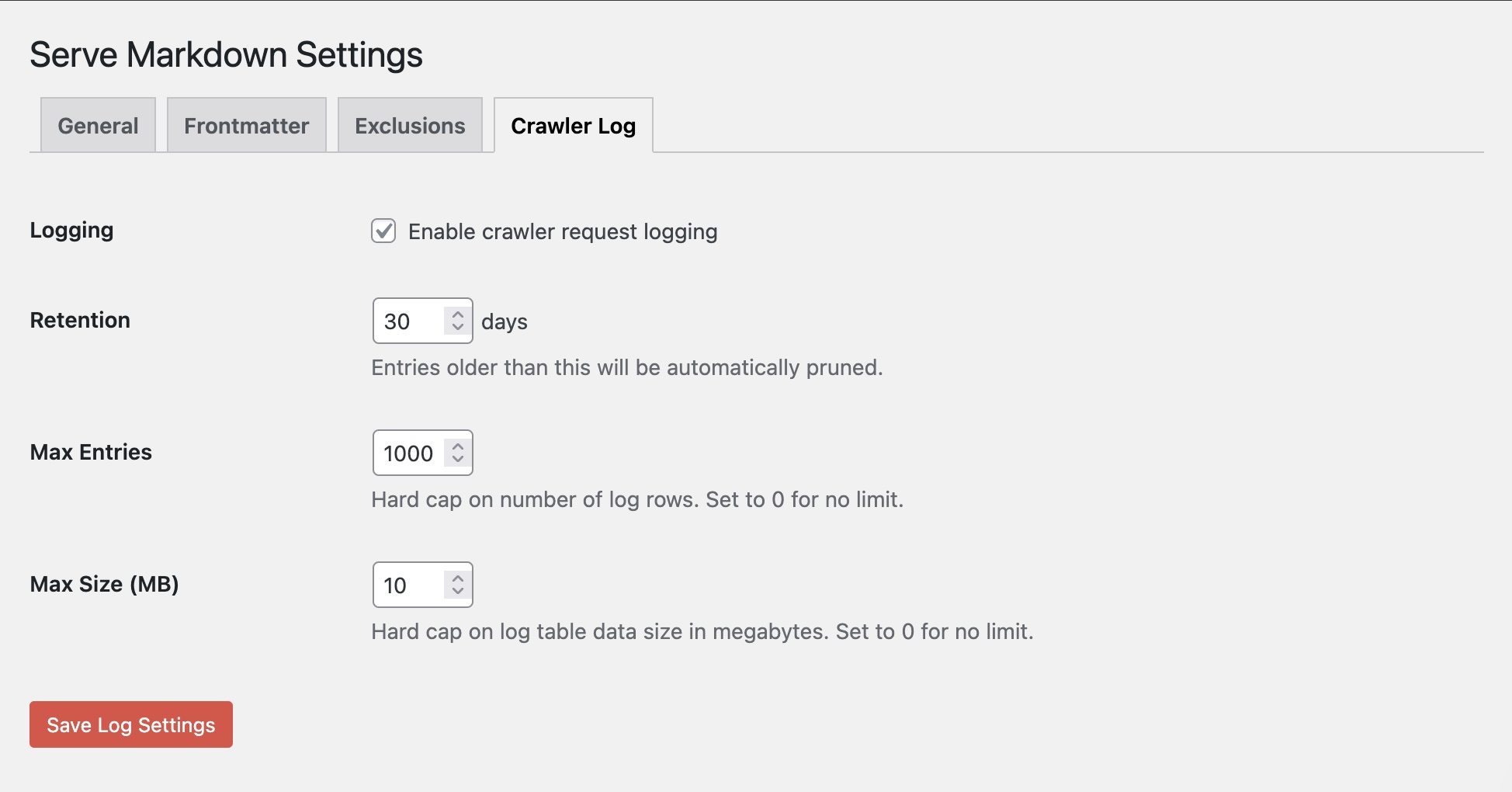
- Request log showing every Markdown request with timestamp, URL, bot name, and method
- Automatic bot detection: ClaudeBot, GPTBot, ChatGPT, OAI-SearchBot, PerplexityBot, Googlebot, Bingbot, Cohere, Meta AI, Bytespider, Applebot, and more
- Stats dashboard: total requests, requests today, unique bots
- Filter log by individual bot
- Configurable retention period with automatic pruning
- One-click log clearing
Editor Integration
- “Preview Markdown” button in the post editor sidebar
- “View Markdown” link in the Posts and Pages list table
- Meta box shows on all enabled post types
Performance
Markdown conversion only runs when specifically requested — regular visitors see the same HTML pages they always have. The crawler log uses a lightweight custom table with three safeguards against unbounded growth: time-based retention, a row count cap, and a table size cap.
Privacy
The crawler log stores IP addresses and user-agent strings from Markdown requests. This data stays in your WordPress database and is never sent to external services. You can disable logging entirely, configure a retention period, or clear the log at any time from the settings page.