
Scope Nine Alert Bar
v1.0.2Abdullah Sajjad · 2026年10月24日 上架
A lightweight, fast alert bar for WordPress. Show customizable notification banners with live preview and responsive design.
- 正在使用
- 10 以下
- 评分
- 暂无
- 累计下载
- 275
- 最近更新
- 2026年10月26日
需要 WordPress 5.0+已测试到 7.1.5PHP 7.1+
贡献者
 Abdullah Sajjad
截图
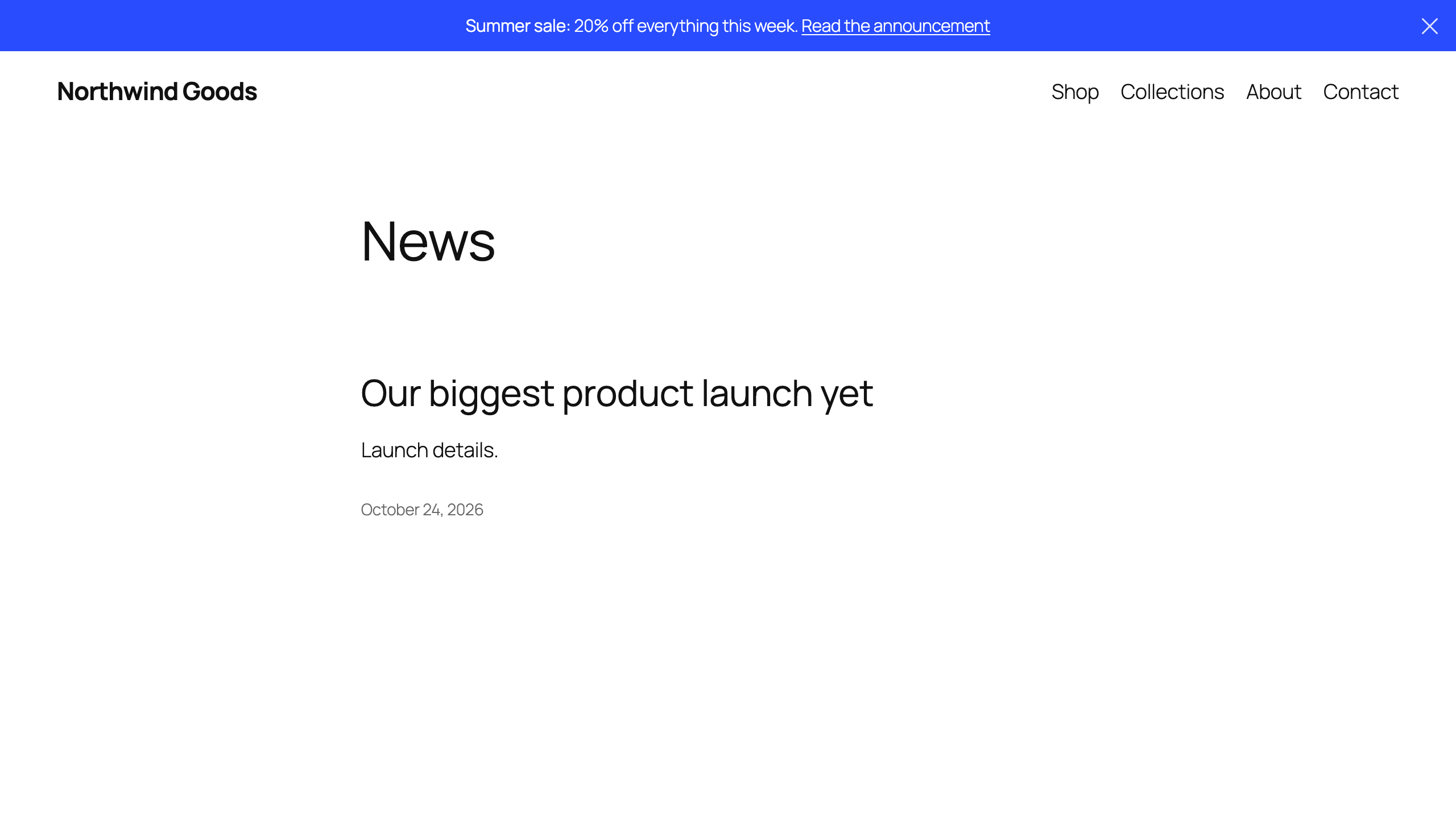
Scope Nine Alert Bar adds a clean, dismissible announcement bar to the top of your site. Use it for sales, launches, shipping notices, maintenance windows, or any message visitors shouldn’t miss.
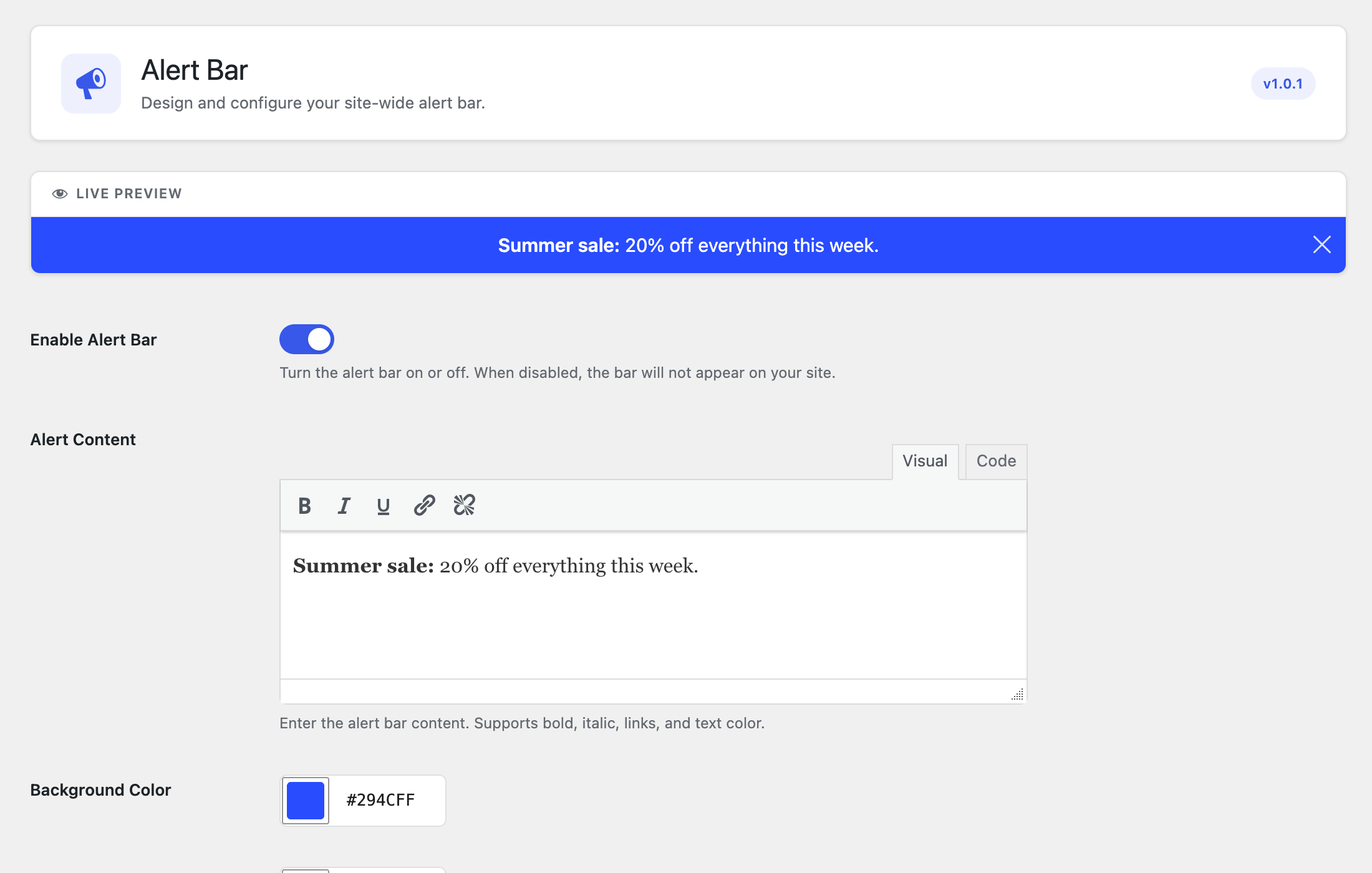
You design the bar on one settings screen and see a live preview as you go. Nothing to code, no page builder, and no extra requests on the frontend beyond one small script.
Features
- Live preview – every change shows up instantly while you edit
- Rich text message – bold, italic, underline, links, and text color
- Your colors – background and text color with a color picker or hex value
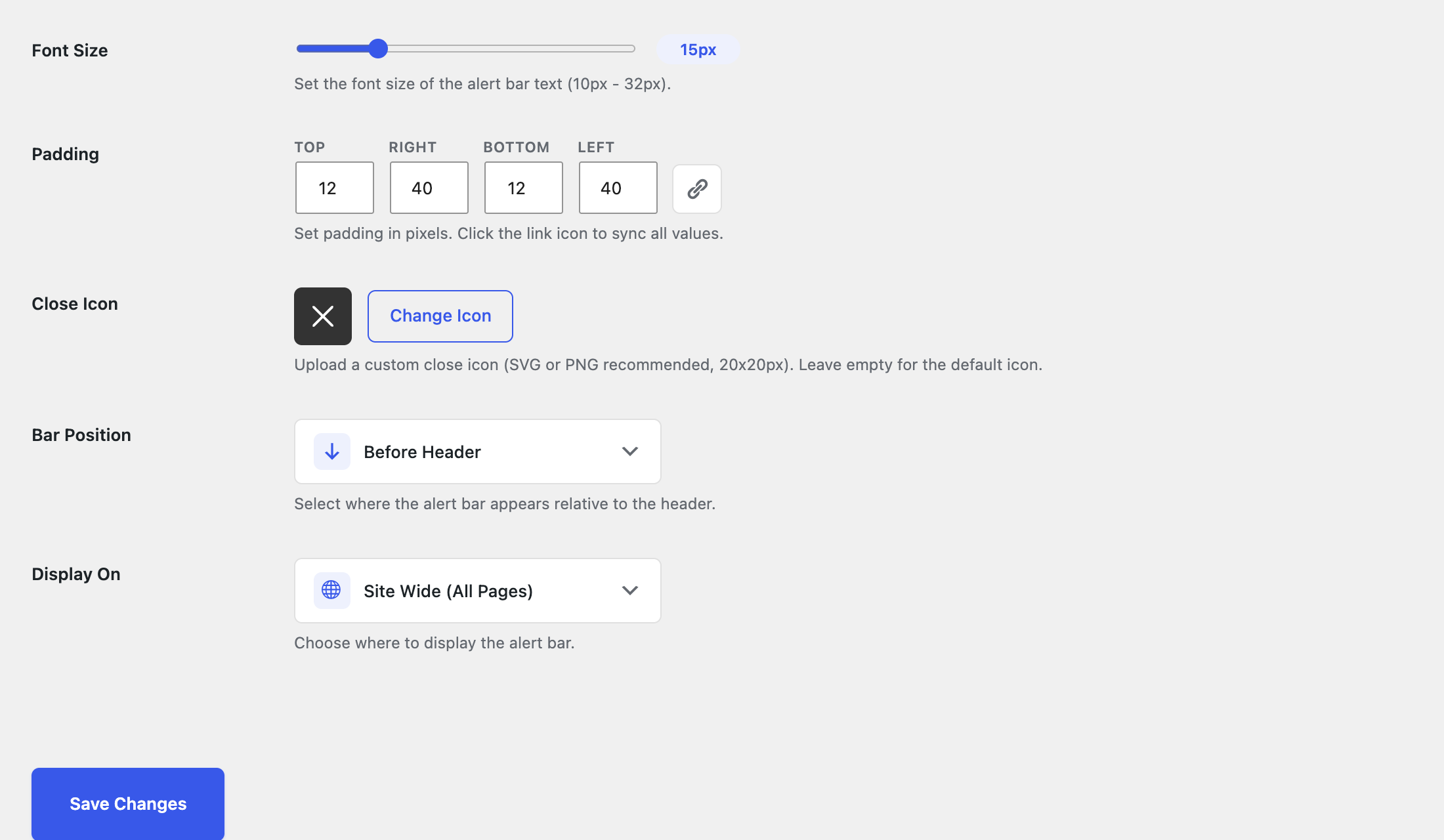
- Font size and padding – fine-tune top, right, bottom, and left spacing
- Dismissible – visitors can close the bar; upload your own close icon if you like
- Placement – show the bar before or after your theme header
- Scrolling text – optional news-ticker motion on mobile only or on all screens, in either direction
- Targeting – show it site-wide, on the homepage only, or on specific pages and posts
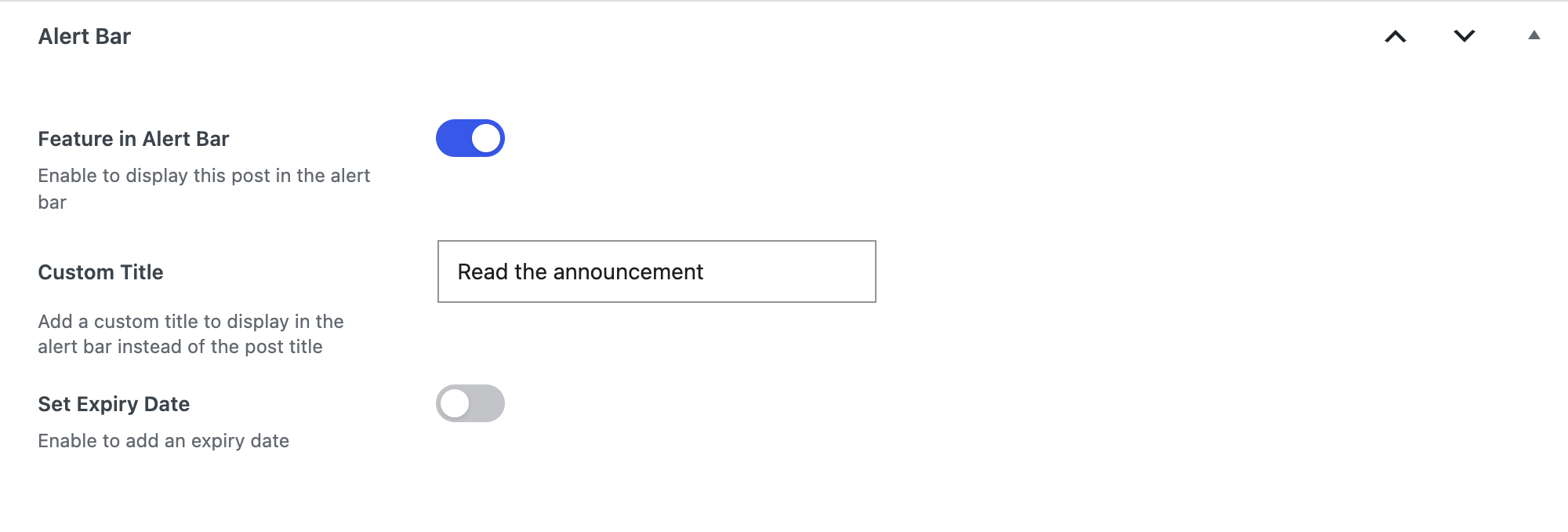
- Feature a post – link the bar to any post, with an optional custom title and expiry date
- On/off switch – turn the bar off without losing your settings
- Responsive – looks right on phones, tablets, and desktops
- Lightweight – no jQuery on the frontend, no tracking, no external requests
How it works
- Go to Alert Bar Design in your WordPress admin.
- Write your message in the editor.
- Pick colors, spacing, placement, and where it should appear.
- Save. The bar appears on your site right away.
Feature a post (optional)
- Edit the post you want to promote.
- In the Alert Bar box, tick Feature in Alert Bar.
- Optionally set a custom link title and an expiry date.
The bar then links to that post until it expires. Only administrators can choose the featured post.