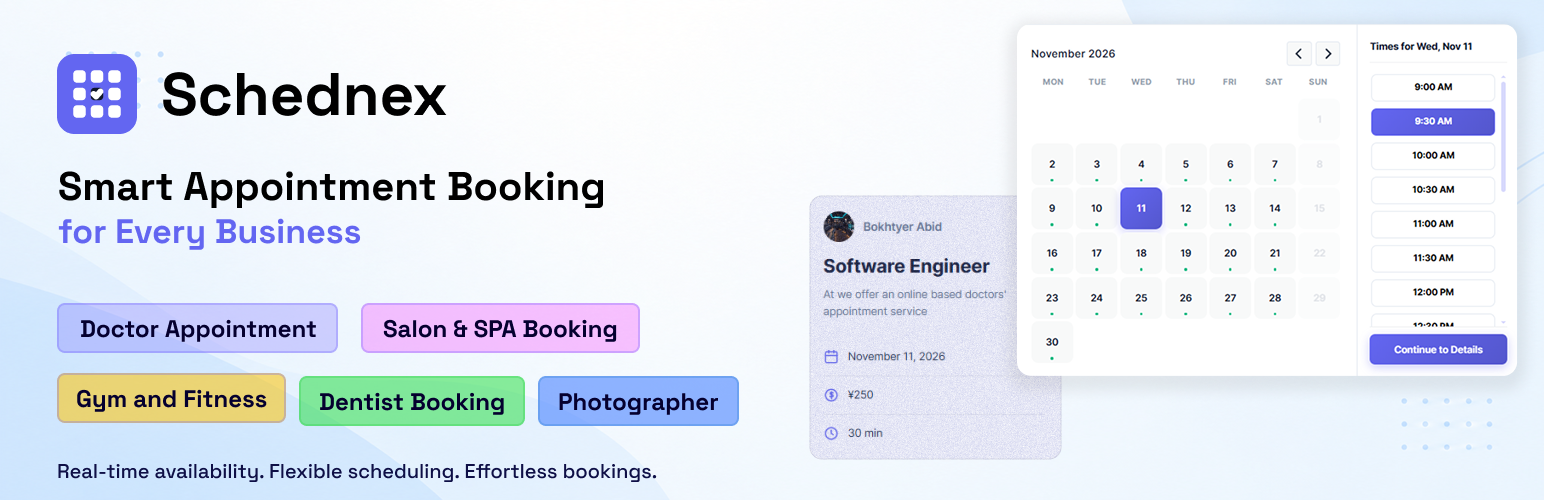

Schednex Appointment Booking – Appointment Booking & Scheduling Calendar for WordPress
v1.2.2Bokhtyer Abid · 2026年10月3日 上架
Free appointment booking plugin for WordPress: online booking form, booking calendar, services, staff, customer portal and email notifications.
- 正在使用
- 10+
- 评分
- 5.0 / 5
- 累计下载
- 966
- 最近更新
- 2026年11月15日
贡献者
 Bokhtyer Abid
截图


Schednex Appointment Booking is a free WordPress appointment booking and scheduling plugin. Add an online booking form to any page and let customers reserve a service, choose a staff member and pick an available date and time, 24/7. Manage every appointment from one dashboard with a booking calendar, with no external account needed.
Customers only see time slots that are really available, based on your services, staff, working hours, breaks, holidays and capacity. Availability is checked again on the server before a booking is saved, to help prevent double bookings.
Use it as an appointment scheduler, a reservation system or a booking calendar for your service business.
How Schednex Appointment Booking is Different
- Live Availability Calendar: Customers see only open time slots, built from staff working hours, breaks, holidays, days off and service capacity.
- Double Booking Protection: Availability is verified again on the server before every booking is saved, so two customers cannot take the same slot.
- Service and Staff Booking: Customers pick a service, choose an available staff member, then select a date and time, all in one booking form.
- Customer and Staff Portals: Customers can view and manage their own appointments, and staff can log in to see their own schedule.
- Fully Customizable Booking Form: Choose Classic, Sidebar or Compact layouts, change colors and edit the booking form text and fields without code.
- Booking Dashboard and Calendar: Track statistics, filter appointments, create manual bookings and manage every status from the WordPress admin.
- Editable Email Notifications: Send booking confirmation, reschedule and cancellation emails with templates you can customize.
- Privacy-Friendly: All booking and customer data stays in your own WordPress database. No external booking account is required.
Features
Online booking
- Online appointment booking form with a live availability calendar.
- Classic, Sidebar and Compact responsive layouts, with custom colors and text.
- Popup booking button and staff-specific booking pages.
- Direct calendar booking mode for a quick, single-step form.
- Minimum and maximum advance booking time.
- WordPress block and shortcode support.
Services and staff
- Services with categories, images, prices, durations and capacity.
- Staff profiles and service assignments.
- Weekly working hours, breaks, holidays and days off.
Appointment management
- Admin appointment list, booking calendar, filters and manual booking creation.
- Customer management with booking history.
- Pending, confirmed, completed, cancelled and no-show statuses.
- Payment tracking for pay-later bookings.
Customers, staff and notifications
- Customer accounts and a customer appointment portal.
- Staff login and a staff appointment portal.
- Email notifications for booking updates, with editable email templates.
- Currency and time format settings.
- Rate limiting and honeypot spam protection.
Built for service businesses
Schednex is an easy-to-use appointment booking and scheduling plugin for businesses that accept online bookings and manage customer appointments.
- Doctor appointment booking for private practices and healthcare providers.
- Clinic appointment booking for medical clinics and healthcare centers.
- Salon appointment booking for hair salons, beauty salons and stylists.
- Barbershop appointment booking for barbers and grooming businesses.
- Spa appointment booking for spas, wellness centers and massage therapists.
- Dentist appointment booking for dental clinics and dental professionals.
- Consultant appointment booking for business, legal and professional consultants.
- Coach and tutor appointment booking for coaches, teachers and private instructors.
- Gym and fitness appointment booking for gyms, personal trainers and fitness studios.
- Photographer appointment booking for photographers and creative service providers.
- Repair service appointment booking for repair shops, technicians and local service businesses.
- Appointment scheduling for other service-based businesses and independent professionals.
Schednex Pro
Need more? Schednex Appointment Booking Pro is an add-on for growing booking businesses. The free plugin works fully on its own.
- Stripe and PayPal Checkout: Accept online payments for appointments, with webhook-based payment confirmation.
- Google Calendar Sync: Add each booking to your Google Calendar, keep changes and cancellations in sync, and hide time slots when you are busy.
- Multiple Locations: Run several branches or offices, with services and bookings assigned to each location.
- Custom and Staff-Based Schedules: Set different working hours for each service or staff member.
- Service Capacity: Allow more than one customer per time slot for group sessions and classes.
Google Calendar sync (Pro): connect your own Google account, add each booking to your Google Calendar as an event, keep changes and cancellations in sync, and hide time slots when you are busy in Google Calendar. You use your own Google Cloud app, so booking data stays between your site and Google.
Booking form
Add the Schednex Appointment Booking Form block, or use [schednex_booking].
To show a booking form for one staff member, use [schednex_appointment_single_staff staff_id="1"]. Replace 1 with the staff member ID; only services assigned to that staff member will be shown.
Optional portals: [schednex_customer_portal], [schednex_staff_portal] and [schednex_portal].
Privacy
Booking and customer information is stored in the site owner’s WordPress database. Site owners should update their privacy policy to describe the data collected by their booking form.
The plugin does not require an external booking account. If you enable a Pro payment gateway, payment details are sent directly to the selected payment provider according to that provider’s terms and privacy policy.