Sandeshify Messaging Automation for WooCommerce
v1.1.3Santosh Gautam · 2026年4月10日 上架
Automate WooCommerce order notifications via the official Meta Business Messaging API. Keep customers informed at every step — no coding required.
- 正在使用
- 10 以下
- 评分
- 暂无
- 累计下载
- 603
- 最近更新
- 2026年4月21日
贡献者
 Santosh Gautam
截图
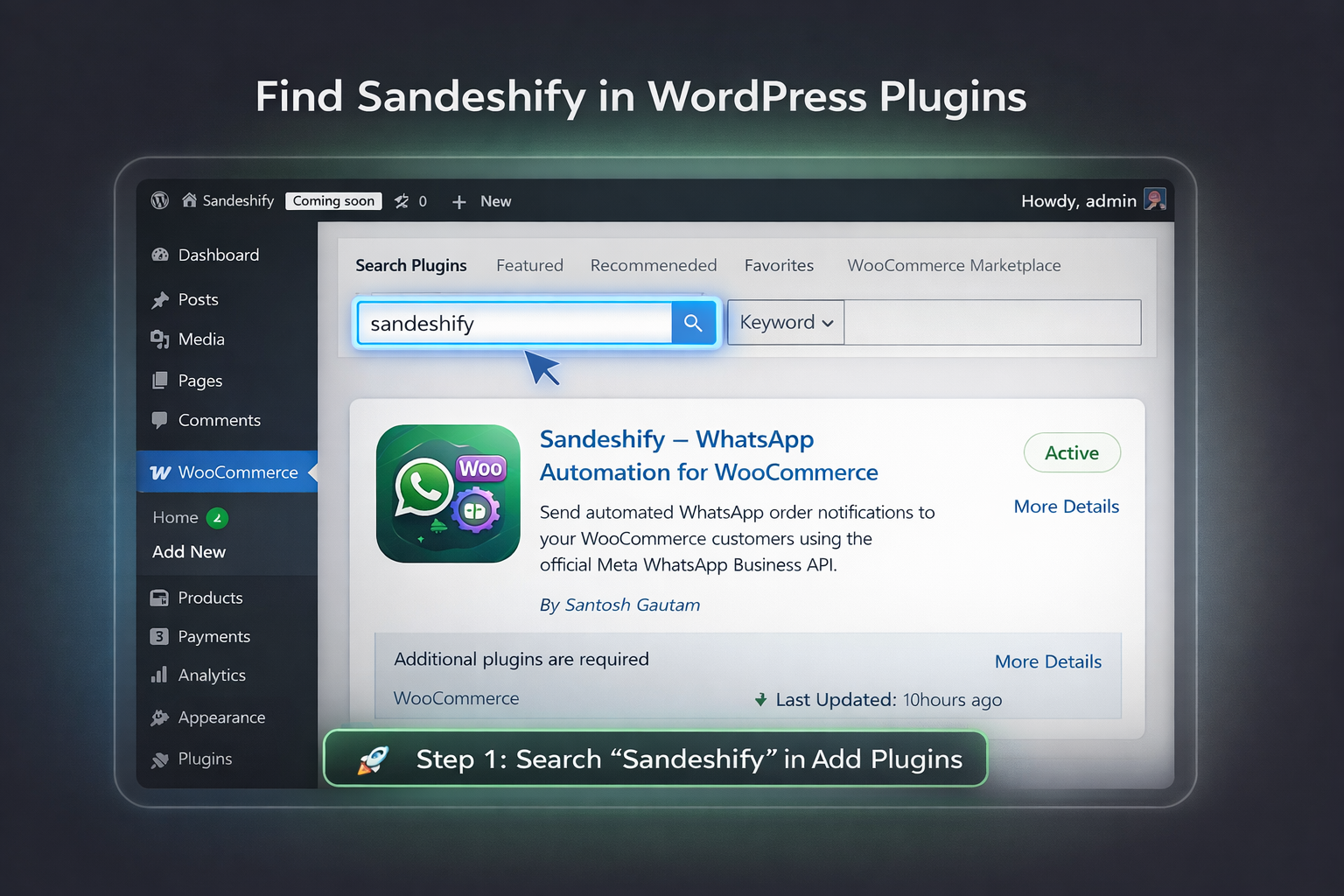


Stop losing customers to silence. Keep them informed with instant order notifications.
Sandeshify connects your WooCommerce store to the official Meta Business Messaging API, so your customers automatically receive messages at every important step of their order journey — from placement to delivery.
No coding required. No third-party intermediaries. Just reliable, direct WooCommerce messaging automation powered by Meta’s own API.
This plugin is not affiliated with or endorsed by WhatsApp LLC or Meta Platforms, Inc.
Why Choose Sandeshify for WooCommerce Order Notifications?
Over 2 billion people use WhatsApp every day. Your customers are already on it. Sandeshify bridges your WooCommerce store and your customers’ most-used messaging app — helping you reduce support queries, build trust, and improve the post-purchase experience.
- Official API only – Uses the Meta WhatsApp Business Cloud API directly. No unofficial workarounds, no grey-zone services.
- Privacy-first – Your API credentials are AES-256-CBC encrypted before being stored. Your data never passes through our servers.
- Built for WooCommerce – Deeply integrated with WooCommerce order lifecycle events. Works the way your store does.
- Safe to test – A dedicated Test Mode lets you verify your entire setup without sending real messages or using API quota.
- Transparent logging – Every message attempt is logged with status (Success / Failed / Test) so you always know what was sent and when.
Features
Automated Order Notifications
- Order Created Notification – Instantly notify customers the moment a new order is placed, reducing uncertainty and support tickets.
- Order Completed Notification – Automatically send a message when an order status changes to Completed, giving customers timely delivery confirmation.
Flexible Message Customisation
- Personalised Message Templates – Craft your own messages using dynamic variables:
{customer_name},{order_id}, and{order_total}. Every message feels personal. - Manual Send Button – Send a message directly from any individual WooCommerce order page — ideal for custom updates or follow-ups.
Reliability & Control
- Test Mode / Live Mode Toggle – Switch between modes with a single click. Test Mode logs all attempts without sending real messages.
- Send Test Message – Verify your API connection instantly from the settings panel.
- Duplicate Prevention – Built-in safeguard prevents the same message from being sent more than once within a 5-minute window.
- Encrypted Credential Storage – API credentials are encrypted with AES-256-CBC before being saved to your WordPress database.
Message Logs & Visibility
- Full Message History – View a complete log of all notifications sent from your store.
- Filterable by Status – Filter logs by Success, Failed, or Test with pagination for easy review.
How It Works
- Connect your Meta WhatsApp Business API credentials in the plugin settings.
- Enable the order notification events you want to trigger (Order Created, Order Completed).
- Customise your message templates with your brand voice.
- Go Live and start sending automated order notifications to your WooCommerce customers.
Requirements
- WordPress 5.8 or higher
- WooCommerce 7.0 or higher
- PHP 7.4 or higher
- A Meta WhatsApp Business API account (Meta Developer account + WhatsApp Business phone number required)
External Service
This plugin connects to the Meta (Facebook) WhatsApp Business Cloud API to deliver messages to your customers.
- Service URL: https://graph.facebook.com/v19.0/
- Purpose: Sending order notifications when WooCommerce order events occur.
- Data sent: Customer phone number, order ID, order total, customer name.
- When data is sent: Only when a notification event is triggered and the plugin is set to Live Mode. No customer data is transmitted in Test Mode.
- Meta Privacy Policy: https://www.facebook.com/privacy/policy/
- Meta Terms of Service: https://www.facebook.com/terms/
- WhatsApp Business Policy: https://www.whatsapp.com/legal/business-policy/
Store owners are solely responsible for obtaining appropriate customer consent before sending messages. This plugin is not affiliated with or endorsed by WhatsApp LLC or Meta Platforms, Inc.
Developer
Built by Santosh Gautam.