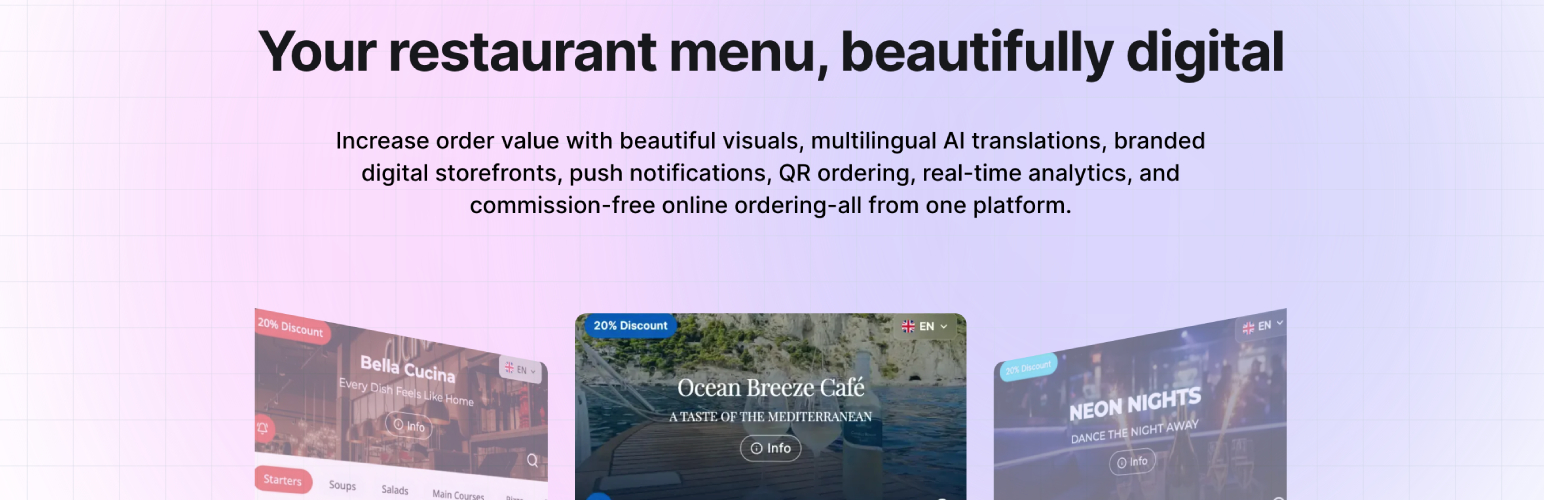

AppetitQR – Digital QR Menus & Commission-Free Ordering for Restaurants
v1.0.2sakurapixel · 2026年9月19日 上架
Embed an AppetitQR restaurant menu in WordPress with a shortcode: products, prices, allergens and commission-free WhatsApp ordering for restaurants.
- 正在使用
- 10 以下
- 评分
- 暂无
- 累计下载
- 340
- 最近更新
- 2026年11月17日
贡献者
 sakurapixel
截图


Mobile Web App Preview (Classic)
Mobile Web App Preview (Modern Noir)
Mobile Web App Preview (Lumiere)
Mobile Web App Preview (Bistro)
Mobile Web App Preview (Nocturnal)
AppetitQR is a digital menu and commission-free ordering platform for restaurants, cafés and multi-location businesses.
This WordPress plugin lets you embed your AppetitQR menu directly into any WordPress page, post, widget or template using a simple shortcode.
Instead of maintaining a separate WordPress restaurant menu, manage your menu in AppetitQR and display the live menu on your WordPress website.
[wp_appetitqr api_key="apq_your_key_here"]
The plugin fetches your published menu, caches it on your WordPress server and renders it into the page. Your visitors can browse categories and products, view prices and product information, search the menu and optionally build an order.
Digital restaurant menu for WordPress
Use AppetitQR to turn your WordPress restaurant website into a digital menu without manually maintaining menu items in WordPress.
The embedded menu can include:
- Restaurant categories and products
- Product images and galleries
- Prices, sale prices and portion variations
- Product descriptions
- Allergens and dietary information
- Nutritional values
- Featured products and availability
- Live menu search
- Restaurant information
- Address, phone number and opening hours
- Your AppetitQR branding and theme colors
- Optional ordering through WhatsApp or phone
Menu content is managed from your AppetitQR account, so changes can be made from the AppetitQR dashboard without editing your WordPress pages.
Restaurant QR menu
AppetitQR also provides QR codes for restaurant menus.
A restaurant can place a QR code on tables, counters, printed materials or other locations. Guests scan the code and open the restaurant’s digital menu on their phone.
For dine-in use, AppetitQR supports a table menu mode where guests can browse the menu and create a list of dishes to show their server.
For ordering, guests can build an order and send it directly to the restaurant through WhatsApp or a phone call.
Commission-free restaurant ordering
AppetitQR provides an ordering flow without a per-order commission from AppetitQR.
Customers can browse the menu, add products to their order and send the order to the restaurant through WhatsApp or a phone call.
The WordPress plugin does not process payments or route orders through a third-party marketplace.
More than a WordPress menu plugin
The WordPress plugin is an integration with the AppetitQR restaurant menu platform.
AppetitQR provides additional tools for creating and managing digital restaurant menus:
- Digital menus with categories, products, images and availability
- Restaurant QR codes
- Dine-in table menus
- Commission-free online ordering
- WhatsApp and phone ordering
- AI menu import from PDF and Word documents
- AI menu translation
- Multilingual menus
- Installable menus (PWA)
- Push promotions
- Multiple restaurant locations
- Custom branding and menu templates
- Custom domains
- Menu analytics
- Team members and staff access
These features are managed in AppetitQR rather than through the WordPress plugin itself.
Built for restaurant websites
The embedded menu is designed to work inside an existing WordPress page rather than replacing your website.
The menu adapts to the width of its container and can be placed inside a normal page, post, widget or template.
Menu data is fetched server-side and cached by WordPress before being rendered into the page HTML. JavaScript is then used to enhance the menu with interactive features such as search, category navigation, product details and the cart.
If AppetitQR is temporarily unavailable, the plugin can continue serving the last successfully cached menu.
What the plugin renders
The plugin can display:
- Categories and products in the order configured in AppetitQR
- Product prices and sale prices
- Portion and variation options
- Product descriptions
- Product image galleries
- Allergens
- Dietary tags
- Nutritional information
- Restaurant information
- Address and contact information
- Opening hours
- Search
- Category navigation
- Product detail popups
- Optional ordering cart
External services
This plugin connects to the AppetitQR API, a third-party service operated by AppetitQR (https://appetitqr.com), to fetch the menu published through the shortcode.
Without this connection the plugin has nothing to display: the menu is managed in AppetitQR rather than stored in WordPress.
What is sent, and when:
- Your site’s server requests
https://appetitqr.com/api/wp/menuand sends the location API key specified in the shortcode using anX-Appetit-Api-Keyheader. As with any HTTP request, your server’s IP address and user agent are visible to the service. - This request occurs when a visitor opens a page containing the shortcode and the cached menu has expired, which is every 15 minutes by default. It also occurs when an administrator uses “Test connection” in the plugin settings.
- The request does not occur on pages without the shortcode.
- No visitor data, personal data or order data is sent to the AppetitQR API by this plugin.
- Carts are stored in the visitor’s browser and are handed to the restaurant through WhatsApp or a phone call.
- Menu data returned by the API includes the location’s details, categories, products, prices, labels, opening hours, theme colors and image URLs.
- Product images are served from AppetitQR’s servers, so visitors’ browsers request those images directly from AppetitQR.
AppetitQR terms of service: https://appetitqr.com/terms
AppetitQR privacy policy: https://appetitqr.com/privacy