

SafeUser – Registration Alerts for Telegram
v1.3.7Ravi Novikau · 2026年8月3日 上架
Instant Telegram alerts on every new WordPress user registration. Catch admin hijacking and suspicious signups in real time.
- 正在使用
- 10 以下
- 评分
- 暂无
- 累计下载
- 313
- 最近更新
- 2026年8月4日
贡献者
 Ravi Novikau
截图
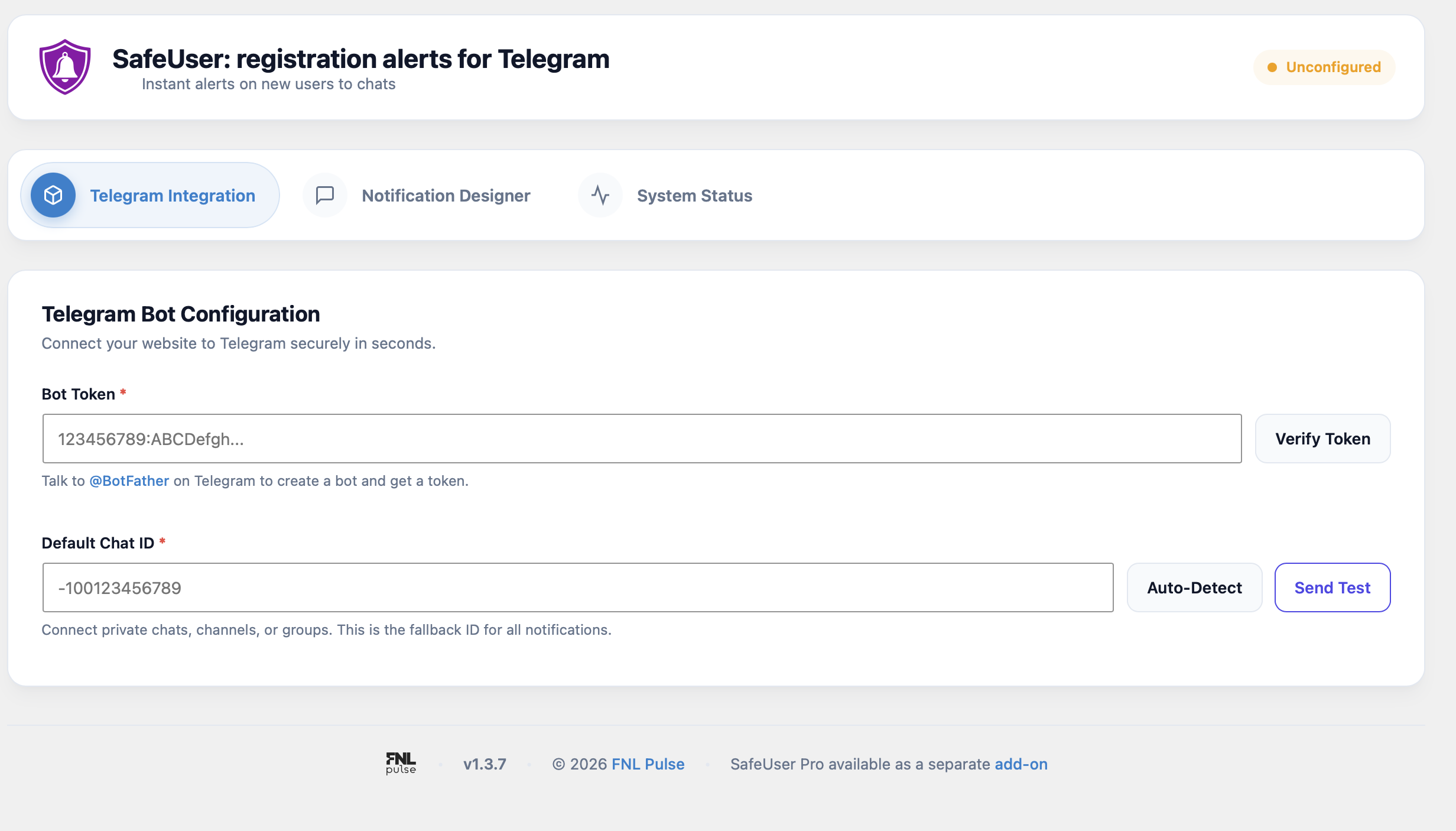
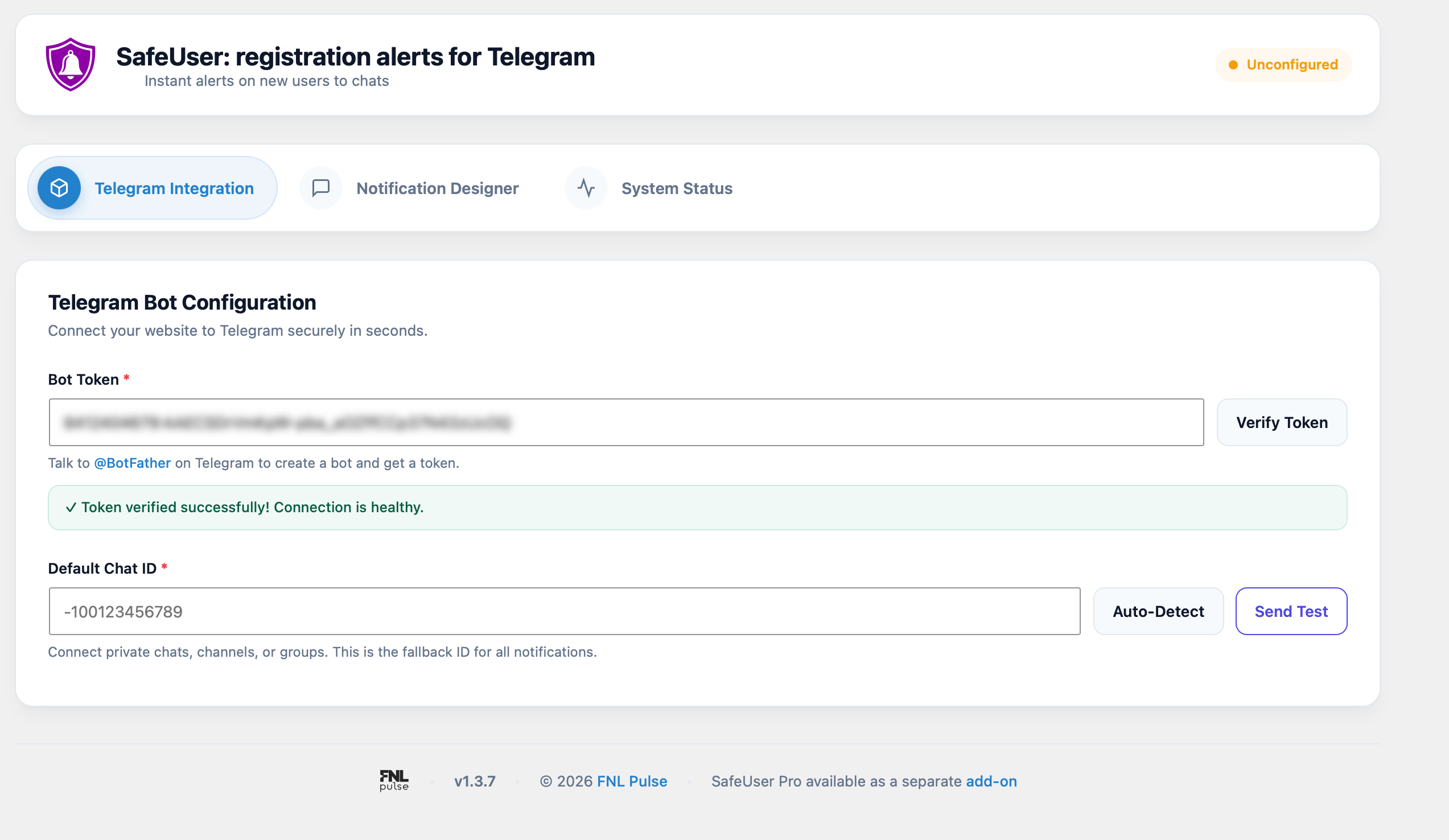

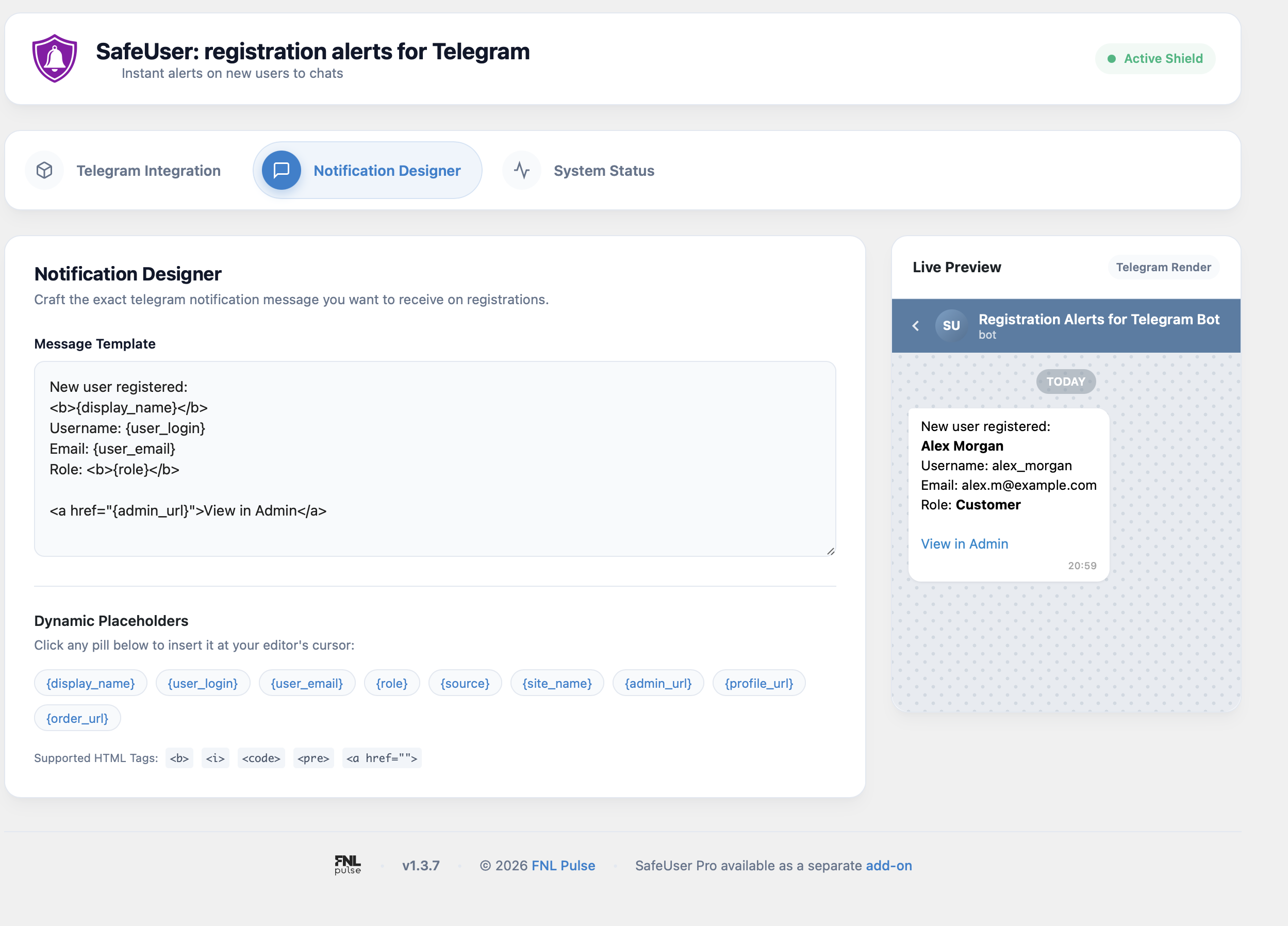
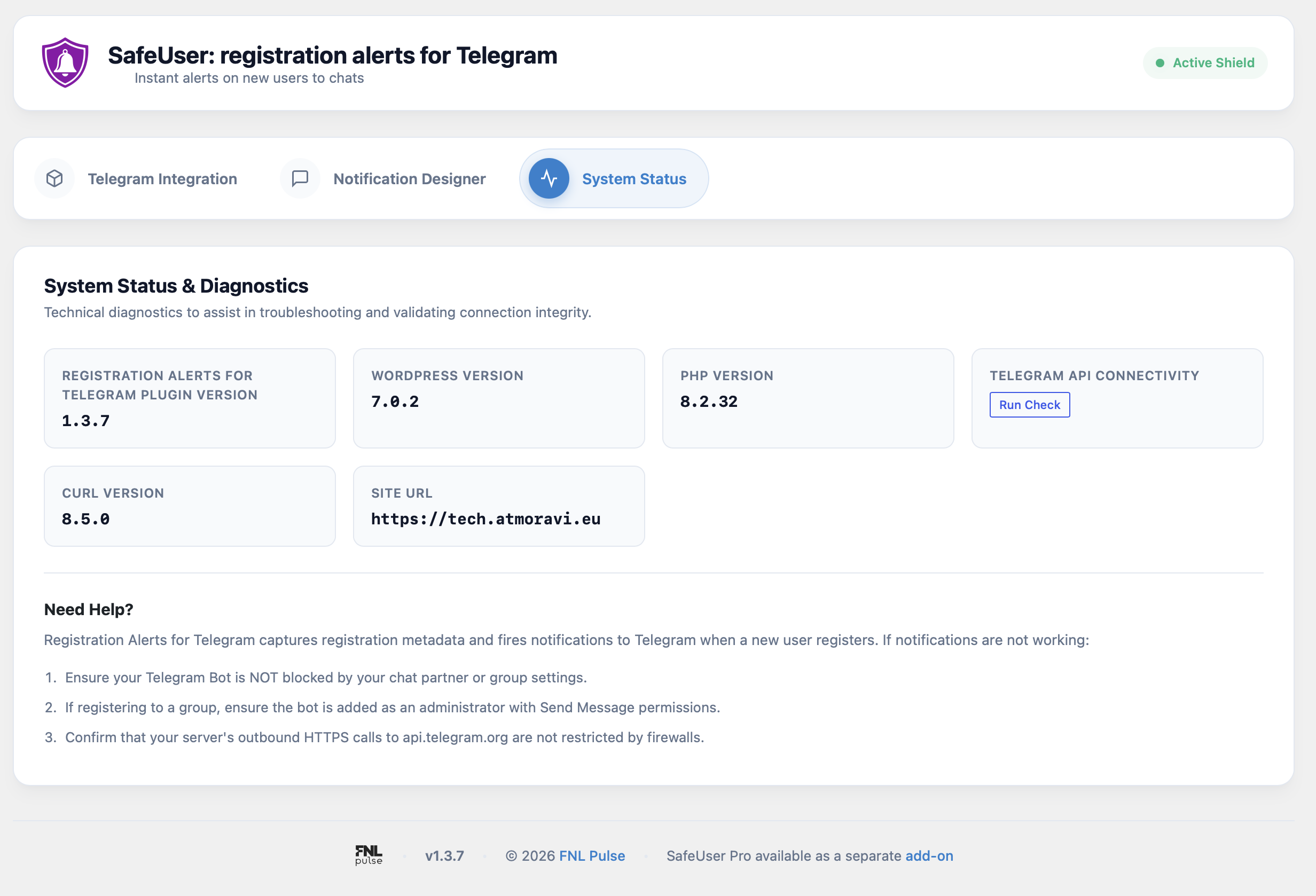
Registration Alerts for Telegram fires a customisable Telegram message every time a new user registers on your WordPress site — via the standard registration form, WooCommerce checkout, REST API, or the admin panel.
Free Features
- Instant Telegram notification on every new user registration
- Customisable message template with dynamic shortcodes (
{display_name},{user_login},{user_email},{role},{source},{site_name},{admin_url}) - Registration source detection (WooCommerce, form, admin, REST API, bulk import)
- Non-blocking delivery — notifications are deferred to shutdown so checkout flows are never slowed
- Auto-detect Chat ID from the bot’s recent messages
- Live Telegram message preview in the admin
- One-click token validation and test message
- Supports private chats, groups, supergroups, and channels
Pro add-on (optional, separate plugin)
SafeUser Pro is a standalone add-on — distributed separately from this free plugin — that adds:
- Role-Based Routing — send notifications to different Telegram chats per user role
- Registration Insights — charts of registration trends by source and role
SafeUser Pro is not included in or required by this free plugin. Learn more: https://fnlpulse.com/safeuser/
Security
The bot token can be locked via a wp-config.php constant so it is never stored in the database:
define( 'REATG_BOT_TOKEN', 'your-token' );
External Services
This plugin connects to the Telegram Bot API (api.telegram.org) — a third-party service operated by Telegram — to deliver notifications and configure your bot. This is required for the plugin to function.
What is sent and when:
- On each new user registration: the plugin calls the
sendMessageendpoint to deliver your notification. The message contains whatever fields you include in your template — by default this can be the new user’s username, email address, display name, role, and registration source. - When you save/validate the bot token or send a test message: the plugin calls the
getMeandsendMessageendpoints to verify the token and chat. - When you click Auto-Detect: the plugin calls the
getUpdatesendpoint to read your bot’s recent messages and find your Chat ID. - Connectivity check: the plugin may make a request to
api.telegram.orgto confirm outbound HTTPS is available.
Your bot token is transmitted to Telegram as part of each API request. No data is sent to Telegram unless you have configured a bot token.
Telegram’s terms and privacy policy:
- Terms of Service: https://telegram.org/tos
- Privacy Policy: https://telegram.org/privacy