

SaddleWP – MCP Server to Build, Rank & Grow Your Site with Claude, ChatGPT & Cursor
v1.7.10Fahim Reza · 2026年9月7日 上架
SaddleWP is the MCP server for WordPress. Claude, ChatGPT or Cursor build pages, fix SEO and run updates on your site. Read-only until you allow more.
- 正在使用
- 100+
- 评分
- 5.0 / 5
- 累计下载
- 3,006
- 最近更新
- 2026年11月22日
贡献者
 Fahim Reza
截图
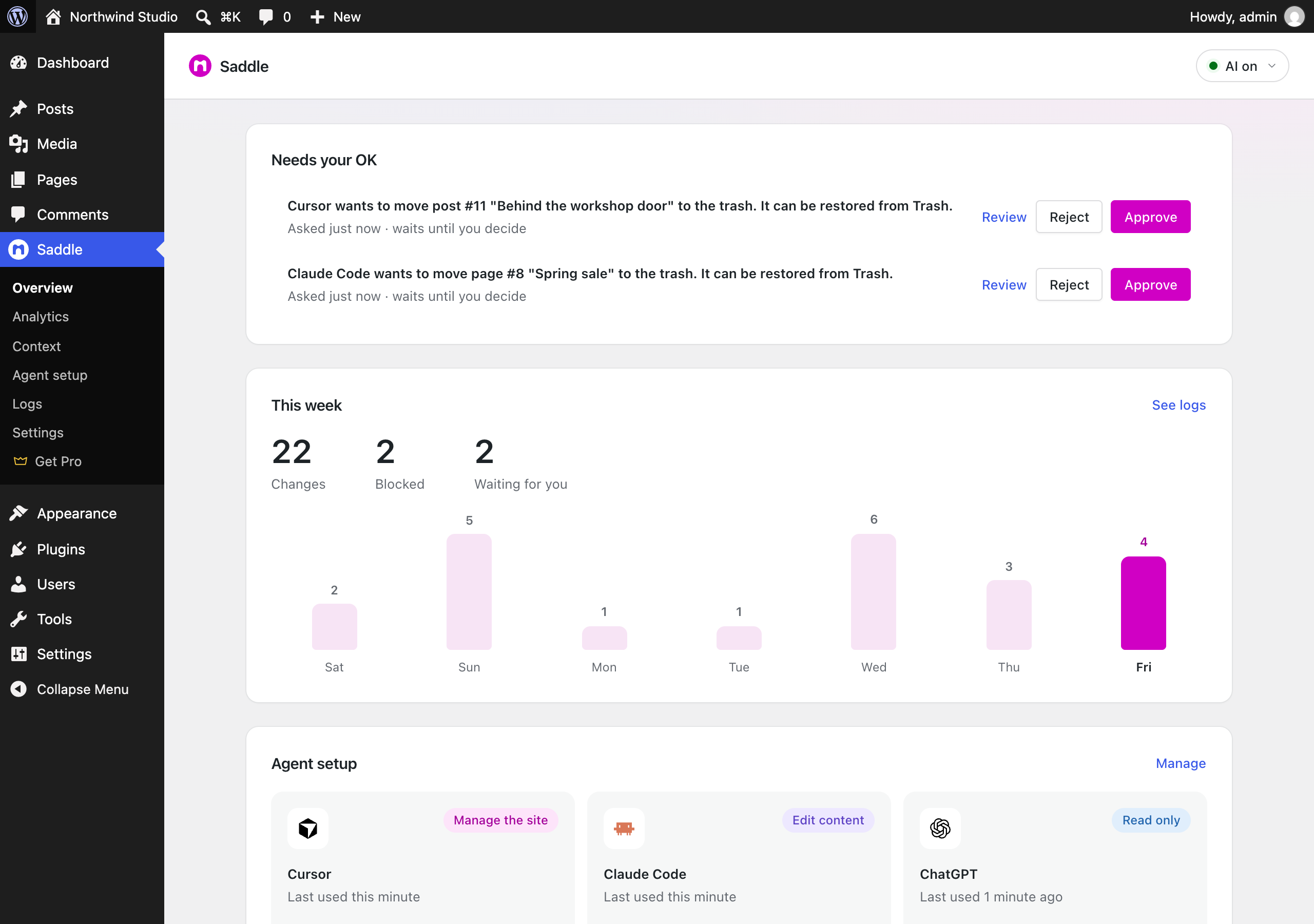
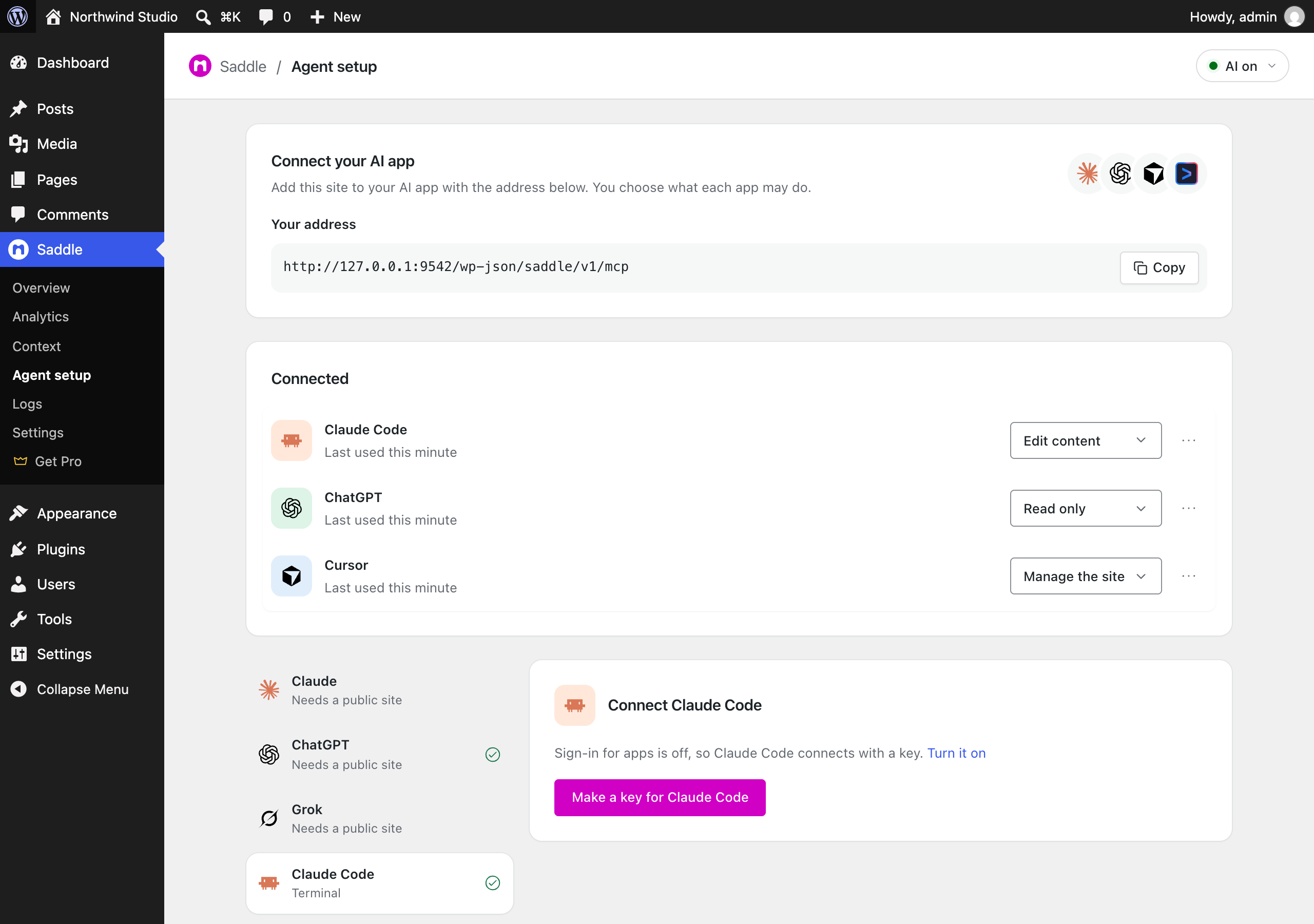
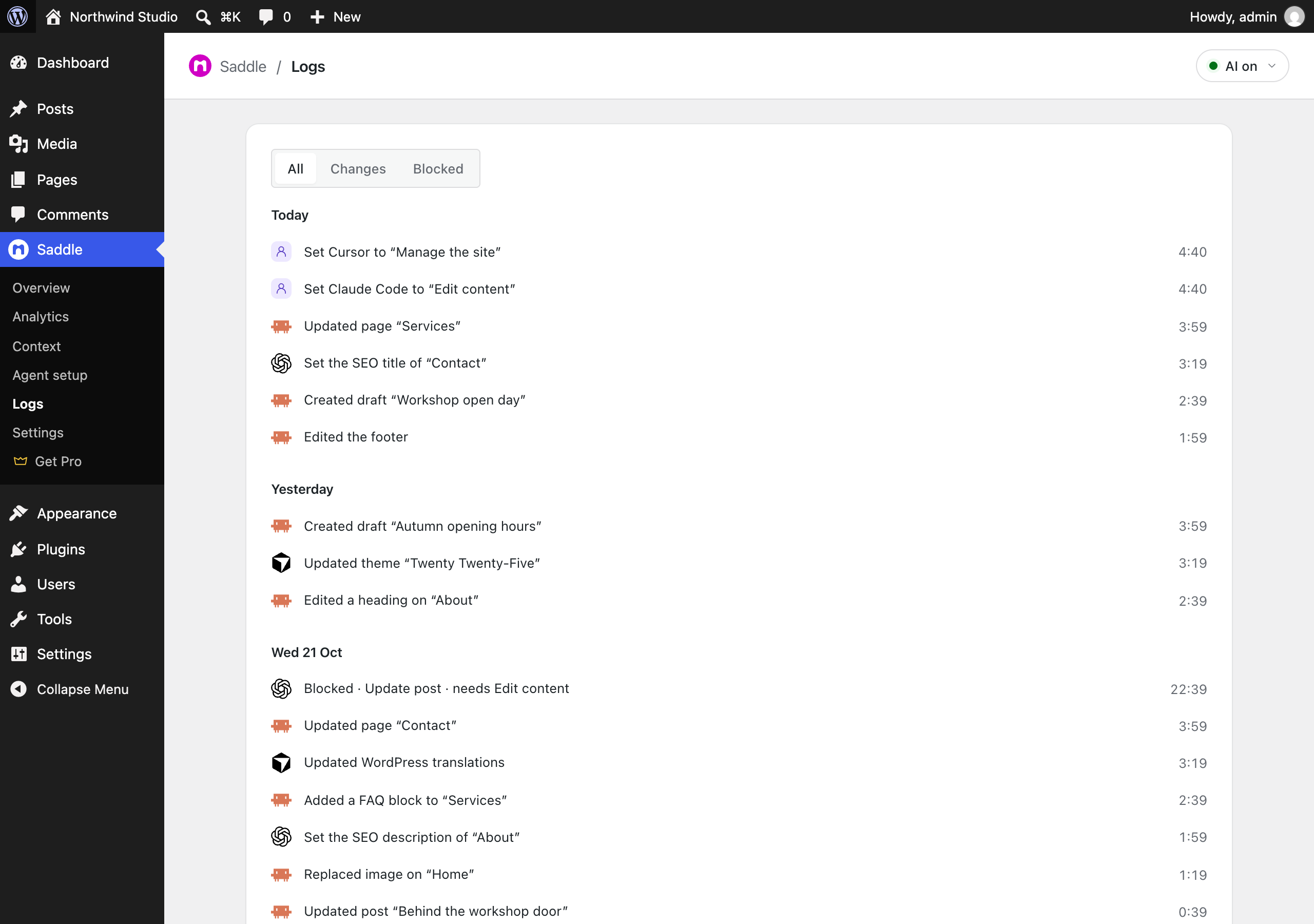
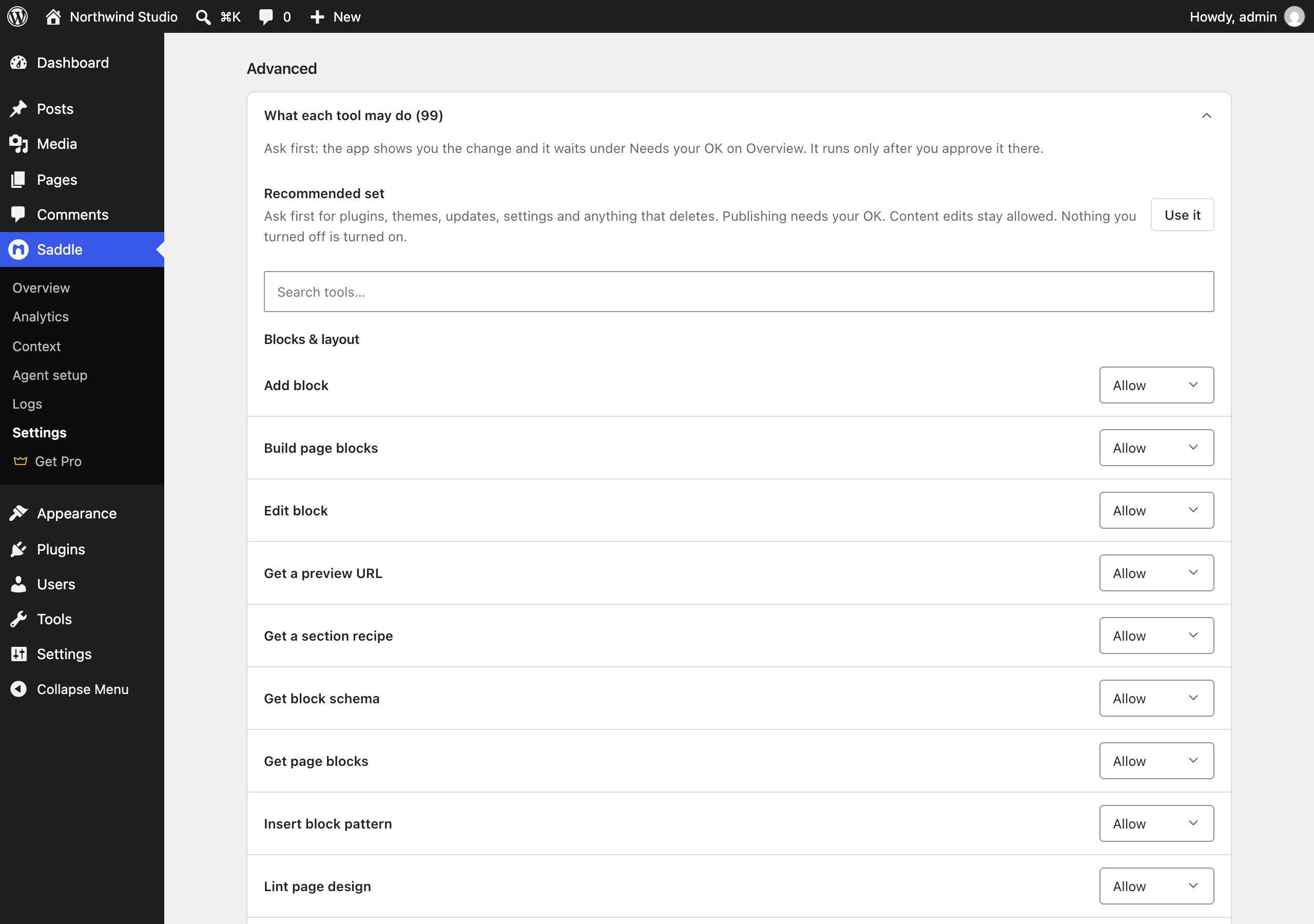
SaddleWP connects your AI agent to your WordPress site.
SaddleWP is a free MCP server for WordPress. It runs on your own site. Connect Claude, ChatGPT, Cursor or any other MCP agent, then ask in plain words: build a page, fix an SEO title, show this week’s visitors, run the updates. Your agent does the work with real WordPress tools. You decide what it may change.
SaddleWP website · Docs · Live demo · Plans · PlugPress
What is SaddleWP?
SaddleWP is a free core plugin with add-ons. Each part does one job.
- SaddleWP (this plugin): the WordPress MCP server. It gives AI agents safe tools for your content, pages, plugins and settings. saddle.to/ai
- SaddleWP Rank: SEO for WordPress, and AI search visibility. Free. saddle.to/seo
- SaddleWP Analytics: analytics for WordPress, cookieless, kept in your own database. Free. saddle.to/analytics
- SaddleWP Pro: a paid add-on for Divi 5 sites. saddle.to/pricing
- Your SaddleWP account: optional, free for one site. One connection for all your sites.
SaddleWP Rank and SaddleWP Analytics need this plugin. SaddleWP can install each one for you with one click.
MCP for WordPress
MCP, the Model Context Protocol, is how an AI agent uses tools. SaddleWP is the MCP server for WordPress: it turns your site’s posts, pages, media, menus, plugins and settings into tools an agent can call.
- Any MCP agent: Claude, Claude Code, ChatGPT, Cursor, VS Code, Codex, Gemini CLI, Windsurf and others.
- Two ways to connect: through your SaddleWP account, with one address for all your sites. Or straight to your site, and your content never goes through our servers.
- Sign-in for agents: Connect this site turns it on. An administrator approves each agent on your site. It needs HTTPS and pretty permalinks. Without them, an agent uses a key that works only with SaddleWP.
Connect Claude to WordPress
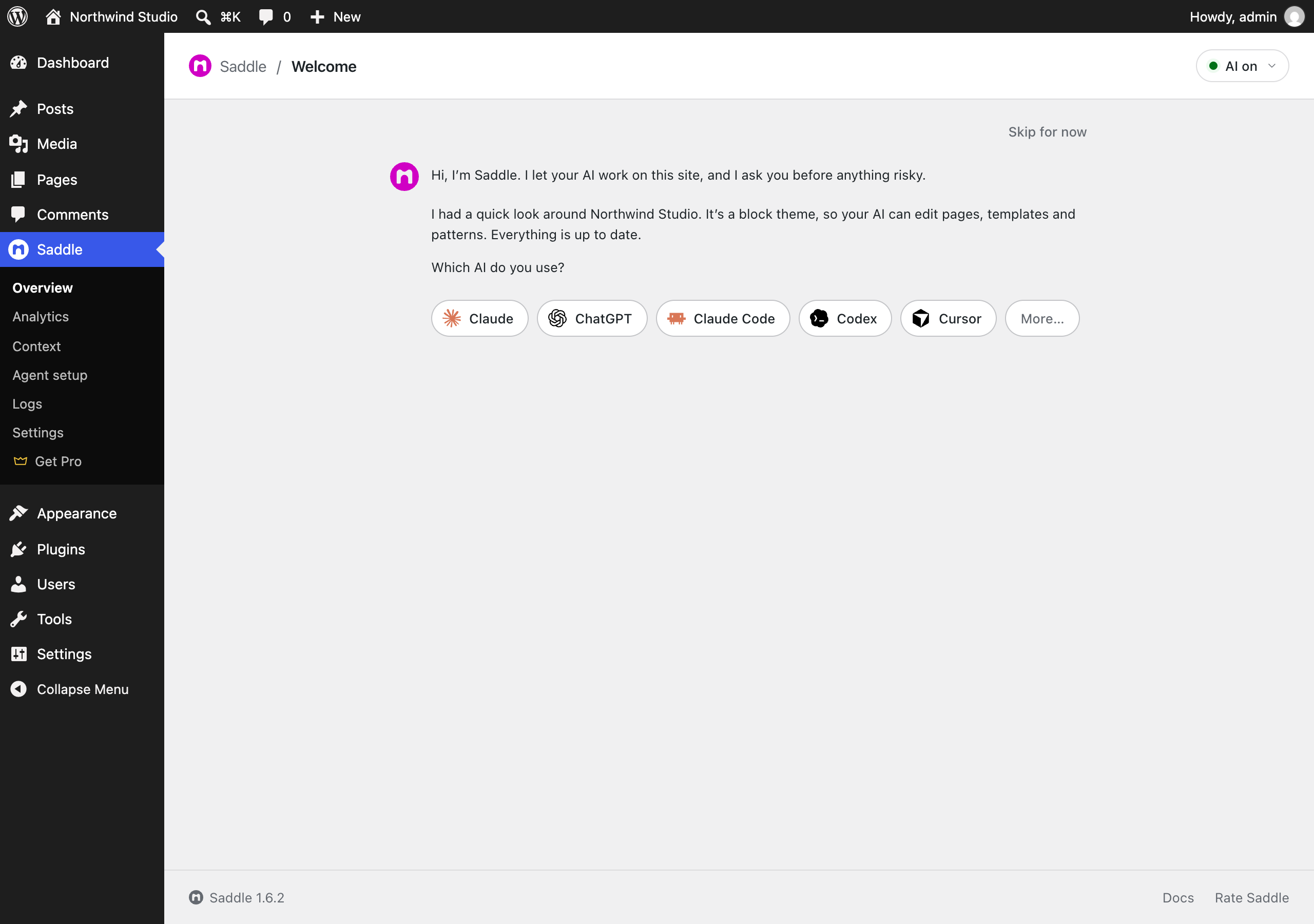
Add your site’s address to Claude or Claude Code and approve it in your browser. Then ask Claude to draft a post or build a page in your theme’s styles.
Connect ChatGPT to WordPress
Add your site as a connector in ChatGPT and approve it on your site. ChatGPT reads your content first. It writes after you give it Edit content.
Connect Cursor, Codex, Gemini CLI and other MCP agents
Add the same address to Cursor, VS Code, Codex or Gemini CLI. There is a guide for each agent at saddle.to/docs.
Build: pages, content and updates
- Pages that look like your site: real block editor and Divi 5 pages in your theme’s colors, fonts and patterns.
- Content written your way: drafts of new posts, updates to old ones, images from a link or from Unsplash, and menus kept in order. Teach it your voice and rules once with Skills, and it remembers.
- A site that keeps running: plugin, theme and WordPress updates through WordPress’s own updater, with its backup and rollback, and Site Health in plain words.
Rank: SEO for WordPress
- SEO fixes: your AI agent rewrites SEO titles and descriptions with SaddleWP Rank, Yoast SEO, Rank Math or All in One SEO.
- Site repairs: with SaddleWP Rank it also fixes broken links, redirects missing pages and writes FAQ schema.
- Where you rank: with your SaddleWP account, Google Search Console and keyword tracking.
Rank: AI visibility for WordPress
- Readable by AI: SaddleWP Rank keeps an llms.txt, writes page summaries, and scores each page on how easy it is to quote in an AI answer.
- Your choice: two switches decide whether AI answer engines may show your site, and whether AI companies may train on it.
- Who reads you: SaddleWP Analytics lists the AI crawlers that visit, and counts the people AI chat apps send you.
- Whether you are cited: with your SaddleWP account, a weekly Google check shows whether Google’s AI Overview cites you.
Grow: analytics for WordPress
- Know who visits: with SaddleWP Analytics, ask “how many people did ChatGPT send us this week?” and get the numbers your dashboard shows.
- Private by design: it counts visits without cookies, and the data stays in your own database.
- Find what to write next: with your account, keyword research, competitors checked every week and article plans your AI agent writes as drafts.
- Every site from one chat: with your account, one AI connection for all your sites, with uptime alerts.
Safe on a live site
- A new agent can only read. You choose Read only, Edit content or Manage the site for each one.
- Deletes, overwrites, installs and other big changes show a preview first, and any tool can be set to ask first. You can let a Manage the site agent skip this. It is off until you turn it on, and deleted posts and pages still go to the Trash.
- Every change is logged, and most can be undone.
Content
- Posts and pages: Create, edit and delete posts and pages.
- Custom content types: Work with the post types your plugins and theme add, such as products, events or docs.
- Media: Upload images and files from a URL or from your computer, and edit their details.
- Categories, tags and search: Create categories and tags, and find any post, page or media item.
- Menus: Create a menu, add, rename, move and remove its items, and choose which menu shows in each theme location.
- Users: List users and read their profiles.
Block editor pages
- Block pages: Build pages with real blocks that stay editable in the block editor, and add, edit, move or remove single blocks.
- Theme styles: Use your theme’s colors, fonts, spacing and patterns, and add a palette, type scale and spacing to a block theme.
- Templates and patterns: Read templates, template parts and global styles. On a block theme, change a template, the header or the footer, add a template part, or save a section as a pattern. Changes are saved in the database. Theme files are never edited.
Divi 5 pages
These tools work on sites running Divi 5.
- Divi pages: Build and edit pages with real Divi modules. Add, edit, move and remove modules, and change page settings.
- Module settings: Read every setting of a module, including modules from add-on packs, and set it with a checked value.
- Layout and styles: Set column layouts on rows, place rows inside columns and groups, and style a module for tablet, phone and hover.
- Loops and dynamic content: Repeat a module for each post in a query, and show live post data in module fields.
- Interactions: Make a click or a hover on one module show, hide or change another.
- Display conditions and presets: Show or hide a module by rule, and apply a saved preset.
- Divi design data: Read global colors, fonts, variables and presets, and list Library items and Theme Builder templates.
SaddleWP edits Divi 5 pages only. It leaves Divi 4 shortcode pages untouched.
Check the result
- Page check: Find layout, contrast and accessibility problems on a block or Divi 5 page, with a score and a fix for each problem.
- Node view: See the real styles and HTML of any part of a page.
- Rendered page: Read the real HTML and CSS of a Divi 5 page, so an agent can check its work without a browser.
- Preview: Get a short-lived preview link to see the page before it goes live.
Integrations
The SEO and WooCommerce tools work when that plugin is active.
- Yoast SEO, Rank Math and All in One SEO: Read and edit the SEO title, meta description and robots of posts and pages, plus terms, schema type or social fields where the plugin has them.
- WooCommerce: List and read products and variations. Listing orders needs Edit content, because orders show customer names and emails.
- Unsplash: Find and import free stock photos with your own Unsplash API key.
- Other plugins: Any plugin can add its own tools. Tools from other developers stay off until you switch them on in SaddleWP Settings Advanced.
Skills and memory
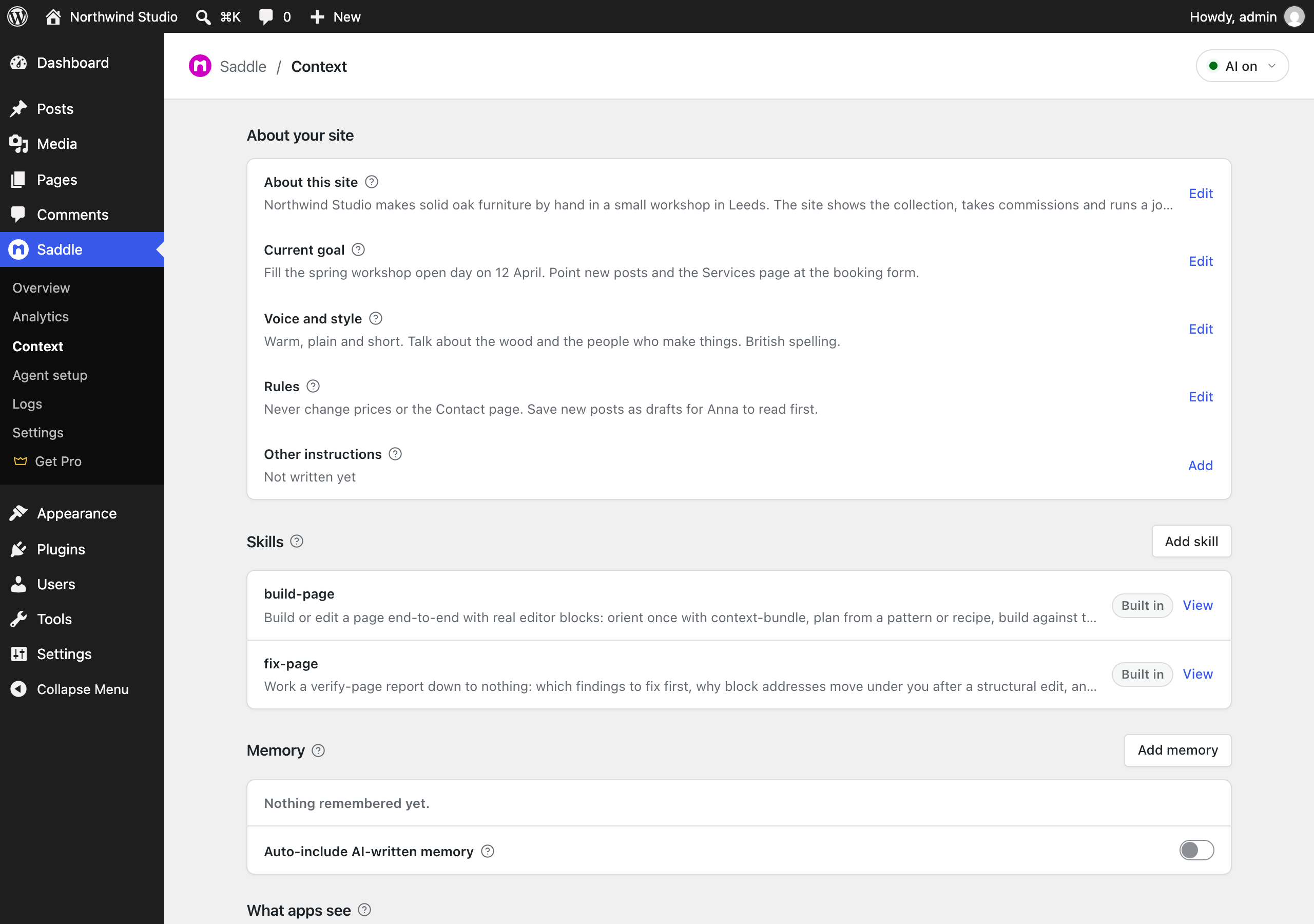
- Skills: Add short Markdown guides that tell your AI how you work. Guides to build a page and fix a page are included.
- Memory: Let your AI save notes for later sessions, and see what changed on the site.
Site management
These tools stay off until you give an agent Manage the site.
- Settings: Change the site title, permalinks and reading options.
- Plugins and themes: Activate, deactivate and switch them after a preview. Install by name from WordPress.org only. A new install arrives inactive. SaddleWP never installs from a zip or a link, and never deletes a plugin or theme.
- Updates: Apply plugin, theme, WordPress and translation updates through WordPress’s own updater, which keeps a backup. Major WordPress releases need SaddleWP’s own switch in Settings, which is off by default.
- Site Health and cache: Read Site Health results and clear the cache.
Safety
- Tool switches: Set each tool to Allow, Ask first or Off. Ask first waits for your OK in wp-admin.
- Drafts only, Rehearsal and Pause: Keep new posts as drafts, let an agent practise while nothing is saved, or block all AI requests with one switch.
- Logs and Undo: Every change and blocked request is logged. Undo restores earlier versions, untrashes and puts settings back. Updates, installs and permanent deletes cannot be undone.
- Protected settings: The site URL, security keys, user roles and admin email cannot be changed.
SaddleWP never runs code from the AI, has no shell access and cannot write files. The one file it changes is .htaccess, only when you click Fix it for me in the connection check, to pass sign-in headers to WordPress. Uninstalling SaddleWP removes it.
SaddleWP Pro
SaddleWP Pro is a paid add-on for Divi 5 sites, and it needs this free plugin. It adds Divi design system, Library and Theme Builder edits, building or cloning whole pages, site-wide image and preset changes with undo, a design brief, and WooCommerce bulk edits with undo.
Every feature in this free plugin stays free. SaddleWP Get Premium shows SaddleWP’s plans and prices only while SaddleWP Pro is not installed. It sends nothing. Its buttons open saddle.to or cloud.saddle.to.
Credits
- Iconoir icons (MIT): iconoir.com
- AI agent logos from LobeHub Icons (MIT): github.com/lobehub/lobe-icons. Each logo belongs to its owner.
External services
SaddleWP sends no tracking or usage data unless you choose to. It connects to another site only in these cases:
- Upload from URL: WordPress downloads the one file you asked for.
- Connection check: SaddleWP sends a test request to your own site.
- Page checks (optional): when your AI agent asks, SaddleWP loads the page from your own site, as a visitor would.
- Unsplash (optional): after you add your own API key under SaddleWP Settings, searches and photo IDs go to
api.unsplash.com, and photos come fromimages.unsplash.com. See the API Guidelines, API Terms and Privacy Policy. - OAuth agent check (optional): with sign-in for agents on, SaddleWP reads a public web address the agent gives to confirm who it is. It sends nothing about your site.
- Updates and Site Health (optional): when your AI agent lists or applies updates, or reads Site Health, WordPress contacts WordPress.org or a plugin’s own update server, as the Updates screen does.
- Plugin and theme directory (optional): a search or an install sends the search words or the slug to
api.wordpress.org, with your WordPress version, language and site address, as the Add New screens do. Packages come only fromdownloads.wordpress.org. - Usage data (optional): nothing is sent until you click Allow. It sends your name, email, site address and title, WordPress and PHP versions, language, timezone, theme and plugins to
console.plugpress.io, then weekly when something changed. Stop it with Stop sharing site info on the Plugins screen. See the Privacy Policy. - SaddleWP news (optional): only if you ask for it, the email address you typed goes to
console.plugpress.io, which passes it to PlugPress’s newsletter onplugpress.io. You confirm by email first. - Deactivation feedback (optional): Send and deactivate sends your reason, what you typed, your email only if you ask for a reply, and the SaddleWP, WordPress and PHP versions to
console.plugpress.io. Skip and deactivate sends nothing. - Your SaddleWP account (optional): Connect this site opens
cloud.saddle.towith your site’s address. If you connect it, your AI agent’s calls and your site’s answers pass through that service, and your site still decides each call. See the Privacy Policy.
The WordPress.org version never checks for its own updates. The version from plugpress.co checks at most once every six hours and sends only the plugin name and version.
Privacy
- SaddleWP stores its settings, Skills, memory, activity log and short-lived confirmation codes on your site.
- With OAuth on, it also stores approved agents and a one-way hash of their tokens.
- For each connected agent, it stores the name the agent reports, when it connected and last called, and the names of its last five tools. It stores no tool inputs or results.
- SaddleWP sends no personal data off your site unless you choose to: what passes through your SaddleWP account once you connect it, your name and email if you tick that part of usage data, an address you give for SaddleWP news, and a reply address you add to deactivation feedback. PlugPress keeps usage data while you share it and clears what identifies your site after 12 months without an update. It deletes deactivation feedback after 24 months.
- Deactivating or deleting SaddleWP deletes the agent keys it made, because nothing limits them while SaddleWP is off. Agents that connected with a key need to connect again after you turn SaddleWP back on. Keys you made yourself stay.
- Uninstalling removes all SaddleWP data.