
RowanWeb Image Select for ACF
v0.1.0Ryabinin Vitalii · 2026年10月20日 上架
An "Image Select" field type for Advanced Custom Fields: pick an image like a select option. Works with ACF, ACF PRO and Secure Custom Fields.
- 正在使用
- 10 以下
- 评分
- 暂无
- 累计下载
- 180
- 最近更新
- 2026年10月20日
贡献者
 Ryabinin Vitalii
截图
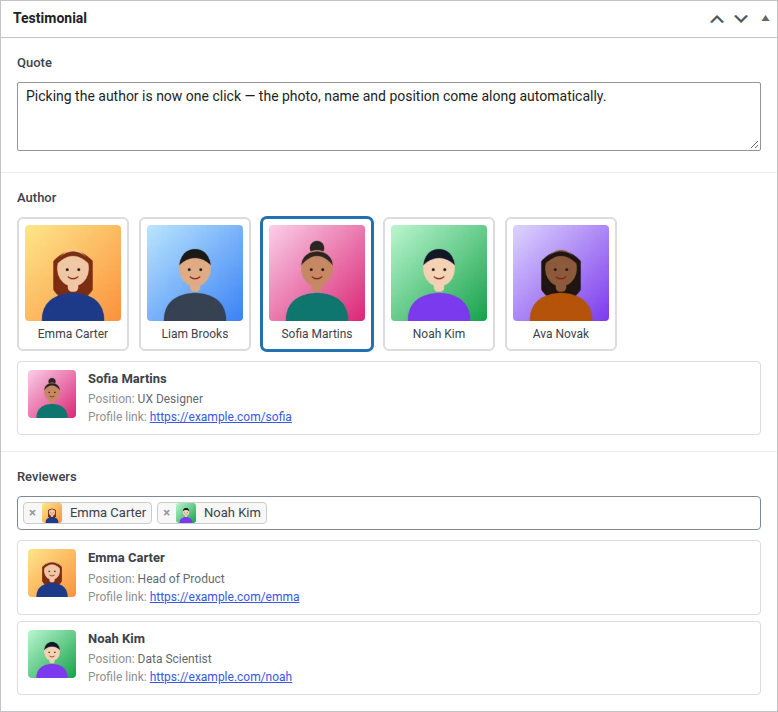
Sometimes a select field is really a choice between pictures: a quote author, a team member, a layout preset, a badge. With a plain select you store a slug and then map it to an image somewhere in your theme. With an Image field you end up searching the media library for the same photo again and again.
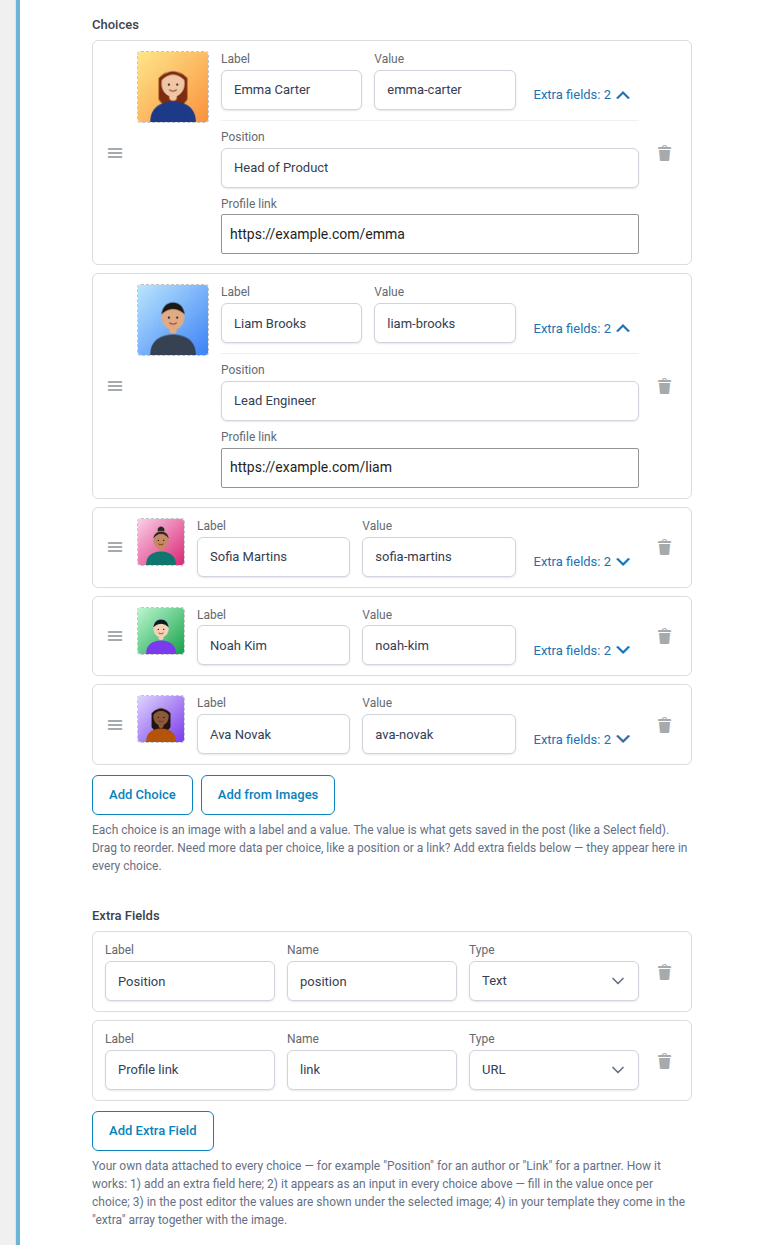
Image Select fixes that. You define the choices once, in the field settings — an image from the media library, a value, a label and any extra fields you need (for example “Position”). Editors then simply click the picture they want, and the post stores only the value, just like a regular select.
- Visual choices editor — build the list of choices in the field settings, picking images from the media library. No URLs or attachment IDs to type in.
- Extra fields per choice — attach your own data to each choice (position, link, short text) and get it in your template together with the image.
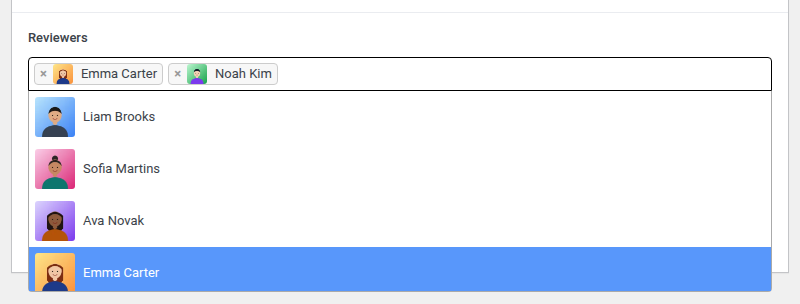
- Two appearances — a grid of image cards for short lists, or a searchable dropdown with thumbnails for long ones.
- Stores the value, like a select — switch an existing Select field to Image Select, add images to the same values, and all existing posts keep working.
- Flexible return format — value, label, image ID, image URL, or an array with everything at once.
- Works with free ACF — no ACF PRO features required. Also works with ACF PRO and Secure Custom Fields, including inside Repeater, Flexible Content, Group and ACF Blocks.
Requirements
This plugin needs Advanced Custom Fields (free or PRO) or Secure Custom Fields to be installed and active.
External services
This plugin connects to the following third-party service. Nothing else is sent anywhere by the free version.
Freemius (optional opt-in, licensing and updates of the Pro version)
The plugin includes the Freemius SDK, which handles licensing and updates of a separate Pro version. In this free version, Freemius only shows an optional opt-in screen after activation.
- When: only if you choose to opt in (or activate a Pro license).
- What is sent: your site URL, WordPress and PHP versions, plugin version, site language, and the admin’s name and email address, plus plugin activation/deactivation/uninstall events. If you skip the opt-in, nothing is sent.
- Freemius Terms of Service, Privacy Policy and details on what is collected.
Support
Questions, bug reports or feature requests: the plugin’s support forum on WordPress.org, or https://rowan-web.ru/en/