
Restore Admin Menu (ru_RU)
v0.2Sergey Biryukov · 2013年9月1日 上架
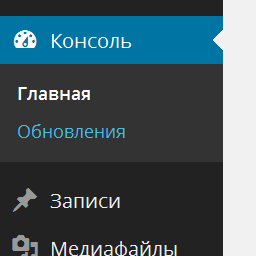
Restores the admin menu when updating from 3.1.x or an older install to the latest release from ru.wordpress.org.
- 正在使用
- 10+
- 评分
- 5.0 / 5
- 累计下载
- 3,807
- 最近更新
- 2015年5月5日
贡献者
 Sergey Biryukov
截图

Up to 3.3.x, Russian WordPress packages had some CSS fixes to make room for translated strings in the admin menu and other UI elements.
In 3.4 and 3.5, those fixes were merged into core (see #19603 and #20975). However, obsolete language files are not deleted during an automatic update (see #20974). Unfortunately, this causes the admin menu to disappear when directly updating from 3.1.x or an older version to the latest releases from ru.wordpress.org.
The list of obsolete files:
wp-content/languages/ru_RU.php
wp-content/languages/ru_RU.css
wp-content/languages/ru_RU-ie.css
wp-content/languages/ms-ru_RU.css
The best option is just to remove them manually via FTP. If for some reason you can’t do that, you can try this plugin, which restores the admin menu by unhooking ru_accomodate_markup() function and attempts to remove the obsolete files.
After installing and activating the plugin, try deactivating it. If you still see the admin menu, you can safely remove the plugin, its job is done. If you can’t see the admin menu, activate the plugin again.