

Renewpage – Scheduled Page Reviews
v0.3.2williamlundqvist · 2026年10月15日 上架
Keep pages current. Set how often each page must be reviewed, who owns it, and get email reminders when a review is due or overdue.
- 正在使用
- 10 以下
- 评分
- 暂无
- 累计下载
- 178
- 最近更新
- 2026年10月15日
贡献者
 williamlundqvist
截图
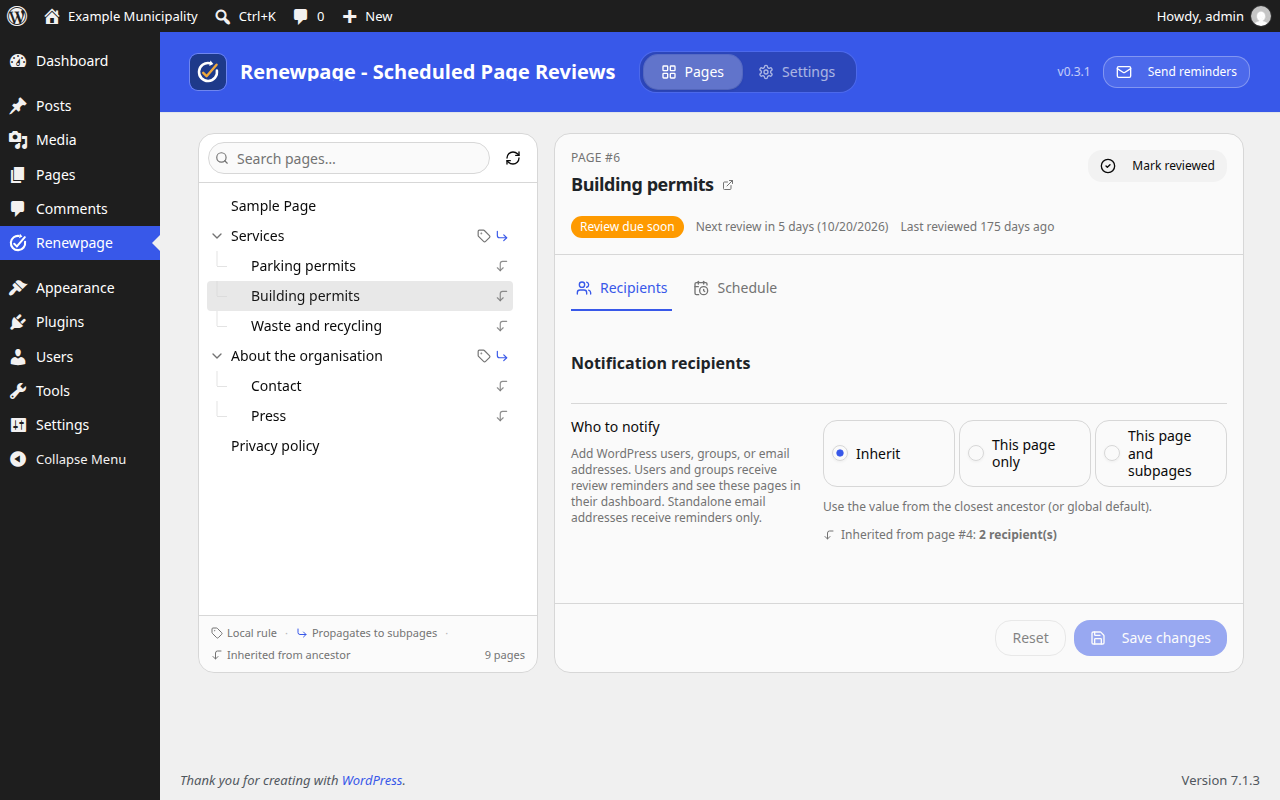
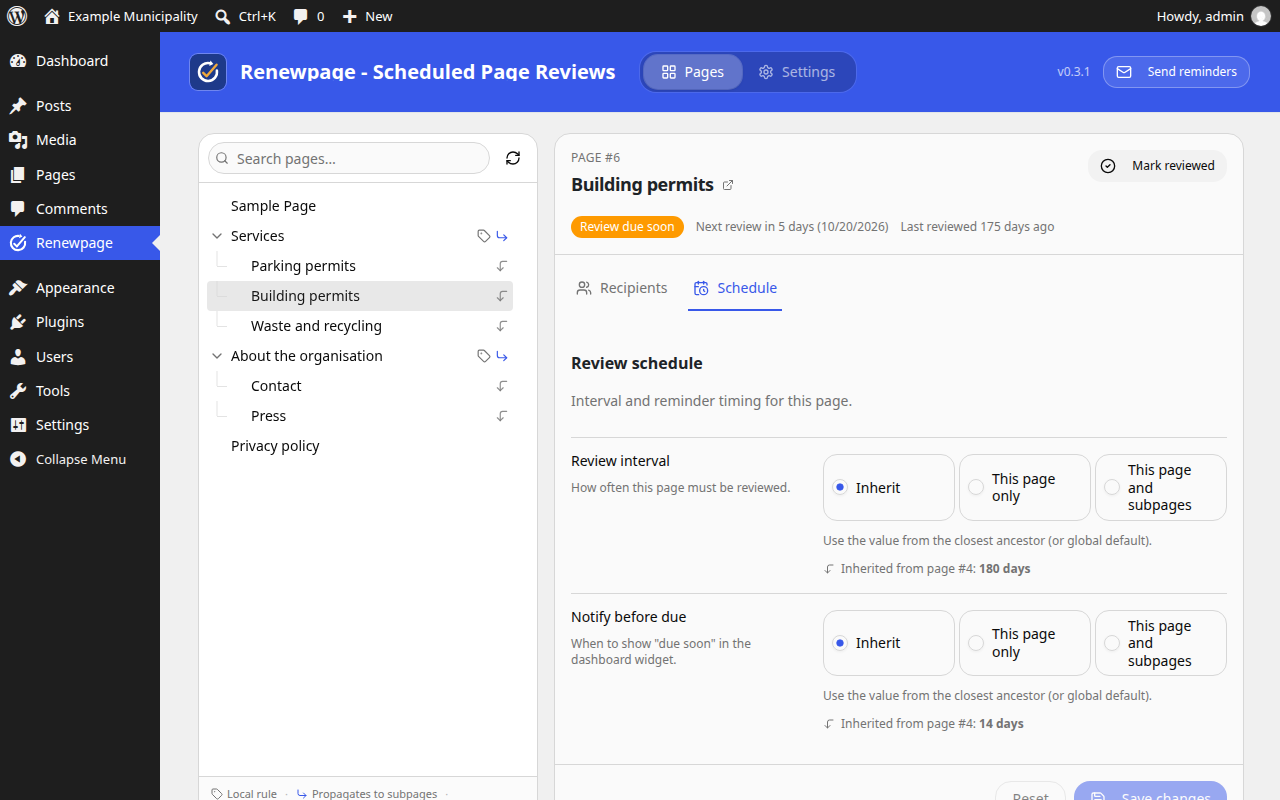
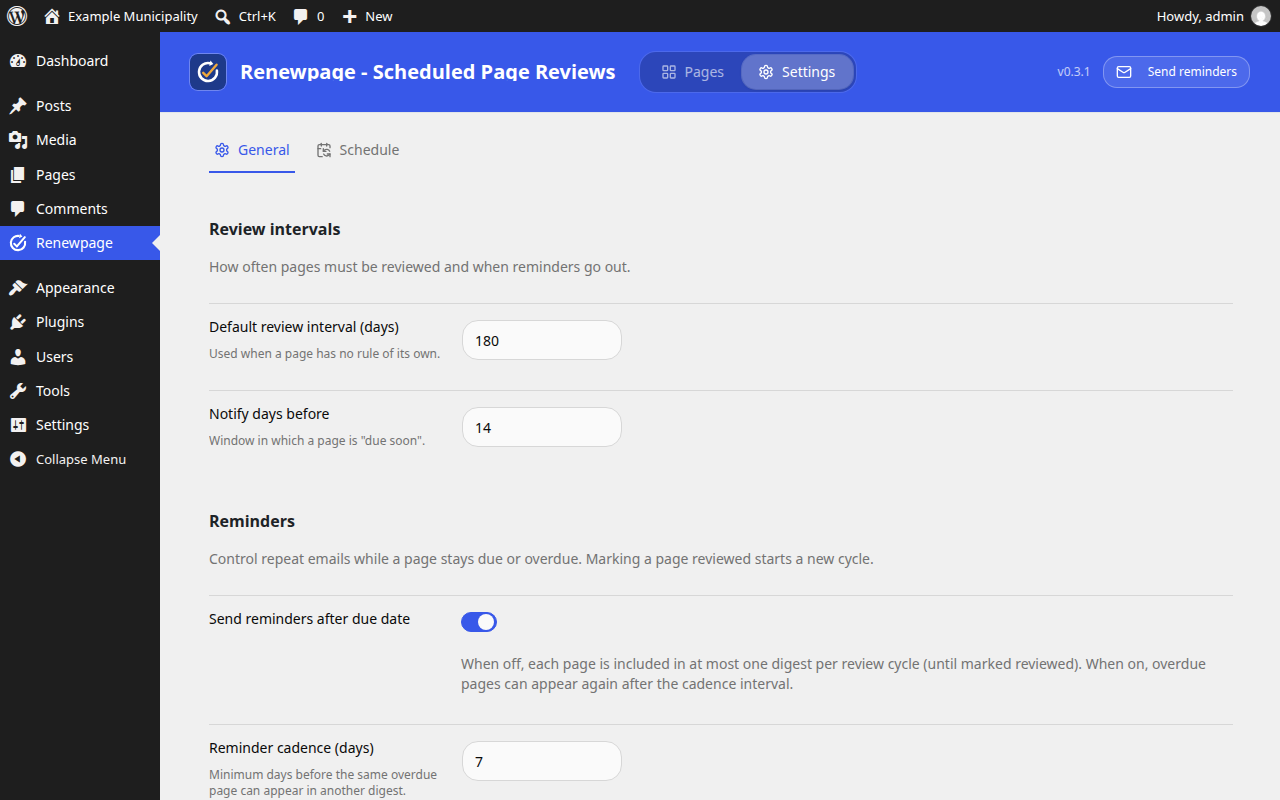
Outdated pages cost trust. Renewpage – Scheduled Page Reviews gives every page on your site a review schedule and an owner, then reminds the right people when it is time to look again.
Set a rule once on a section of your page tree and every page below it follows. Owners get a short email digest, see what needs attention in their dashboard, and mark a page as reviewed with one click.
What you can do
- Set a review interval per page. For example every 180 days for general content and every 30 days for opening hours.
- Assign owners. Choose WordPress users, groups of users (WordPress roles are built in) or plain email addresses for people without an account.
- Inherit rules down the page tree. Apply a rule to a page only, or to the page and all its subpages. Override it anywhere below.
- Get batched email digests. Each owner receives one email listing the pages that are due soon or overdue, with a link to edit each one.
- See status where you work. Review badges in the Pages list, a dashboard widget for owners, and a sidebar panel in the block editor.
- Mark pages as reviewed from the Pages list, the block editor sidebar or the settings screen. This starts the next review cycle.
- Run scans your way. Schedule a daily or weekly scan with WP-Cron, start one from the admin screen, or run it from the command line with WP-CLI.
How it works
- Open Renewpage in the admin menu and choose a default review interval and reminder timing.
- In the page tree, select a page and set its interval and owners. Choose whether the rule applies to this page only or also to its subpages.
- Pick when the automatic scan runs.
- On each scan, owners receive an email for the pages that are due soon or overdue. They review the page and mark it as reviewed.
Control who sees what
Content owners only see the pages they are responsible for. Administrators see the full overview and can change settings. Both permissions can be adjusted with filters, for example to limit settings to the Administrator role.
For developers
- Groups. Roles are the only built-in group source. Add your own, such as a user taxonomy, user meta or an external directory, by implementing a small provider class and registering it with the
renewpage/group_providersfilter. - Hooks. Filters and actions under the
renewpage/prefix let you change who can see or manage reviews, the batch size, which pages are processed, and the content of the emails. - WP-CLI.
wp renewpage-scheduled-page-reviews scanruns a scan from the command line, which is the reliable choice when WP-Cron is disabled.
The plugin sends no data to any external service. Email goes through WordPress on your own site.
Languages
English and Swedish are included.