
Remove layout destroying HTML-Tags
v0.8.1Stefano Picco · 2025年3月10日 上架
Copy&Paste Cleaner. Cleanup the code in post and page editor after using copy&paste content from different sources.
- 正在使用
- 100+
- 评分
- 5.0 / 5
- 累计下载
- 4,351
- 最近更新
- 2026年11月16日
贡献者
 Stefano Picco
截图
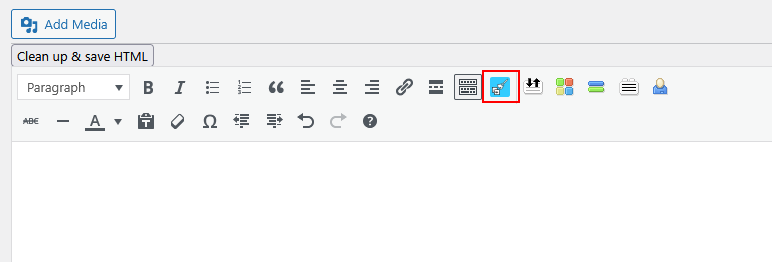


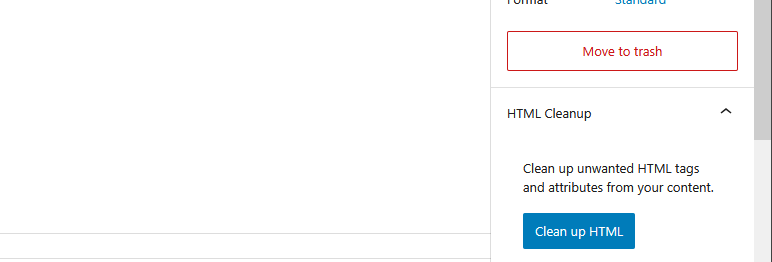


Copy&Paste Cleaner. If you want to quickly fill a post or a page with content that already exists, copy&paste is often used and it can destroy the layout of a website!
The basic problem is that if you copy&paste content from different sources into the visual editor, any formatting is copied over. Specifically, whether from text documents, other websites, online-shops and cms or even from social media, something comes along everywhere. This also applies to content generated in AI chats, which often contains unwanted formatting as well.
As there are often DIVs in addition to harmless HTML elements, these can cause the rendering of your own website to be faulty or interrupted. The integrated DIV-Detector automatically detects div elements in your content after pasting and shows a visual warning with a direct cleanup link.
To avoid this, this plugin checks the existing formatting and attributes and removes all those that could lead to a problem – with one click.
The cleanup includes:
- Removes layout-breaking elements such as
divandspanas well as wrapper elements (figure,article,picture,aside,pre,blockquote) – the text is kept - Removes unnecessary attributes (e.g. classes, styles, IDs as well as
aria-*anddata-*) – alt texts of images on your own website are preserved - Removes
style,scriptandiframeblocks including their content - Removes leftover CSS that comes along when you paste e-mails or Word documents
- Removes emojis and hashtag links (e.g. from Instagram)
- Removes images from foreign domains, local images are kept
- Reduces repeated empty paragraphs and line breaks
- Merges redundant nested formatting
- Converts lists (e.g. from Word) into standards-compliant lists and cleans them up
If you copy and paste into the text editor, there is usually no problem.
Tested with these page builders:
- Classic editor
- Gutenberg
- Divi 4.27
- Elementor 4.3
- WPBakery 9.1
- Beaver Builder 2.11
Accessibility
The DIV warning in the Classic Editor is announced automatically by screen readers. Alt texts of images hosted on your own website are preserved during cleanup, so the accessibility of your content is not reduced. Cleaning up also converts presentational bold and italic markup into semantic strong and em elements.
Privacy GDPR
This plugin processes the analyzed and converted HTML only within the respective website. No content is stored or transferred to other servers or services for processing. No external analytics tools or tracking services are integrated or used. Data protection in accordance with the GDPR is therefore guaranteed at all times.