
Remove Add to Cart Button for WooCommerce
v2.2.0WP Artisan · 2020年8月8日 上架
Remove Add to Cart Button for WooCommerce plugin gives you a really easy interface to hide/remove the product Add to Cart button and product price.
- 正在使用
- 500+
- 评分
- 1.0 / 5
- 累计下载
- 1.9 万
- 最近更新
- 2026年9月2日
贡献者
 WP Artisan
截图
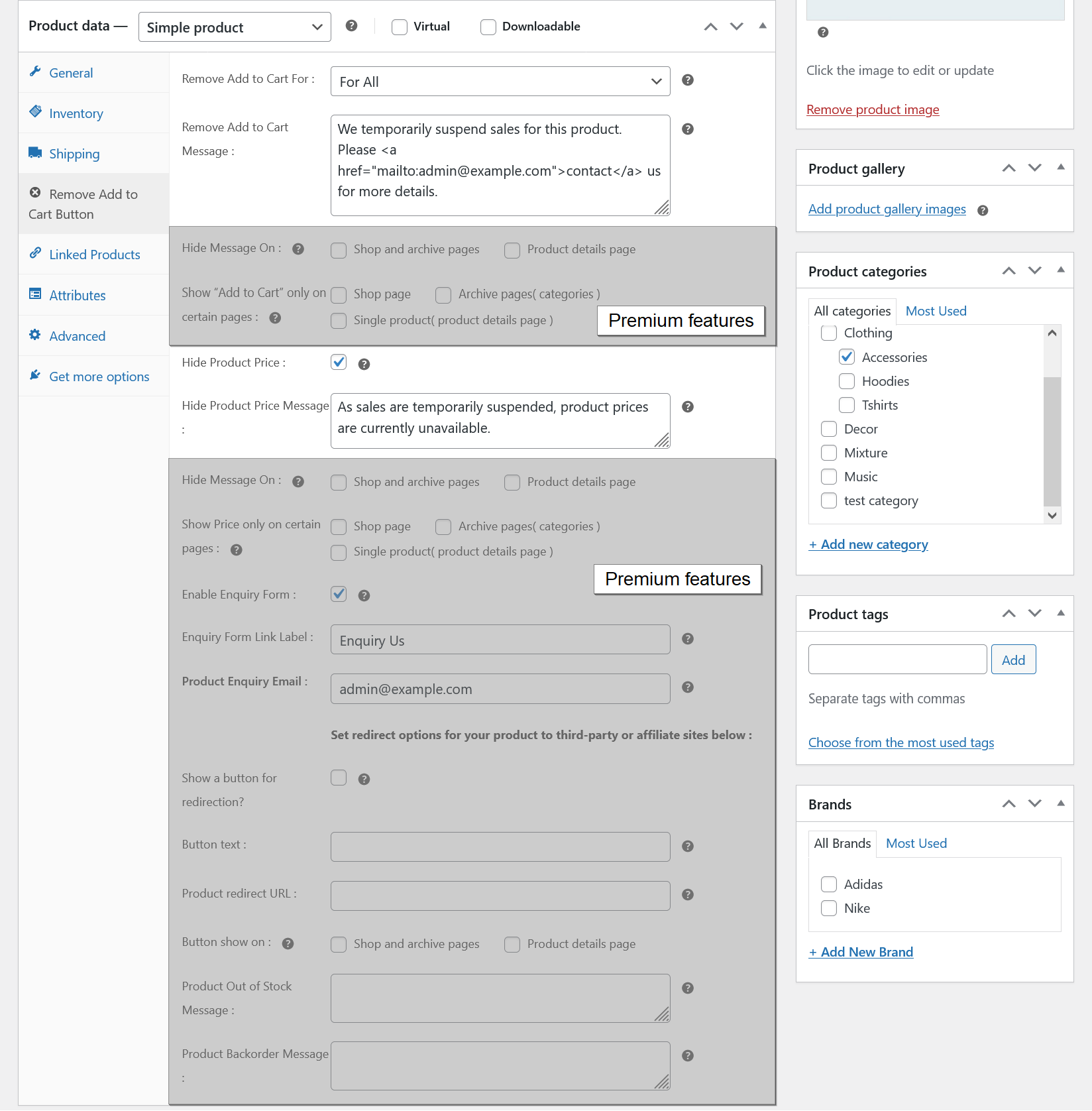
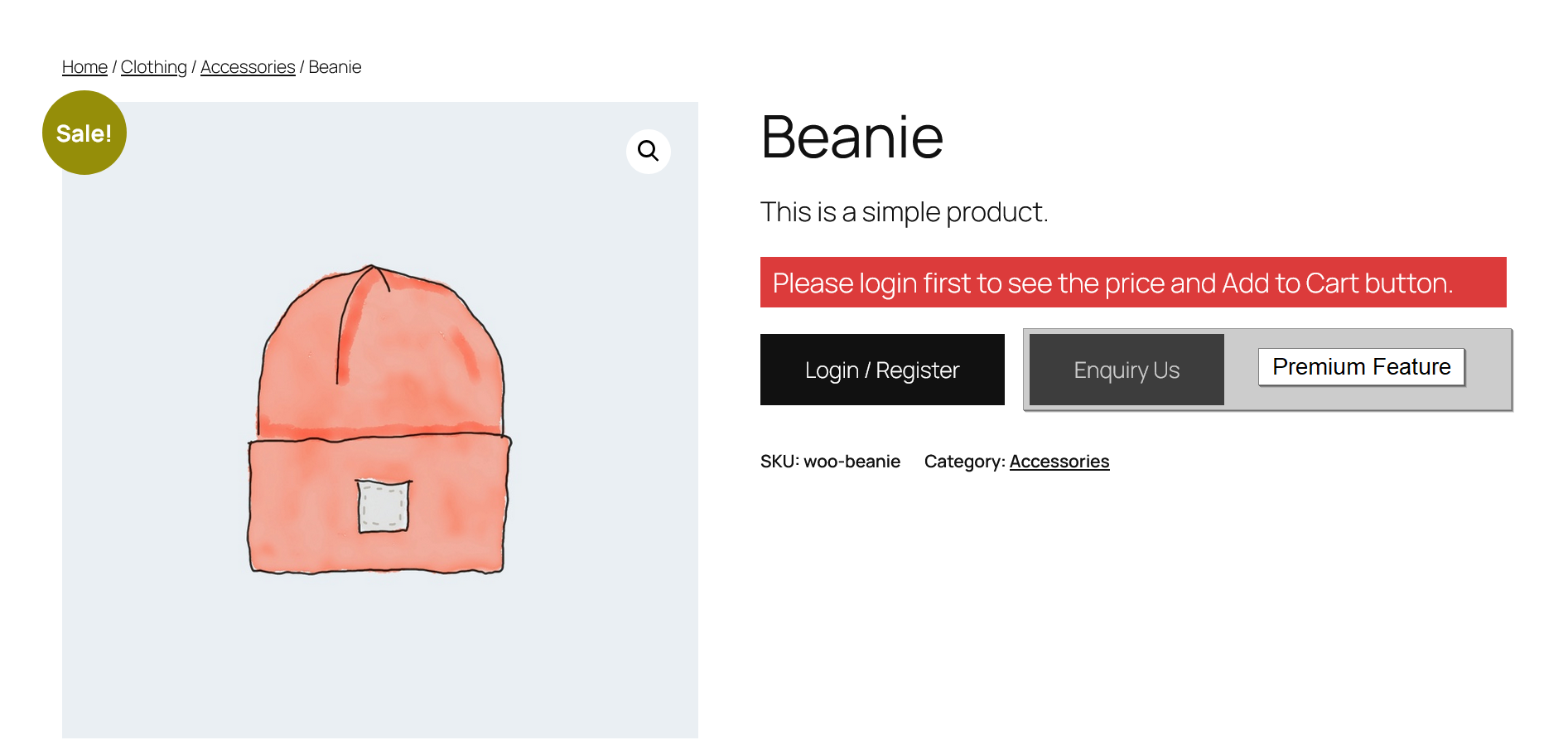


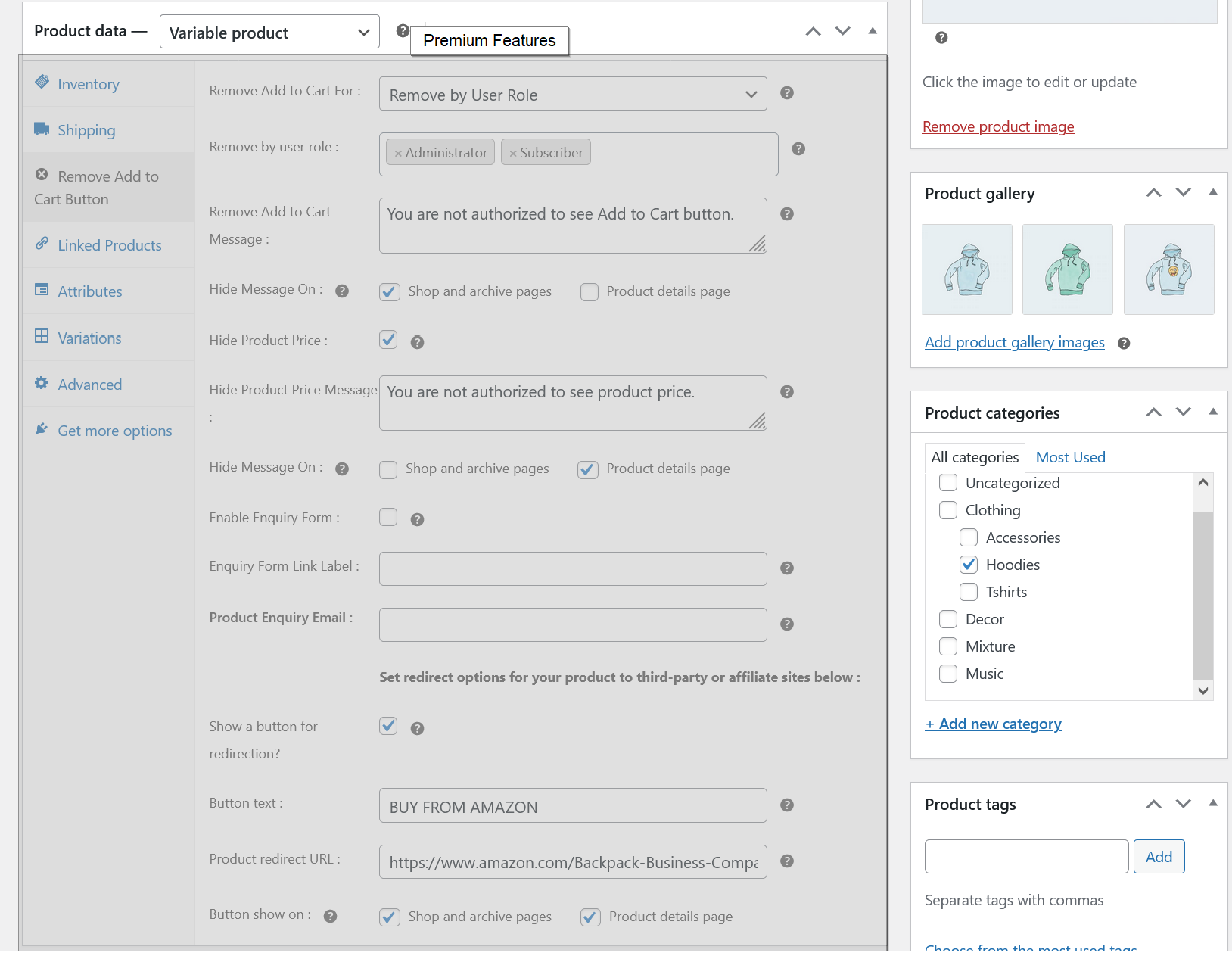
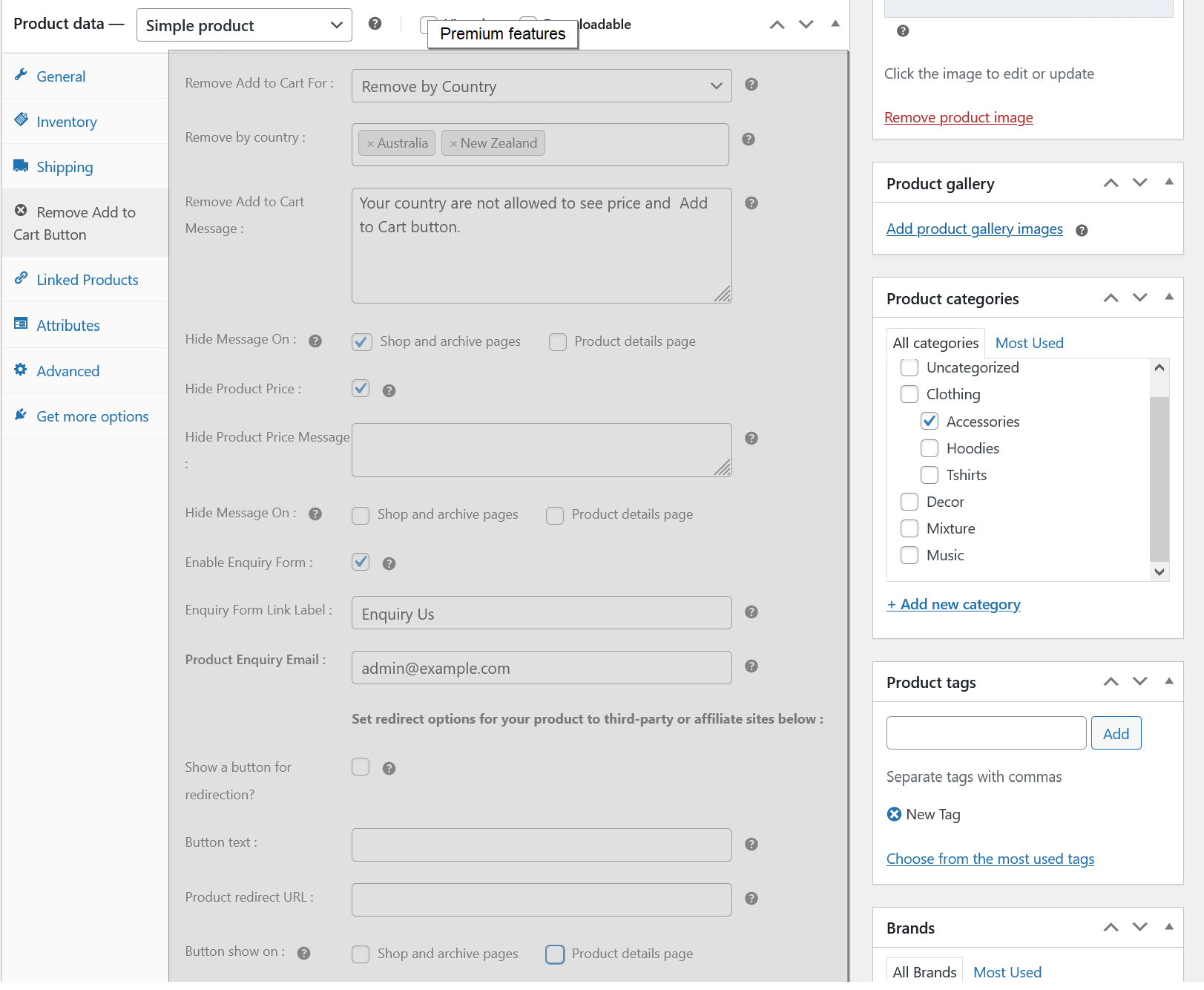
Remove Add to Cart Button for WooCommerce lets you hide the Add to Cart button, control product prices, and turn your store into a catalog, B2B, or quote-based system—without writing any code.
Do you want to:
* Hide the Add to Cart button?
* Show prices only to logged-in users?
* Turn your store into a catalog (no checkout)?
* Let customers send enquiries instead of buying?
* Redirect products to external or affiliate links?
This plugin makes all of that simple.
With an easy-to-use interface, you can control how products behave across your store—without touching code.
What you can do with this plugin
* Remove Add to Cart button for all users or only guests
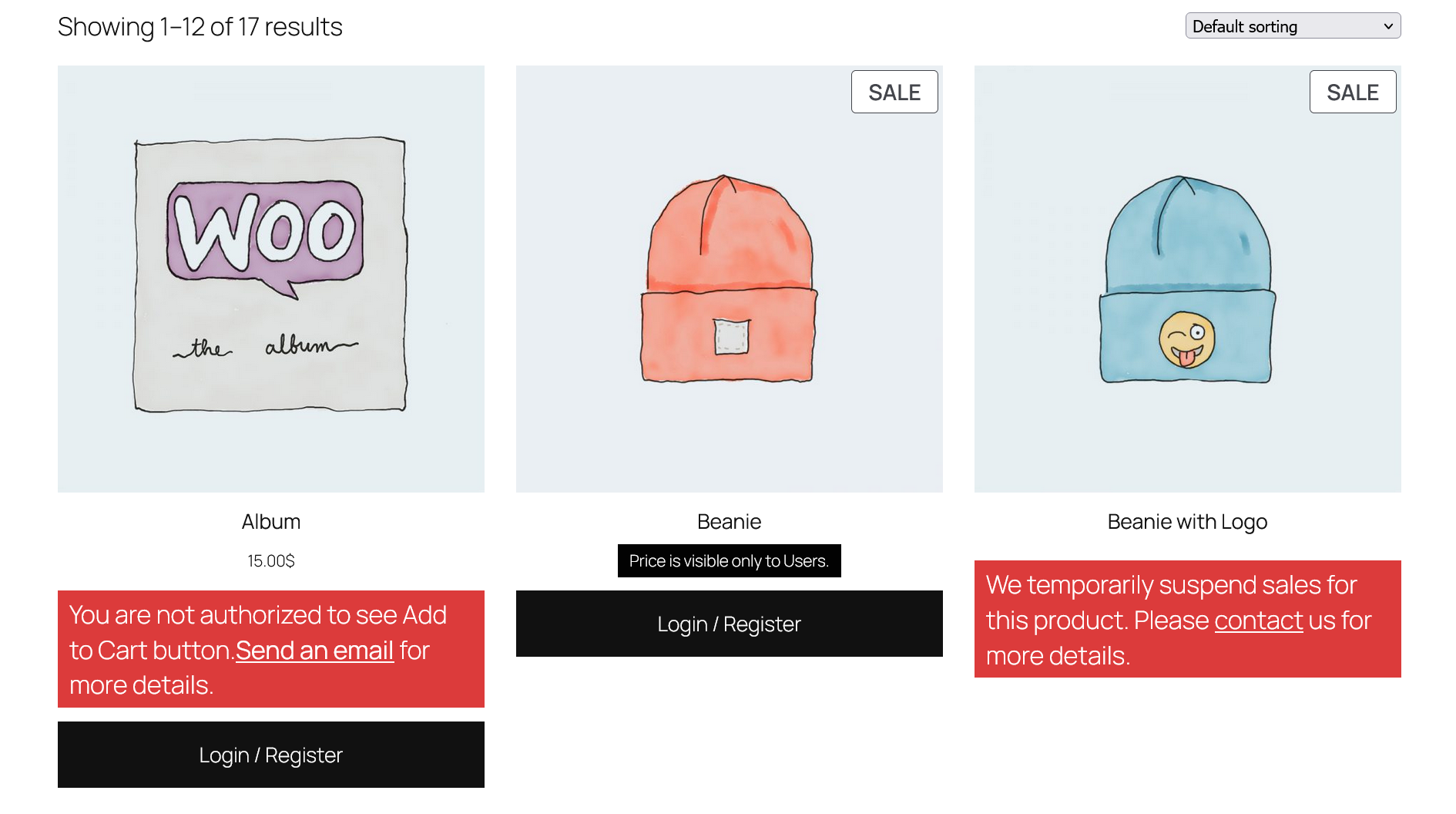
* Show a Login / Register button instead of Add to Cart
* Hide product prices and display custom messages
* Create a “Login to view price” experience
* Display fully customizable messages (supports HTML)
* Turn your WooCommerce store into a catalog mode store
* Control access to Cart and Checkout pages
* Customize stock messages (Out of Stock / Backorder)
Perfect for these use cases
* B2B / Wholesale stores → show prices only to logged-in users
* Catalog websites → disable purchasing completely
* Membership stores → restrict buying to registered users
* Quote-based selling → replace Add to Cart with enquiry
* Affiliate stores → redirect users to external sites
Fully customizable messages
You can display custom messages when:
* Add to Cart is hidden
* Price is hidden
And style them with:
* Text color
* Background color
* Alignment
* Padding
* Font size
You can even use HTML (links, buttons, etc.).
Free Features
* Remove Add to Cart button for all users
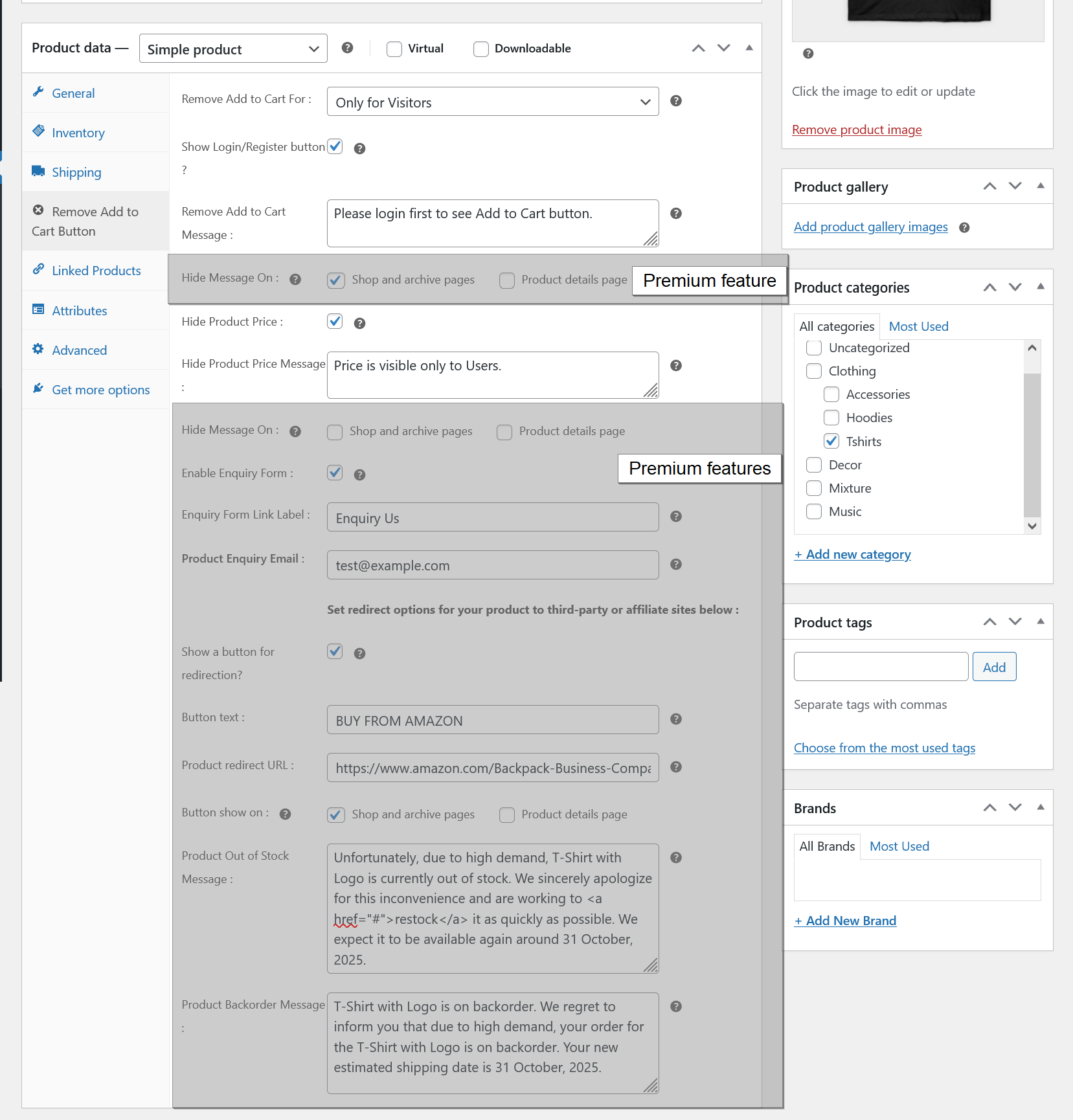
* Remove Add to Cart button for guests only
* Show Login / Register button instead of Add to Cart
* Set custom login/register page URL
* Customize login button text
* Show custom message when Add to Cart is disabled (supports HTML)
* Hide product price
* Show custom message when price is hidden
* Disable Cart and Checkout page access
* Redirect users from Cart/Checkout pages
* Customize message styles (color, alignment, padding, font size)
* Customize Out of Stock and Backorder messages
* Simple and beginner-friendly interface
* Translation ready<h3>Premium Features</h3>
Upgrade to unlock powerful advanced controls:
* Apply rules based on User Roles (e.g. wholesalers, customers)
* Apply rules based on Customer Country
* Set rules for specific product categories
* Exclude specific products from rules
* Show Product Enquiry Form instead of Add to Cart
* Replace Add to Cart with external / affiliate link
* Control where messages appear (shop, category, product page)
* Show Add to Cart and Price only on selected pages
* Customize stock messages per product
* Priority email support