

ReMenu
v1.7.0Jess · 2026年6月27日 上架
Reorganize the WordPress admin sidebar by drag-and-drop: reorder, rename, nest, promote, group into sections, collapse and hide menu items.
- 正在使用
- 10+
- 评分
- 暂无
- 累计下载
- 363
- 最近更新
- 2026年6月28日
需要 WordPress 6.0+已测试到 7.0.9PHP 7.2+
贡献者
 Jess
截图
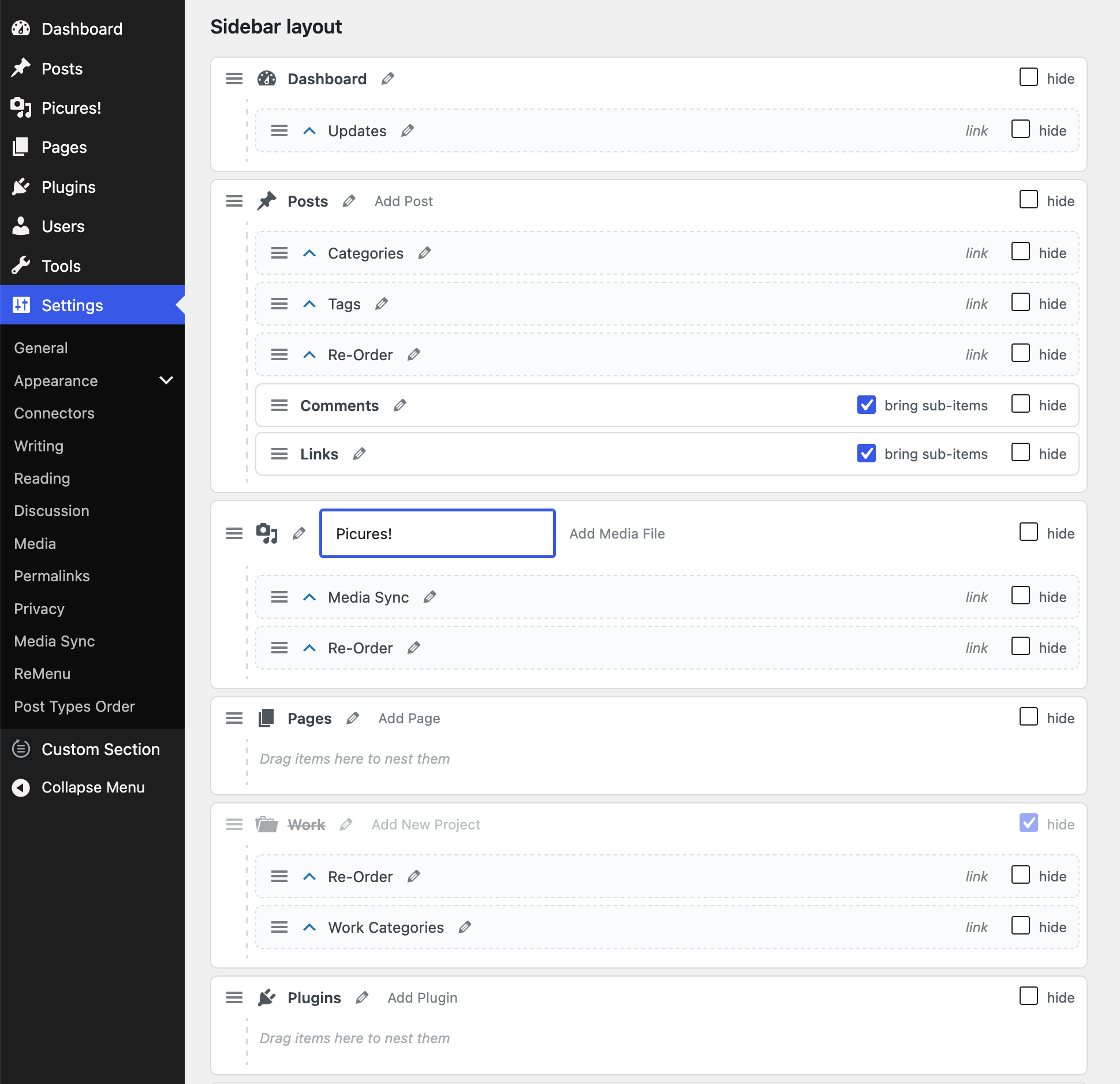
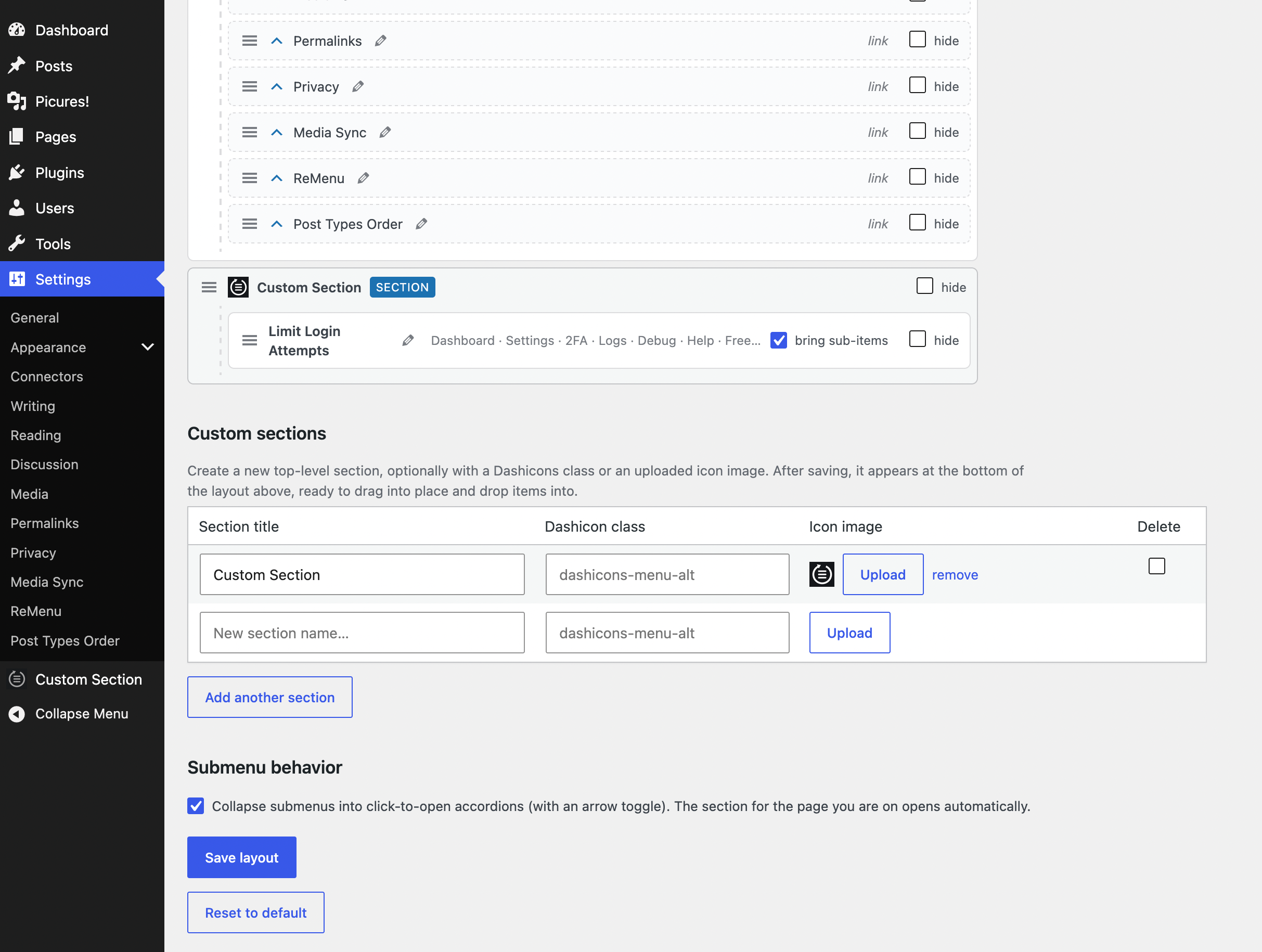
ReMenu gives you full drag-and-drop control over the WordPress admin sidebar. Tame a cluttered menu by putting the things you use most where you want them, grouping related screens together, collapsing the rest, and hiding what you never touch — all from one visual editor at Settings ReMenu.
Nothing is written into WordPress permanently: ReMenu rearranges the menu as it renders, so deactivating the plugin instantly restores the original menu exactly as it was.
What you can do
- Reorder anything — drag top-level items and sub-pages into the order you want.
- Rename items — give any menu item or sub-item a custom label right in the editor; leave the field blank to keep its original name. Count badges (the Plugins update count, pending Comments, available Updates, and so on) are preserved on renamed items.
- Nest items — drop one item onto another to tuck it underneath. Tick “bring sub-items” to carry its sub-pages along (flattened to one level, since WordPress menus are only two levels deep).
- Promote or relocate sub-pages — pull a sub-page up to the top level, or move it under a different parent. This works for plugin screens and core pages like Writing, Reading, Discussion, Permalinks, Categories and Tags.
- Build custom sections — create your own top-level groups and give each one a Dashicon class or an uploaded icon image, then drag items into them.
- Collapse submenus into accordions — turn long submenus into click-to-open sections with an arrow toggle. The section for the page you’re on opens automatically, and brought-in groups get their own independent toggle.
- Hide items entirely — tick “hide” on any row to remove it from the live menu. Hidden items stay in the editor so you can bring them back anytime.
Built to behave
- No third-party JavaScript libraries — the drag-and-drop editor and the menu enhancements are plain, dependency-free code.
- No external requests and no tracking.
- Only users who can manage options (administrators) can change the layout, and saving is nonce-protected.
- Highlighting of the current screen is preserved even after you move or promote a page.