
Recurring Timer Widget
v1.7jrfoell · 2011年4月20日 上架
Widget to display a countdown timer for a recurring event.
- 正在使用
- 10+
- 评分
- 暂无
- 累计下载
- 1 万
- 最近更新
- 2017年5月27日
贡献者
 jrfoell
截图
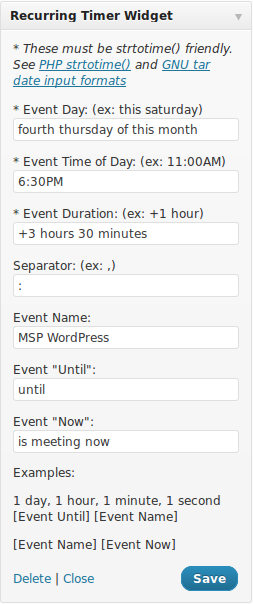


Displays a countdown until the event begins. Specify an event duration time and it will display a different message while the event is happening. After the event is over, the countdown will begin again.
Uses string-to-time (strtotime) formats which can be very simple or very complex.
The widget has many CSS classes to style it with, but it’s been left purposely unstyled so you can format it in whatever way you want. The included recurring-timer-widget.css and recurring-timer-widget.css-example files show how you can move the time and labels around for a custom look. You can customize recurring-timer-widget.css by copying it to your active theme’s folder.
Known issues:
- It requires a browser refresh before the “next next” event. i.e. If you’re viewing the widget and the timer is set for a daily event, the timer will countdown to today’s event, then countdown to tomorrow’s event. But it will not countdown to the day after tomorrow’s event unless the browser is refreshed.
- Events that occur more than once in a 24-hour period have not been tested and may not work.