

Really Simple Featured Image: Automatic Featured Images
v1.1.1JetixWP Plugins · 2026年1月10日 上架
Automatically set missing featured images from the first image or a YouTube, Vimeo or Dailymotion video in your content.
- 正在使用
- 30+
- 评分
- 暂无
- 累计下载
- 725
- 最近更新
- 2026年10月1日
 JetixWP Plugins
 Krishna Kant Chourasiya
截图


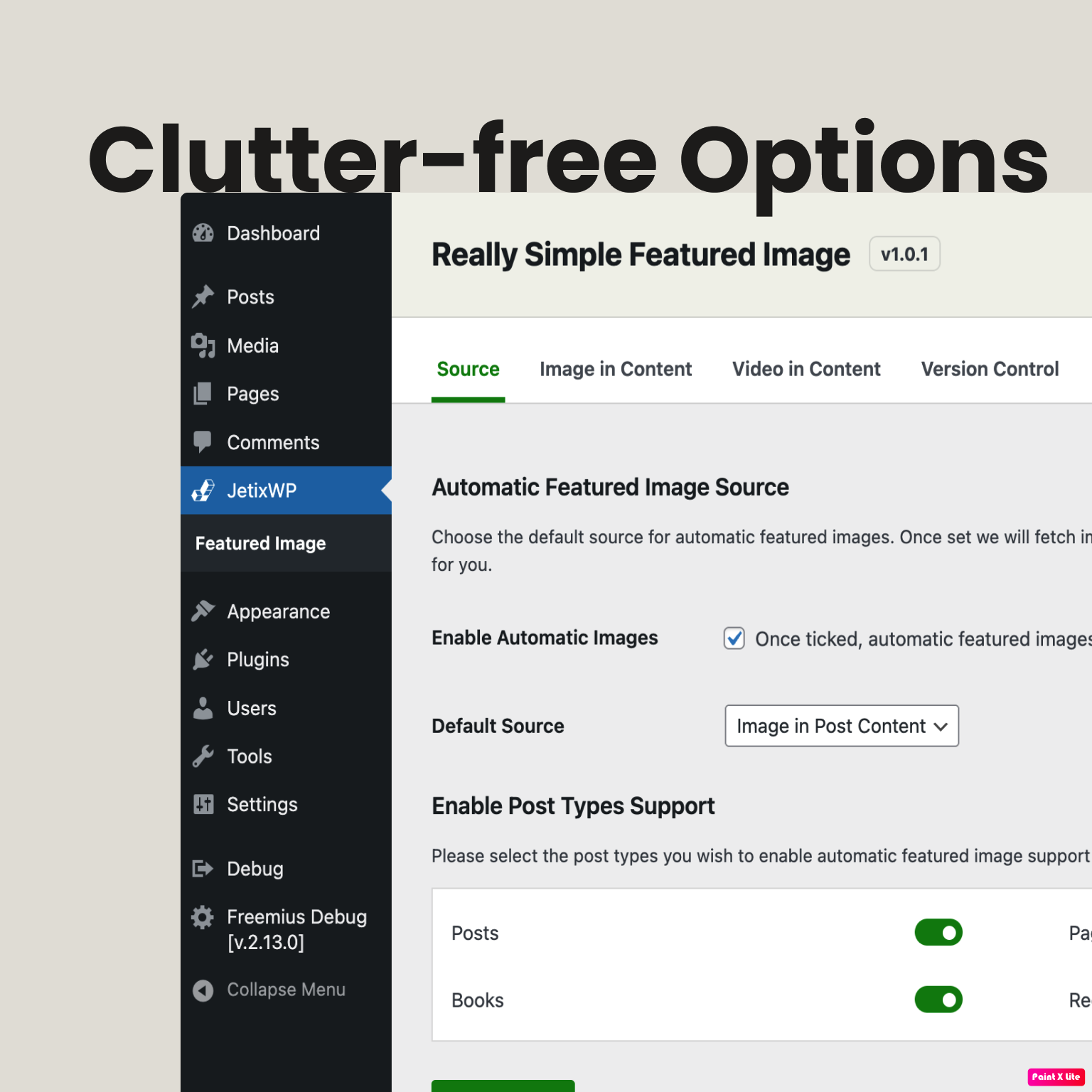
Really Simple Featured Image keeps your posts and pages visually consistent by filling in missing featured images automatically. When you publish or update a post, page or custom post type, the plugin reads the content and sets an image or video thumbnail from it as the featured image. No extra clicks.
Key Features
- Sets the featured image when a post does not have one.
- Finds images in blocks, classic editor markup, lazy-loaded images, srcset and inline background images.
- Uses the thumbnail of a YouTube (including Shorts and live), Vimeo or Dailymotion video in your content.
- Choose which image or video to use: first, second, second last or last.
- Turn it on for the post types you want, including custom post types and WooCommerce products.
- Reuses images already in your Media Library and never downloads the same image twice.
- Never replaces a featured image you set, and if you remove one it stays removed.
- Roll back to an earlier version from the settings screen if an update causes trouble.
- Works for posts saved in the editor, through the REST API or by importers.
How It Works
- Go to JetixWP -> Featured Image and choose the source: images in content or video thumbnails.
- Select which post types should get automatic featured images.
- Publish or update a post. If it has no featured image, the plugin sets the first match it finds.
Requirements
- WordPress 6.3 or newer.
- PHP 8.0 or newer.
External Services
This plugin connects to third-party video platform APIs to get video thumbnails when you choose “Video in Post Content” as your source. These connections only happen when a post without a featured image is saved and contains a video from one of the supported platforms. Results are cached for up to 12 hours.
YouTube
When a YouTube video is found in your post content, the plugin requests its thumbnail from YouTube’s image server and its title from YouTube’s oEmbed API.
- Data sent: YouTube video ID.
- When: On post save/update if the post has no featured image and contains a YouTube video.
- Service provider: Google LLC.
- Terms of Service & Privacy Policy
Vimeo
When a Vimeo video is found in your post content, the plugin sends the video URL to Vimeo’s oEmbed API to get the video title and thumbnail URL.
- Data sent: Vimeo video URL (contains the video ID).
- When: On post save/update if the post has no featured image and contains a Vimeo video.
- Service provider: Vimeo, Inc.
- Terms of Service & Privacy Policy
Dailymotion
When a Dailymotion video is found in your post content, the plugin sends the video ID to Dailymotion’s API to get the video title and thumbnail URL.
- Data sent: Dailymotion video ID.
- When: On post save/update if the post has no featured image and contains a Dailymotion video.
- Service provider: Dailymotion SA.
- Terms of Service & Privacy Policy