跳到内容

RealApps AI Store Chat for WooCommerce

v1.2.3

RealApps · 2026年8月13日 上架

RealApps AI Store Chat for WooCommerce. Syncs your catalog, answers questions, and filters by price, color, size, and stock.

正在使用
10 以下
评分
暂无
累计下载
309
最近更新
2026年8月14日
需要 WordPress 5.8+已测试到 7.0.9PHP 7.4+

贡献者

截图

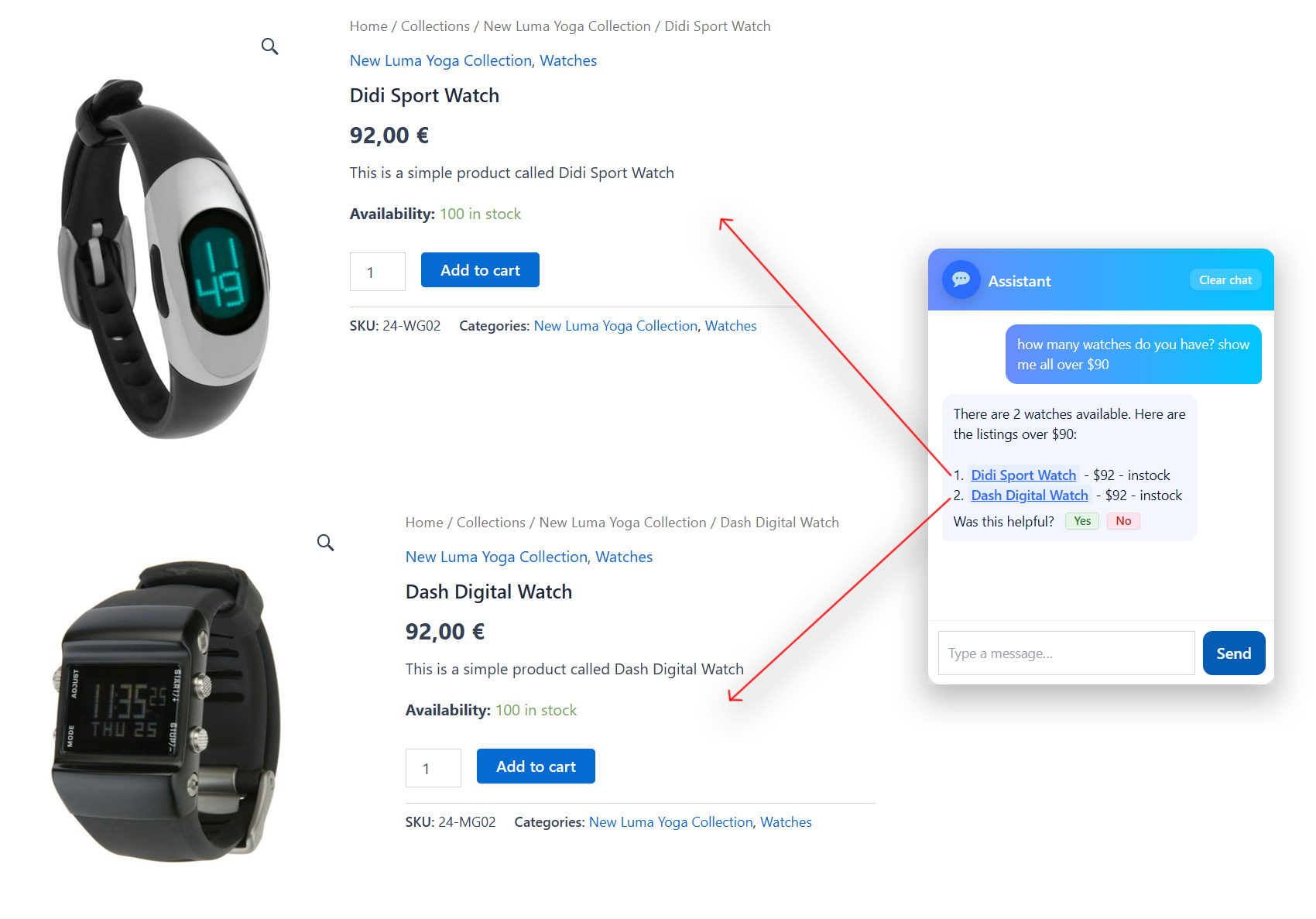
Storefront widget — product search — Customer asks "how many watches and how many over $90" and gets exact matches from the catalog with images, prices, and direct links. The assistant response points to each product result.
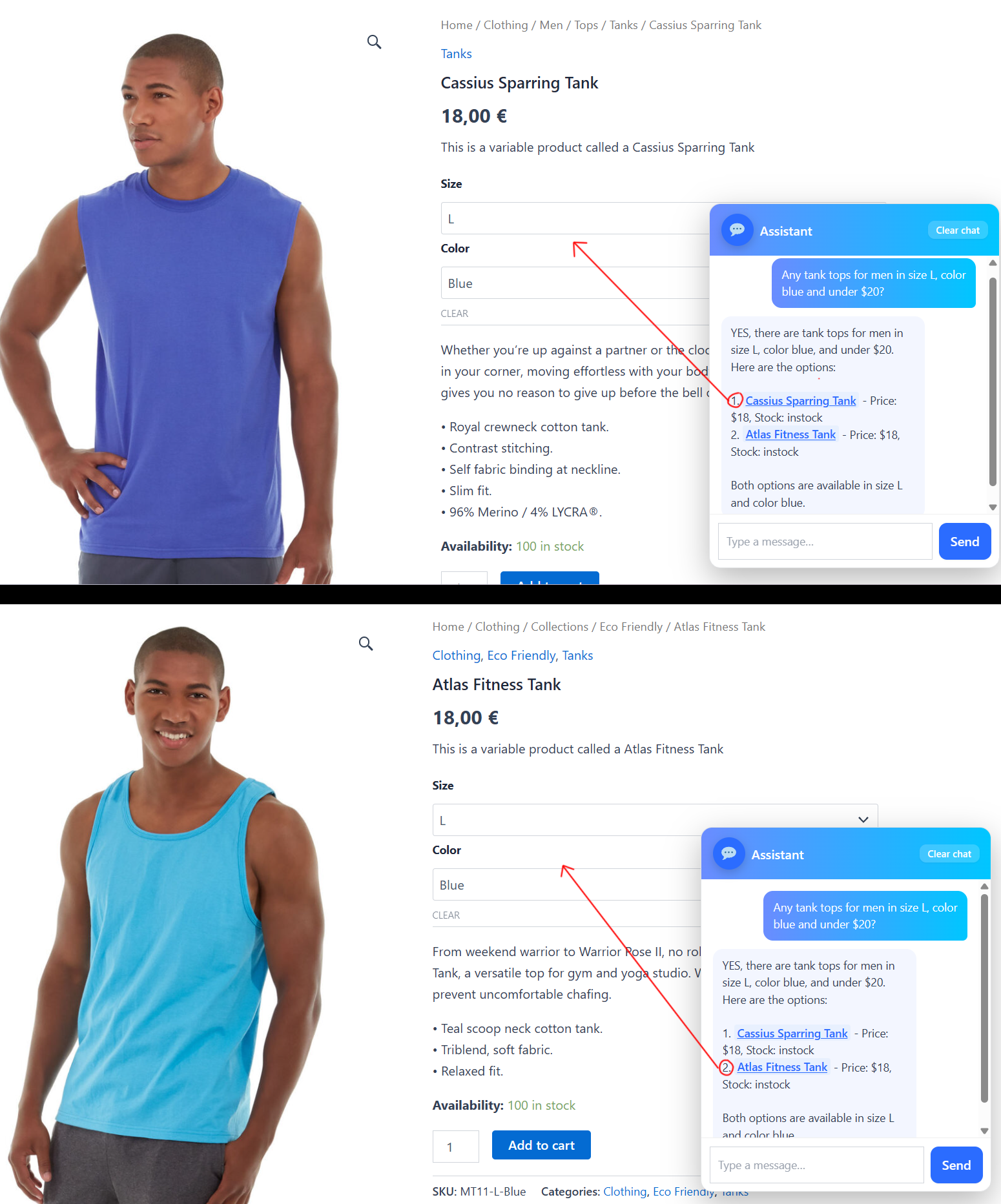
Storefront widget — filtered search — Customer asks for "blue men tank top in size L" and the assistant returns exact matches with images, prices, and links. The response clearly points to each product in the result collage.
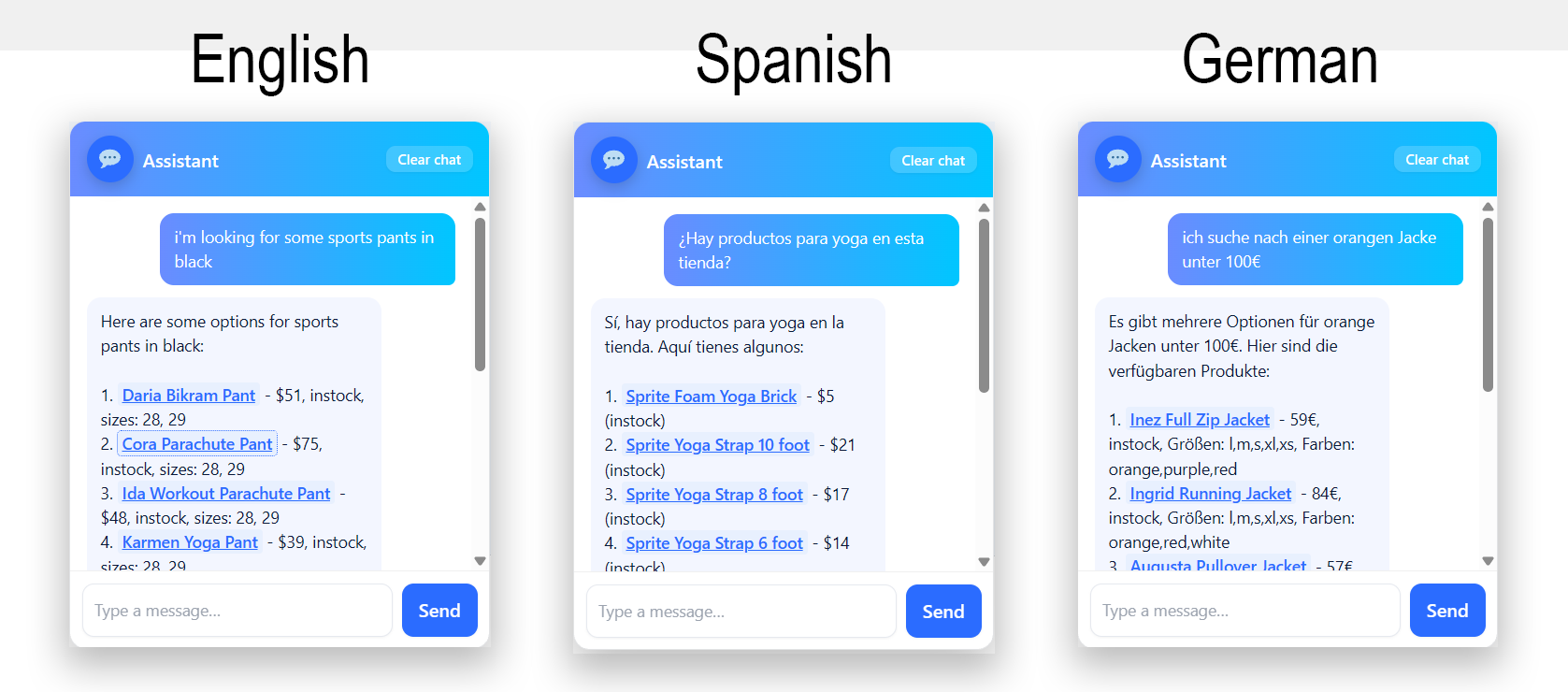
Storefront widget — multilingual — Collage of three widget conversations from the same English-language shop, showing the assistant responding in English, Spanish, and German. The shop language is English, but the assistant easily adapts to the customer's browser language.
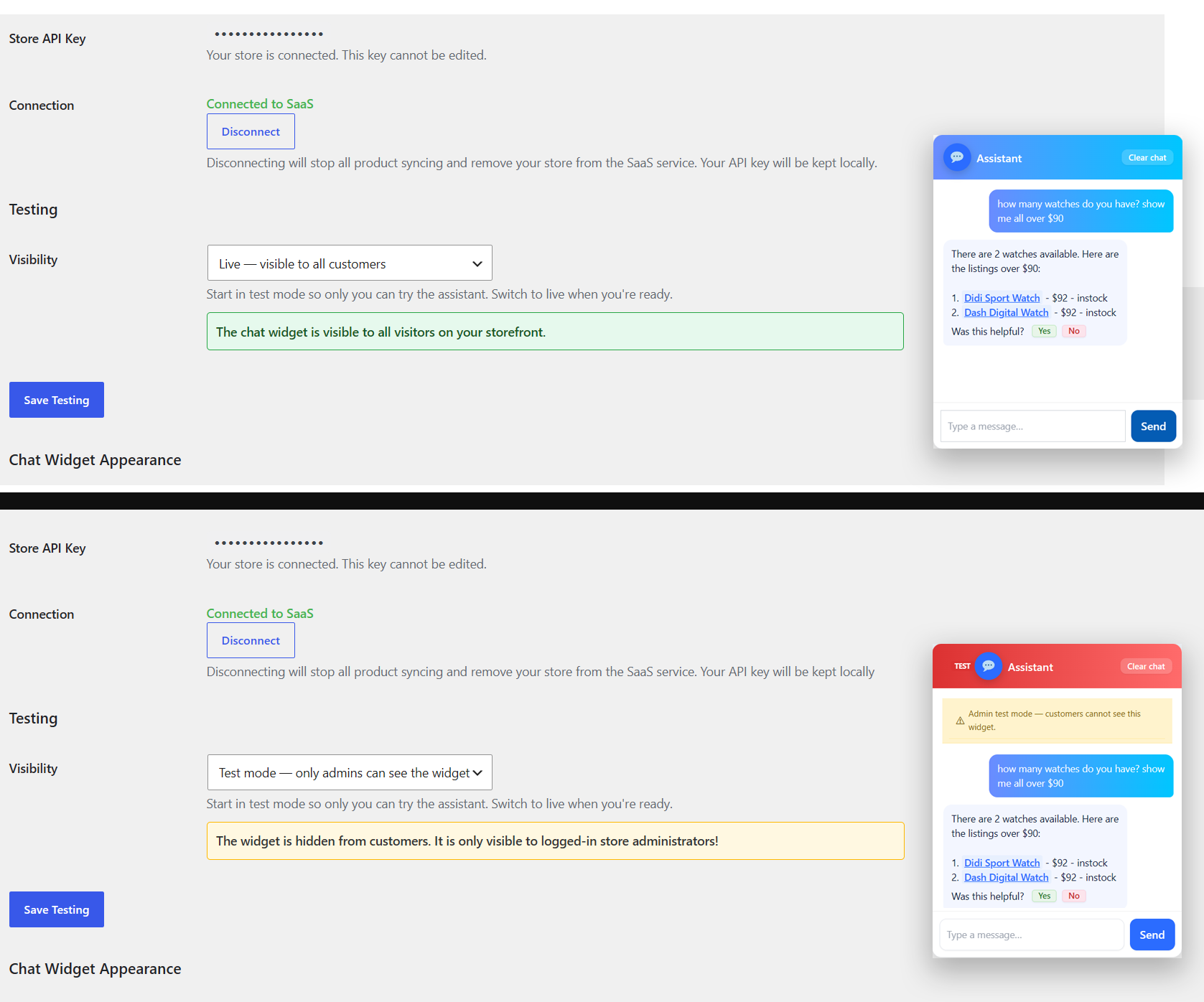
Test mode — Collage showing the test mode toggle in settings (left) and the resulting widget visibility (right). Top row: test mode set to "Admin only" with the widget visible. Bottom row: test mode set to "Visible for all" with the widget shown to everyone.
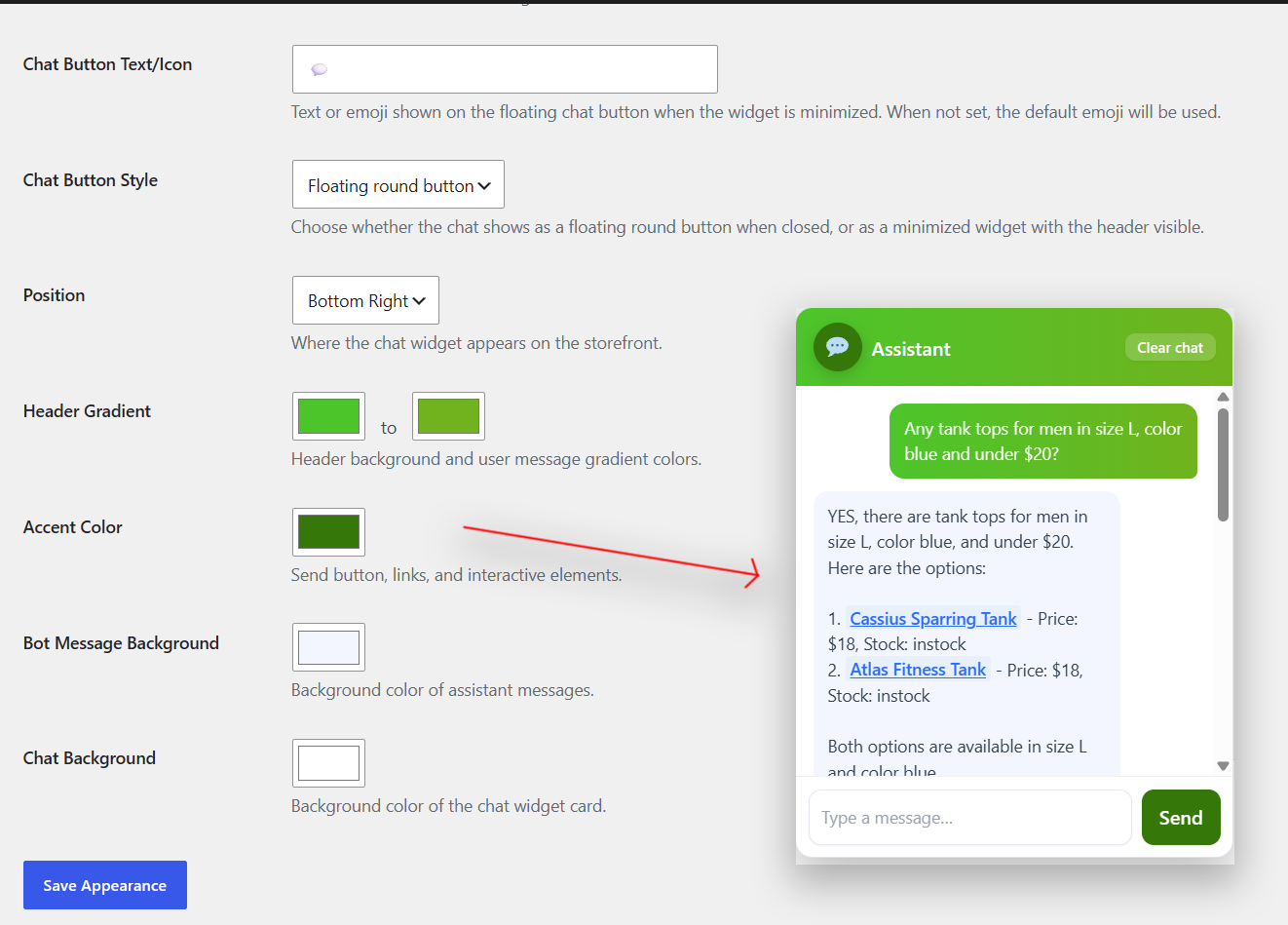
Widget customization — Side-by-side view of the styling settings (left) and the live widget preview (right). Green color scheme selected with header gradient, accent color, bot background, and chat card background all updated in real time.
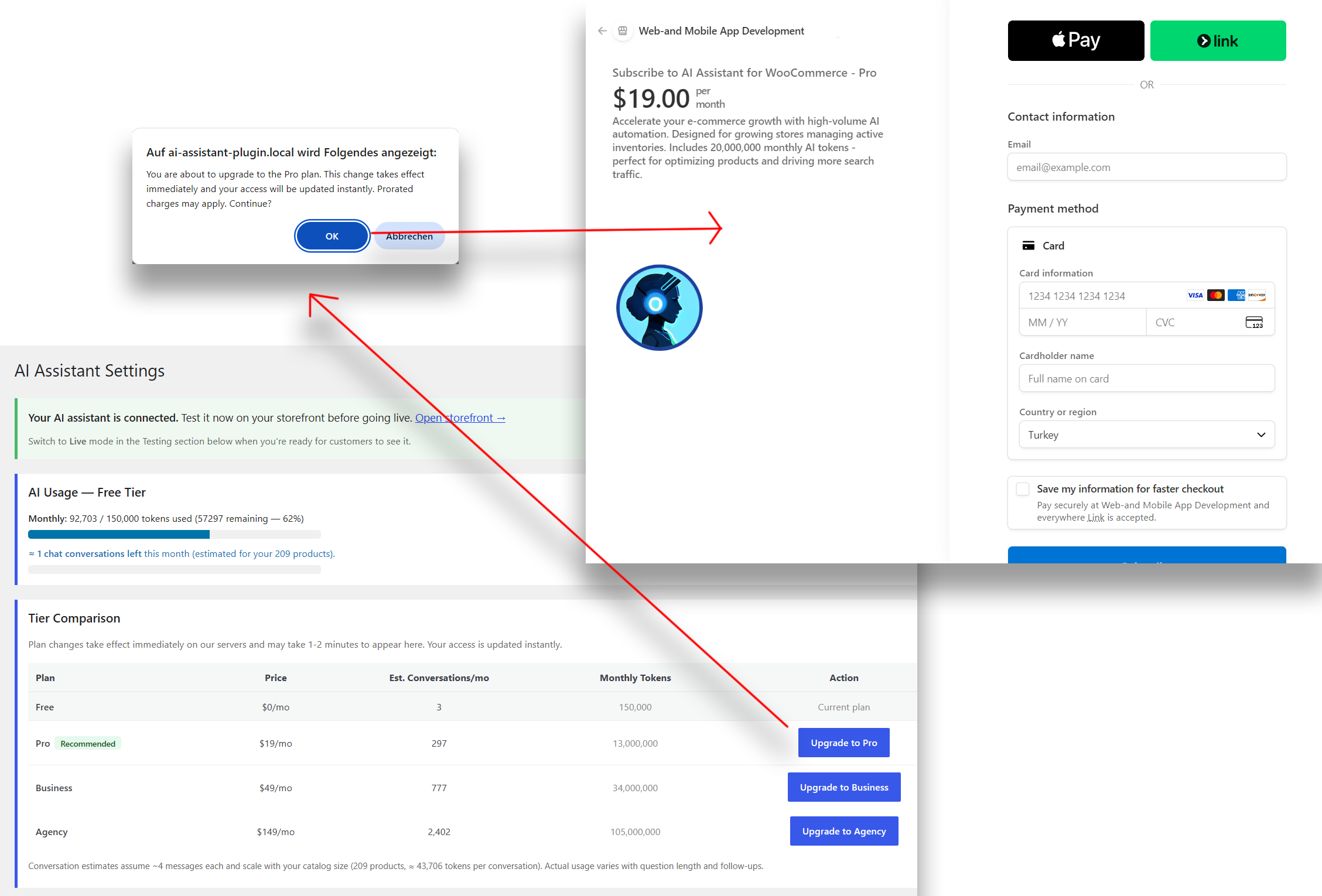
Upgrade flow — Free tier with the "Upgrade to Pro" button, leading to a confirmation alert, and then redirecting to the Stripe checkout window to complete the payment.
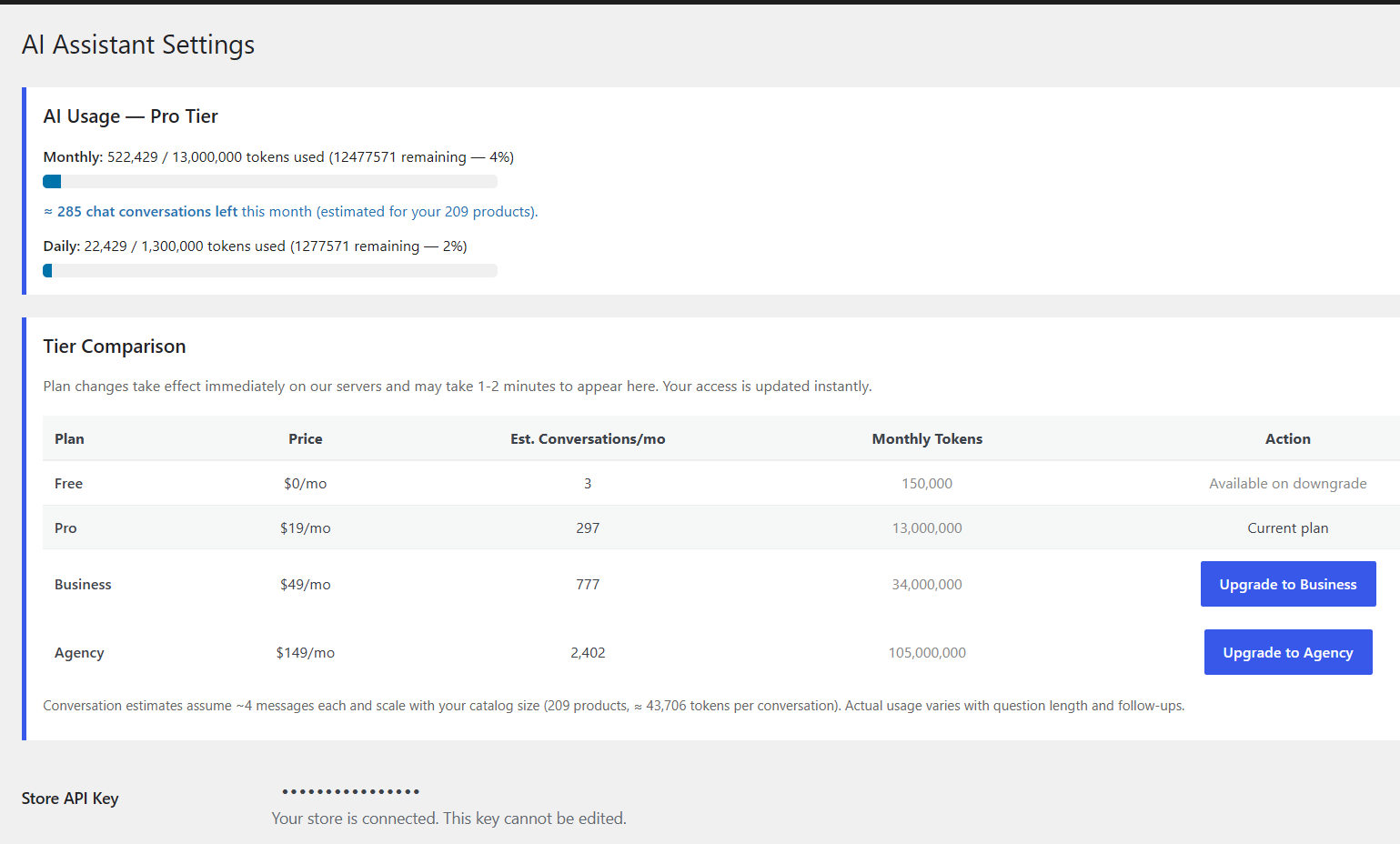
Admin area overview — paid tier — Upgraded admin view showing AI usage meters (e.g., 4% monthly, 2% daily) with color-coded progress bars, followed by the full tier comparison table with Free, Pro, Business, and Agency plans and their pricing.
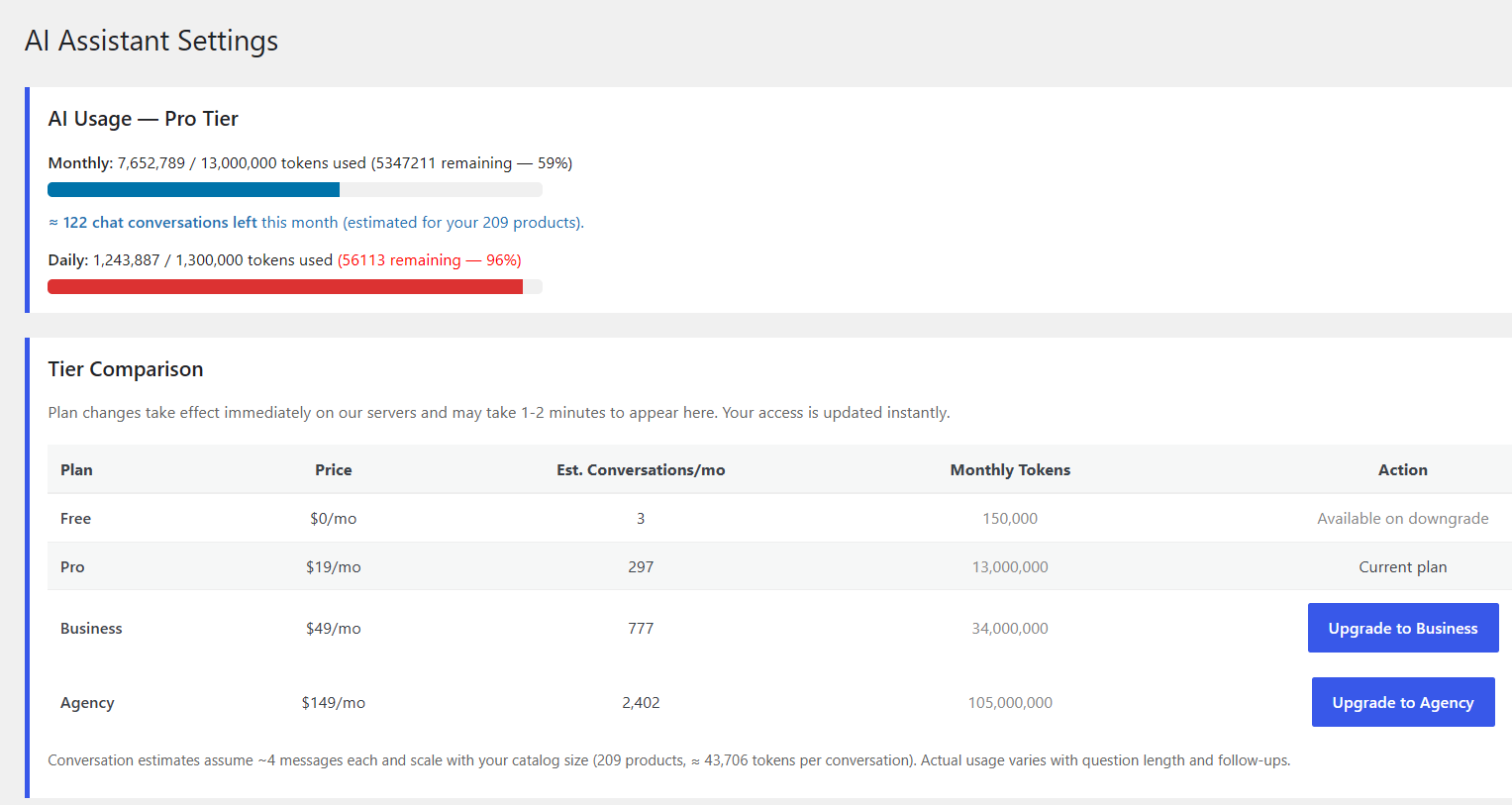
Admin area overview — near-limit usage — Usage meters showing 59% monthly and 96% daily (highlighted in red), warning that limits are approaching, with the tier comparison table still visible below for quick plan changes.

RealApps AI Store Chat for WooCommerce brings an intelligent shopping assistant directly to your WooCommerce store. It connects your product catalog to a hosted AI backend and renders a chat widget on the storefront where customers can ask questions about products, prices, availability, and more. Conversations are preserved in the browser so customers can continue previous chats — including follow-up questions and contextual product recommendations across sessions.

Key features:

  • RealApps AI Store Chat — Customers ask questions in natural language and receive product recommendations with links.
  • Automatic product sync — WooCommerce products, variations, prices, stock status, and categories are synced to the AI backend in real time.
  • Smart filtering — Server-side price bounds, color, size, stock, and category filters ensure accurate results before the AI answers.
  • Multilingual — The assistant responds in the customer’s language based on the WooCommerce locale.
  • Fully styleable widget — built-in color pickers for header gradient, accent, bot background, and chat card. Choose position (left or right), toggle style (floating button or minimized), custom title and button text, and your own chatbot icon (pick one from your own files or use any emoji).
  • Test mode — toggle the widget to admin-only visibility so you can test before going live.
  • Quota management — Token usage is tracked per store with monthly limits. Plans range from free testing to high-volume agency use.
  • Stripe billing — Upgrade, downgrade, pause, and resume subscriptions through the plugin settings. Billing portal included.
  • Chat history — Conversations are saved in the customer’s browser (localStorage) and restored on return visits for up to 7 days. Customers can pick up where they left off, ask follow-up questions, and get contextual product recommendations based on previous interactions. A clear history button is available in the chat widget.
  • Rate limiting — Built-in protection against abuse without impacting normal shoppers.
  • Privacy-first design — Store owners can disconnect at any time to stop all data transmission.

The plugin is lightweight, does not modify storefront output beyond the chat widget, and stores all account data locally in the WordPress database.

External services

This plugin connects to the RealApps AI Store Chat SaaS backend at https://ai-store-chat.real-apps.com/. It is needed to power the RealApps AI Store Chat, process product syncs, handle Stripe checkout sessions, and manage store connections.

The following data is sent to the SaaS backend:

  • Store URL and admin email (used for store registration and identification)
  • WooCommerce product data (title, description, price, stock status, categories, SKU, and variations) — synced to power product search and recommendations
  • Chat messages and conversation context — sent when a customer uses the chat widget

The SaaS backend also uses Stripe for billing (checkout sessions and the customer billing portal). No customer payment data is stored or processed by this plugin directly.

This service is provided by RealApps Software Development. Terms of Service: https://ai-store-chat.real-apps.com/terms.html. Privacy Policy: https://ai-store-chat.real-apps.com/privacy.html.

For support, privacy inquiries, and other questions, visit the WordPress.org support page for this plugin: https://wordpress.org/support/plugin/realapps-ai-store-chat-for-woocommerce/

Plums

按场景查找 WordPress 插件。安装量、评分和兼容版本来自官方目录。

导航

说明

WordPress 是 WordPress Foundation 的商标。本站与 WordPress Foundation、Automattic 没有隶属关系。这里不托管插件文件,下载和安装以 WordPress.org 上的页面为准。

© 2026 Plums