

ReadyGo Variation Spreadsheet – Bulk Edit Product Variations for WooCommerce
v0.3.0mkbplatinum · 2026年8月10日 上架
Spreadsheet-style bulk editor for WooCommerce variations — edit price, stock, SKU, weight, dimensions and more across hundreds at once. Free.
- 正在使用
- 70+
- 评分
- 暂无
- 累计下载
- 622
- 最近更新
- 2026年8月25日
贡献者
 mkbplatinum
截图
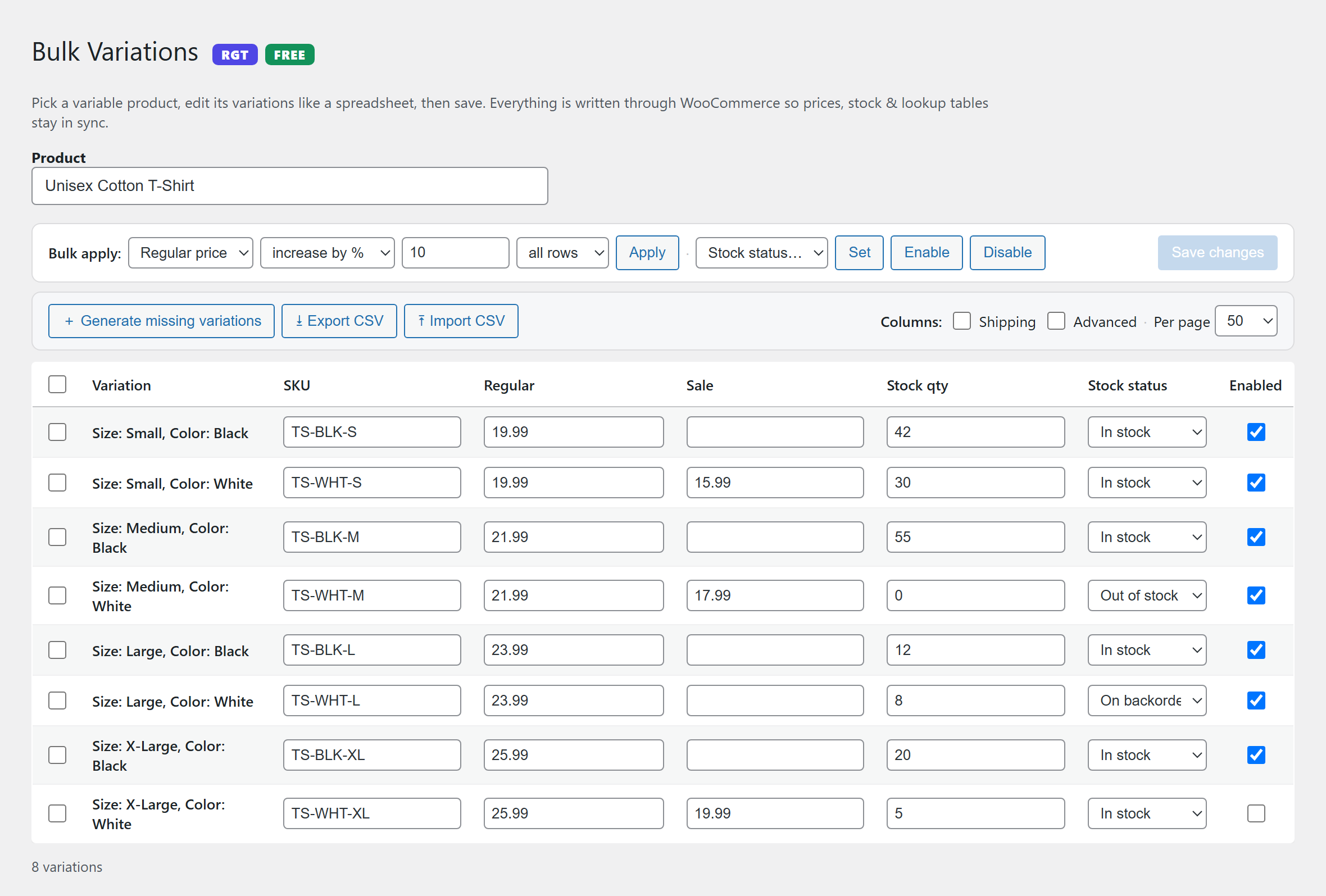
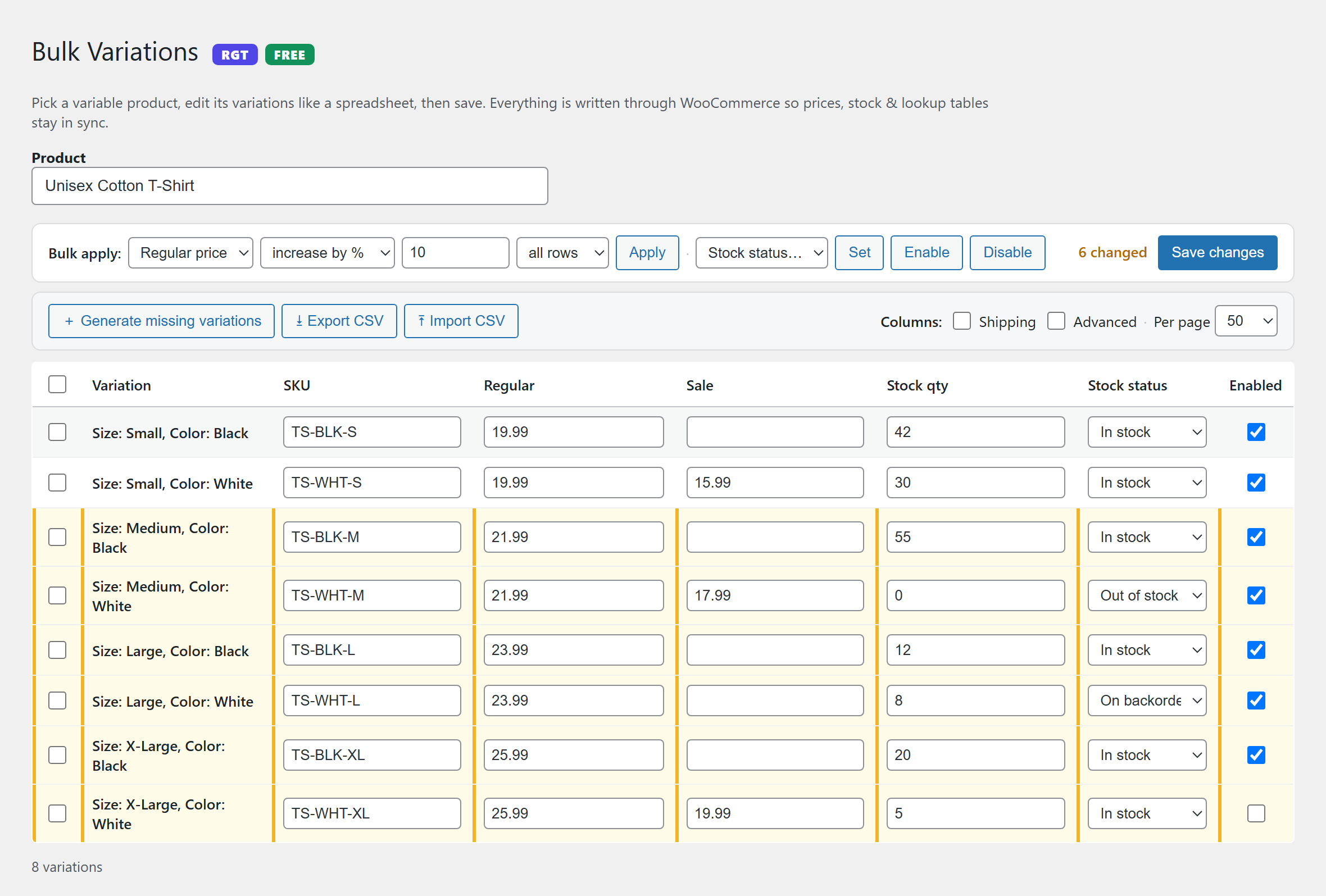
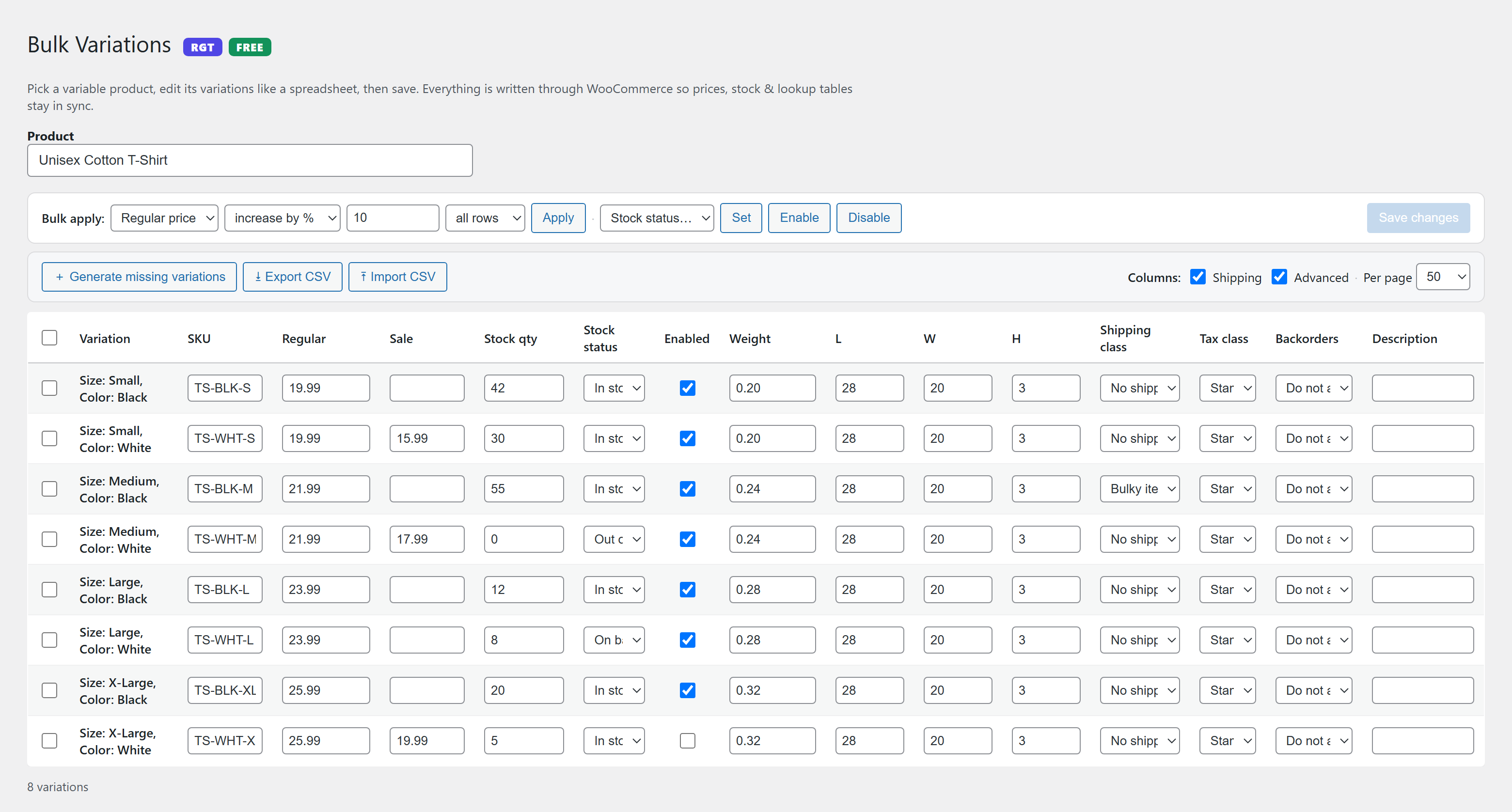
ReadyGo Variation Spreadsheet for WooCommerce gives you a fast, spreadsheet-style editor for product variations. Instead of expanding each variation one accordion row at a time, you edit them all in a single grid and save in one go, across hundreds of variations at once.
Every change is written through WooCommerce’s own data layer, so your prices, stock and product lookup tables stay correct and in sync. No raw database edits, ever.
Free, self-hosted, and no paid upgrade.
How to bulk edit product variations in WooCommerce
Open any variable product and switch to the spreadsheet view. Every variation is listed as a row, every editable field as a column. Change what you need, in as many rows as you need, and press save once. That is the whole workflow. If you sell in sizes, colours or styles and you have ever dreaded editing a fifty-variation product by hand, this is the tool that puts the whole product in front of you at once.
Bulk price changes across all variations
The Bulk apply tool sets, increases or decreases a field across every row or only the rows you select, by a fixed amount or by percentage. A site-wide twenty percent sale, a supplier price rise, a rounding correction across a whole catalogue of variations: all of them become one action instead of an afternoon.
Fields you can bulk edit
Price, sale price, stock quantity, stock status, SKU, weight, dimensions, shipping class, tax class, backorder setting and variation description. Enable and disable variations in bulk too, so you can publish or retire a whole run of sizes without opening a single one.
Features
- Spreadsheet editing. Every variation in one grid, every field in a column, one save.
- Bulk apply. Set, raise or lower any field across all rows or just your selection, including by percentage.
- Enable and disable in bulk. Publish or unpublish variations without opening each one.
- Generate missing variations. Create every attribute combination you have not built yet in a single click.
- CSV import and export. Pull variations out to a spreadsheet, edit in Excel or Google Sheets, and push the changes back in, matched safely by variation ID.
- Paginated grid. Handles products with hundreds of variations at 50, 100, 200 or all per page.
- Safe saves. Everything is written through WooCommerce’s CRUD and data layer, then the parent variable product is re-synced, so lookup tables and price ranges stay accurate.
- Completely free. No upsell, no locked features, no account required.
Why the built-in editor is slow
WooCommerce’s own variations panel was designed for products with a handful of variations. It loads them in pages of fifteen, hides every field behind an accordion, and makes you scroll and click for each individual change. That is workable at five variations and painful at fifty. A grid solves it by showing you everything at once and letting you edit the way you would in a spreadsheet, which is how most store owners think about their pricing anyway.
Built by ReadyGo Tools
Part of the ReadyGo Tools family of free WordPress plugins. Browse more at readygotools.com.