

Re-add text underline and justify
v0.4.2Brice Capobianco · 2016年11月10日 上架
This tiny plugin re-adds the Editor text underline & text justify buttons in the WYSIWYG removed in WordPress 4.7.0
- 正在使用
- 5 万+
- 评分
- 4.7 / 5
- 累计下载
- 56 万
- 最近更新
- 2025年11月30日
贡献者
 Brice Capobianco
截图
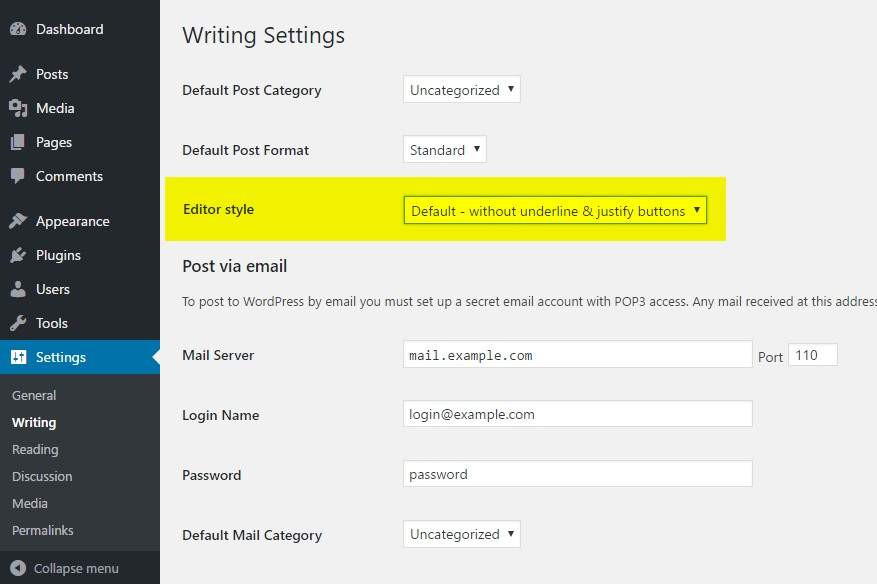

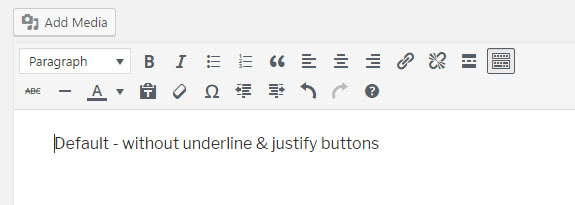


Works well with the Classic Editor plugin, Advanced Custom Fields (Free & Pro) and is also compatible with the Gutenberg’s “Classic” bloc.
In WordPress 4.7, the core developper team decided to make various changes in the editor (TinyMce WYSIWYG), including removing the underline and justify buttons and rearranging some of the toolbar buttons.
If you don’t want to change the way you edit your content and/or don’t want to confuse your customers with a new contribution interface, this very lightweight plugin will set the editor style back to its previous state (like in WordPress 4.6 and above versions).
You may change the Editor style from the Writing option page.
3 options are available for the Editor style:
- Without underline & justify buttons
- Default – Re-add underline & justify buttons
- Re-add justify only
Please note, the previous option “Re-add underline & justify + rearrange” has been deprecated in 0.2 (sept. 2018) as it causes conflicts with the new Gutenberg editor. This option automatically switches to “Re-add underline & justify buttons” from now on.
Please ask for help or report bugs if anything goes wrong. It is the best way to make the community benefit!