

RBTech Search Replace in Any Page
v1.1.0rbtechent · 2026年10月22日 上架
Pick the exact pages and posts, then find and replace any word – even inside page builders – with a live preview and one-click undo.
- 正在使用
- 10 以下
- 评分
- 5.0 / 5
- 累计下载
- 226
- 最近更新
- 2026年10月23日
1 条评价需要 WordPress 5.8+已测试到 7.1.5PHP 7.4+
贡献者
 rbtechent
截图
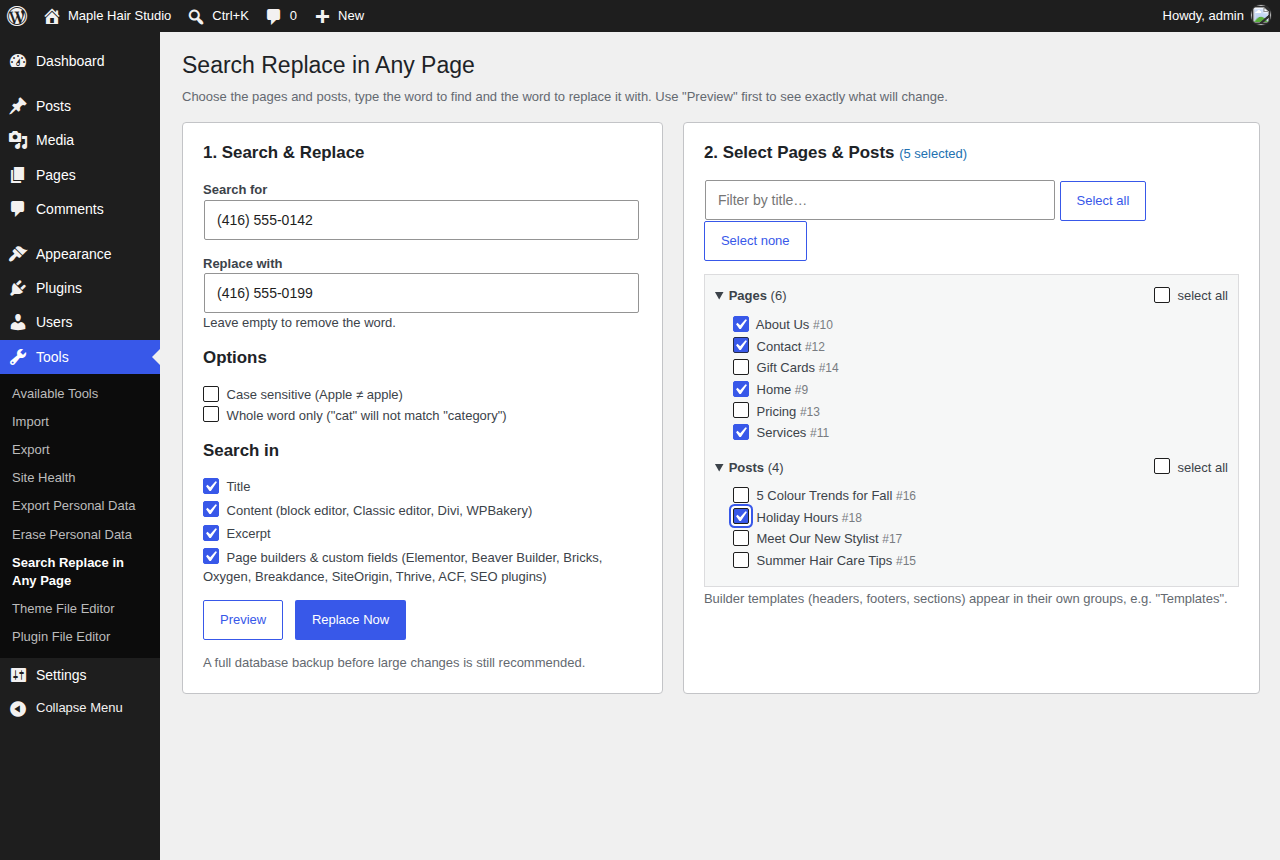
Most search and replace tools run on the whole database. RBTech Search Replace in Any Page is built for the everyday job instead: change a word, a phone number, a price or a business name on the pages you choose – safely, and even when the page was built with a page builder.
Why it is different
- Choose exactly which pages and posts to change – with a title filter and “select all” per group. Custom post types and builder templates (headers, footers, sections) are listed too.
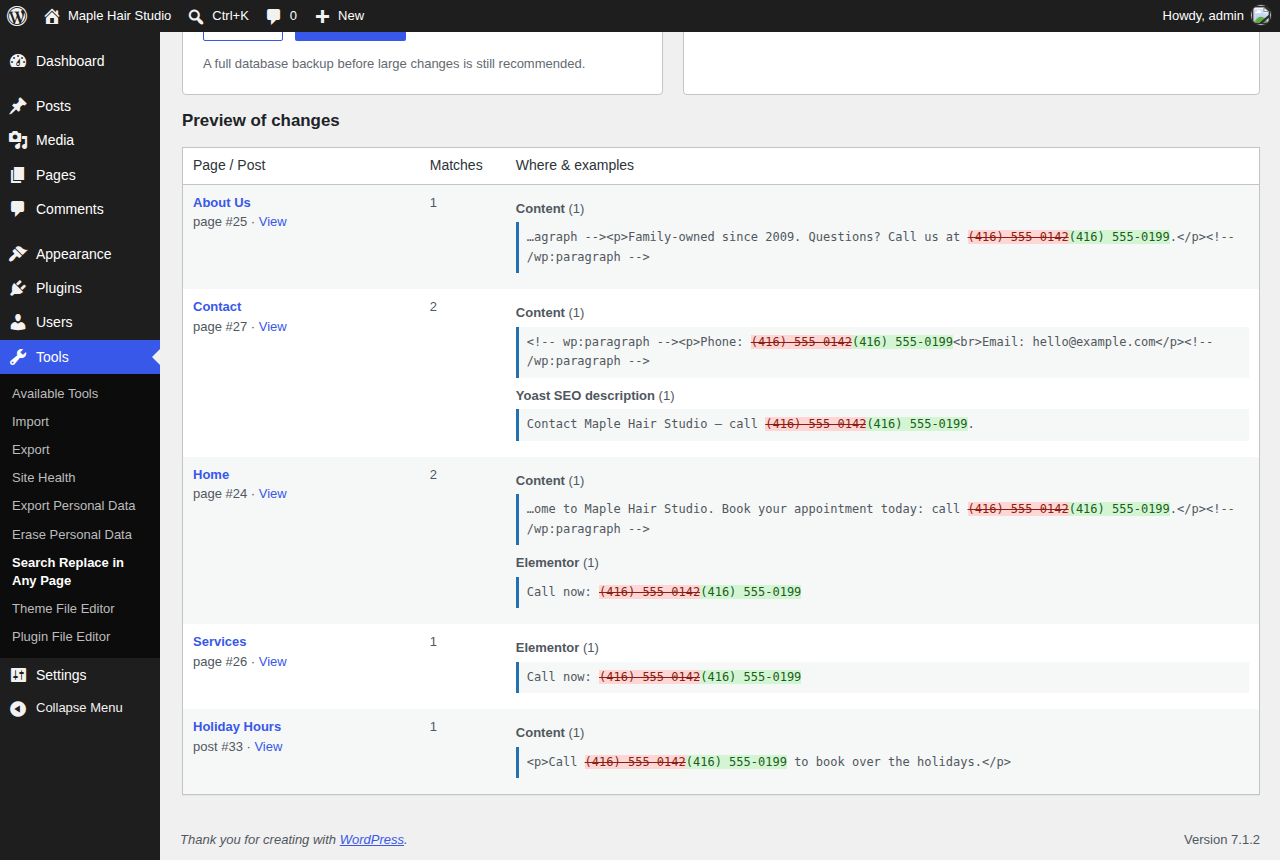
- Page-builder aware. Text saved by Elementor, Beaver Builder, Bricks, Oxygen, Breakdance, SiteOrigin Page Builder and Thrive Architect is decoded, changed and saved back in the same format, so layouts are not broken. The block editor, Classic editor, Divi and WPBakery are supported through the normal post content.
- Only text is changed. Internal builder data such as element IDs and widget types is skipped, so searching for a word like “heading” will not break your layout.
- Preview before saving. See every match with the old text in red and the new text in green.
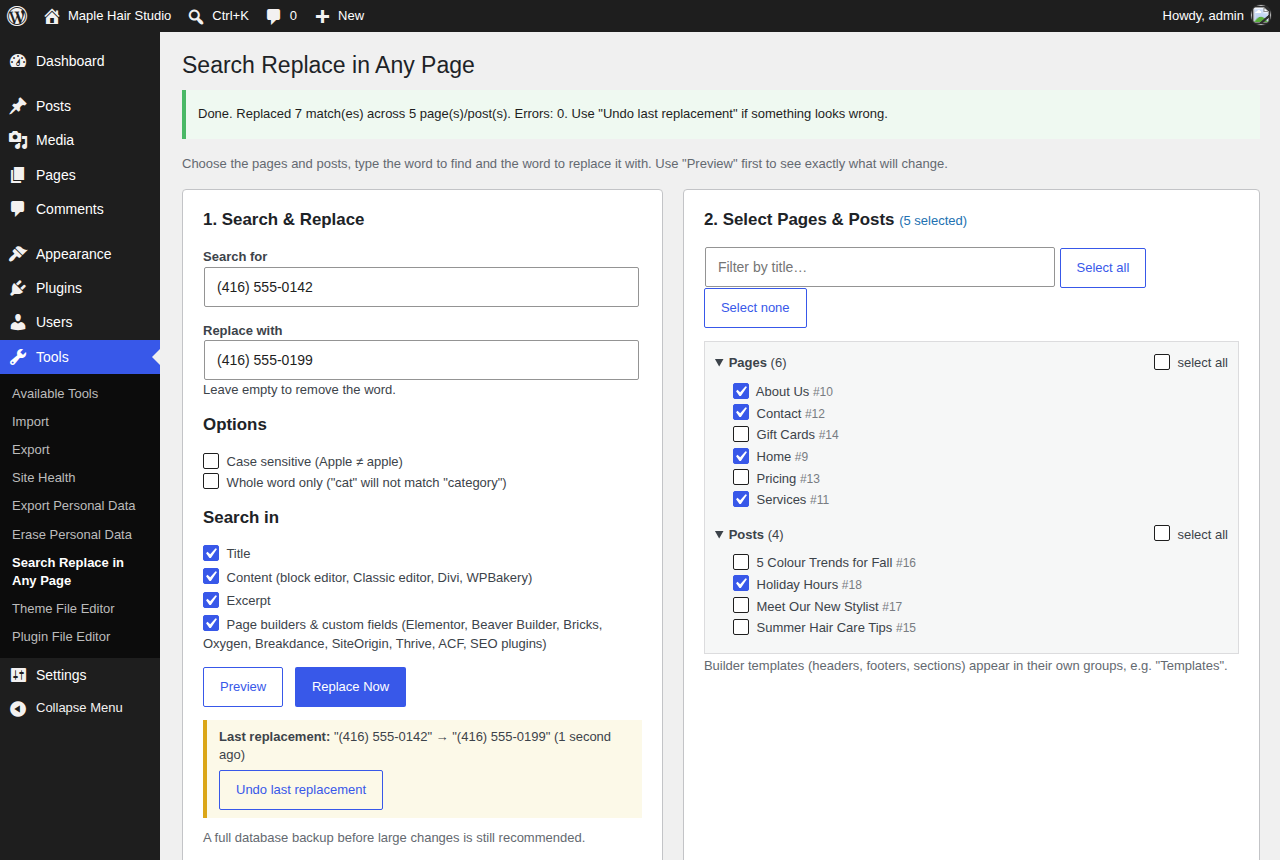
- One-click undo of the last replacement – including builder data.
- Caches are cleared automatically for Elementor, Beaver Builder, WP Rocket, LiteSpeed Cache and W3 Total Cache so the new text shows immediately.
- Options: case sensitive, whole word only, and choose where to search (title, content, excerpt, builder data and custom fields such as ACF, Yoast SEO and Rank Math).
This plugin is not affiliated with or endorsed by any of the page builders or plugins mentioned above.