

Ratesmith – Exchange Rate Pricing for WooCommerce
v1.0.1rezapr2 · 2026年10月5日 上架
Price products in USD (or any currency) and sell them in your store currency, updated automatically from an exchange rate you control.
- 正在使用
- 10 以下
- 评分
- 暂无
- 累计下载
- 466
- 最近更新
- 2026年10月12日
贡献者
 rezapr2
截图
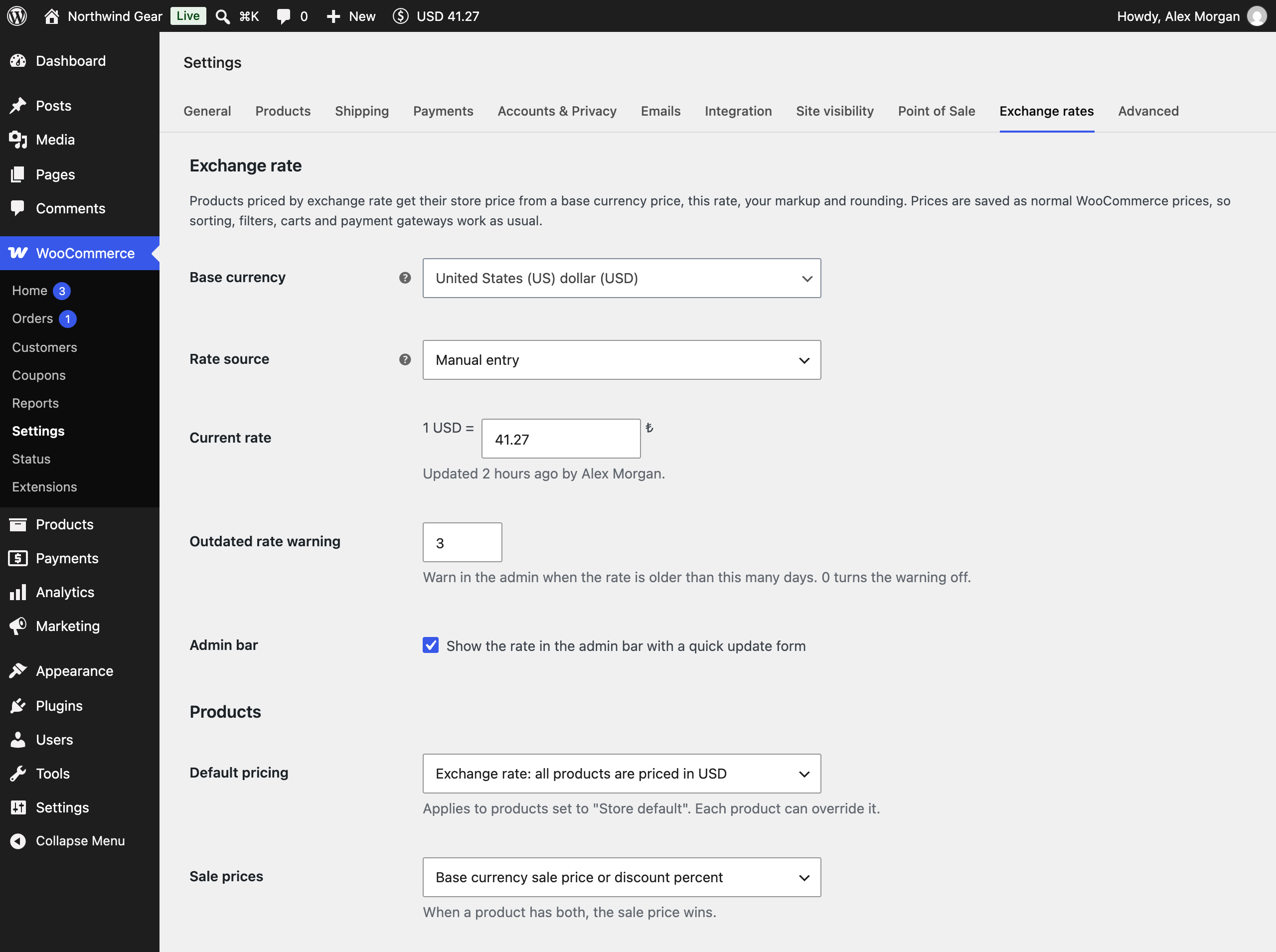
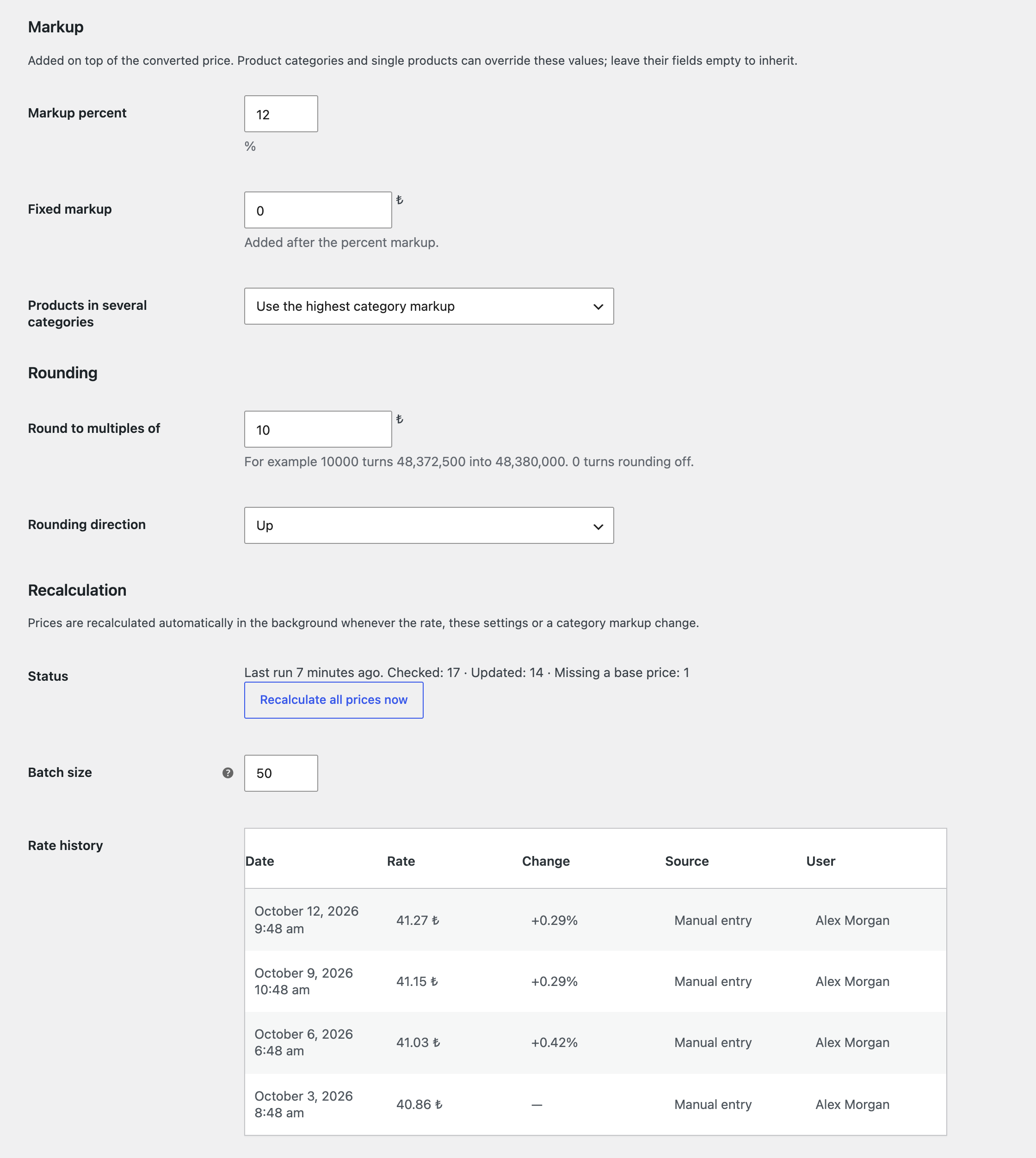
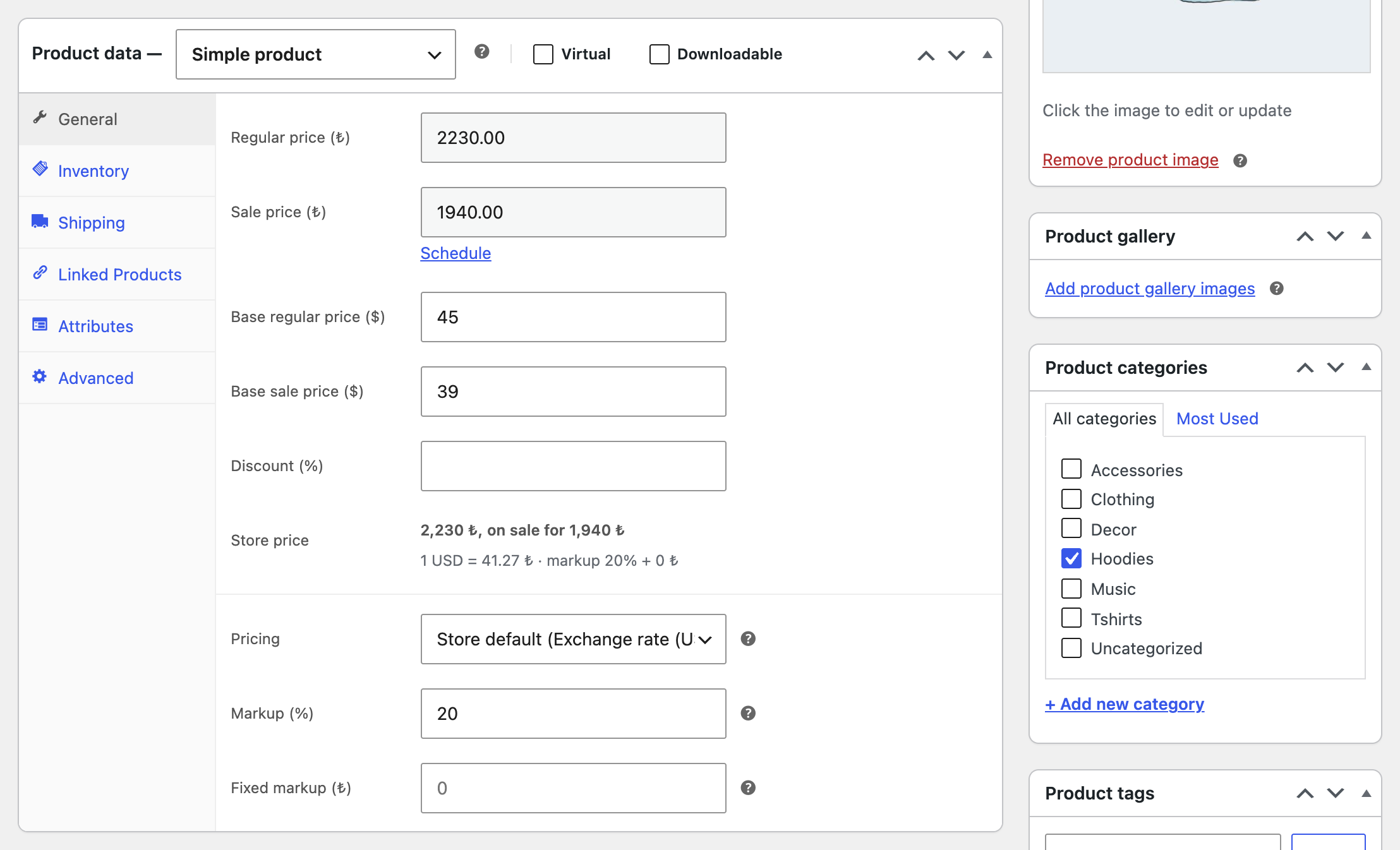
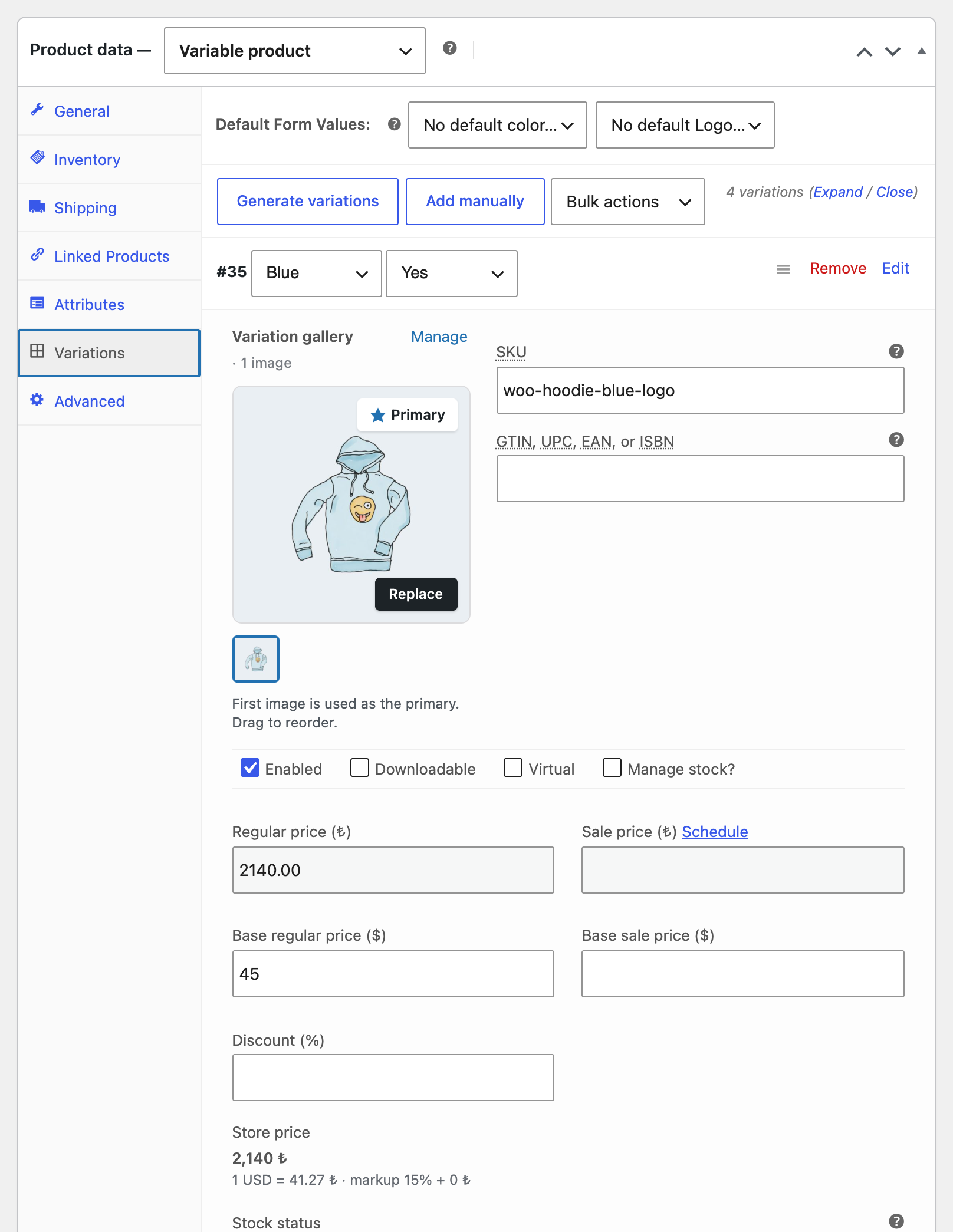
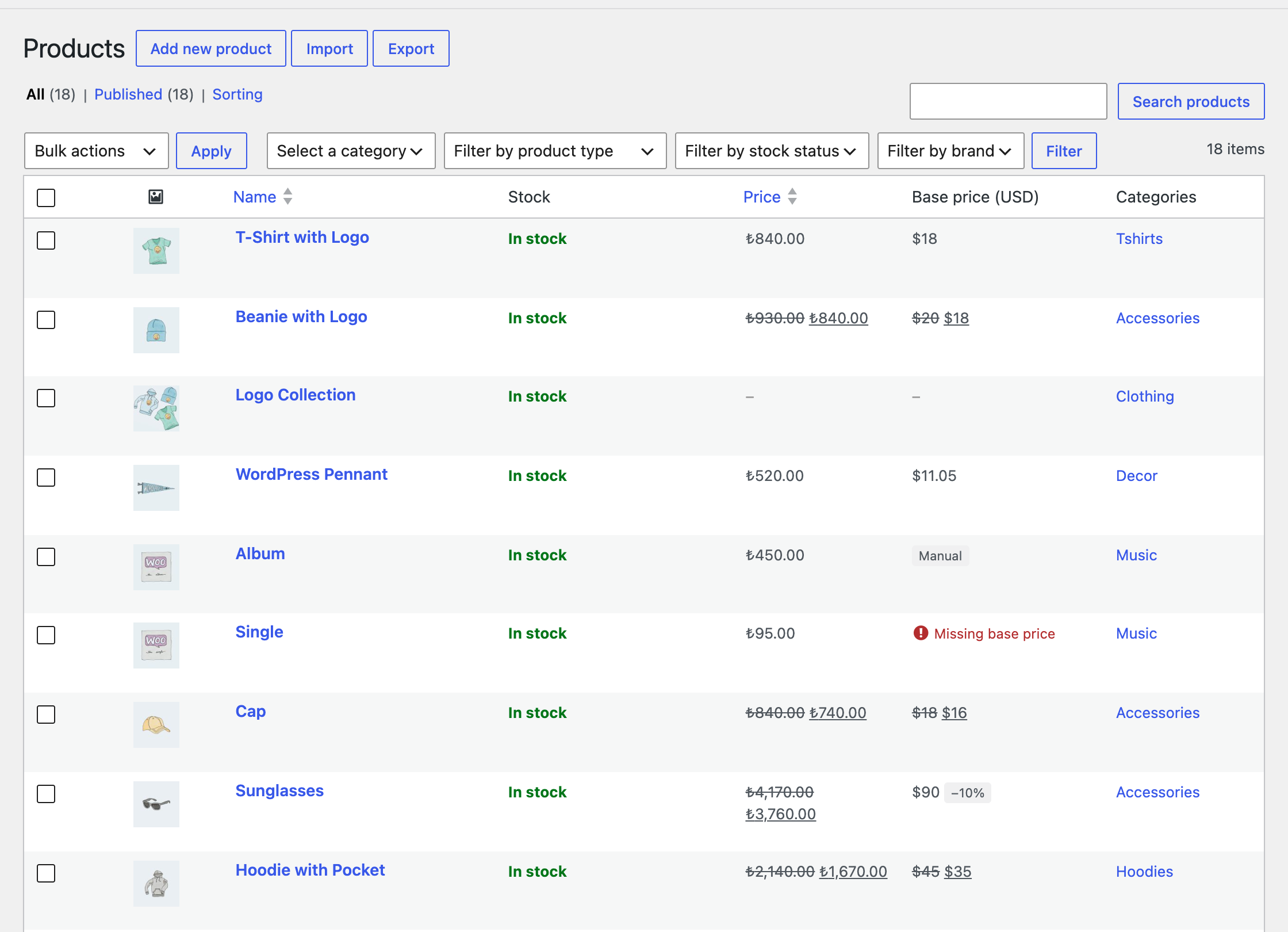
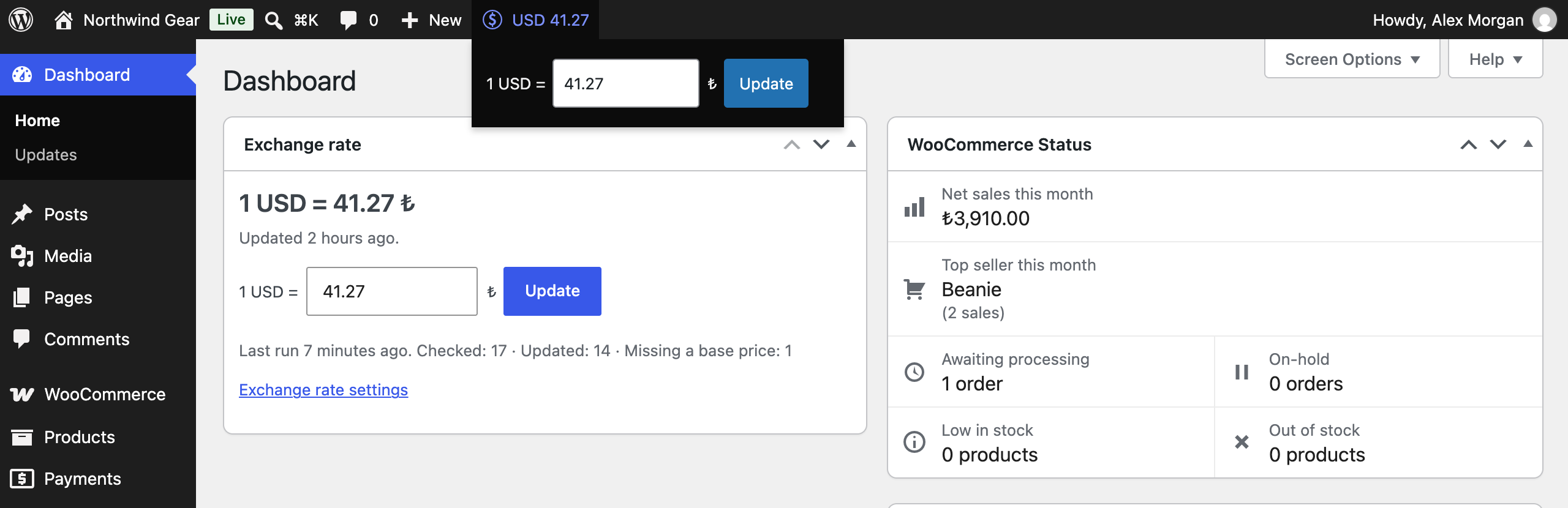
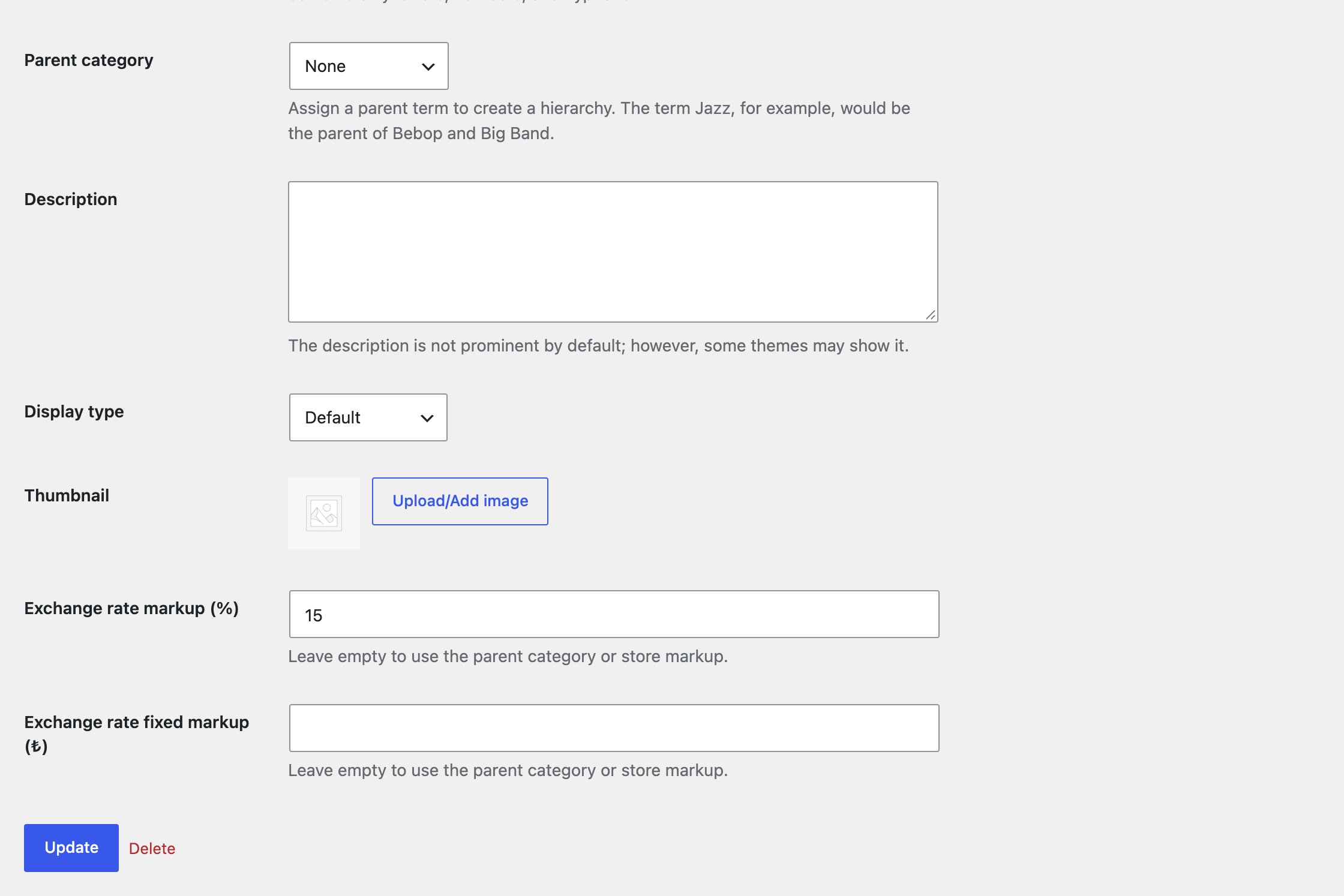
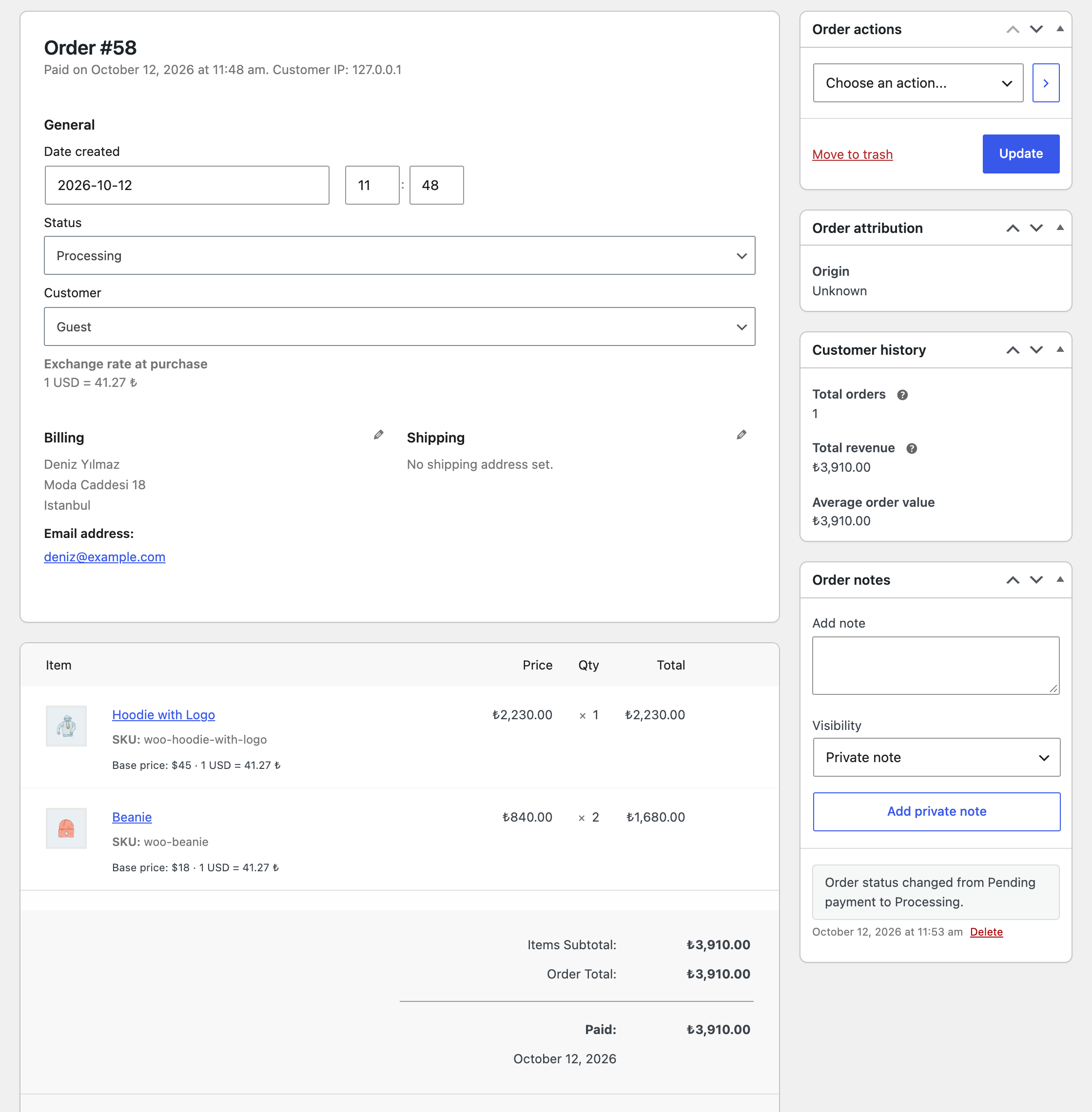
If you buy stock in a foreign currency, your prices move with the exchange rate. Ratesmith lets you enter a product’s price in a base currency such as USD, and calculates the store price for you:
store price = round( base price × rate × (1 + markup %) + fixed markup )
When you change the rate, every exchange-rate priced product is recalculated in the background.
Features
- Base currency price for simple, external and variable products (each variation has its own price).
- Choose per product: store default, exchange rate or manual price. The store default can be “all products” or “only products I choose”.
- Markup as a percent and/or fixed amount: store-wide, per product category (subcategories inherit) and per product.
- Rounding to any step (for example 10,000) up, down or to the nearest.
- Sale prices as a base currency price, a discount percent, or both.
- Live preview of the calculated price while editing a product.
- Background recalculation with Action Scheduler, in batches, safe for large catalogs.
- Rate history log, and the rate at purchase time saved on each order.
- Quick rate update from the dashboard widget or the admin bar.
- Products list column, quick edit and bulk edit.
- Product CSV import/export columns.
- WP-CLI commands:
wp erpfw rate,wp erpfw recalculate,wp erpfw status. - Iranian Rial stores can enter amounts in Toman.
- Compatible with High-Performance Order Storage and the Cart and Checkout blocks.
- Translation ready.
How prices are stored
Calculated prices are written to WooCommerce’s normal price fields. Sorting, price filters, carts, coupons, payment gateways, feeds and structured data keep working without changes, and nothing is calculated on page load. If you deactivate the plugin, products keep their last calculated prices.
For developers
Filters and actions:
erpfw_rate_providers– register automatic rate sources (implementRatesmith\RateProviders\RateProviderInterface).erpfw_calculation_args/erpfw_calculated_prices– adjust the calculation.erpfw_supported_product_types– add product types.erpfw_rate_updated– fires when a rate changes.erpfw_prices_recalculated– fires after a recalculation run, useful for purging page caches.erpfw_manage_capability– capability needed to change rates (defaultmanage_woocommerce).
Helper functions: erpfw_get_rate() and erpfw_convert_to_store_price( $amount ).