

RATEC Contact Form
v1.7.0Rommel Alere · 2026年2月18日 上架
A beautiful, professional WordPress contact form plugin with free email logs, secure and shortcode support.
- 正在使用
- 10 以下
- 评分
- 暂无
- 累计下载
- 1,097
- 最近更新
- 2026年7月19日
贡献者
 Rommel Alere
截图
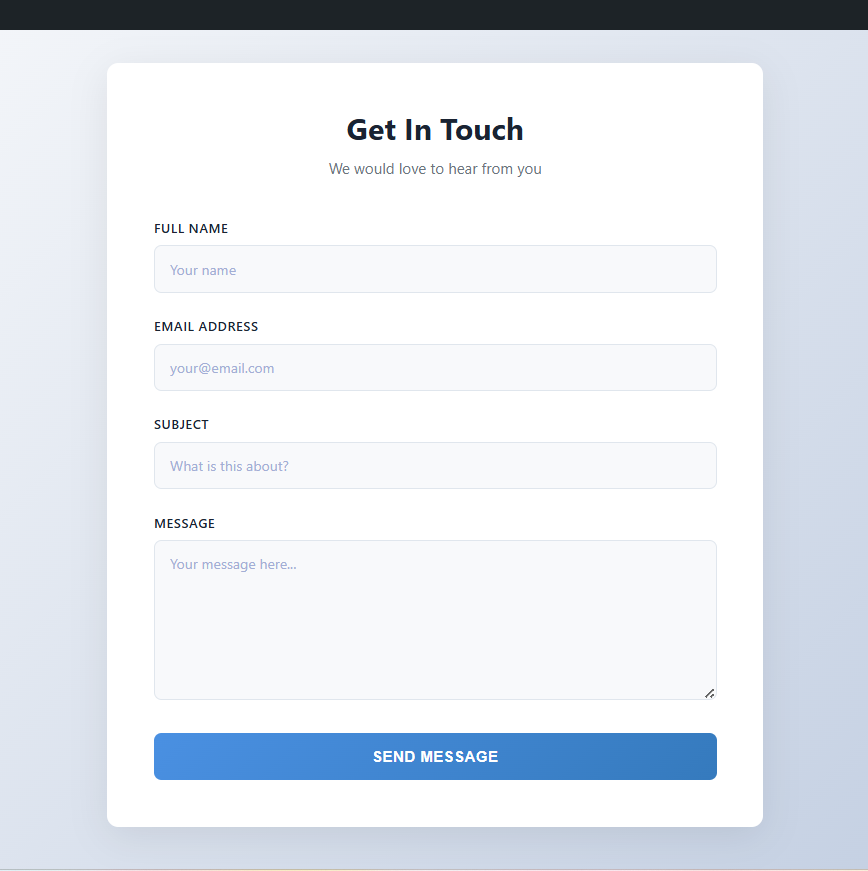
RATEC Contact Form is a modern, responsive WordPress contact form plugin designed for simplicity and elegance. Perfect for websites that need a professional way to collect visitor information and inquiries.
✨ Modern Design – Clean, minimal interface with smooth animations
📱 Responsive – Works perfectly on desktop, tablet, and mobile devices
🔒 Secure – Nonce verification and spam protection with honeypot
✅ Validation – Client-side and server-side form validation
📧 Email Notifications – Sends confirmation email to users
⚡ AJAX Submission – No page reload required
🎨 Beautiful UI – Modern gradient design with hover effects
♿ Accessible – Proper labels and ARIA attributes
Usage
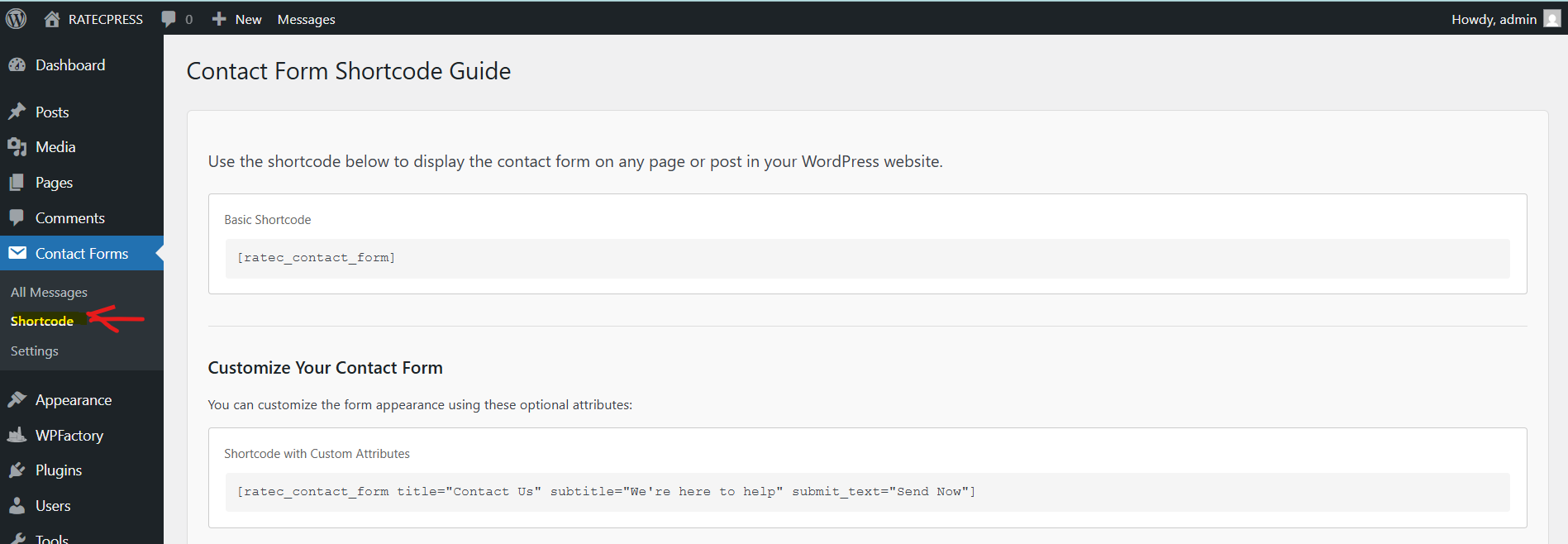
Basic Shortcode
Add the contact form to any page or post using:
[ratec_contact_form]
Shortcode with Custom Attributes
[ratec_contact_form title="Contact Us" subtitle="We're here to help" submit_text="Send Now"]
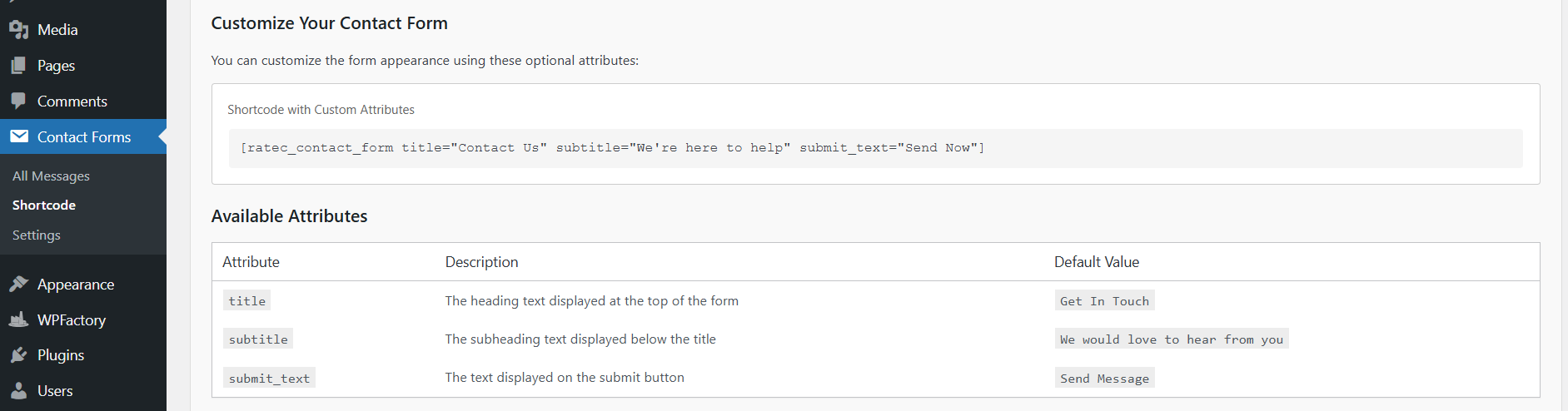
Attributes
- title – Form title (default: “Get In Touch”)
- subtitle – Subtitle text (default: “We would love to hear from you”)
- submit_text – Submit button text (default: “Send Message”)
Form Fields
The contact form includes:
- Full Name (Required)
- Email Address (Required)
- Subject (Required)
- Message (Required)
Email Configuration
By default, form submissions are sent to your WordPress admin email. This is configured in:
Settings General Administrator Email Address
Customization
Change Admin Email
To send form submissions to a different email, use a WordPress filter in your theme’s functions.php:
add_filter('option_admin_email', function() { return 'your-email@example.com'; });<h3>Troubleshooting</h3>
* Form not sending emails? Check hosting provider permissions and admin email settings.
* Form not appearing? Verify the plugin is activated and the shortcode syntax is correct.
* Styling issues? Check for CSS conflicts and clear your browser cache.
Support
For issues or feature requests, please check the WordPress plugin directory reviews or developer documentation.