
Quick Media Inspect
v1.0.3Irfan Ahmed · 2025年9月22日 上架
Detect unused images across your entire WordPress site, clean up your Media Library safely, and generate alt text from filenames.
- 正在使用
- 70+
- 评分
- 暂无
- 累计下载
- 1,133
- 最近更新
- 2025年10月4日
贡献者
 Irfan Ahmed
截图
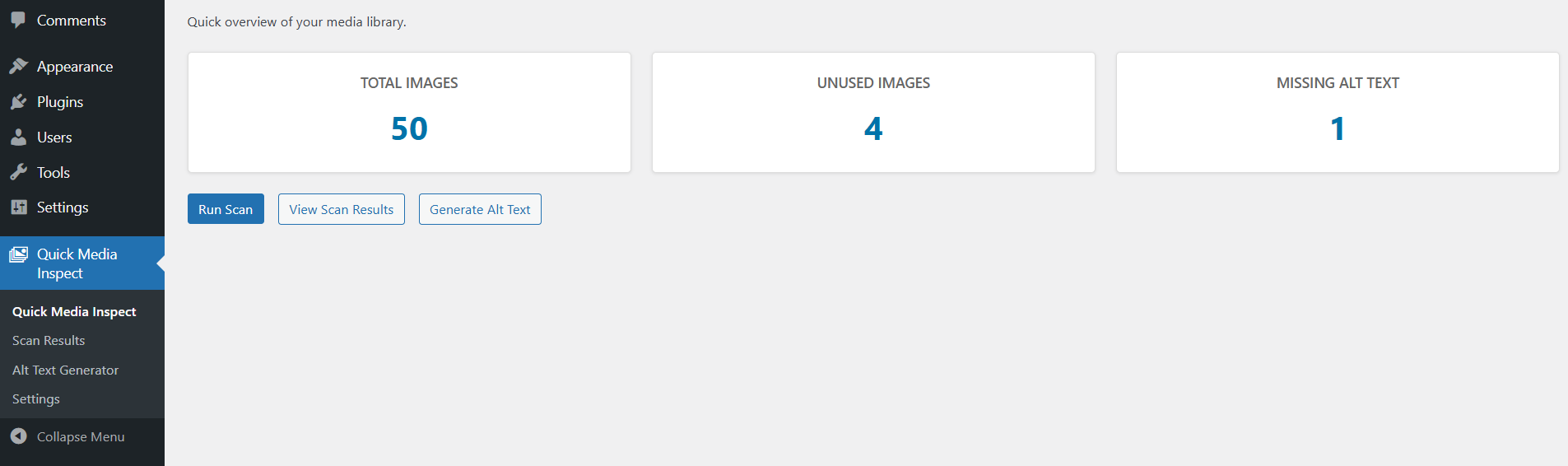
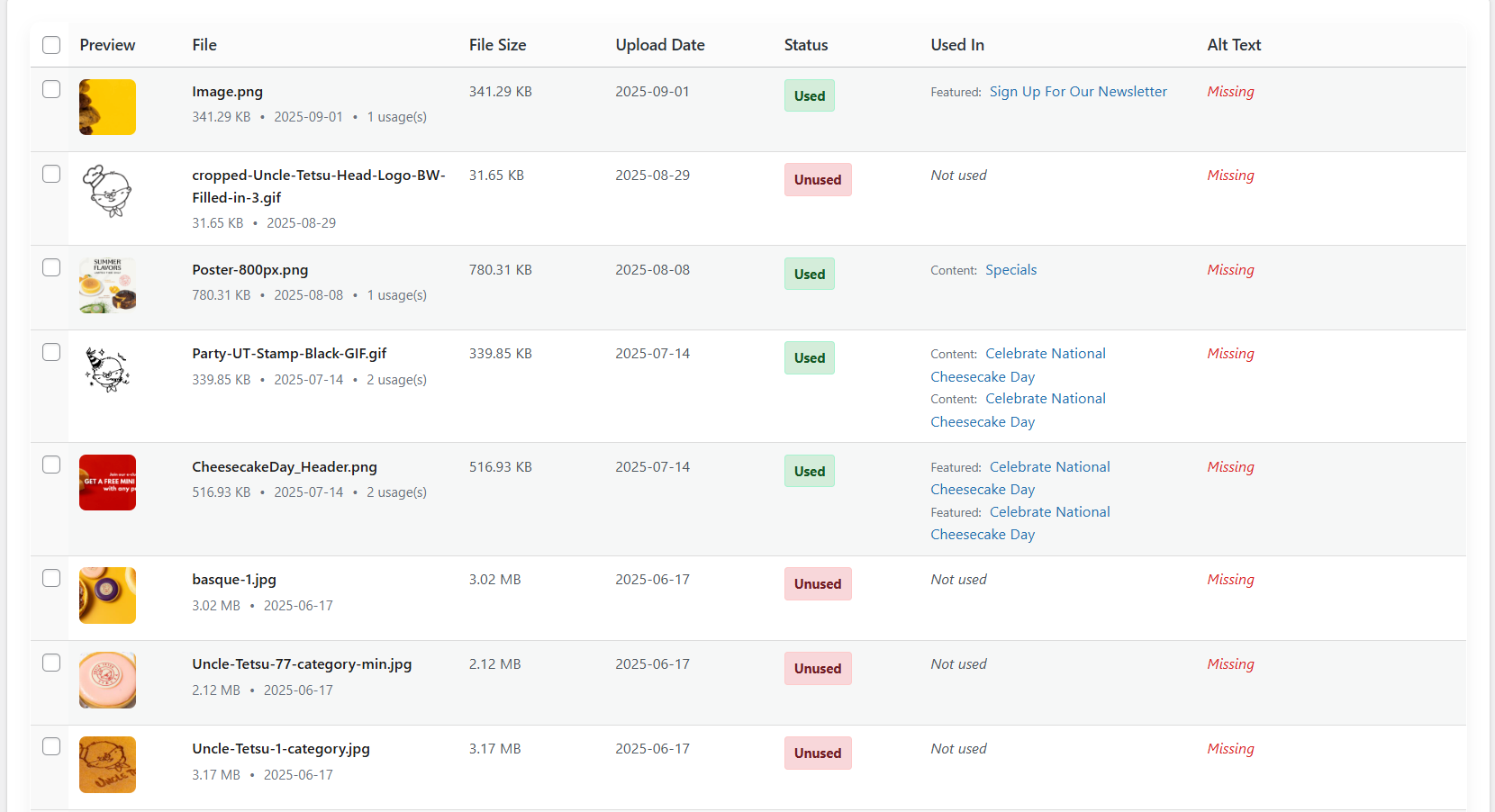
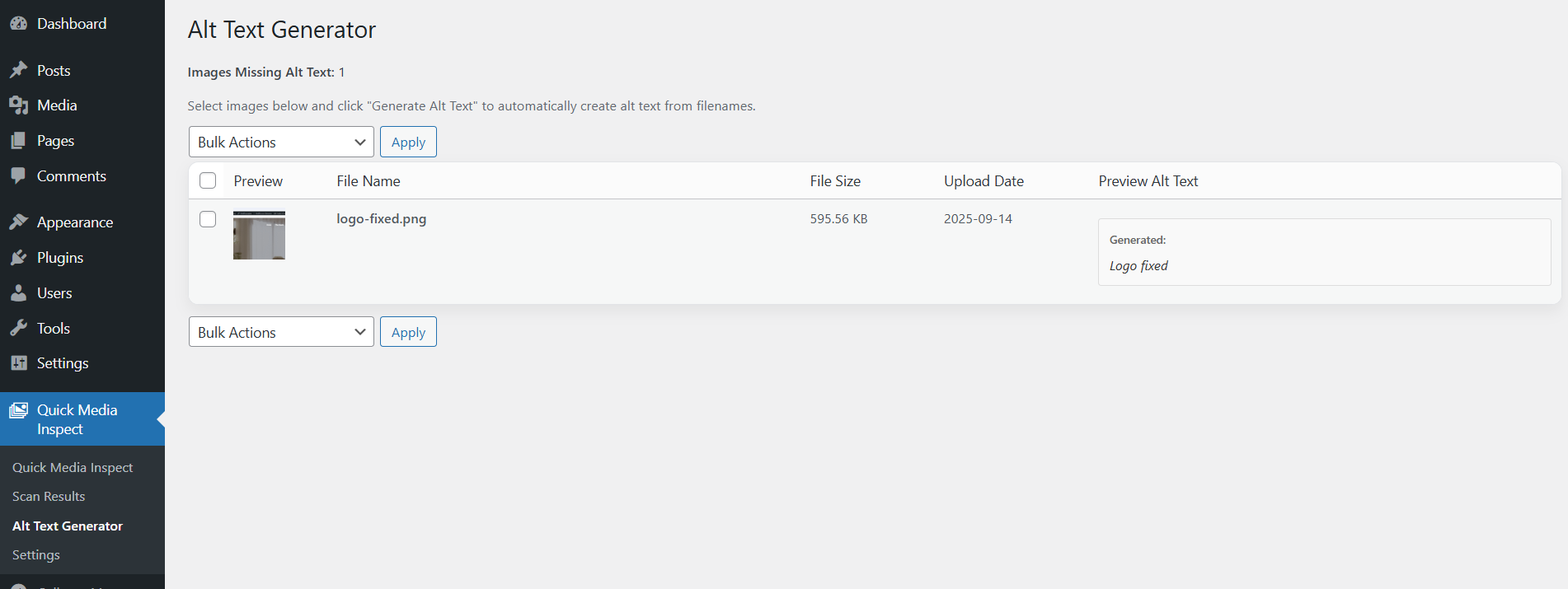
Quick Media Inspect helps you find unused images across your entire WordPress site, review where images are used, and safely clean up your Media Library. It also lets you quickly generate alt text from file names to improve accessibility and SEO.
Comprehensive Image Detection:
– Scans ALL post types (posts, pages, custom post types, private content)
– Detects images in widget areas and sidebars
– Finds images in theme options and customizer settings
– Scans user meta fields and profile images
– Checks term meta (category/tag images, custom taxonomies)
– Searches comment meta fields
– Detects images in post meta (ACF fields, custom fields)
Free (MVP) features:
– Comprehensive scanning across entire WordPress site
– Show where each image is used (with edit links)
– Mark images as Used / Unused / Trashed
– Bulk move to Trash and Restore from Trash
– Generate alt text from filenames (bulk)
– Dashboard with real counts: total images, unused, missing alt text
– Advanced scanning options (configurable for performance)
– Support for all post types and custom content
How it works
- Comprehensive Detection: Scans post content (full URL, resized variants, Gutenberg blocks, classic editor classes), featured images, custom fields, widget areas, theme options, user meta, term meta, and comment meta.
- All Post Types: Detects usage in posts, pages, custom post types, private content, and any content type.
- Smart Pattern Matching: Finds images by URL, attachment ID, Gutenberg block IDs, and CSS classes.
- Performance Control: Advanced scanning options can be enabled/disabled for optimal performance.
- Safe Operations: Trashed attachments are included, so you can restore them from the Scan Results.
- No Auto-Delete: No permanent deletions are performed unless you explicitly choose “Delete Permanently” in bulk actions.
Security
- All admin actions require
manage_optionscapability. - Nonces on all forms and AJAX endpoints.