
Quick Edit Yoast SEO
v1.0.0programfault · 2018年4月24日 上架
Improve your WordPress SEO editor: Provide a way to modify Yoast SEO fields in quick edit, it's depending on Yoast SEO plugin.
- 正在使用
- 800+
- 评分
- 4.0 / 5
- 累计下载
- 1.3 万
- 最近更新
- 2018年4月24日
贡献者
 programfault
截图
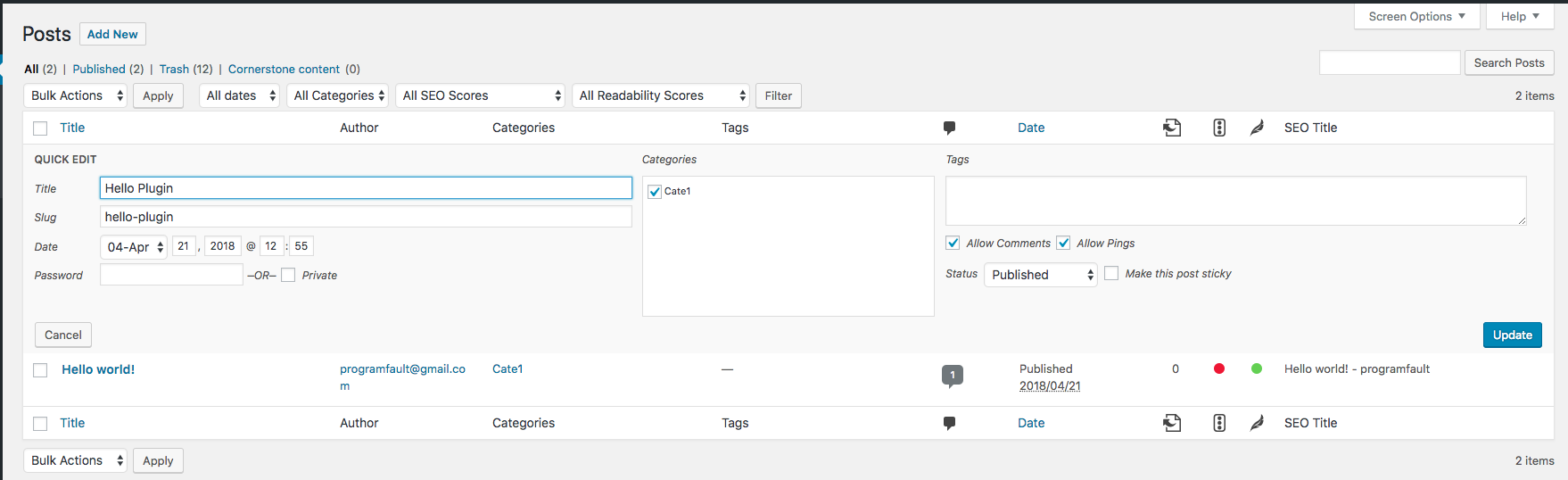
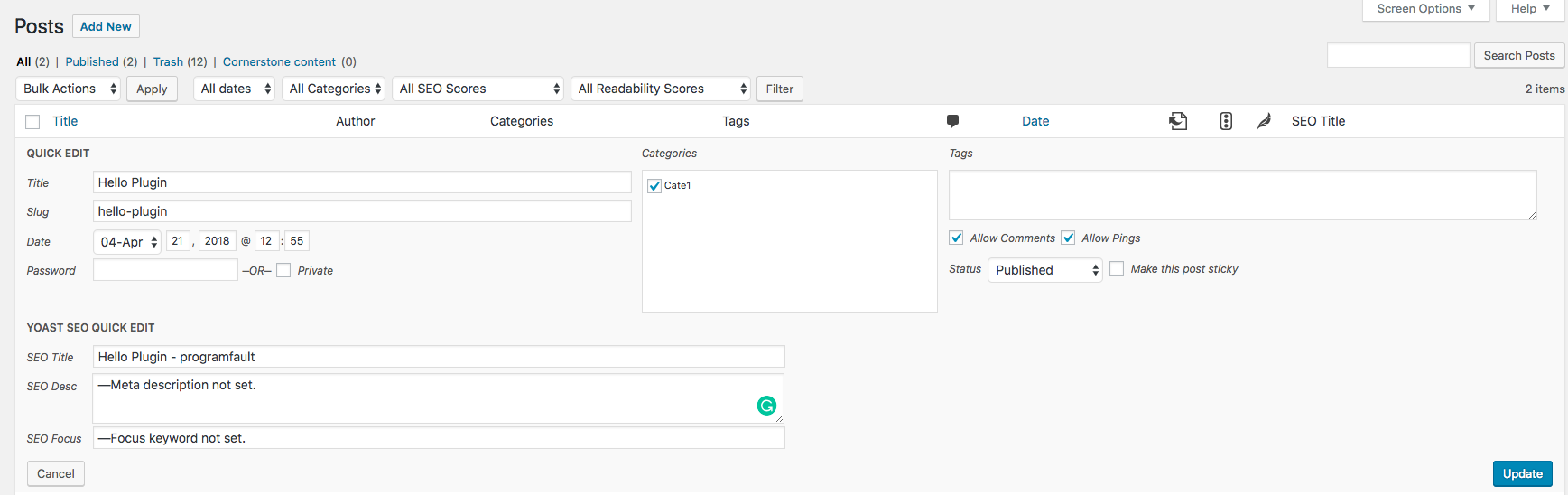
Quick Edit Yoast SEO: A small enhancement for Yoast SEO.
Yoast SEO is the most popular plugin for WordPress SEO, but most operations have to do in post edit page, it’s inconvenient for multiple post quick edit.
This plugin is for this requirement then make users can modify SEO fields faster and save time. Future SEO information please refer Yoast SEO plugin and other website.
Taking care of your WordPress
- This plugin in is only provide 3 fields quick edit, SEO Title, SEO Focus Keywords, SEO Meta description, does not support update content score.
- This plugin is depends on Yoast SEO plugin, so please install it first.
Note: This plugin is free and you can get further info from ProgramFault for development, I listed all my idea about this plugin and development process, and everyone can refer it and do you own plugin.
Bug reports
Bug reports for Quick Edit Yoast SEO please send email to me, my email address is programfault@gmail.com
Further Reading
For more info, check out the following articles:
- The Quick Edit Yoast SEO Plugin homepage.
- The Github homepage.
From within WordPress
- Visit ‘Plugins > Add New’
- Search for ‘Quick Edit Yoast SEO’
- Activate Quick Edit Yoast SEO from your Plugins page.
- Go to “after activation” below.
Manually
- Upload the
quick-edit-yoastseofolder to the/wp-content/plugins/directory - Activate the Quick Edit Yoast SEO plugin through the ‘Plugins’ menu in WordPress
- Go to “after activation” below.
After activation
- Go to posts list, click quick edit link
- You’re done!