
Qndrs Availability and Heartbeat Monitor
v3.7.1Qndrs · 2026年7月15日 上架
Monitor websites and heartbeat clients from WordPress with email or Pushover downtime alerts.
- 正在使用
- 10 以下
- 评分
- 暂无
- 累计下载
- 493
- 最近更新
- 2026年10月24日
贡献者
 Qndrs
截图
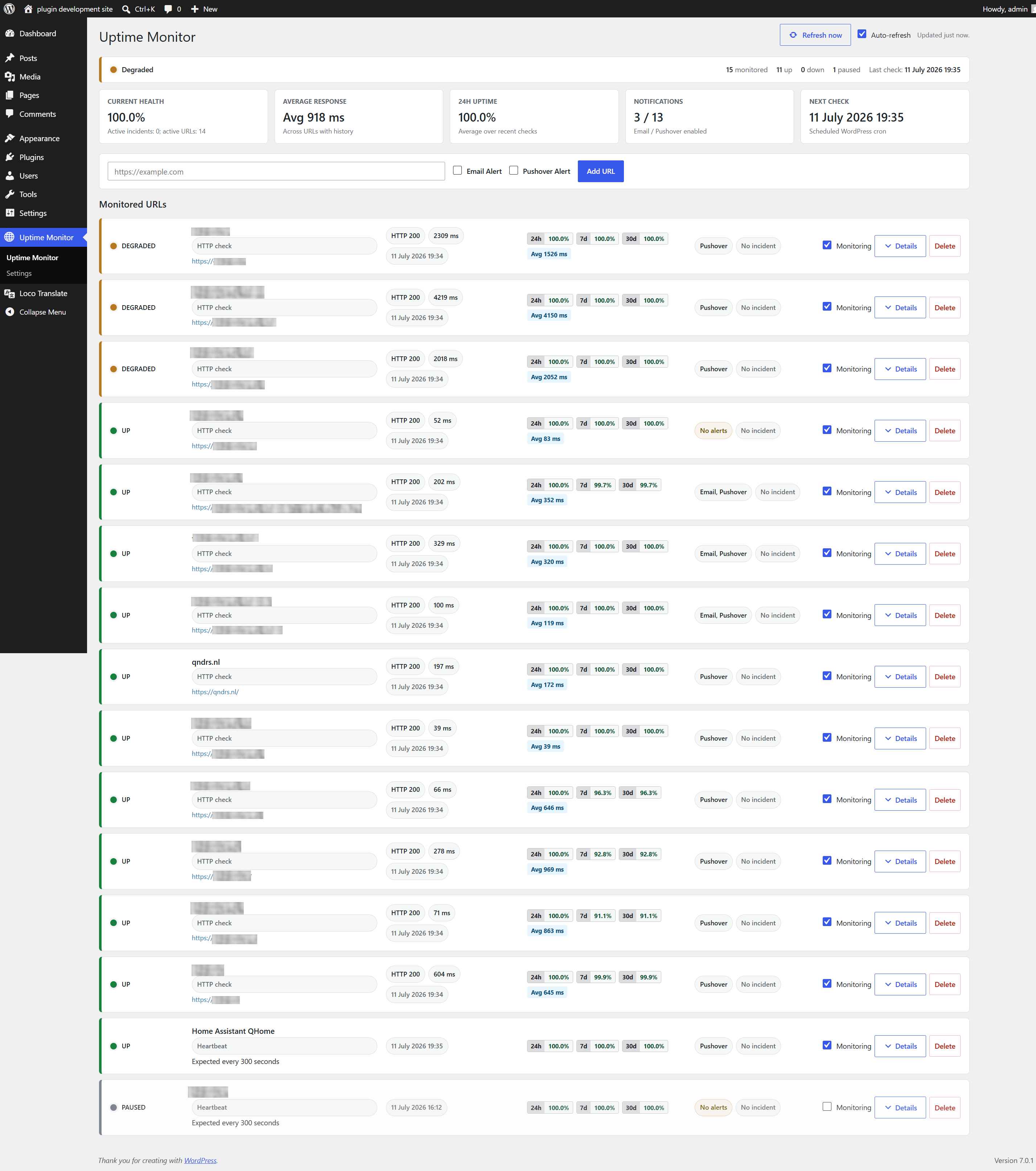
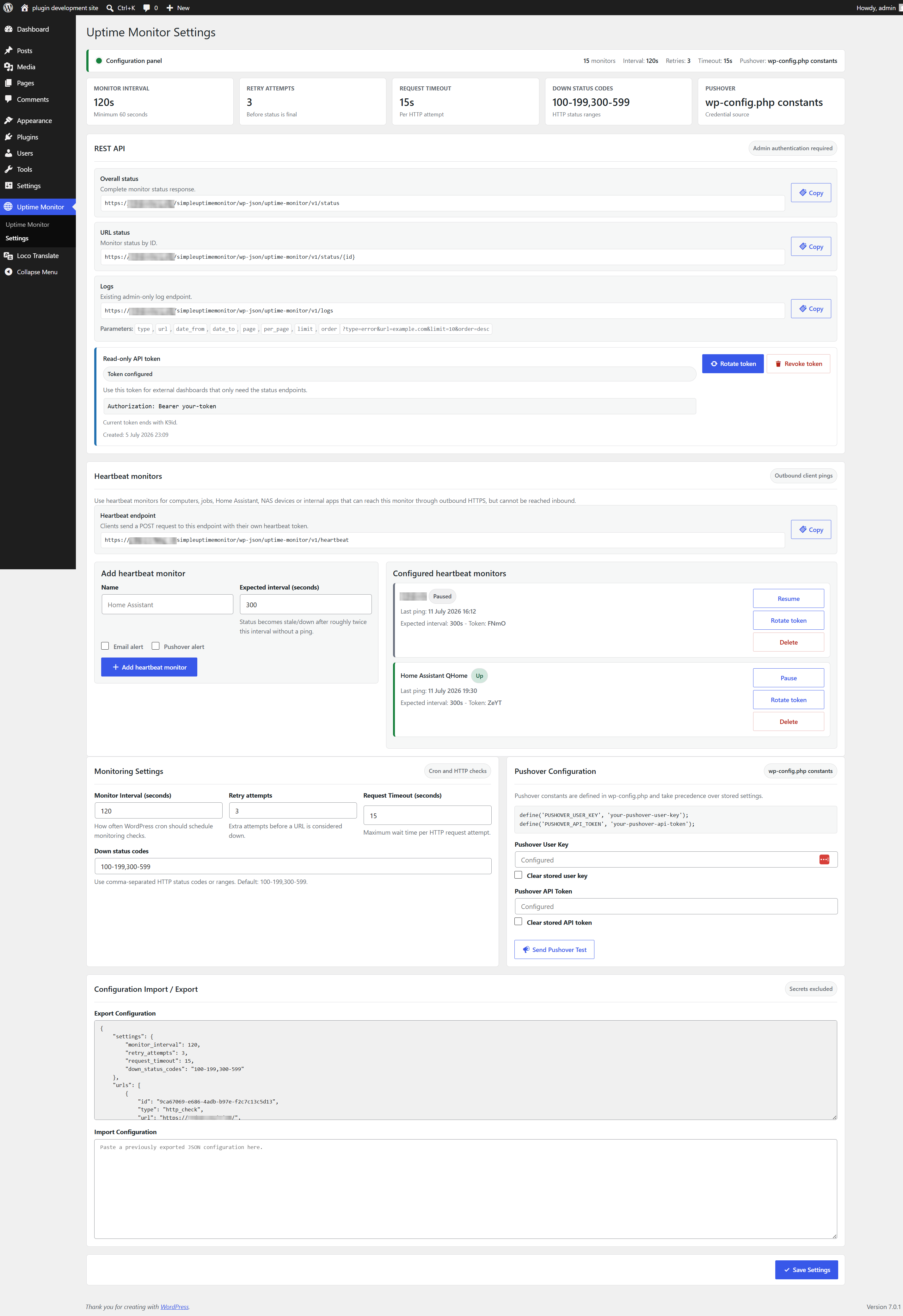
Qndrs Availability and Heartbeat Monitor checks external URLs from the WordPress dashboard and can also monitor firewalled clients through outbound heartbeat pings. It supports multiple monitored URLs, per-URL monitoring toggles, email alerts, configurable Pushover alerts, status history, response times, uptime percentages, JSON import/export, structured logging, heartbeat monitors, and authenticated REST endpoints.
The monitor overview supports light, dark and system themes, configurable columns and a compact view. Display preferences are remembered in this browser for each site and WordPress user, including during automatic refresh. Status, monitor names and management actions remain available.
External services
This plugin can optionally send downtime and recovery notifications through Pushover. Pushover is disabled by default and is only used when a site administrator configures Pushover credentials and enables Pushover alerts for a monitor.
When Pushover is enabled, the plugin sends an HTTPS POST request to https://api.pushover.net/1/messages.json. The request contains the configured Pushover application token, the configured Pushover user or group key, and a notification title/message with the monitored URL or monitor name, status information, and HTTP status code or error message when available.
Pushover API documentation: https://pushover.net/api
Pushover terms: https://pushover.net/terms
Pushover privacy policy: https://pushover.net/privacy
History Storage
Version 3.6.0 stores status history in an indexed custom database table. Fresh installations use the table directly. Existing installations with legacy option-based history can use the controlled WP-CLI migration documented in docs/history-storage.md, including count verification, shadow mode and rollback before finalization.