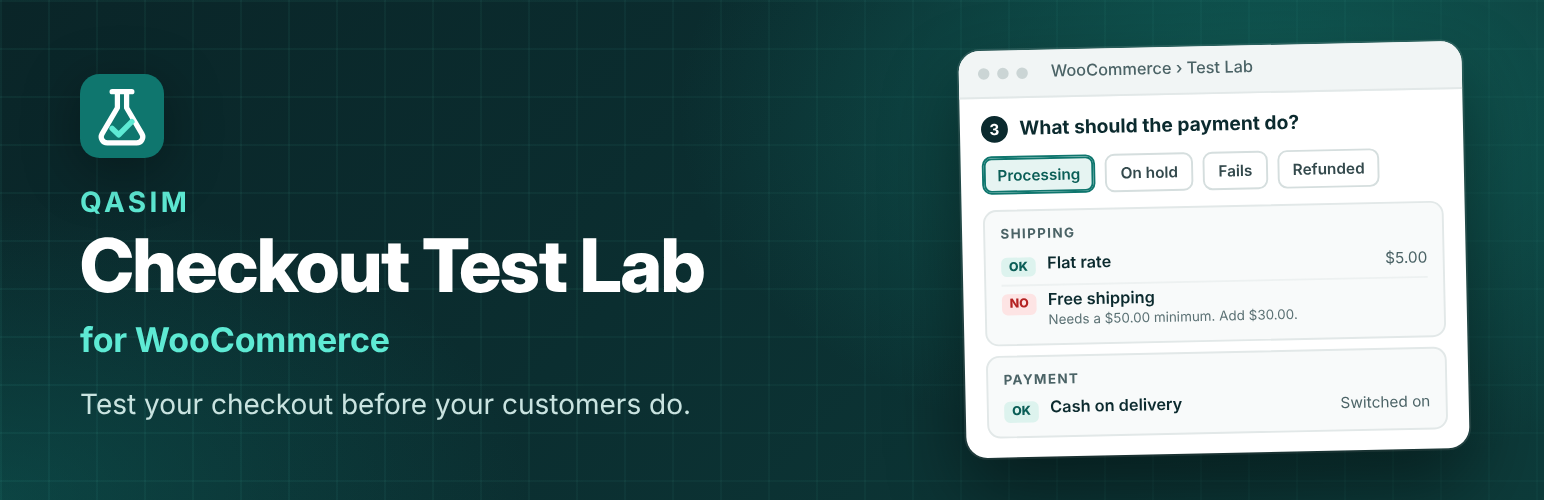

Qasim Checkout Test Lab for WooCommerce
v1.0.0Muhammad Qasim · 2026年10月29日 上架
Place safe test orders in one click and see why a shipping or payment method is missing from your WooCommerce checkout.
- 正在使用
- 10 以下
- 评分
- 暂无
- 累计下载
- 329
- 最近更新
- 2026年10月30日
贡献者
 Muhammad Qasim
截图
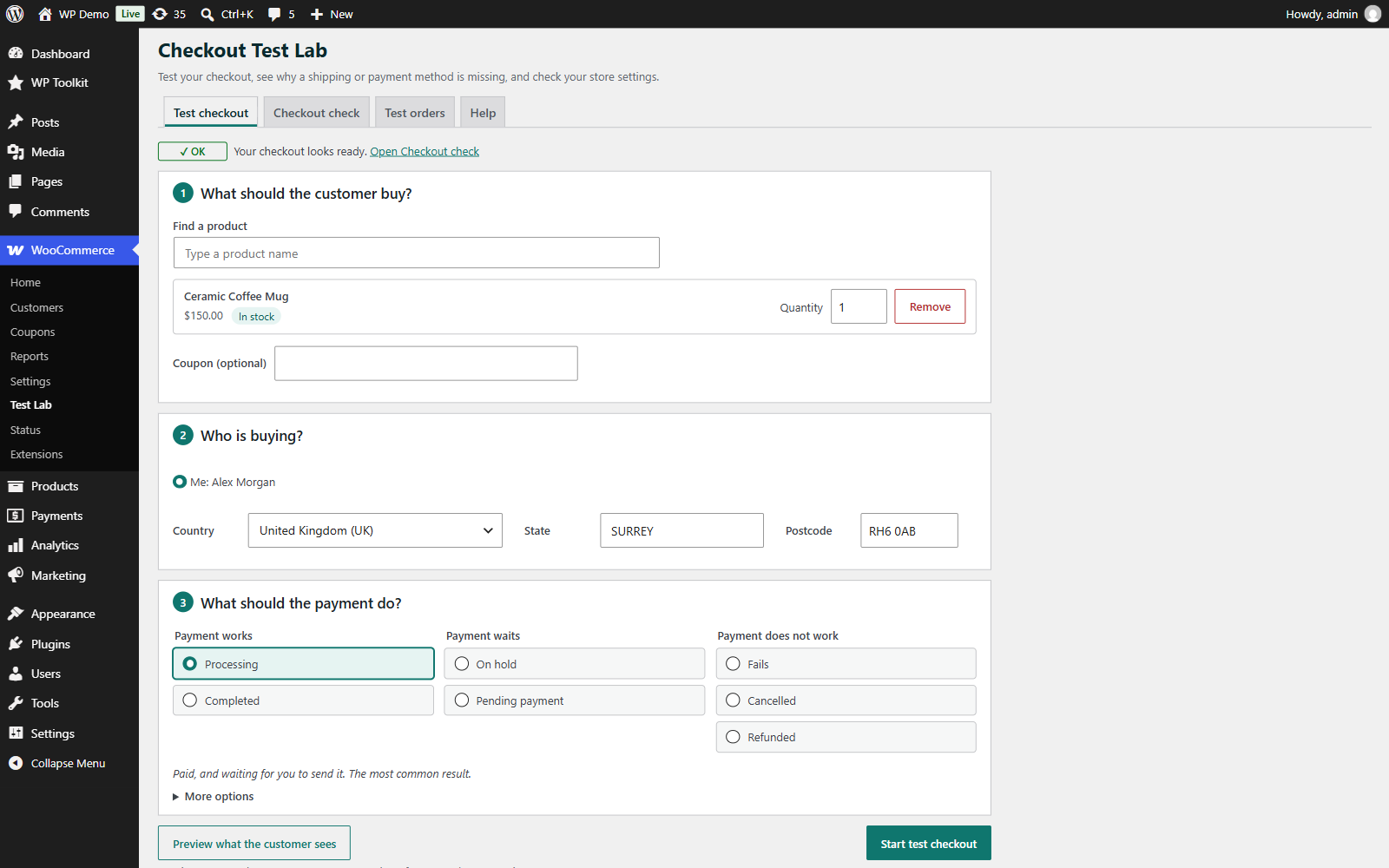
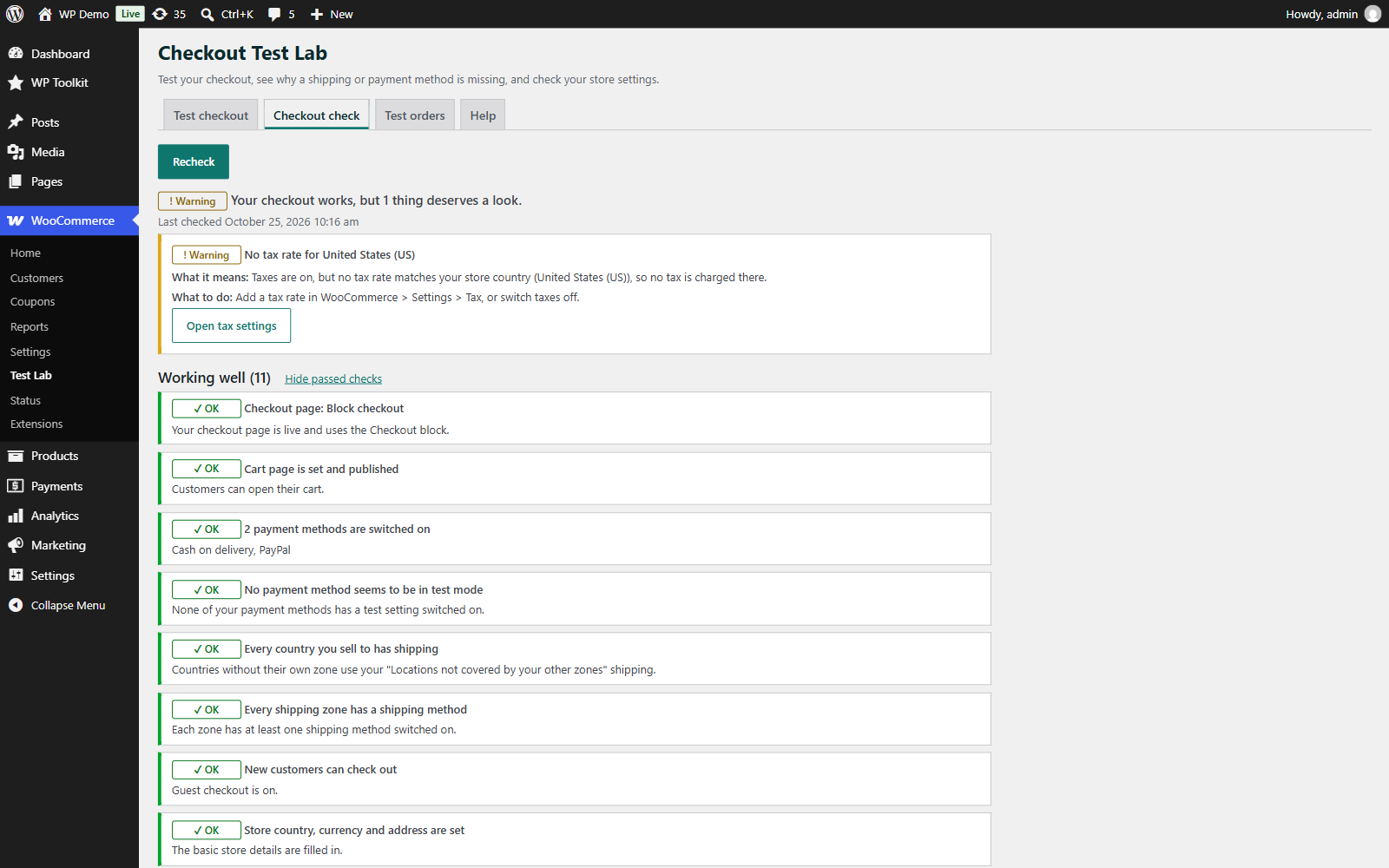
Find checkout problems before your customers do.
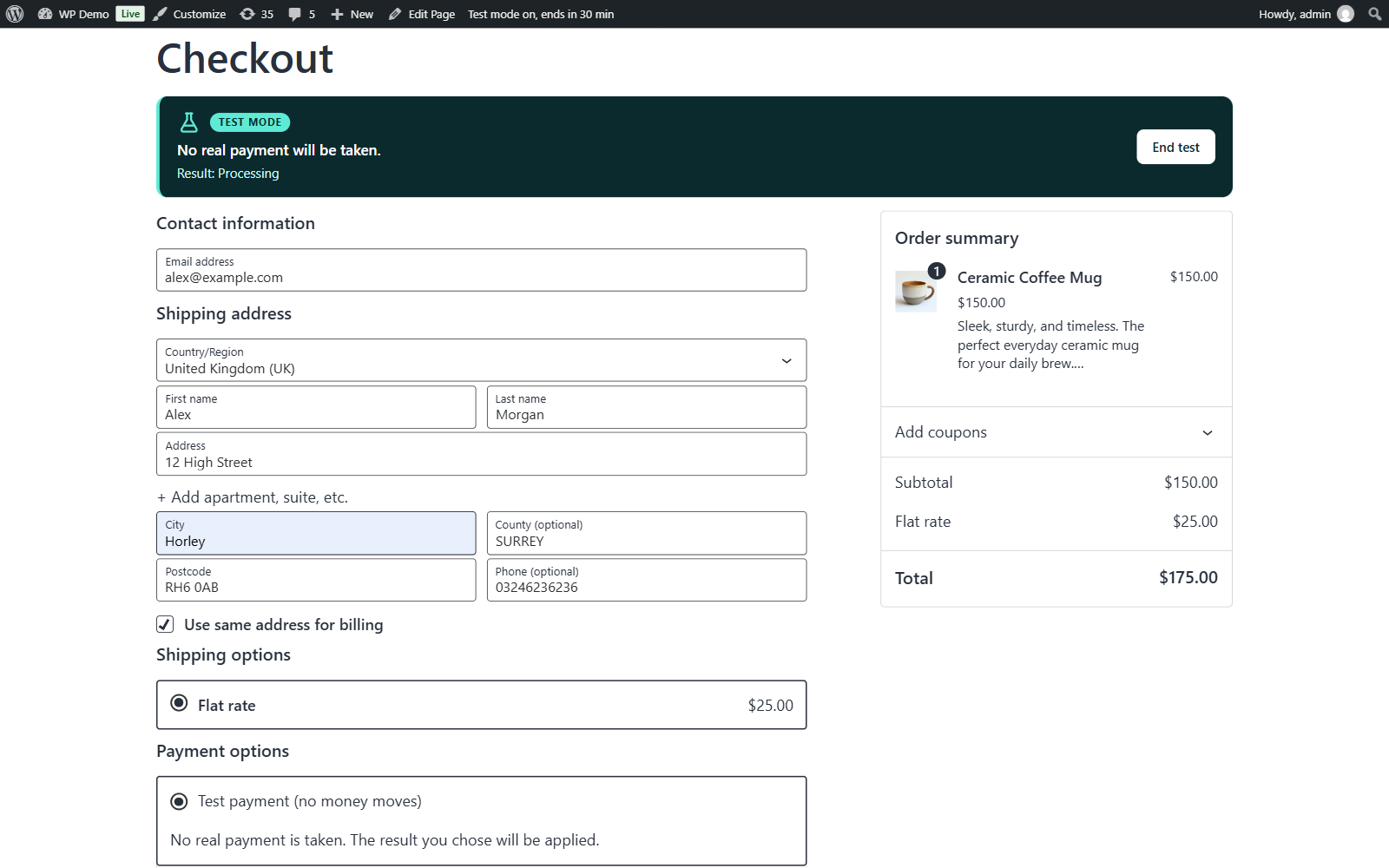
Checkout Test Lab gives you a private test checkout that works like the real one. Choose a product, a customer and what the payment should do. You then go straight to your normal checkout page, classic or block, with a test payment method that only you can see. No money moves and your customers are not affected.
It also answers the questions WooCommerce leaves you to guess: why a shipping method is not showing for an address, and which store settings could stop people paying.
What you can do
Place a test order in one click
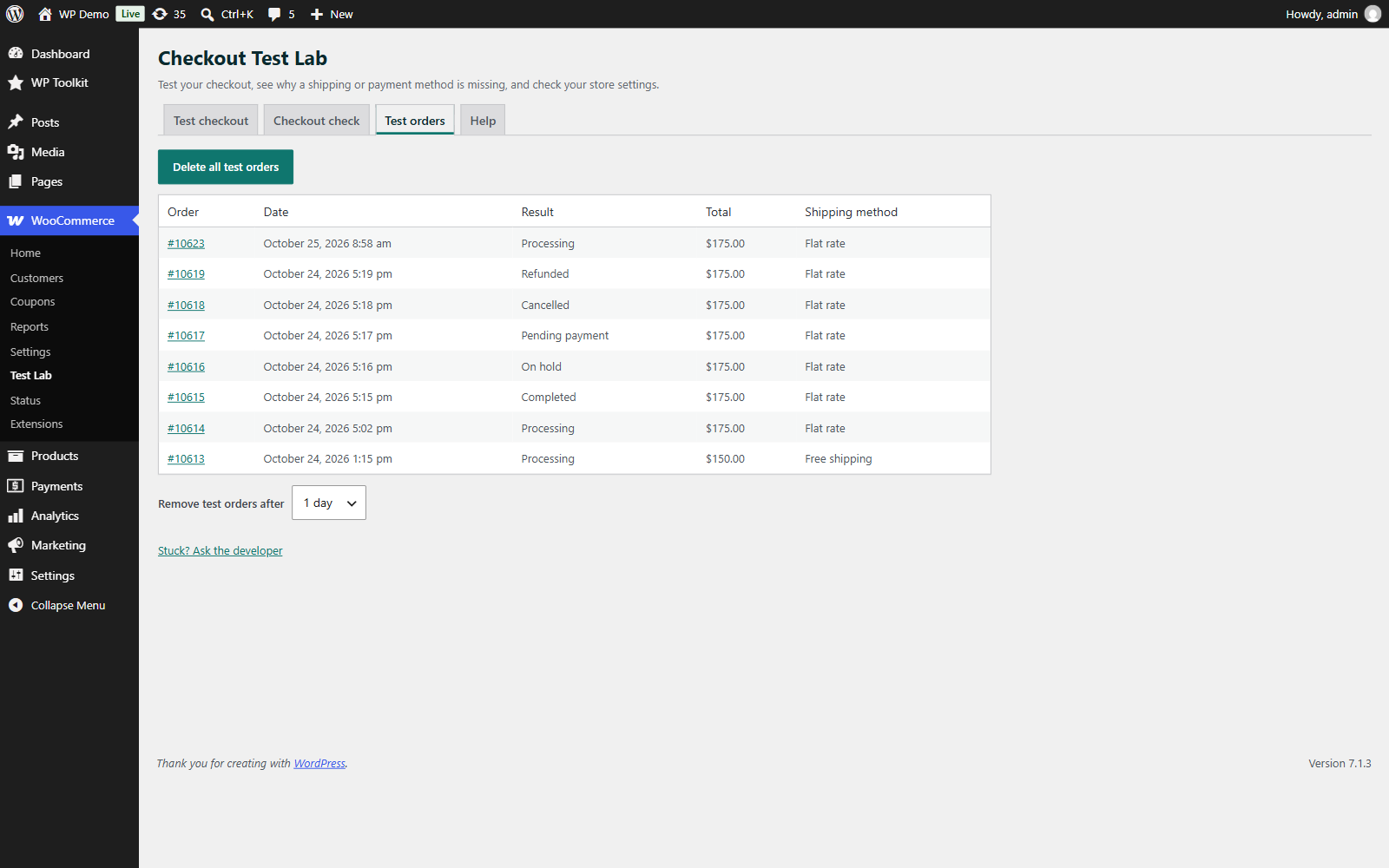
Choose the result you want to test: Processing, Completed, On hold, Pending payment, Failed, Cancelled or Refunded. Then check the order status, emails, stock and error messages exactly as a real order would trigger them.
Preview what a customer would see
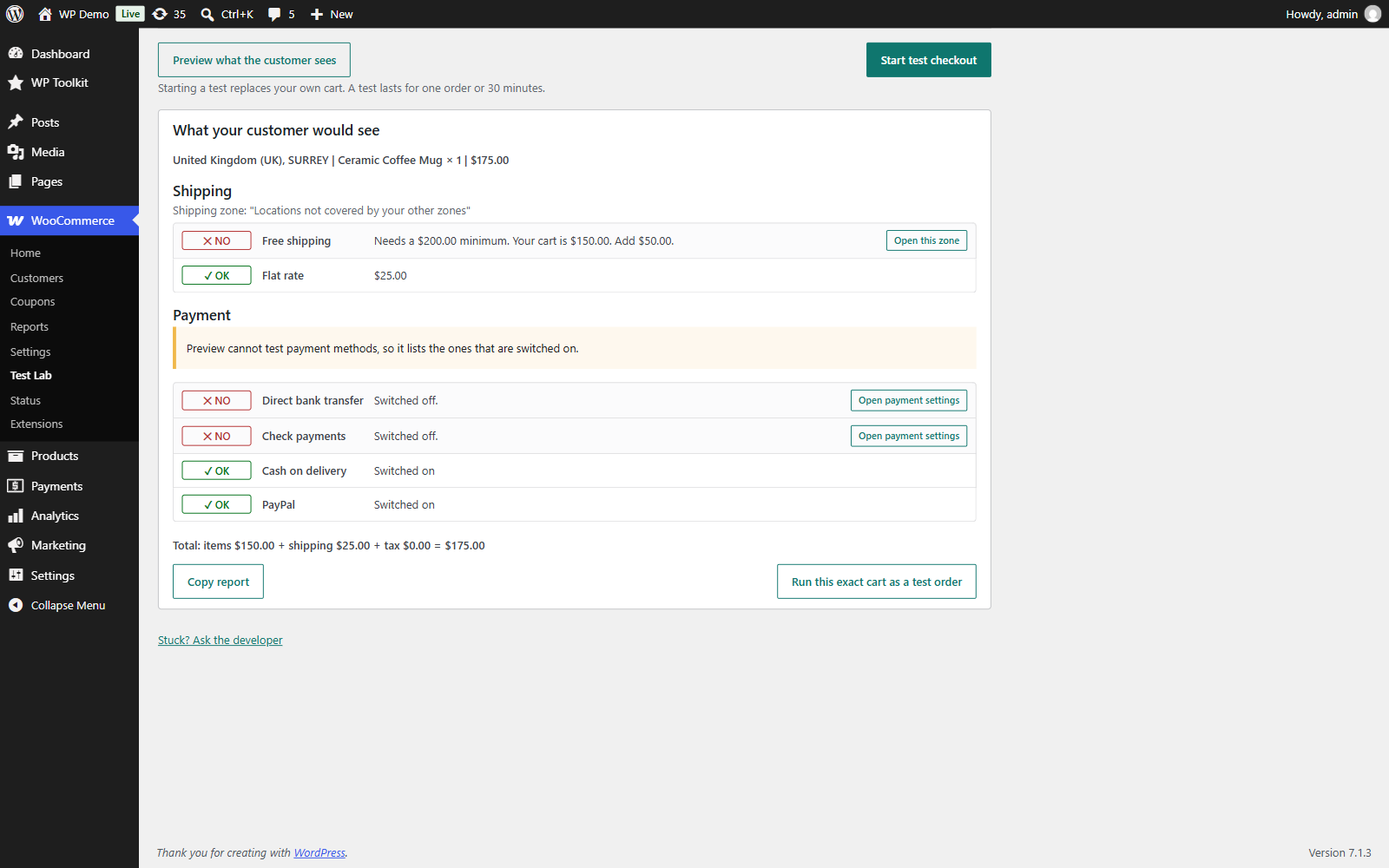
Enter a cart and an address to see which shipping methods appear and why each missing one is hidden, for example a free-shipping minimum that was not met, a method switched off in its zone, or an address that matches no shipping zone. No order is placed. Preview also lists your payment methods and whether each one is switched on.
Check your checkout settings
Twelve read-only checks look for settings that stop customers paying, such as guest checkout switched off, a country you sell to with no shipping zone, or a payment method left in test mode. Each result explains the problem in plain English and links to the right settings page.
Keep test orders under control
Every test order is clearly marked and listed in one place. Delete one, delete them all at once, or let the plugin remove them automatically.
How a test works
- Go to WooCommerce > Test Lab.
- Choose a product, who is buying and what the payment should do.
- Press Start test checkout and place the order as a customer would.
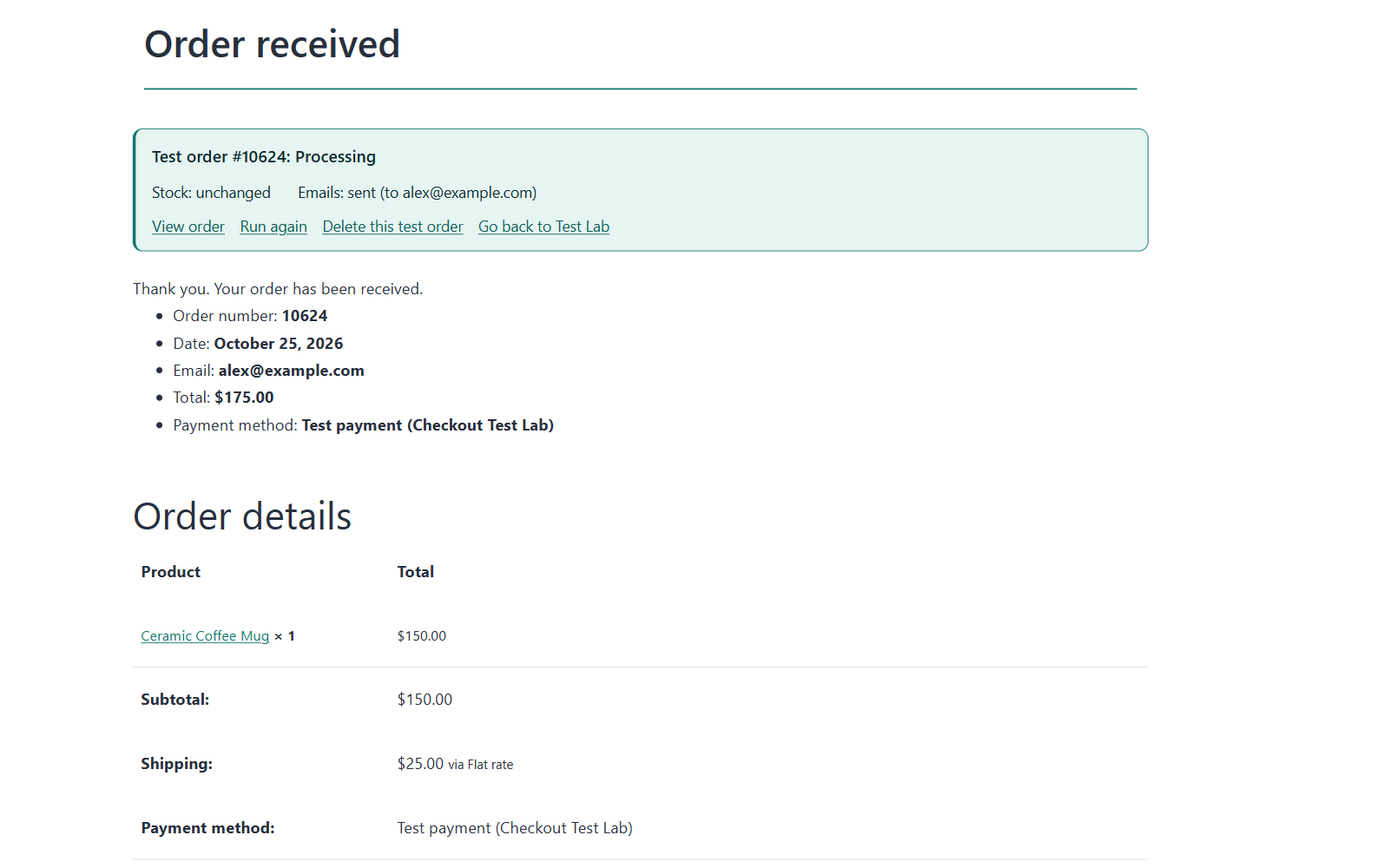
- A result card on the order confirmation page shows what happened.
A test ends by itself after one order or 30 minutes.
Safe by design
- Only users who can manage WooCommerce can see the test payment method, and only during a test they started. Customers and visitors never see it.
- The plugin never completes, refunds or deletes an order it did not create.
- Works with the block checkout, the classic checkout and High-Performance Order Storage (HPOS).
- No data leaves your site. No tracking, no external requests, no account to create.
Good to know
- The plugin does not connect to real payment providers, so it cannot confirm that a real card payment will go through.
- Preview does not test payment methods. It shows which ones are switched on and gives a reason only when the settings make it certain, for example cash on delivery limited to certain shipping methods.
- Preview shows shipping prices before tax. Tax on shipping is added at checkout.
- Test orders are real WooCommerce orders under your account, so they appear in reports until they are deleted.
- If your cart and checkout pages are cached, tests may not behave correctly. The Checkout check warns you about this.
- It does not monitor real customer orders.
- The Help tab links to the documentation and support forum, and shows developer links that you can switch off under More options on the Test checkout tab.