

Puzzle Gate – Login Security with Smart Puzzle CAPTCHA
v1.0.1wpsqr · 2026年1月16日 上架
Stop bots in their tracks with a human-friendly puzzle CAPTCHA for WordPress logins.
- 正在使用
- 10 以下
- 评分
- 暂无
- 累计下载
- 554
- 最近更新
- 2026年2月2日
贡献者
 wpsqr
截图
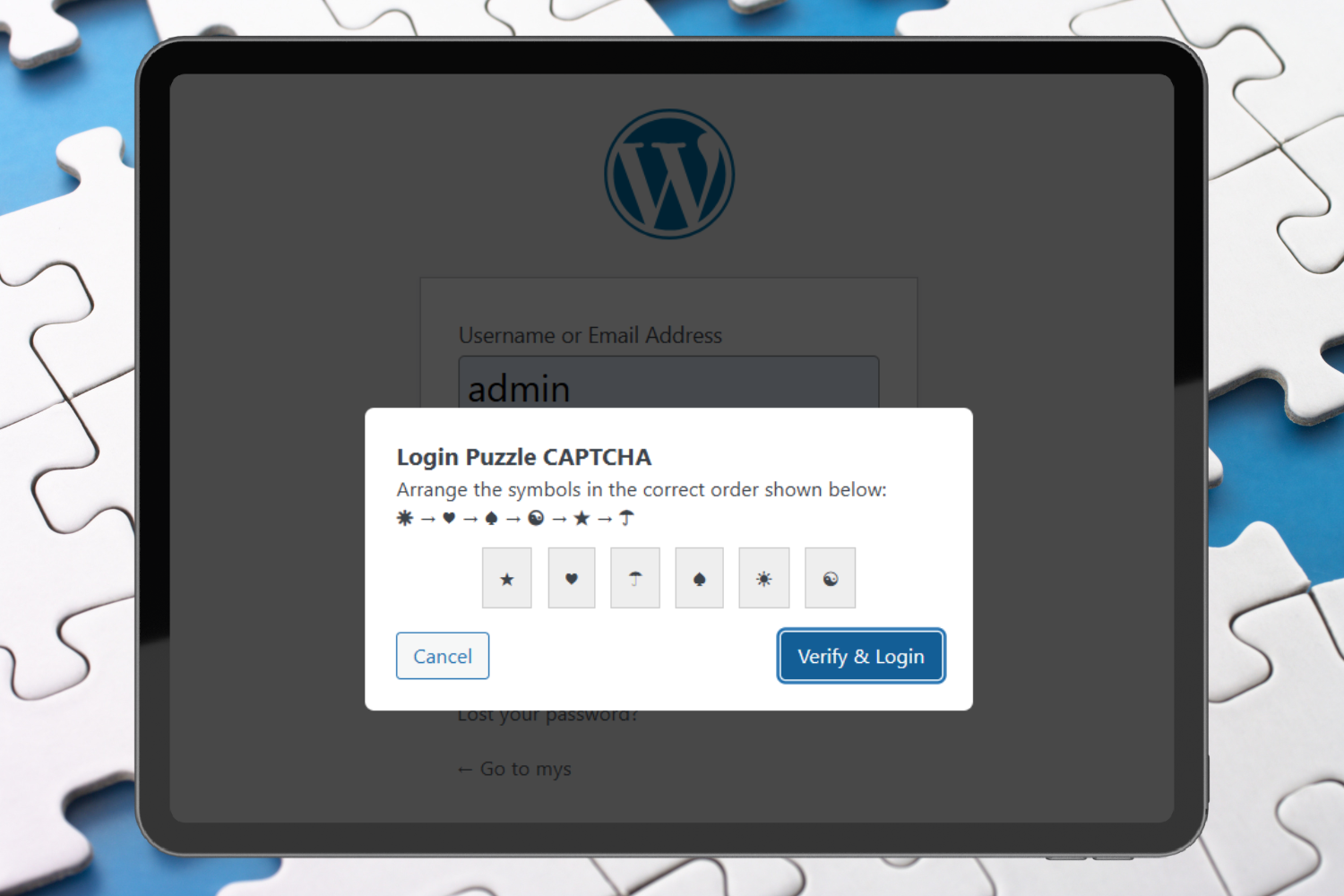
Puzzle Gate is a next-generation WordPress security plugin that replaces annoying traditional CAPTCHAs with an intelligent, interactive puzzle system. Unlike conventional image/text CAPTCHAs that rely on external services and frustrate users, Puzzle Gate offers a fast, self-hosted solution that’s both highly secure and surprisingly user-friendly.
Why Website Owners Choose Puzzle Gate:
Blocks Automated Login Attacks – Advanced puzzle logic stops bots before they can even attempt authentication
Zero External Dependencies – No Google services, no tracking, complete privacy compliance
Lightning Fast – Adds just 200ms to your login page load time
Mobile-First Design – Works perfectly on all devices without compromising security
GDPR/Privacy Compliant – No external API calls, no user data sharing
Accessibility Focused – Screen reader compatible with alternative input methods
How It Works (The Smart Way):
- Interactive Puzzle Challenge – Users arrange randomized symbols into logical order
- Server-Side Validation – Each puzzle is uniquely generated and hashed for maximum security
- Automatic Bot Blocking – Failed attempts trigger puzzle regeneration
- Seamless Login Experience – Humans solve it in seconds, bots can’t crack it
Puzzle data is generated server-side, hashed securely, and expires automatically to prevent replay attacks.
Features
Core Security
- Drag-and-drop puzzle CAPTCHA system
- Server-side validation with WordPress salts
- Automatic puzzle expiration (configurable)
- Brute-force attack protection
- Nonce-based replay attack prevention
Administration & Control
- Simple settings panel in WordPress admin
- Adjustable puzzle difficulty (4-12 symbols)
- IP whitelisting capabilities
- Failed attempt threshold configuration
User Experience
- Fully responsive design
- Mobile-optimized interface
- Keyboard navigation support
- Screen reader compatibility
- Visual feedback for interactions
Technical Excellence
- 100% self-hosted solution
- No external API dependencies
- Lightweight codebase
- Regular security updates
- Compatible with most security plugins
Admin Configuration
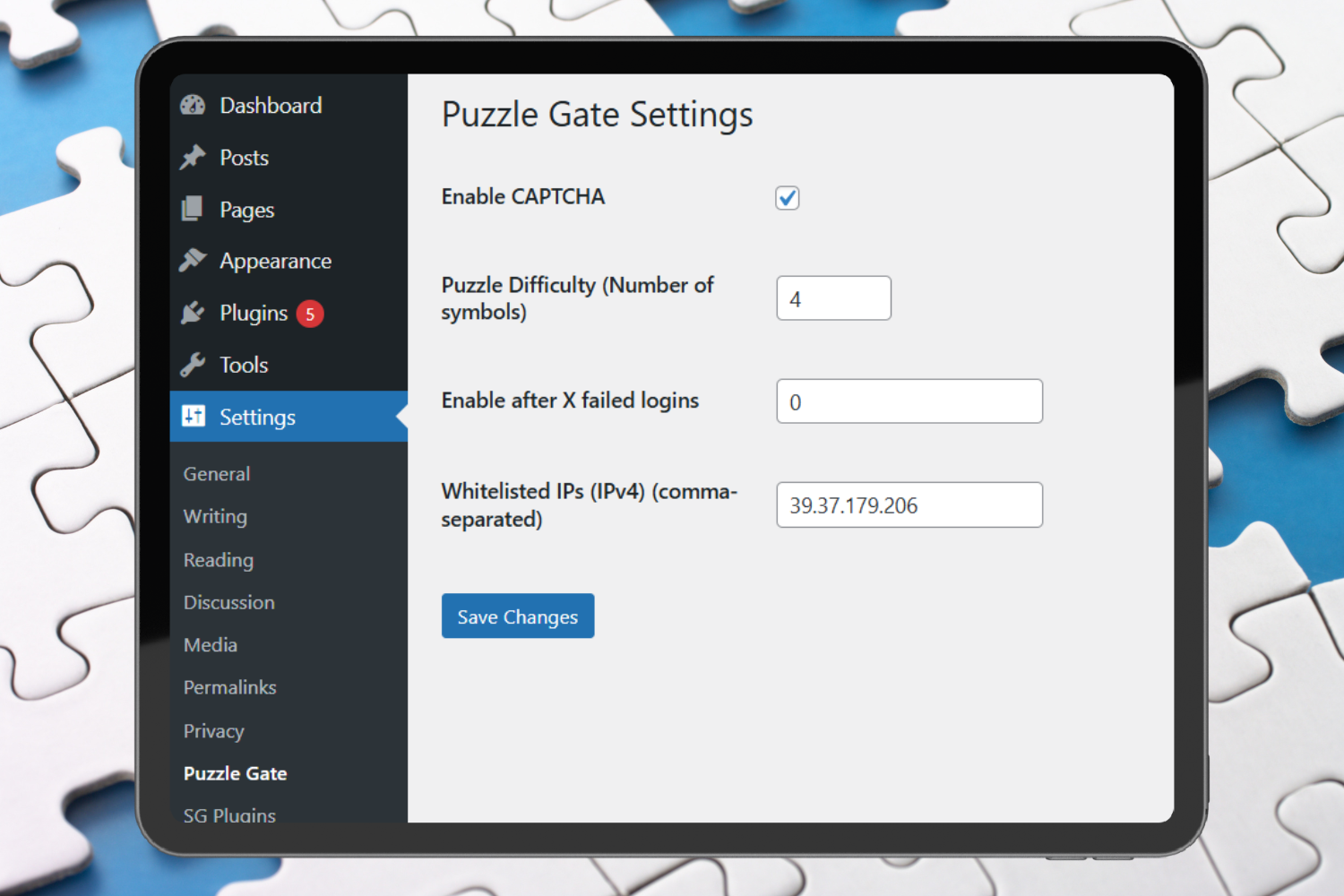
Puzzle Gate includes a settings page where administrators can:
- Enable or disable the puzzle CAPTCHA
- Set puzzle difficulty (number of symbols)
- Enable the puzzle only after X failed login attempts
- Whitelist trusted IP addresses
Documentation
Full documentation is available on our website:
Puzzle Gate Documentation
Troubleshooting
- Ensure the Puzzle Gate plugin is activated and your WordPress version is at least 5.2.
- Deactivate other plugins to check for conflicts.