

Purrlink – AI Internal Linking
v1.1.0BCodeCraft · 2026年3月11日 上架
Use AI to build internal links that readers actually click — with natural bridge sentences that boost SEO and keep visitors on your site.
- 正在使用
- 10 以下
- 评分
- 暂无
- 累计下载
- 518
- 最近更新
- 2026年3月11日
贡献者
 BCodeCraft
截图
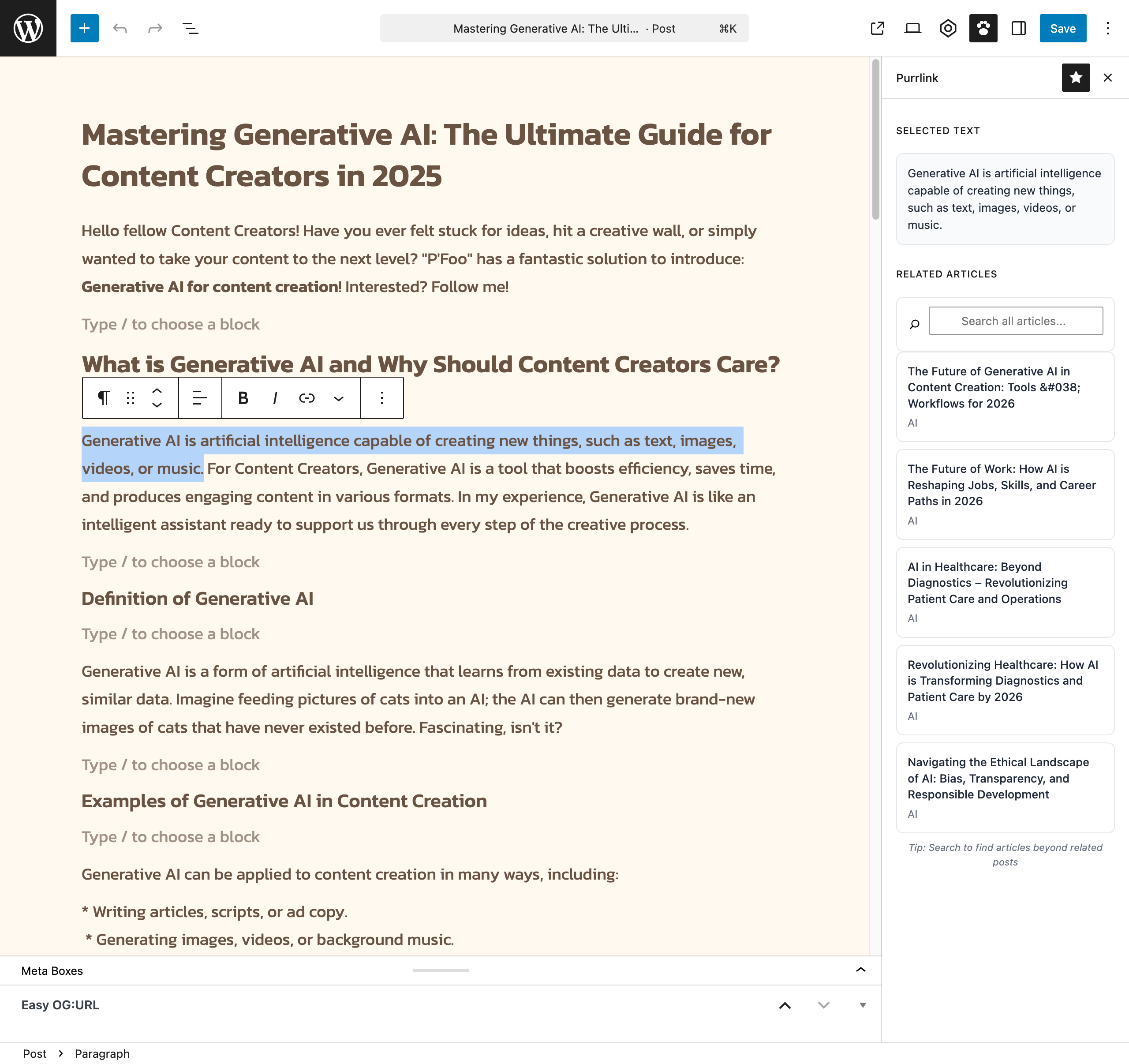
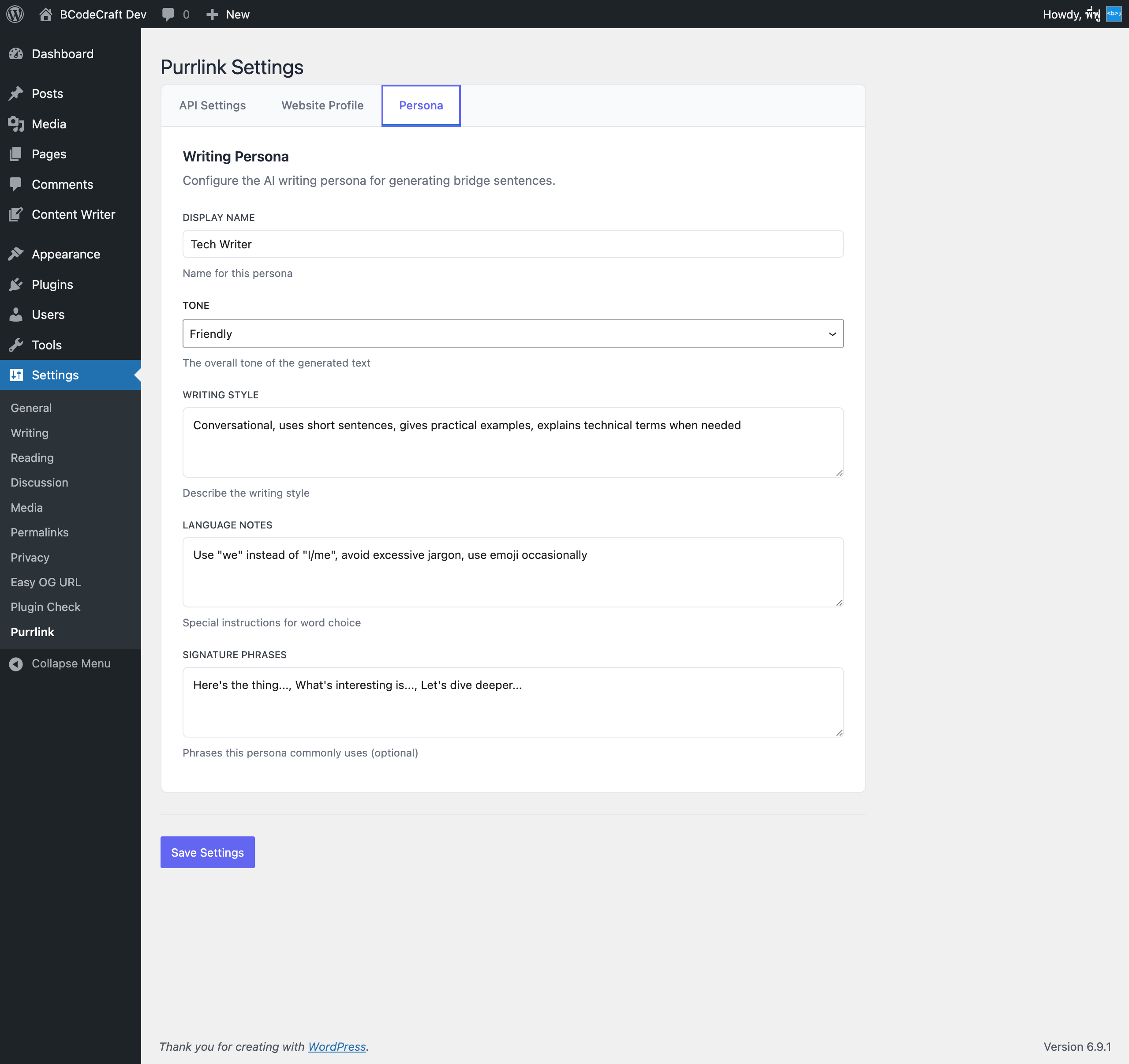
Internal links are one of the easiest ways to improve your SEO and reduce bounce rate. But manually writing contextual sentences around each link is tedious — and just dropping a link on a keyword looks unnatural.
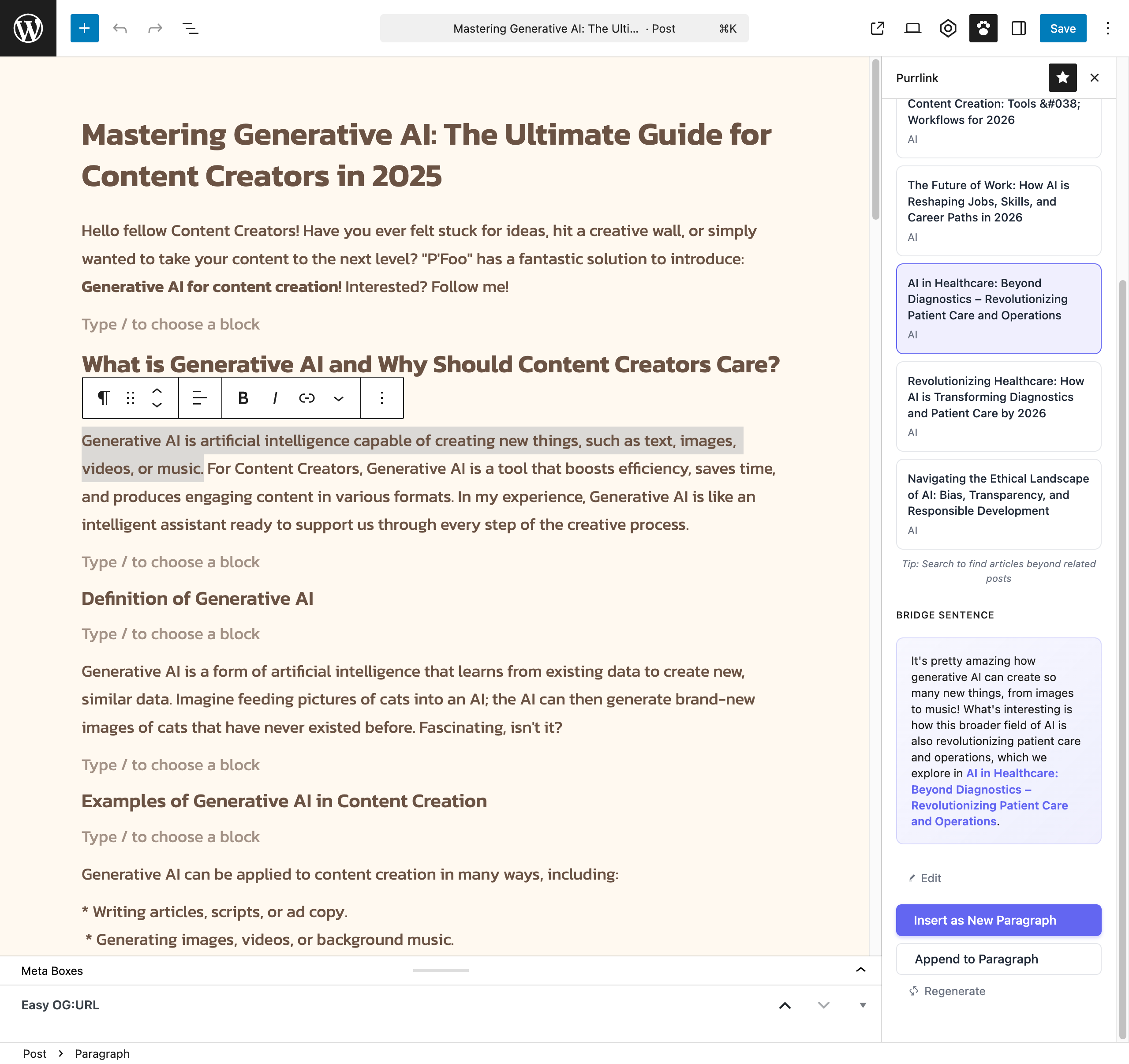
Purrlink solves this. It uses AI to generate a “bridge sentence” that naturally introduces your internal link, so it reads like part of your content — not an afterthought.
Before:
“Taking care of [cats] requires attention…”
After:
“Taking care of cats requires attention. If you’re just starting out, check out our [Beginner’s Guide to Cat Care] for helpful tips.”
Why Purrlink?
- Better for SEO — Contextual internal links help search engines understand your site structure and pass link equity between pages
- Better for readers — Bridge sentences guide visitors to related content naturally, increasing pageviews and time on site
- Saves time — What takes minutes to write manually, Purrlink generates in seconds
Who is it for?
- Bloggers who want to interlink posts without breaking the reading flow
- Content teams managing large sites with hundreds of articles
- SEO professionals building topical authority through internal linking
Features
- Generate natural bridge sentences with AI (Google Gemini)
- Smart related posts — automatically suggests relevant articles based on your content
- Search across all your posts to find the right link target
- 18 languages supported — English, Spanish, French, German, Japanese, Korean, Chinese, Thai, and more
- Auto-detect language for multilingual sites
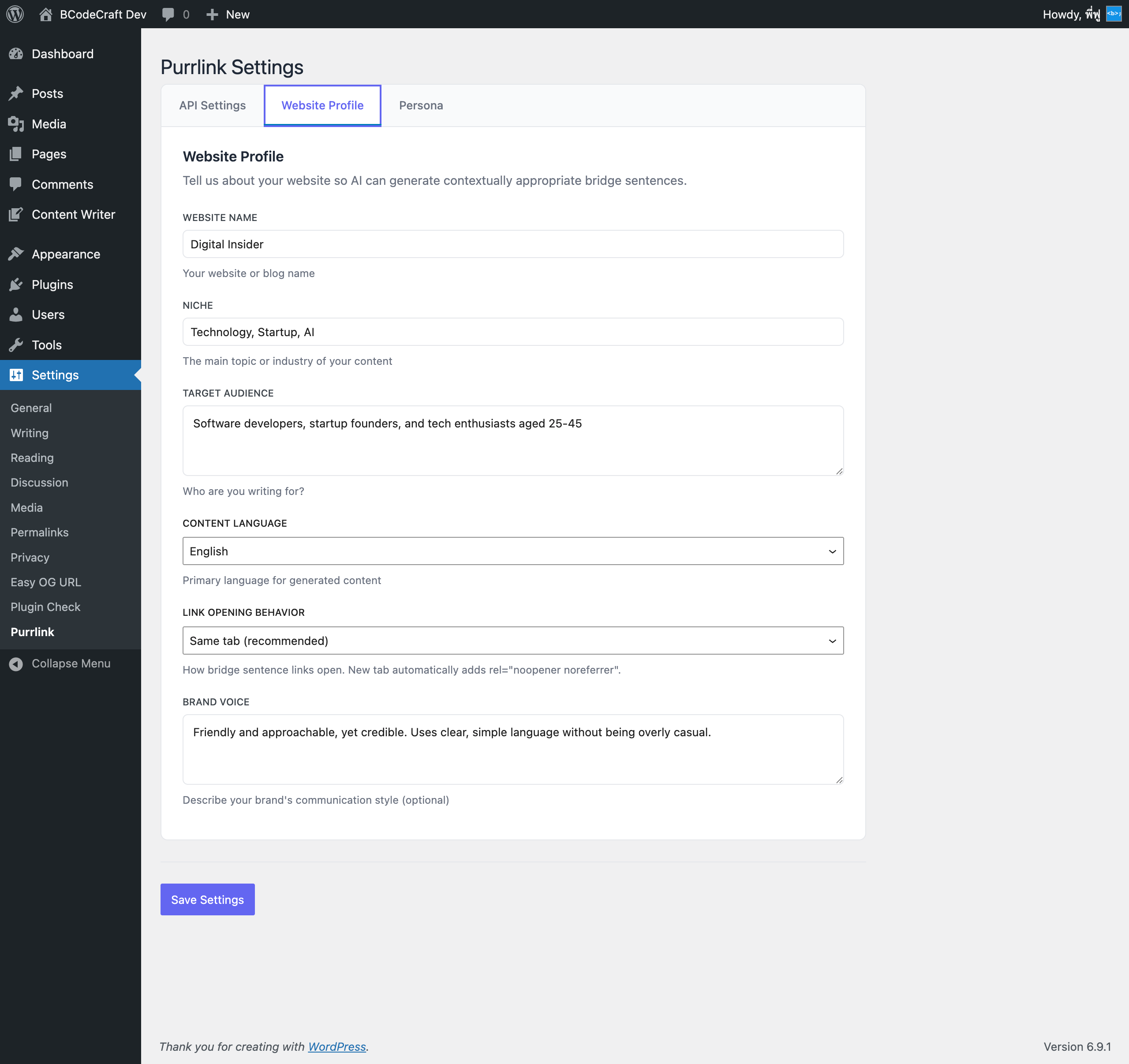
- Customize tone, brand voice, and signature phrases to match your writing style
- Choose link behavior — same tab or new tab (with automatic
rel="noopener noreferrer") - Edit and refine the generated sentence before inserting
- Insert as a new paragraph or append to existing content
- Works directly in the Gutenberg block editor sidebar
How It Works
- Open a post in the Gutenberg editor
- Select the text where you want to add an internal link
- Open the Purrlink sidebar (cat paw icon in the toolbar)
- Pick a related article or search for one
- Click “Generate” — AI creates a bridge sentence with the link embedded
- Edit if needed, then click “Insert”
Requirements
- WordPress 6.0+
- PHP 8.0+
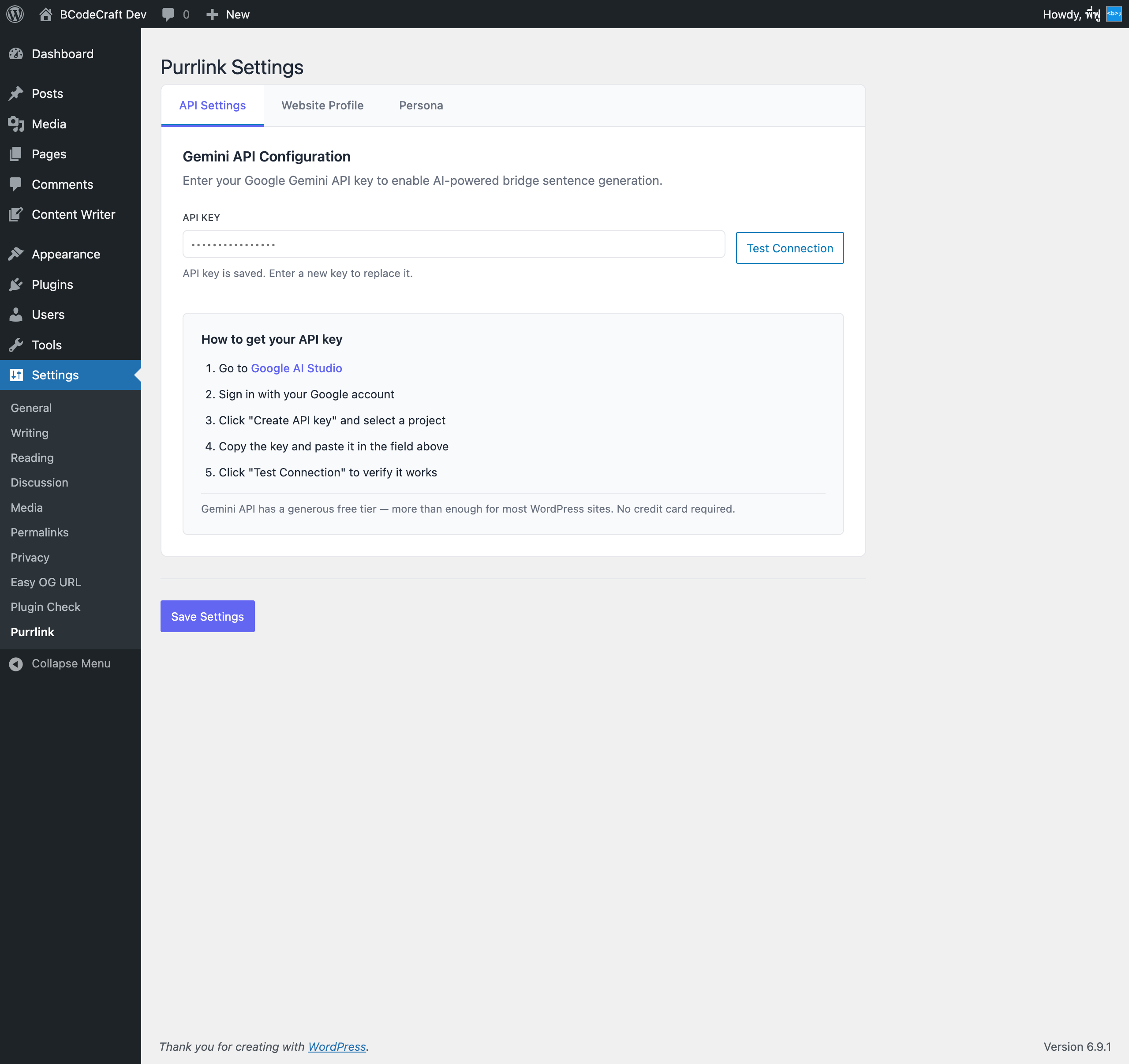
- Google Gemini API key (free tier available)
External Services
This plugin connects to the Google Gemini API to generate bridge sentences using AI.
When you click “Generate” in the Purrlink sidebar, the following data is sent to Google’s servers:
- The text you selected in the editor (source context)
- The title and excerpt of the target post you chose to link to
- Your website profile settings (website name, niche, target audience, brand voice)
- Your persona settings (tone, writing style, language notes)
No data is sent automatically — it only happens when you explicitly click “Generate” or “Regenerate”.
- Service provider: Google (Gemini API)
- API endpoint:
https://generativelanguage.googleapis.com/v1beta/ - Terms of Service: Google API Terms of Service
- Privacy Policy: Google Privacy Policy
You must provide your own Google Gemini API key to use this plugin. Your API key is encrypted before being stored in the WordPress database.