

Puntr
v1.2.3puntr · 2025年7月28日 上架
A professional provider management system for WordPress with roster scheduling, provider profiles, and calendar functionality.
- 正在使用
- 10 以下
- 评分
- 暂无
- 累计下载
- 509
- 最近更新
- 2025年7月29日
贡献者
 puntr
截图
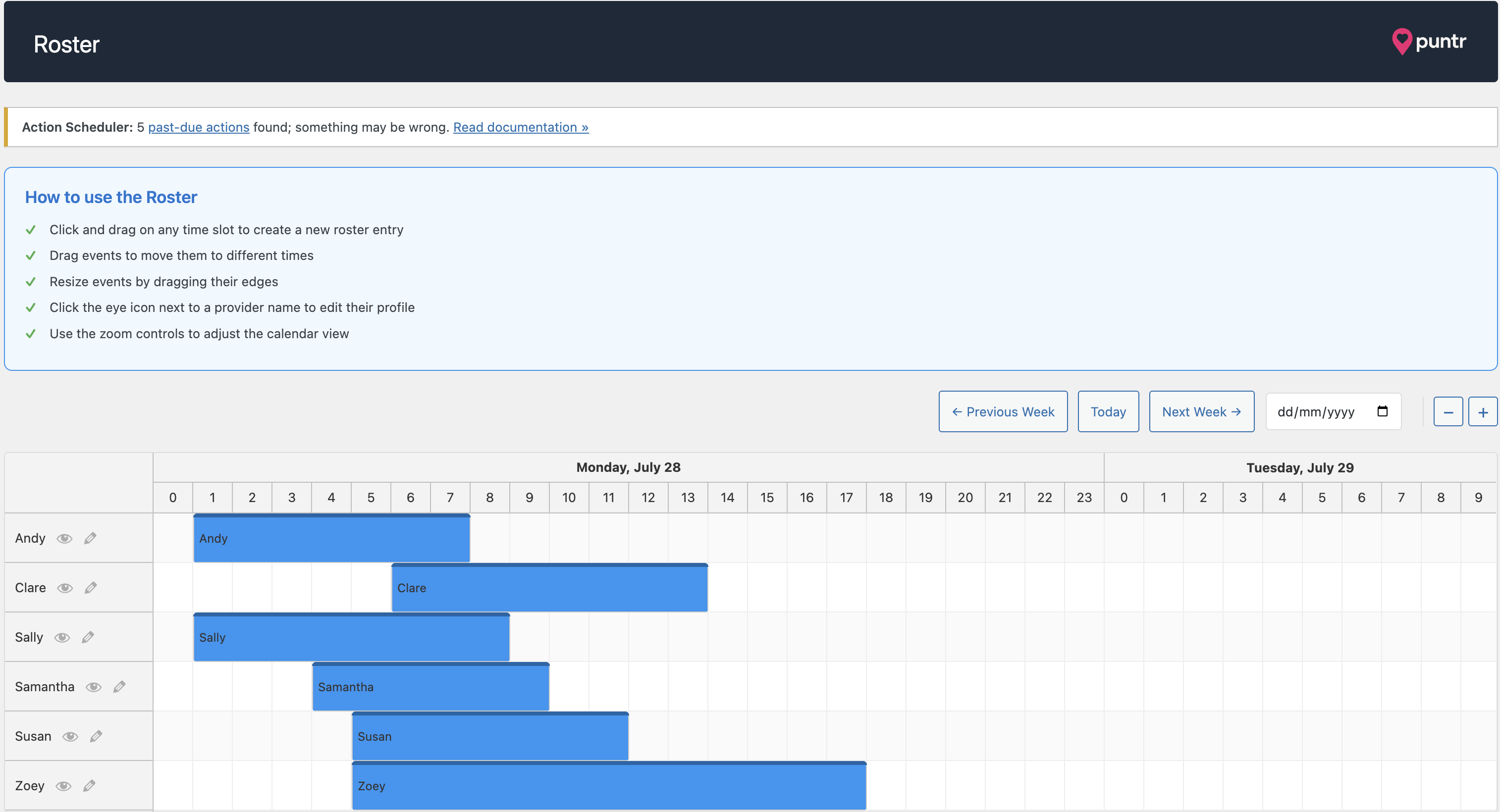


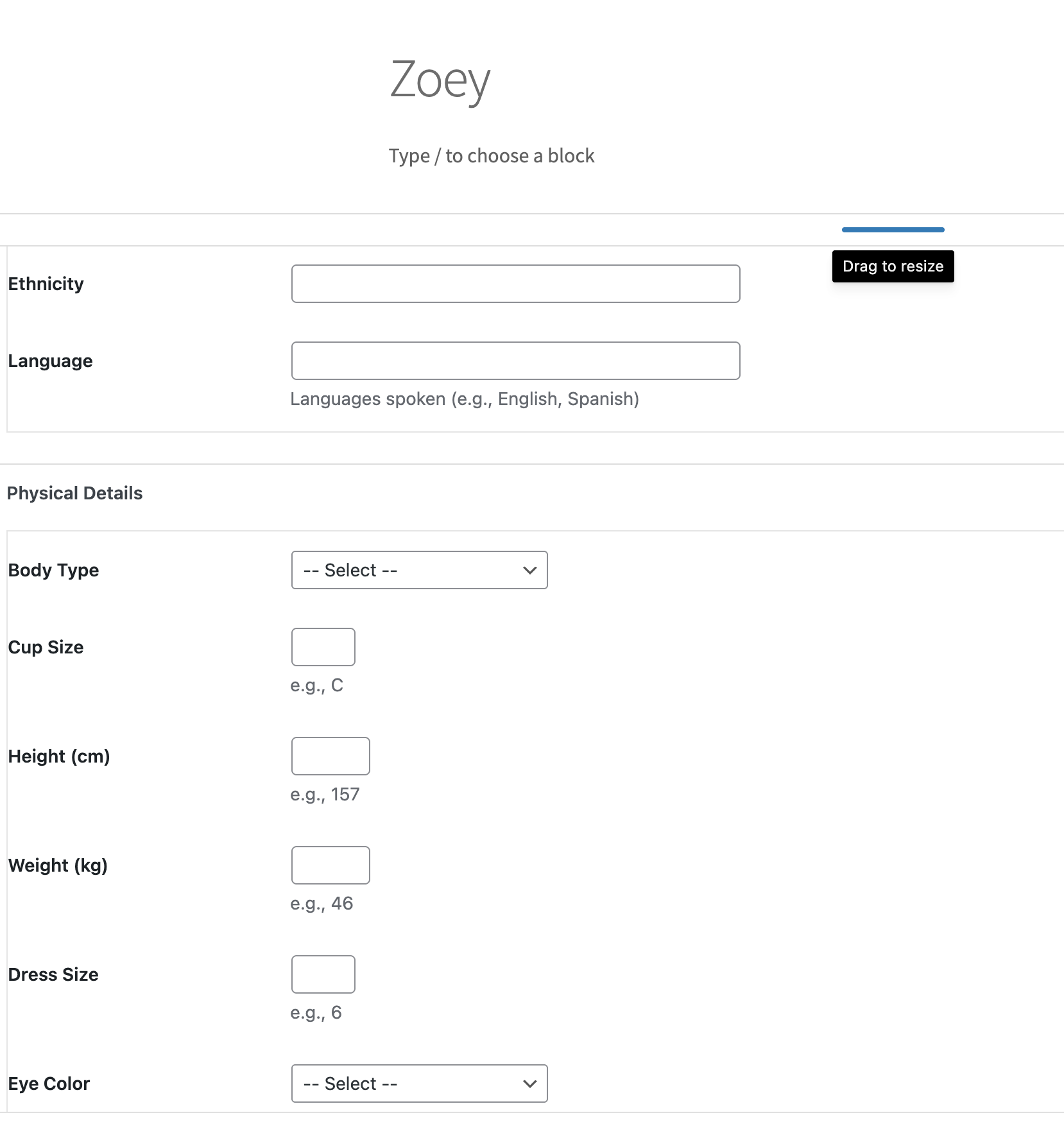
Puntr is a comprehensive WordPress plugin designed for managing service providers with advanced scheduling capabilities. Perfect for agencies, clinics, or any business that needs to manage provider schedules and profiles.
Key Features
- Provider Management – Create and manage detailed provider profiles with photos, physical details, rates, and services
- Product-style Gallery – Professional image gallery with main photo and thumbnail navigation
- Roster Scheduling – Visual calendar interface for managing provider schedules using DayPilot
- Daily Roster Display – Customizable shortcode for displaying daily rosters on your website
- Provider Archive – Enhanced archive pages showing provider attributes and quick info
- Professional Admin Interface – Branded admin pages with consistent styling
- Flexible Taxonomies – Organize providers by service categories and body types
- REST API – Full API access to providers and roster data
- Extensible – Comprehensive hooks and filters for developers
- Security – Built with WordPress security best practices
Managing Providers
- Go to Puntr Providers to view all providers
- Click Add New Provider to create a new profile
- Fill in provider details including:
- Basic information (name, age, gender, ethnicity)
- Physical details (height, measurements, hair/eye color)
- Pricing (30/45/60/90/120/180 minute rates)
- Contact information
- Featured image (main photo)
- Gallery images (additional photos)
Managing Rosters
- Go to Puntr Roster to view the calendar
- Click and drag on the calendar to create a roster entry
- Select the provider and time slot
- Roster entries can be:
- Moved by dragging
- Resized by dragging edges
- Deleted via right-click menu
- Use zoom controls (+/-) to adjust the calendar view
- Navigate weeks using arrow buttons or date picker
Displaying Rosters on Your Website
Basic Daily Roster:
[puntr_daily_roster]
Advanced Options:
[puntr_daily_roster date=”2025-07-20″ show_photo=”true” photo_size=”60″ columns=”photo,name,age,location,start,end”]
Full Calendar:
[puntr_roster_calendar height=”700″]
Available Shortcode Parameters
date– Specific date to display (YYYY-MM-DD format)show_photo– Display provider photos (true/false)photo_size– Size of photos in pixels (default: 50)show_age– Include age column (true/false)show_height– Include height column (true/false)show_dress_size– Include dress size column (true/false)show_bust– Include bust size column (true/false)show_location– Include location column (true/false)show_services– Include services column (true/false)show_rates– Include rates column (true/false)columns– Comma-separated list of columns to display
Available Columns
photo, ethnicity, name, age, height, dress_size, bust, location, services, rates, start, end
Template System
Override templates by copying them from plugins/puntr/templates/ to yourtheme/puntr/:
archive-provider.php– Provider archive/listing pagesingle-provider.php– Single provider pagecontent-provider.php– Provider item in lists
Developer Hooks
Provider Hooks:
* puntr_before_save_provider
* puntr_after_save_provider
* puntr_provider_meta_fields
* puntr_provider_meta_boxes
* puntr_provider_display_data
* puntr_provider_archive_info
Roster Hooks:
* puntr_before_create_roster_event
* puntr_after_create_roster_event
* puntr_roster_event_data
* puntr_roster_table_columns
Calendar Hooks:
* puntr_calendar_event_colors
* puntr_calendar_event_text
* puntr_calendar_default_view
* puntr_calendar_time_slots
Template Hooks:
* puntr_skip_archive_provider_details
* puntr_archive_provider_data
* puntr_gallery_images
* puntr_gallery_position
* And many more…
REST API
Puntr includes a comprehensive REST API. All endpoints are available under /wp-json/puntr/v1/
Available Endpoints:
-
GET
/wp-json/puntr/v1/providers– Get list of providers- Parameters:
per_page,page,service,active_only
- Parameters:
-
GET
/wp-json/puntr/v1/providers/{id}– Get single provider details- Returns full provider information including all meta fields
-
GET
/wp-json/puntr/v1/roster– Get roster events by date range- Required:
start_date,end_date(YYYY-MM-DD format) - Optional:
provider_id
- Required:
-
GET
/wp-json/puntr/v1/daily-roster– Get daily roster- Optional:
date(YYYY-MM-DD format, defaults to today) - Returns roster entries including overnight shifts
- Optional:
Example Usage:
`
// Get today’s roster
GET /wp-json/puntr/v1/daily-roster
// Get specific date roster
GET /wp-json/puntr/v1/daily-roster?date=2025-01-15
// Get providers with pagination
GET /wp-json/puntr/v1/providers?per_page=20&page=2
// Get roster for a week
GET /wp-json/puntr/v1/roster?start_date=2025-01-01&end_date=2025-01-07
`
Additional Information
For support and feature requests, email wordpress@puntr.me
For detailed documentation including all hooks, filters, and code examples, please refer to the plugin’s README.md file or visit https://puntr.me/wordpress