

Presswell Art Direction
v2.2.1Presswell · 2018年4月12日 上架
Manage focal-point cropping and on-demand custom image generation in WordPress.
- 正在使用
- 80+
- 评分
- 5.0 / 5
- 累计下载
- 6,546
- 最近更新
- 2026年11月4日
 Presswell
 benplum
截图
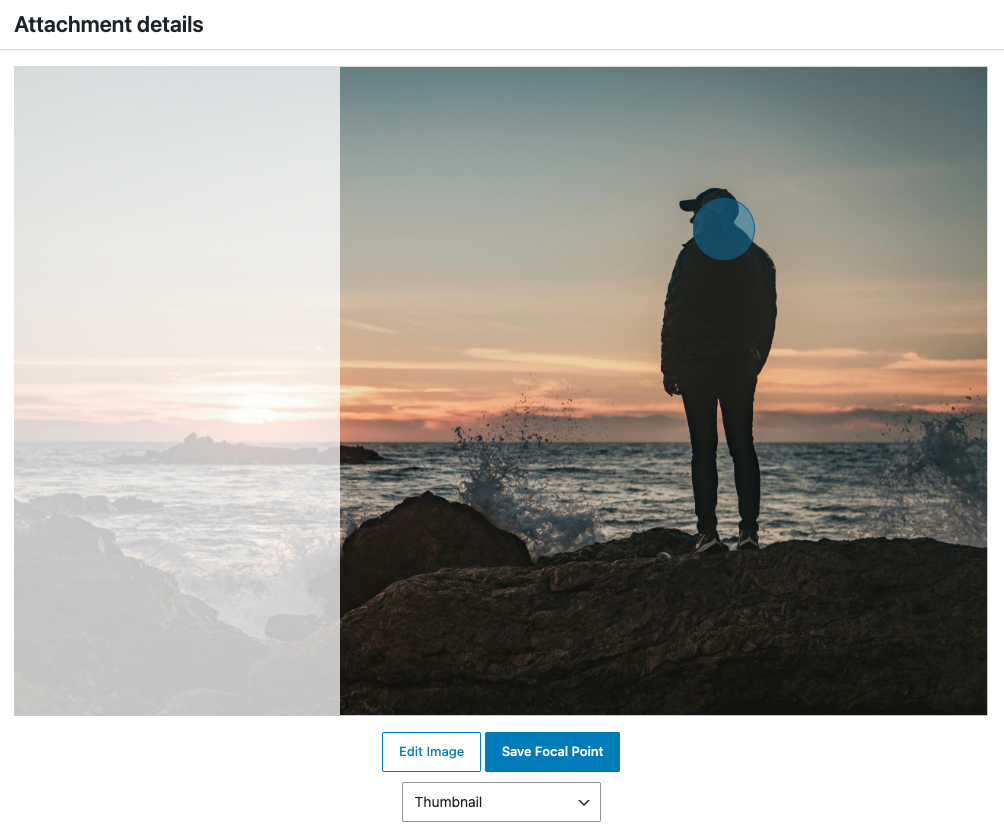
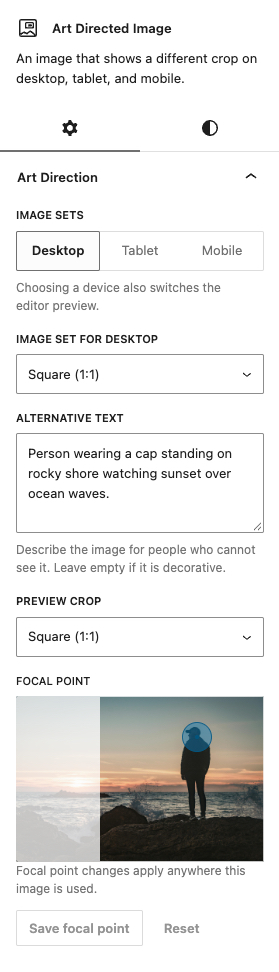
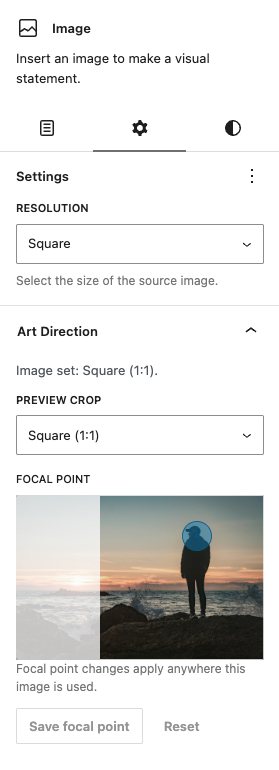
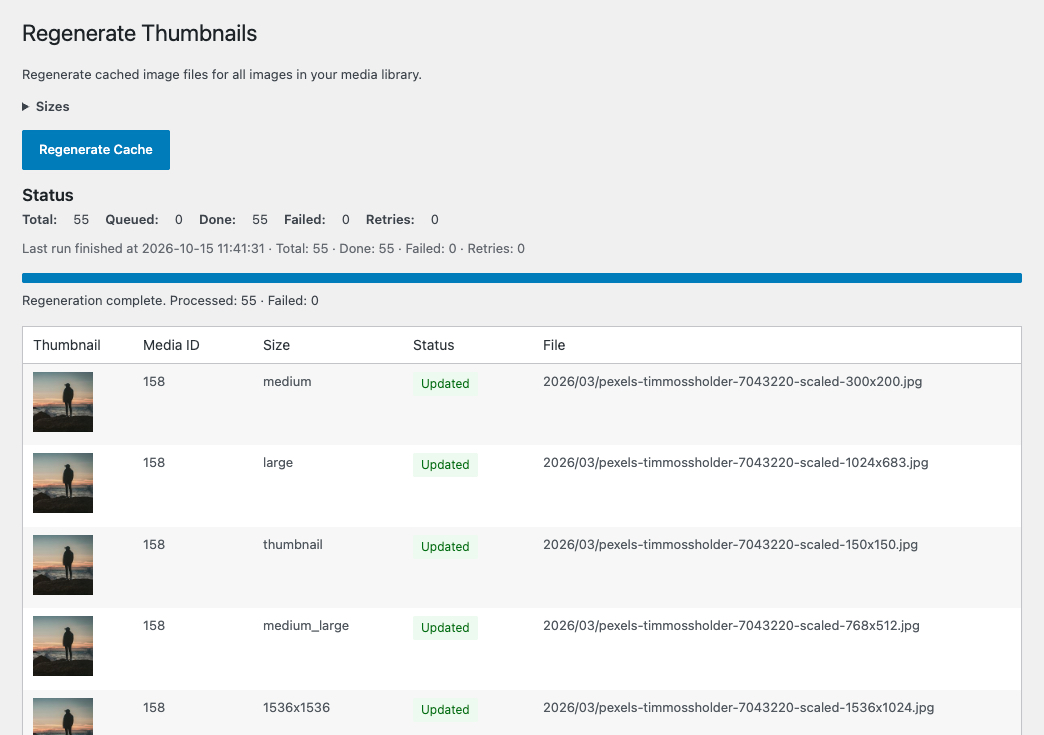

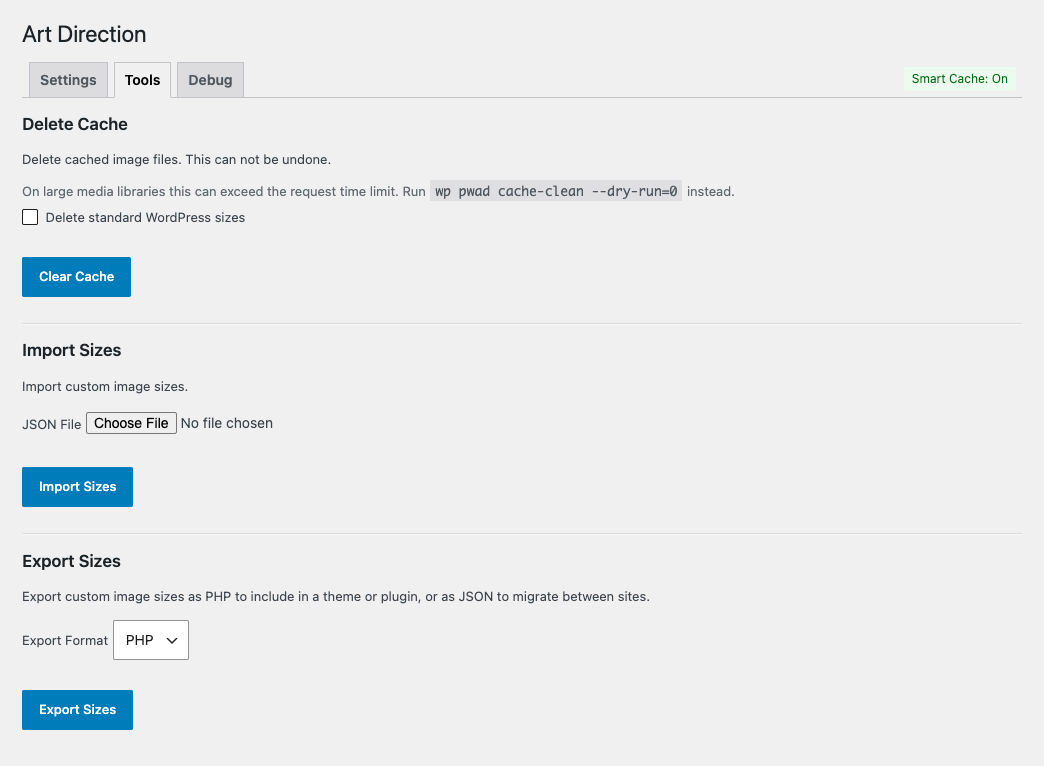
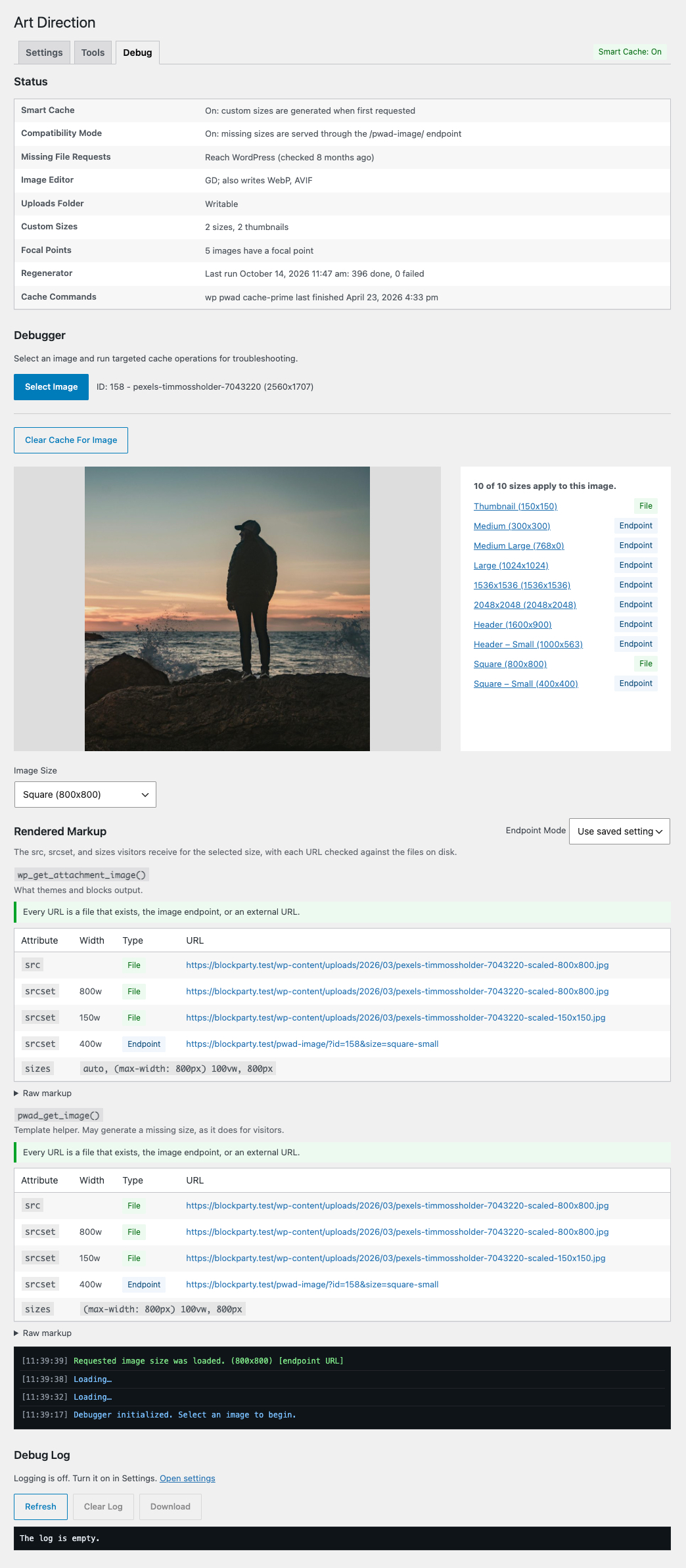
Presswell Art Direction gives editors and developers a consistent way to manage image sizing and cropping in WordPress. Define custom sizes, set focal points, and generate non-core thumbnails only when they are actually needed.
Features
- Control image cropping with focal points
- Define custom image sizes and nested thumbnail variants
- Select custom image sizes directly in the WordPress editor
- Show a different crop on desktop, tablet, and mobile with the Art Directed Image block
- Use image sets and focal points in the core Image block
- Dynamically generate non-core thumbnails on demand
- Run batch regeneration from a dedicated Media tool
- Use Endpoint Mode when filename-based 404 handoff is unavailable
- Import/export size definitions
Focal Point Cropping
Set a focal point for Media Library images to control how custom crops are framed. Mark the visual subject once, and generated thumbnails stay centered on the correct area.
Custom Size Management
Use the settings UI to define and edit custom image sizes. Registered sizes become available when inserting images in the block editor and classic editor workflows.
Block Editor
The Art Directed Image block shows a different image set on desktop, tablet, and mobile, switching at the same breakpoints as the editor’s device preview. Turn on Image Block Support to use your image sets in the core Image block too: its Resolution lists your sets, it serves their real crops instead of CSS aspect ratios, and its sidebar has the focal point editor.
Dynamic Generation + Endpoint Mode
Presswell Art Direction avoids generating every custom size at upload time. With Smart Cache on (the default), WordPress core sizes are generated normally, while custom sizes and sizes registered by themes and plugins are generated when requested in templates or by URL. Smart Cache needs pretty permalinks; with plain permalinks it is treated as off.
If filename-based 404 image requests do not reach WordPress (common in some NGINX/server setups), enable Endpoint Mode (/pwad-image/?id=...&size=...). The plugin includes an automatic compatibility check in wp-admin.
Regenerator
The Regenerator screen (Media -> Regenerate Thumbnails) builds a queue and processes images in batches, with progress metrics and retry handling for failed jobs. You can choose exactly which sizes should be regenerated. The screen is available while Smart Cache is off; with it on, sizes are generated when first requested, and wp pwad regenerate is still available from WP-CLI.
Documentation
Public APIs
pwad_add_image_size( $args )
- $args (array) (required) – Keyed array containing
name,key,height,width,crop(optional), and optionallythumbnailsvalues. - Thumbnail keys are prefixed with parent’s key like
[size]-[thumbnail]. Thumbnails use the parent’scrop, and cropped thumbnails are kept at the parent’s aspect ratio (the width is kept and the height recalculated). - A key that is already registered is left unchanged. Sizes saved on the settings screen are registered first, so they take precedence over a code-registered size with the same key.
Example:
pwad_add_image_size( array(
  'name' => 'Square',
  'key' => 'square',
  'width' => '1200',
  'height' => '1200',
  'crop' => true,
  'thumbnails' => array(
    array(
      'name' => 'Medium',
      'key' => 'medium',
      'width' => '800',
      'height' => '800',
    ),
    array(
      'name' => 'Small',
      'key' => 'small',
      'width' => '400',
      'height' => '400',
    ),
  ),
) );
pwad_get_image_sizes()
Returns all currently-available sizes (WordPress defaults + plugin/theme sizes + Presswell Art Direction sizes/thumbnails).
Example:
$sizes = pwad_get_image_sizes();
pwad_get_image( $attachment_ID, $size_key, $attr = array() )
- $attachment_ID (int) (required) – ID of image attachment
- $size_key (string) (required) – Image size identifier (
thumbnail,large,my-size,my-size-mobile, etc.) - $attr (array) (optional) – HTML attributes passed to the rendered image element
Returns an image tag.
Example:
$square_large = pwad_get_image( $img_ID, ‘square’ );
$square_small = pwad_get_image( $img_ID, ‘square-small’, array( ‘class’ => ‘hero-image’ ) );
pwad_get_image_src( $attachment_ID, $size_key )
- $attachment_ID (int) (required) – ID of image attachment
- $size_key (string) (required) – Image size identifier (
thumbnail,large,my-size,my-size-mobile, etc.)
Returns a keyed array containing the file, url, path (relative to uploads), height, width, and mime-type values, plus a deprecated src key (the same as url), or false. A missing size is generated (Smart Cache) or given an /pwad-image/ endpoint URL (Endpoint Mode, where path is empty). full, an unknown size key, or a size the original is too small for returns the original image.
Example:
$square_large = pwad_get_image_src( $img_ID, ‘square’ );
$square_small = pwad_get_image_src( $img_ID, ‘square-small’ );
pwad_get_focal_point( $attachment_ID )
- $attachment_ID (int) (required) – ID of image attachment
Returns the focal point the image is cropped around, as array( 'left' => float, 'top' => float ), each from 0 to 1 measured from the left and top edges: the saved point, or the center when none is saved, after the pwad_focal_point filter.
Example:
$point = pwad_get_focal_point( $img_ID );
$position = ( $point[‘left’] * 100 ) . ‘% ‘ . ( $point[‘top’] * 100 ) . ‘%’;
Actions
pwad/image_generated
Fires immediately after a custom crop file is generated so themes/plugins can queue optimizers or post-processing.
Arguments:
- $data[‘attachment_id’] (int) – Attachment ID.
- $data[‘size_key’] (string) – Requested size key.
- $data[‘size_data’] (array) – Registered/requested size definition used for generation.
- $data[‘source_file’] (string) – Source file path from attachment metadata (relative upload path).
- $data[‘generated_file’] (string) – Generated filename for the new crop.
Example:
add_action( ‘pwad/image_generated’, function( $data ) {
// Example: queue optimization when a new crop is created.
if ( ! empty( $data[‘attachment_id’] ) && ! empty( $data[‘generated_file’] ) ) {
do_action( ‘my_optimizer/queue’, $data );
}
} );
pwad_focal_point_saved
Fires after an image’s focal point is saved: from the Media Library, the block editor, or code.
Arguments:
- $attachment_id (int) – Attachment ID.
- $focal_point (array) – The saved point:
leftandtop, each from 0 to 1. - $previous (array|null) – The point it replaced, or
nullwhen the image had none.
pwad_cache_cleared
Fires once after generated image files are deleted, for one image or all of them, so a CDN can be purged. Fires only when files were deleted.
Arguments:
- $attachment_id (int|null) – Attachment ID, or
nullwhen every image was cleared. - $deleted_files (array|int) – For one image, the deleted files as paths relative to uploads; for every image, how many were deleted.
- $context (string) –
focal_point,media(Clear Image Cache),debug(the Debug tab’s rebuild),image(code callingdelete_cache()),tools(Delete Cache on the Tools tab),clean(wp pwad cache-clean), orprune(wp pwad cache-prune).
Example:
add_action( ‘pwad_cache_cleared’, function( $attachment_id, $deleted_files, $context ) {
if ( is_array( $deleted_files ) ) {
$base = trailingslashit( wp_upload_dir()[‘baseurl’] );
my_cdn_purge( array_map( function( $file ) use ( $base ) { return $base . $file; }, $deleted_files ) );
} else {
my_cdn_purge_all();
}
}, 10, 3 );
Filters
pwad_status_rows
Add or change rows in the status table on the Debug tab.
- $rows (array) – Rows, each an array with
label(string),value(string), andstatus(ok,warning, or empty). Rows without a string label and value are skipped.
Example:
add_filter( ‘pwad_status_rows’, function( $rows ) {
$rows[] = array( ‘label’ => ‘Image CDN’, ‘value’ => ‘Connected’, ‘status’ => ‘ok’ );
return $rows;
} );
pwad_focal_point
Change the focal point an image is cropped and positioned around, for example to supply one from face detection when none is saved. Return values without numeric left and top from 0 to 1 are ignored.
- $focal_point (array) – The saved point, or the center (
0.5,0.5) when none is saved. - $attachment_id (int) – Attachment ID.
Example:
add_filter( ‘pwad_focal_point’, function( $focal_point, $attachment_id ) {
$face = my_detect_face( $attachment_id ); // array( ‘left’ => 0.3, ‘top’ => 0.25 ) or null.
return ( $face && ! get_post_meta( $attachment_id, ‘_pwad_focal_point’, true ) ) ? $face : $focal_point;
}, 10, 2 );
pwad_image_html
Change the markup pwad_get_image() returns. Not applied to the Art Directed Image block or wp_get_attachment_image(). Non-string return values are ignored.
- $html (string) – The
<img>tag, or an empty string when the image can’t be found. - $attachment_id (int) – Attachment ID.
- $size_key (string) – Requested size key.
- $attr (array) – Attributes passed to
pwad_get_image().
WP-CLI
wp pwad regenerate
Regenerates thumbnails.
--queue-per-page=<int>(default200)--batch-size=<int>(default25)--target-seconds=<float>(default5)--resume-last=<0|1>(default0, continue the last interrupted queue)
wp pwad cache-prime
Generates thumbnails based on sitemap.
--sitemap=<url>(optional, auto-detects from robots.txt/common sitemap endpoints)--page-limit=<int>(default unlimited)--image-limit=<int>(default unlimited)--delay-ms=<int>(default250)--timeout=<float>(default10)--retries=<int>(default2, retries image requests that fail with a server error, 500 to 504)--include-external=<0|1>(default0)--force-endpoint=<0|1>(default0)--report-csv=<path>(optional, writes per-URL status/error report; relative paths are saved privately inwp-content/uploads/pwad-logs/)--dry-run=<0|1>(default0)--resume-last=<0|1>(default0, continue the last interrupted prime run; can’t be combined with--dry-run=1)
wp pwad cache-prune
Deletes cached thumbnails not referenced in sitemap.
--sitemap=<url>(optional, auto-detects from robots.txt/common sitemap endpoints)--batch-size=<int>(default200)--max-images=<int>(default unlimited)--page-limit=<int>(default unlimited)--image-limit=<int>(default unlimited)--timeout=<float>(default10)--grace-days=<int>(default0, uses file modified time)--include-external=<0|1>(default0)--force-endpoint=<0|1>(default0)--report-csv=<path>(optional, writes per-file keep/delete report; relative paths are saved privately inwp-content/uploads/pwad-logs/)--dry-run=<0|1>(default1)--resume-last=<0|1>(default0, continue the last interrupted prune run; pass--dry-run=0with it)
wp pwad cache-clean
Deletes all cached thumbnails.
--batch-size=<int>(default200)--max-images=<int>(default unlimited)--include-default=<0|1>(default0)--dry-run=<0|1>(default1)--resume-last=<0|1>(default0, continue the last interrupted clean run; pass--dry-run=0with it)
wp pwad queue-status
Shows resumable/remaining state for regenerator and cache queue runs.
Privacy
Presswell Art Direction does not send image data to external services. It processes image metadata and generated variants within your WordPress environment.